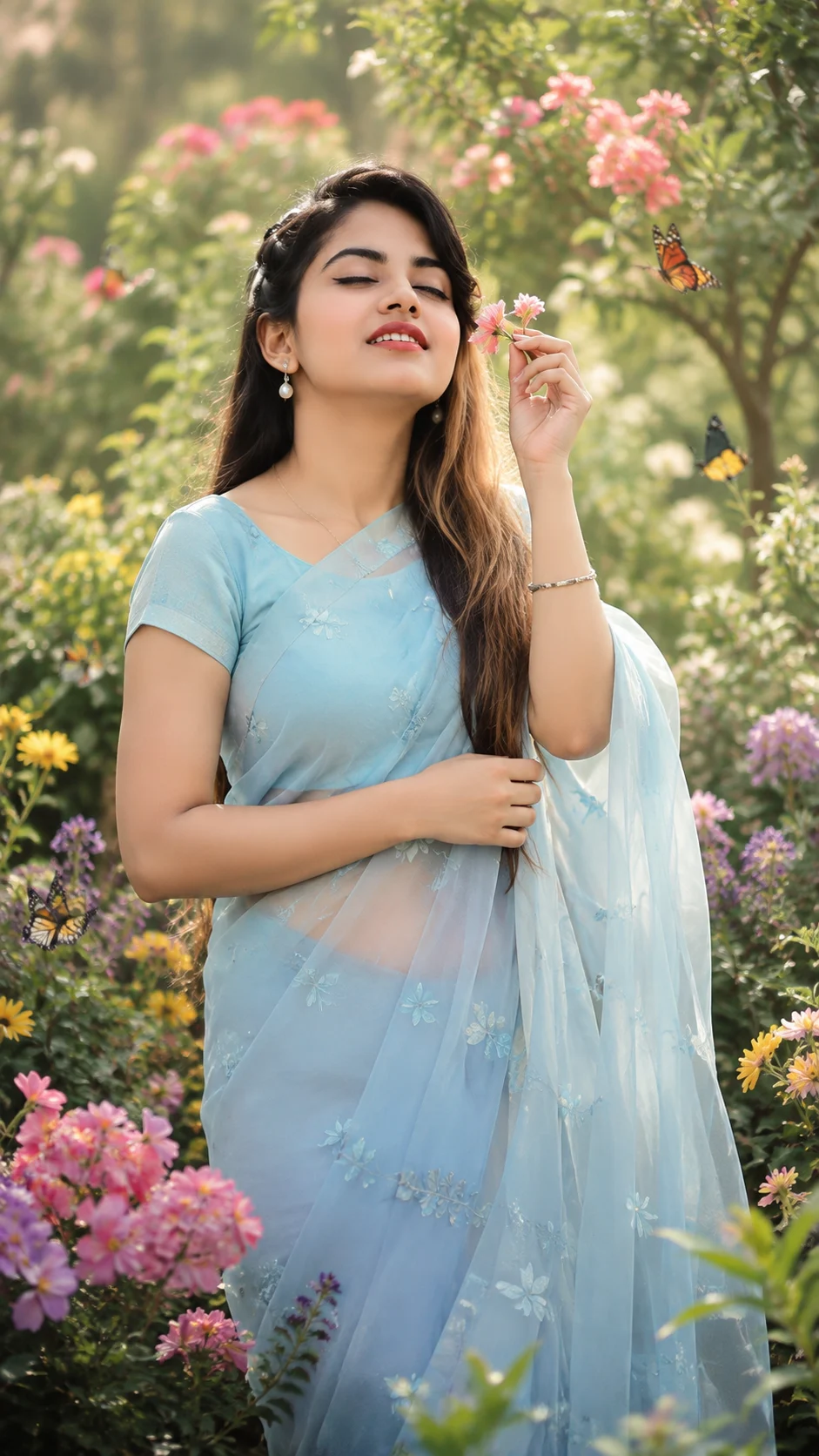
Dreamy Butterfly Garden Portrait
Create a dreamy outdoor portrait in a flower garden with soft blue organza, gentle butterflies, warm daylight, and creamy pastel bokeh.
Using the uploaded photo, create a photorealistic vertical portrait of the same person in a vibrant flower garden with a soft, dreamy editorial look. KEEP - Keep the uploaded person's exact face structure, natural eye shape and original eye colour, real skin tone and visible skin texture, hairline, facial hair if present, and natural body proportions. Preserve their recognizable facial identity, including the shape of the jaw, nose, lips, cheeks, forehead, and chin. Do not rebuild or beautify the face into a different person. CHANGE - Change the wardrobe to a soft sky-blue organza saree with delicate embroidered detailing and a matching blouse. Add simple pearl earrings and a thin silver bracelet. Change the pose so the person stands naturally, gently holding a small flower near the face and looking slightly upward with a relaxed, joyful expression. Change the setting to a colourful botanical garden filled with flowers and a few naturally placed butterflies. Use warm diffused daylight, a soft pastel colour grade, and a shallow-depth background. SCENE - Place the person outdoors in a lush flower garden during late afternoon. Use layered flowers and green foliage behind them, with a few butterflies visible near the shoulder and surrounding plants. Keep the background strongly blurred but still recognisable as a garden, using smooth creamy bokeh rather than distracting sharp details. LIGHT - Place the main light from the front-left at a slightly elevated angle, like filtered late-afternoon sunlight passing through foliage. Keep the light warm-neutral at about 5200K, with soft shadows under the chin and nose and gentle highlights across the cheeks, so the face belongs naturally in the scene. CAMERA - Photograph at 85mm, f/1.8, with the camera at chest height and focused precisely on the nearer eye. Use natural perspective compression, moderate subject separation, and realistic DSLR depth of field without excessive artificial blur. GRADE - Use a soft pastel treatment with warm highlights, gentle greens, restrained saturation, medium-low contrast, natural skin colour, and subtle cinematic tonality. Keep fabric texture, flower detail, and skin pores realistic. OUTPUT - Create a vertical 9:16 image at 2160 × 3840 pixels, with the person sharply rendered from head to approximately mid-thigh and enough surrounding garden visible to establish the location. DO-NOT - no face slimming, no skin whitening, no changed eye colour, no plastic smoothing, no invented jewellery or tattoos, no altered facial proportions, no exaggerated makeup, and no extra fingers or distorted hands.
Photo Guide
- Use a sharp photo of at least 1200px on the shortest side.
- A front or slight three-quarter angle keeps both eyes and the jaw easy to match.
- Soft daylight works better than harsh flash for the warm garden lighting.
- Keep the forehead, hairline, jawline, and natural skin texture clearly visible.
- Avoid heavy filters or sunglasses; they can make the identity drift.
- A daylight garden photo blends best with this pastel outdoor scene.
How to Build
- 1In Gemini, upload your photo and paste the prompt unchanged.
- 2Choose image generation and keep the output ratio at 9:16.
- 3Generate once without adding extra face or beauty instructions.
- 4Check the eyes, jaw, skin tone, hairline, and body proportions first.
- 5If the face drifts, re-upload the clearest original photo and regenerate.
- 6If the scene is wrong, change only the scene instruction, not the KEEP list.
Pro Tips
- Keep both eyes unobstructed so the 85mm portrait preserves facial identity.
- Use a real daylight source photo so warm garden light matches the skin.
- Avoid very dark source photos so skin texture survives the pastel grade.
- Choose a photo showing the shoulders so the saree sits naturally on the body.
- Keep jewellery minimal so the pearl and silver details do not overpower the face.
Share This Prompt
About the Author
Naziya
Creative AI writer at MFDA, sharing trendy photo-editing prompts and fresh ideas for beautiful, stylish AI images.