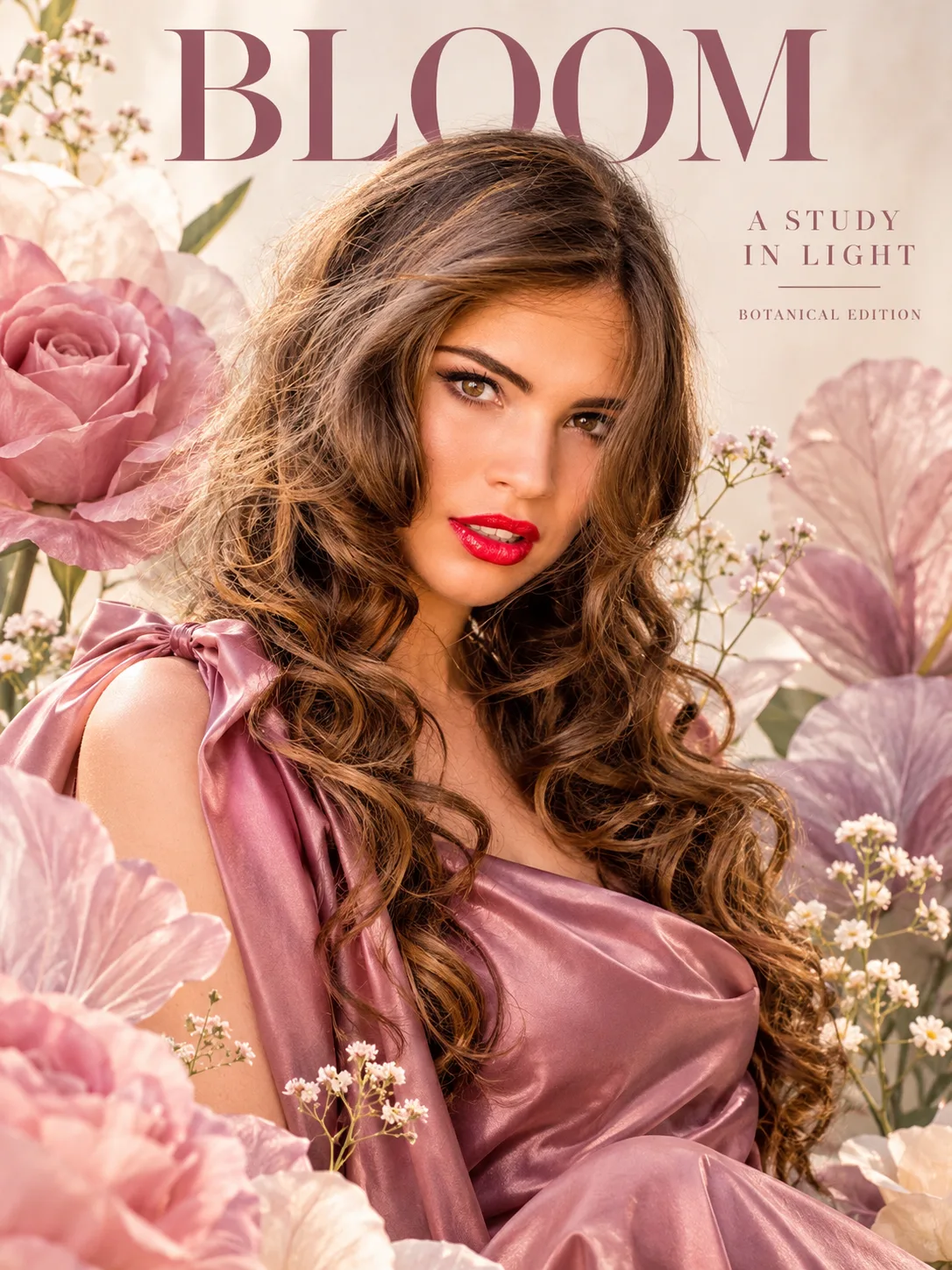
Dreamy Botanical Floral Fashion Poster From Your Photo
Turn your photo into a dreamy botanical fashion poster with oversized sculptural flowers, pastel colours, soft studio lighting, and elegant editorial typography.
Using the uploaded photo, create a photorealistic botanical fashion poster featuring the same recognizable person surrounded by oversized sculptural flowers, translucent petals, and delicate botanical forms in a vertical 3:4 composition. KEEP — Preserve the person's exact facial identity, original face shape, forehead, eyebrows, eye shape and natural eye colour, nose bridge and tip, lips, cheeks, cheekbones, jawline, chin, ears, natural facial asymmetry, and original skin tone. Retain visible pores, fine skin texture, natural marks, and realistic age. Preserve the original hairline, hair density, hairstyle, natural texture, facial hair where present, neck, shoulders, hands, and body proportions. Keep the person's recognizable appearance consistent with the uploaded photo. CHANGE — Style the person in an elegant contemporary outfit made from dusty-rose silk, soft ivory satin, or pale-lavender textured fabric. Choose the garment that best suits the person's original presentation. Arrange oversized sculptural roses, delicate translucent petals, and layered botanical silhouettes around the subject. Use dusty rose, pale lavender, warm ivory, and muted sage green. Position the subject in a relaxed editorial pose with a natural head angle and believable shoulder alignment. Do not alter body proportions to fit the composition. SCENE — Place the subject in a refined botanical studio at late-morning daylight. Create a softly textured warm-ivory backdrop with oversized three-dimensional flowers behind the shoulders and scattered petals in the foreground. Keep distant floral shapes softly blurred while retaining visible petal structure around the subject. Leave clear negative space above the head for the word "BLOOM". LIGHT — Use soft window light from the upper left, approximately 45 degrees from the face, with gentle frontal fill to preserve natural skin tones. Keep shadows delicate and consistent across the face, clothing, and flowers. Use a neutral-warm colour temperature around 5200K. CAMERA — Simulate an 85mm portrait lens at f/2.8, camera at eye level, with natural perspective, shallow depth of field, sharp eyes, and realistic separation between the subject and background. GRADE — Apply a muted pastel colour grade, gentle contrast, creamy highlights, restrained saturation, subtle fine-grain texture, and soft editorial tonal transitions. Keep skin colours natural rather than pink or lavender. OUTPUT — Vertical 3:4 aspect ratio, high-resolution 8K-quality detail, realistic fabric texture, accurately rendered petals, and clean magazine-poster composition. Include elegant serif typography reading "BLOOM", with smaller text reading "A STUDY IN LIGHT" and "BOTANICAL EDITION". Keep text away from the face and ensure correct spelling. DO NOT slim the face, whiten the skin, change eye colour, reshape facial features, apply plastic smoothing, invent jewellery or tattoos, duplicate facial features, obscure the eyes with petals, or replace the person's identity.
Photo Guide
- Use a sharp, high-resolution photo where both eyes are clearly visible.
- Choose a front-facing or slight three-quarter angle for natural facial matching.
- Soft daylight helps the face blend with the pastel botanical lighting.
- Keep the hairline, jawline, neck, and shoulders visible in the original photo.
- Avoid heavy beauty filters that erase pores and natural facial asymmetry.
- A busy floral background can compete with the oversized sculptural flowers.
How to Build
- 1Open ChatGPT and select Create Image or the available image-generation option.
- 2Upload a clear portrait and paste the complete prompt above.
- 3Keep the aspect ratio at 3:4 and request the highest available image quality.
- 4Generate the poster with the original face and natural proportions preserved.
- 5Check the flower placement, skin tone, eye colour, and typography.
- 6If the face drifts, regenerate using the original photo and strengthen the KEEP section.
Pro Tips
- Use dusty-rose or ivory clothing so the outfit harmonizes with the flowers.
- Keep both eyes unobstructed so the person's identity remains recognizable.
- Choose soft window-lit portraits to match the scene's gentle shadows.
- Leave space above the head so "BLOOM" remains readable and balanced.
- Avoid strong coloured lighting so skin tones stay natural against pastel petals.
Share This Prompt
About the Author
Naziya
Creative AI writer at MFDA, sharing trendy photo-editing prompts and fresh ideas for beautiful, stylish AI images.