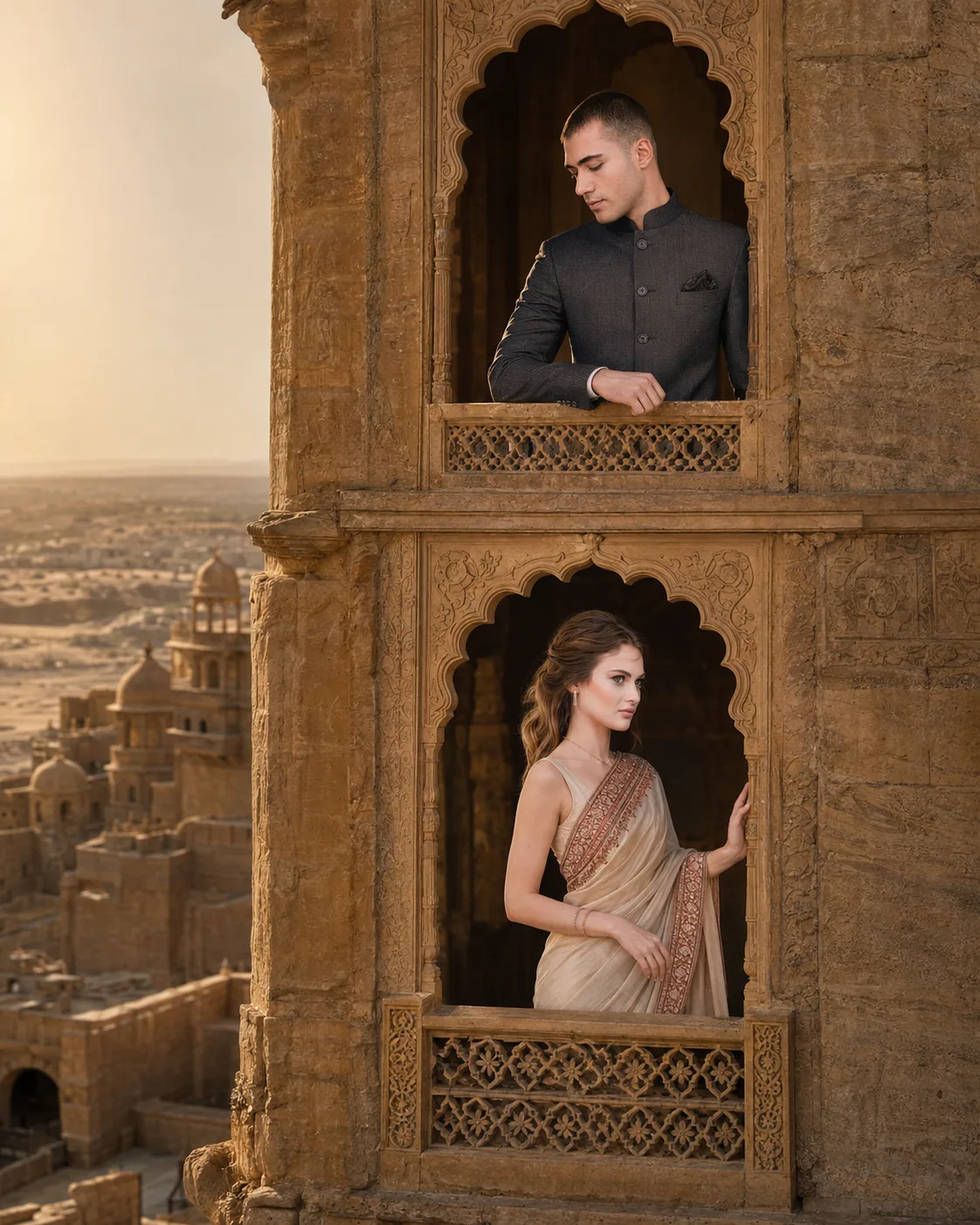
Desert Palace Couple Jharokha Portrait
Create a cinematic desert palace couple portrait with two carved jharokhas, golden sandstone, flowing fabric, and warm evening light.
Using the uploaded photos, create a photorealistic cinematic couple portrait set within two separate carved jharokhas of a grand Rajasthan-inspired sandstone palace. KEEP - Preserve the exact identity of each person from their respective uploaded photo. Keep each person's facial structure, forehead, eyebrow shape, eye shape and natural eye colour, nose, lips, cheeks, jawline, chin, facial proportions and natural asymmetry unchanged. Preserve original skin tone and visible skin texture, including pores, fine lines and natural marks. Keep each person's original hairline, hair density, texture and hairstyle characteristics. Preserve facial hair exactly where present. Keep natural body proportions, shoulder width, height relationship, arms, hands and fingers. Keep the two faces separate and recognizable; never merge, swap or blend their identities. CHANGE - Place the man inside the upper carved jharokha wearing a [deep charcoal bandhgala] with subtle woven texture. Place the woman inside the lower jharokha wearing an [ivory and muted red silk saree] with a lightweight flowing pallu. Add only [minimal traditional jewellery]. Give the man a calm, composed pose with one forearm resting on the stone ledge. Give the woman a graceful standing pose with one hand lightly touching the carved frame and her body turned slightly toward him. SCENE - Set them on two vertically separated jharokhas across a weathered honey-gold sandstone palace façade. Show carved stone latticework, recessed arches and a wide desert horizon behind them. Use late-afternoon golden-hour light with softly distant architectural details and gentle atmospheric blur. LIGHT - Light both faces from the same upper-left direction, using warm 4300K sunlight softened by the palace architecture. Keep natural cheek and jaw shadows consistent with the sandstone surroundings. CAMERA - Shoot at 85mm, f/2.8, camera at chest height, keeping both jharokhas sharp enough to read while softly compressing the distant desert background. GRADE - Use warm sandstone, muted cream and dusty red tones, medium contrast, restrained highlights and subtle fine-grain cinematic film texture. OUTPUT - Create a vertical 4:5 composition at 2048 × 2560 pixels, keeping both jharokhas and both people fully visible. DO-NOT - no face slimming, no skin whitening, no changed eye colour, no plastic smoothing, no invented jewellery or tattoos, no face swapping, no merged faces, no altered body proportions, no extra fingers, no malformed hands.
Photo Guide
- Use a clear 1024px+ photo where each face is sharp and unobstructed.
- Choose front or slight three-quarter photos so both jawlines remain visible.
- Neutral daylight photos blend better with the palace's warm golden sunlight.
- Keep hairline, shoulders and hands visible where possible for accurate proportions.
- Avoid heavy beauty filters; they can erase skin texture the model needs to keep.
- For this look, avoid very dark photos because facial shadows fight the warm sandstone light.
How to Build
- 1Open Gemini and choose image generation with the highest quality setting.
- 2Upload both original photos before pasting the full prompt.
- 3Set the image orientation to vertical 4:5 if the tool offers it.
- 4Keep both people in separate image references; do not combine them first.
- 5Generate once, then inspect both faces, hands and the height relationship.
- 6If the first result is wrong, regenerate and state which identity detail drifted.
Pro Tips
- Use photos with similar head scale so neither face gets disproportionately enlarged.
- Choose a saree colour that contrasts with sandstone so the woman stays separated.
- Keep the man's face angled toward camera so his identity remains stable.
- Avoid busy backgrounds in source photos so facial details get stronger weight.
- Check the jharokha shadows match both faces, preventing a pasted-on lighting effect.
Share This Prompt
About the Author
Naziya
Creative AI writer at MFDA, sharing trendy photo-editing prompts and fresh ideas for beautiful, stylish AI images.