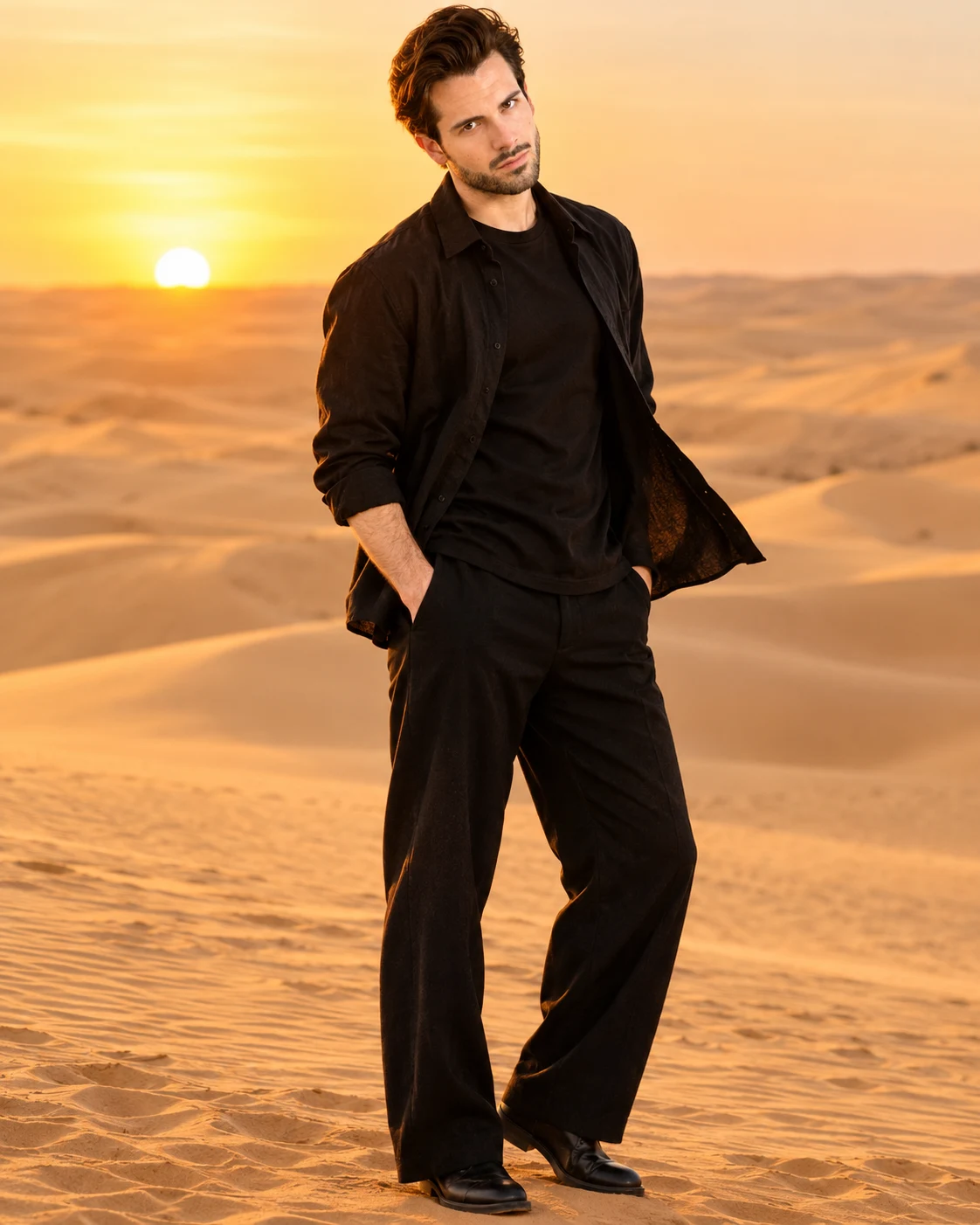
Desert Mirage Cinematic Black Outfit Portrait
Create a cinematic desert fashion portrait with flowing black layers, golden sand dunes, dramatic sunset light, and your original facial identity preserved.
Using the uploaded photo, create a photorealistic full-body cinematic fashion portrait of the same man standing alone among vast golden desert dunes during late golden hour, dressed in a sophisticated all-black relaxed-fit outfit with naturally windblown fabric. KEEP — Preserve the man's exact recognizable facial identity from the uploaded photo. Retain his original face shape, forehead proportions, facial width, cheek volume, cheekbones, jawline, chin, nose bridge and tip, lip shape, eyebrow placement, eye shape and natural eye colour. Maintain his original skin tone, realistic pores, fine skin texture, natural facial asymmetry, age characteristics, hairline, hairstyle, hair density and texture. Preserve facial hair shape and density if present. Keep his original neck length, shoulder width, height, body proportions, arm length and natural anatomy. His face must remain unmistakably the same person, not a reconstructed or beautified interpretation. CHANGE — Dress him in an oversized matte-black cotton crew-neck shirt layered beneath a lightweight black open-front linen overshirt. Add relaxed-fit black wide-leg trousers with natural fabric folds and minimal black leather boots. Position him standing confidently on a gently sloping sand dune, with his torso turned slightly away from the camera and his face looking toward the distant horizon. Let the wind lift one side of his overshirt and create realistic movement through the loose fabric. Keep accessories minimal and do not introduce jewellery. SCENE — Place him in an expansive desert landscape with sculpted golden dunes, fine wind-shaped sand patterns and subtle ridgelines stretching toward the horizon. Capture the scene approximately 20 minutes before sunset. Keep distant dunes softly separated by atmospheric haze without adding buildings, vehicles or vegetation. LIGHT — Position the low sun behind and slightly to the camera-left of the subject. Create warm amber rim lighting along his hair and shoulders, while soft reflected sand light illuminates the front of his face. Preserve natural facial shadows and accurate skin colour. CAMERA — Shoot with an 85mm portrait lens at f/2.8, camera positioned at waist-to-chest height, capturing the entire body with natural proportions. Keep the face sharply focused and the distant desert gently blurred. GRADE — Use warm amber highlights, muted sand-gold tones, deep charcoal blacks and restrained cinematic contrast. Maintain realistic skin colour, subtle film grain and detailed shadow textures. OUTPUT — Vertical 4:5 composition, 8K resolution, photorealistic editorial quality, natural anatomy and realistic fabric movement. DO NOT alter facial identity, slim the face, whiten the skin, change eye colour, reshape the nose or jaw, smooth skin into plastic, invent jewellery or tattoos, add extra fingers, distort limbs, or introduce text, logos or watermarks.
Photo Guide
- Use a sharp, high-resolution face photo with visible facial details.
- Choose a front-facing or slightly angled photo with natural proportions.
- Use soft daylight so the desert's warm light blends with your face.
- Keep your original hairstyle, hairline and facial hair clearly visible.
- Wear no sunglasses in the reference photo to preserve eye details.
- Avoid heavily filtered selfies; they cause facial identity drift.
How to Build
- 1Open Gemini or ChatGPT and select an image-generation model.
- 2Upload one clear photo of yourself as the identity reference.
- 3Copy the complete MFDA prompt into the image-generation instruction box.
- 4Choose a vertical 4:5 aspect ratio and the highest available quality.
- 5Set identity or reference-image strength to high if the tool supports it.
- 6Generate the image and inspect facial details, hands and clothing.
- 7If the result looks wrong, refine the KEEP instructions and regenerate.
Pro Tips
- Choose a photo with visible eyes so the original gaze remains recognizable.
- A slightly angled face creates a more natural editorial expression.
- Keep black clothing matte so sunset highlights retain fabric detail.
- Use a clear daylight reference to match the warm desert illumination.
- Keep the full body visible in the reference to reduce proportion drift.
- Avoid a completely black reference background so clothing edges stay defined.
Share This Prompt
About the Author
Naziya
Creative AI writer at MFDA, sharing trendy photo-editing prompts and fresh ideas for beautiful, stylish AI images.