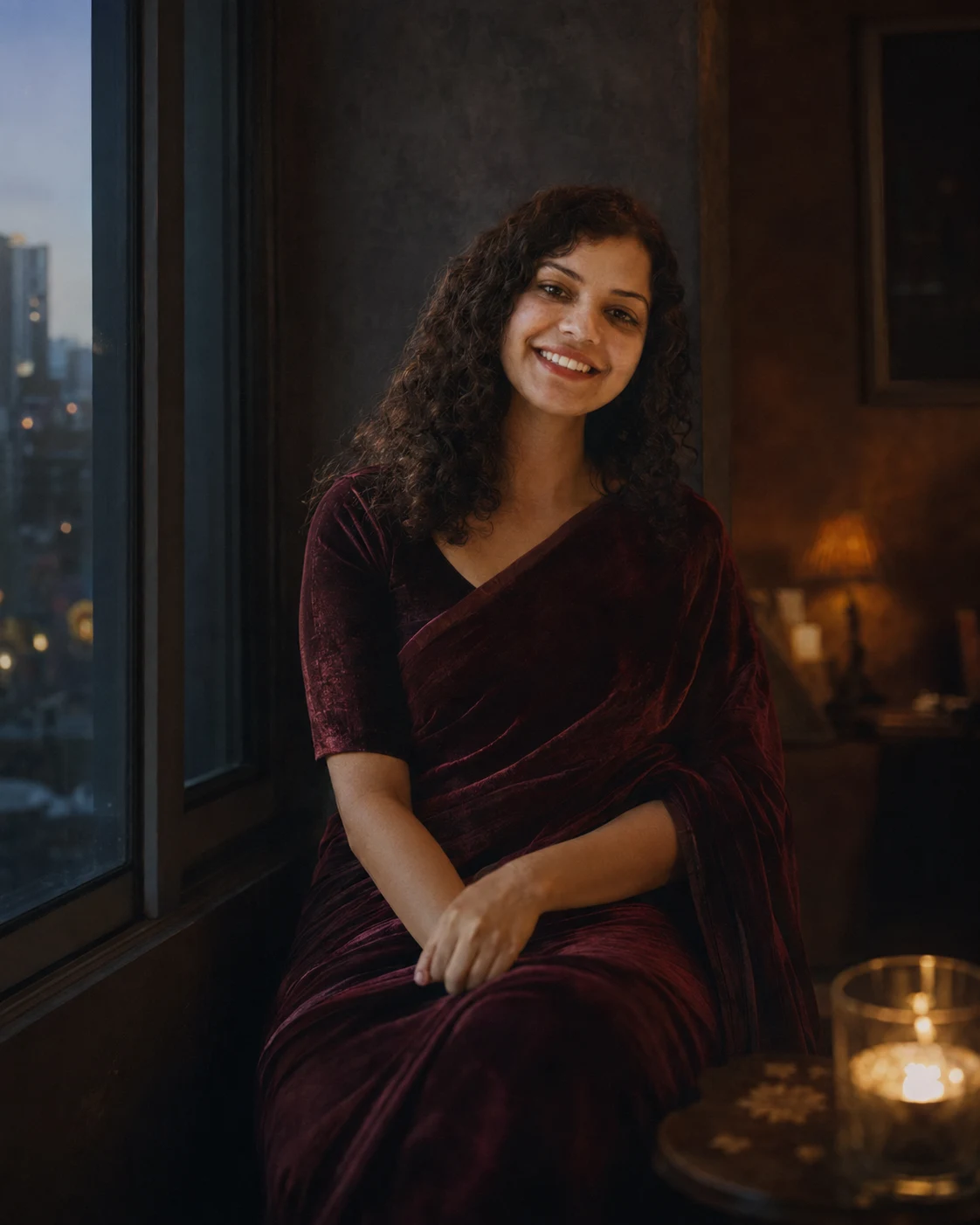
Dark Moody Saree Window Portrait Photography
Create a dark cinematic saree portrait from your photo with preserved identity, velvet styling, window shadows, and realistic editorial photography.
Using the uploaded photo, create a dark moody cinematic portrait while keeping the person recognizable and naturally realistic. KEEP - Keep the exact face structure from the uploaded photo, including forehead shape, eyebrow shape, eye shape and natural eye colour, nose structure, lips, cheekbones, jawline, chin, ears, facial asymmetry, skin tone, visible pores, natural skin texture, hairline, original hairstyle pattern, facial hair if present, and body proportions. Keep the person's real identity, age appearance, and natural expression details from the uploaded image. CHANGE - Change the wardrobe into a deep burgundy velvet saree with a subtle matte texture, paired with a dark blouse using soft fabric folds. Add a dim indoor setting, a window-side pose, warm candlelight atmosphere, and a cinematic dark colour grade. Use minimal styling without adding jewellery, tattoos, or accessories unless already visible in the uploaded photo. SCENE - Place the person sitting beside a large window inside a quiet room with textured dark walls. Behind them, show a softly blurred interior with simple furniture and faint city shapes outside the glass. The scene should feel like an evening portrait captured in a private apartment. LIGHT - Use warm candlelight from the front-right side combined with soft cool window light from the left. Keep facial lighting natural with gentle shadows under the cheekbones and jawline, matching the direction of the environment. CAMERA - Capture the portrait using an 85mm lens, f/1.8 aperture, camera height at chest level, with shallow depth of field and realistic facial focus. GRADE - Apply a cinematic low-key colour treatment with deep reds, warm amber highlights, muted shadows, medium contrast, and a subtle film photography look. OUTPUT - Create a vertical 4:5 portrait at 8K resolution with realistic details. DO-NOT: no face slimming, no skin whitening, no changed eye colour, no plastic smoothing, no invented jewellery or tattoos.
Photo Guide
- Use a sharp front-facing photo with visible facial details.
- Choose a daylight photo so skin texture blends naturally.
- Keep hairline and face edges clearly visible.
- Avoid heavy filters because they cause identity drift.
- A window-lit photo works best for this moody portrait style.
How to Build
- 1Use ChatGPT image generation with the uploaded photo.
- 2Choose photorealistic image mode and 4:5 ratio.
- 3Paste the full prompt after uploading your image.
- 4Select high detail or HD output if available.
- 5Keep original face preservation settings enabled.
- 6If the first result is wrong, adjust only lighting or pose.
Pro Tips
- Use a clear face photo so jaw shape stays consistent.
- Keep natural skin marks visible so texture does not drift.
- Use dark clothing references so velvet shadows look real.
- Avoid sunglasses because eye details must remain stable.
- Use a calm expression so the mood matches the scene.
Share This Prompt
About the Author
Naziya
Creative AI writer at MFDA, sharing trendy photo-editing prompts and fresh ideas for beautiful, stylish AI images.