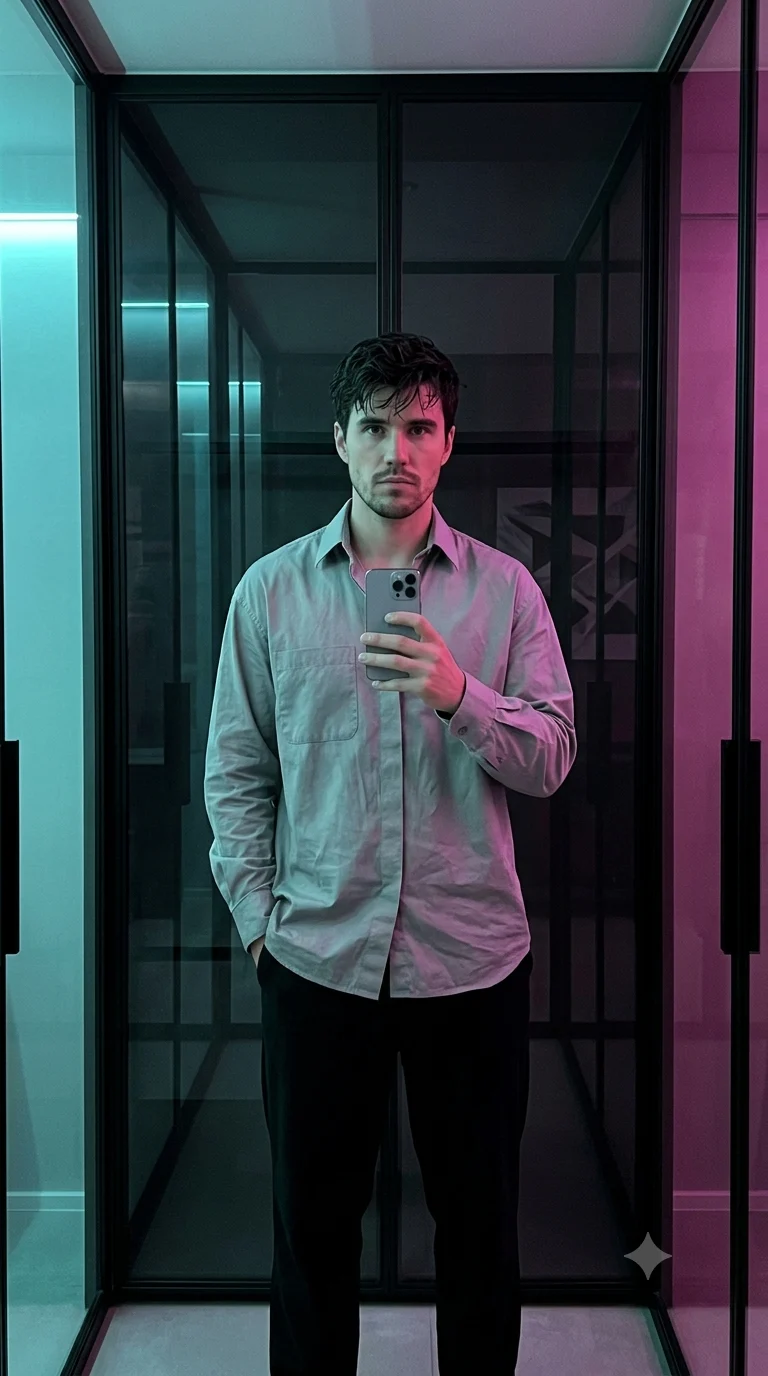
Cyberpunk Glass Room Mirror Selfie
Create a natural mirror selfie in a dark glass room with cyan and magenta lighting, relaxed streetwear, realistic reflections, and preserved identity.
Using the uploaded photo, create a photorealistic vertical mirror selfie of the same person standing naturally inside a dark modern glass room with cyan and magenta ambient lighting. KEEP — Preserve the exact recognizable identity from the uploaded photo. Keep the original forehead shape, eyebrow placement, eye shape and natural eye colour, nose bridge and tip, lips, cheeks, cheekbones, jawline, chin, ears, facial width, and natural facial asymmetry. Keep the original skin tone, visible pores, fine texture, natural marks, under-eye detail, and realistic skin variation. Keep the original hairline, hair density, texture, length, and visible hairstyle unless naturally obscured by the new pose. Preserve facial hair pattern if present. Keep the person's natural body proportions, shoulder width, neck, arms, hands, height impression, and overall build. CHANGE — Dress the person in an oversized silver-grey cotton shirt with a slightly matte woven texture, worn loose over relaxed black cotton trousers with a soft drape. Place them in a dark architectural room made from large reflective smoked-glass panels and black metal framing. Give the pose a casual mirror-selfie stance, with one hand holding a modern silver smartphone and the other resting naturally near the trouser pocket. Use cyan light from one side and a softer magenta light from the opposite side. Add subtle cyan and magenta reflections across the glass without changing the face. SCENE — Set the image at night inside a minimalist futuristic glass room. Place dark reflective panels behind the subject, with faint cyan and magenta light strips visible through the reflections. Keep the background slightly blurred while retaining believable glass reflections and room geometry. LIGHT — Use soft cyan light from camera-left at approximately 45 degrees, with weaker magenta fill from camera-right. Keep the face evenly exposed with natural shadow falloff and a cool mixed colour temperature around 4000K. CAMERA — Simulate a 35mm phone-equivalent focal length at f/1.8, camera held around chest height, with realistic smartphone perspective and mild low-light grain. GRADE — Use deep blacks, controlled highlights, cool cyan shadows, restrained magenta accents, medium contrast, and subtle digital-film grain. OUTPUT — Vertical 4:5 aspect ratio, 2048 × 2560 resolution, photorealistic detail. DO-NOT — no face slimming, no skin whitening, no changed eye colour, no plastic smoothing, no invented jewellery or tattoos, no facial reshaping, no generic model replacement, no distorted hands, no duplicated reflections, no text, logos, or watermarks.
Photo Guide
- Use a sharp photo where the face and full hairline are clearly visible.
- A front or three-quarter angle gives the model enough facial structure to preserve.
- Use even indoor light so skin texture remains readable before the neon change.
- Keep shoulders and upper body visible for accurate body-proportion transfer.
- A bright cyan or magenta source in the original photo can confuse the new lighting.
How to Build
- 1Open Gemini and choose image generation with your uploaded photo as reference.
- 2Paste the full prompt and keep image editing or reference mode enabled.
- 3Choose a 4:5 portrait output rather than a square canvas.
- 4Generate once without adding extra style words that could alter identity.
- 5Check the face, hands, glass reflections, and cyan-magenta light balance.
- 6If the first result is wrong, regenerate while naming only the failed detail.
Pro Tips
- Use a photo with visible jaw edges so the cyan rim light does not hide them.
- Keep both eyes unobstructed so mixed neon lighting does not change eye colour.
- Avoid sunglasses because glass reflections already create visual complexity here.
- Choose a photo showing the hands when possible so the phone grip stays believable.
- Use a neutral expression so the cyberpunk lighting changes mood without changing identity.
Share This Prompt
About the Author
Naziya
Creative AI writer at MFDA, sharing trendy photo-editing prompts and fresh ideas for beautiful, stylish AI images.