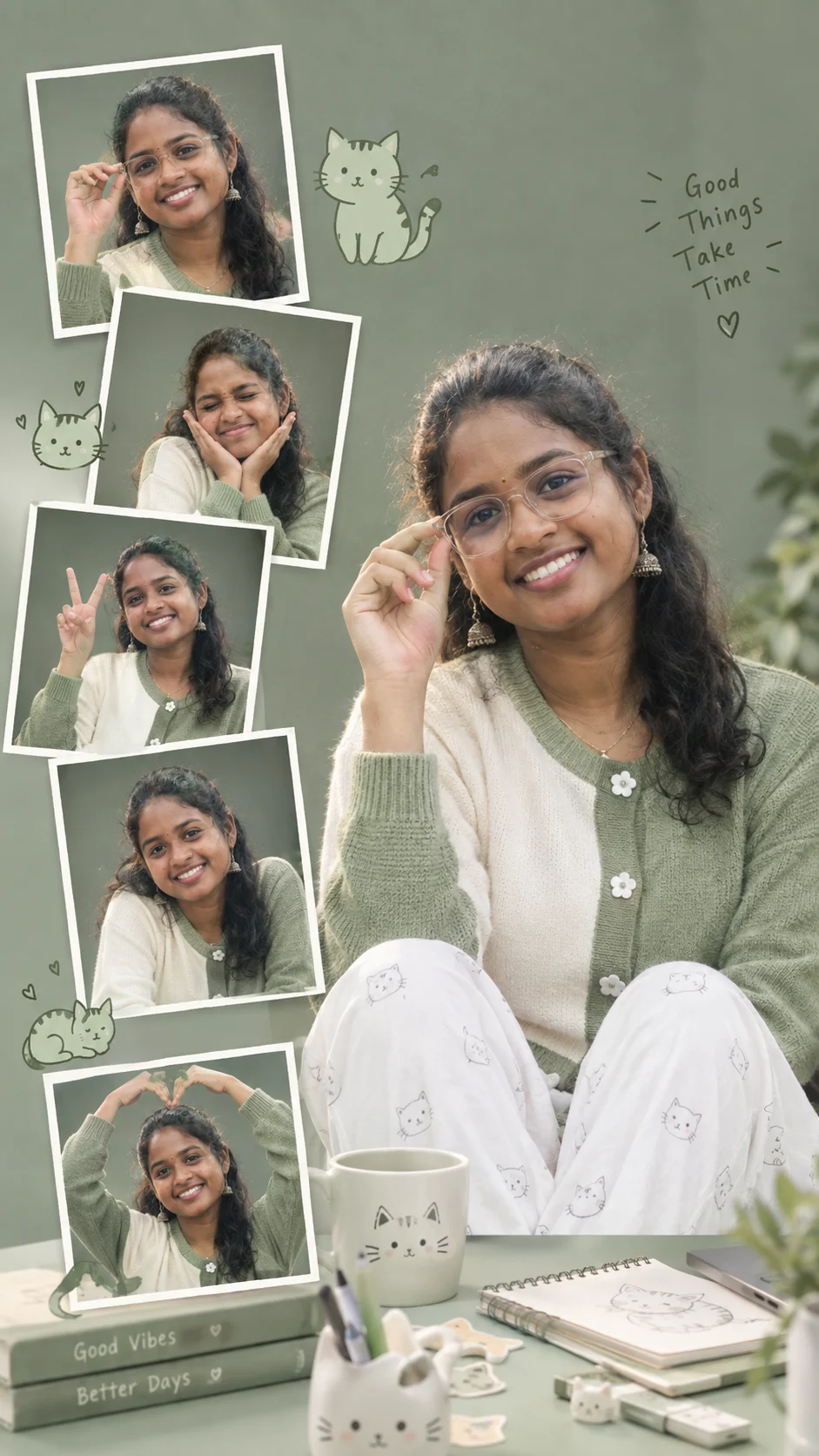
Cute Cat-Themed Desk Portrait Collage
Create a realistic sage-green desk portrait with cat-themed details, playful snapshot frames, oversized glasses, and your exact facial identity preserved.
Using the uploaded photo, create a highly realistic vertical editorial portrait collage of the same woman seated at a minimalist sage-green desk in a playful cat-themed studio setting. KEEP — Preserve the woman’s exact identity from the uploaded photo. Keep her original face structure, facial proportions, forehead, eyebrows, eye shape and natural eye colour, nose structure, lips, cheeks, jawline, chin, and natural facial asymmetry unchanged. Preserve her original skin tone, visible pores, fine texture, natural marks, hairline, hair density, natural hair colour, hairstyle characteristics, and facial hair if present. Keep her natural body proportions, shoulder width, hands, fingers and overall build. Preserve her recognizable identity in every smaller snapshot frame so each version clearly depicts the same person. CHANGE — Dress her in a [sage-green and ivory knit cardigan] with small white flower-shaped buttons and pair it with [soft white trousers with tiny cat illustrations]. Add clear oversized rectangular eyeglasses, a simple ceramic mug, a small sketchbook, cat-shaped stationery and a few hand-drawn cat decorations. Seat her naturally at a clean sage-green desk, with one hand near the glasses and playful candid expressions across the smaller photographs. SCENE — Create a muted sage-gray studio background with a smooth tonal gradient. Make the main portrait large and dominant, then arrange five smaller Polaroid-style snapshots around it at slightly different angles. Each snapshot shows a distinct pose such as adjusting glasses, smiling with closed eyes, making a peace sign, leaning toward the camera, or forming a heart above the head. Keep the background softly blurred behind the main subject. LIGHT — Use broad diffused window light from the upper-left, with soft neutral daylight around 5000K. Keep gentle shadowing beneath the chin and glasses so the face remains naturally dimensional. CAMERA — Use an 85mm lens at f/2.2, camera at eye level, with sharp focus on the eyes and gradual background separation. GRADE — Use muted sage green, ivory, soft gray and natural skin tones, low-medium contrast, clean highlights and subtle editorial film grain. OUTPUT — Use a vertical 9:16 composition at 1536×2752 pixels, keeping the main portrait dominant and all five snapshots clearly separated. DO-NOT — No face slimming, skin whitening, changed eye colour, plastic smoothing, invented jewellery or tattoos, facial reshaping, identity drift, distorted hands, extra fingers, or generic model features.
Photo Guide
- Use a sharp source photo with at least 1200px on its long edge.
- A front or slight three-quarter angle keeps the glasses placement believable.
- Use even daylight so the soft sage studio light blends naturally.
- Keep the full face, hairline, and both hands visible if possible.
- Avoid strong beauty filters because they remove texture needed for identity.
How to Build
- 1Open Gemini and upload one clear portrait of the woman.
- 2Choose image generation and set the output ratio to 9:16.
- 3Paste the complete prompt without changing the KEEP section.
- 4Generate the collage with the main portrait as the largest frame.
- 5Check eye shape, hairline, hands, and identity across every snapshot.
- 6If the first result drifts, regenerate using the same source photo.
Pro Tips
- Use a neutral background photo so the sage studio setting stays clean.
- Keep the forehead visible so the hairline remains consistent across frames.
- Choose clear glasses only in the generated scene so the eyes stay readable.
- Use a sharp face source so tiny snapshot faces retain the same identity.
- Avoid crowded source photos so the collage model has fewer competing details.
Share This Prompt
About the Author
Naziya
Creative AI writer at MFDA, sharing trendy photo-editing prompts and fresh ideas for beautiful, stylish AI images.