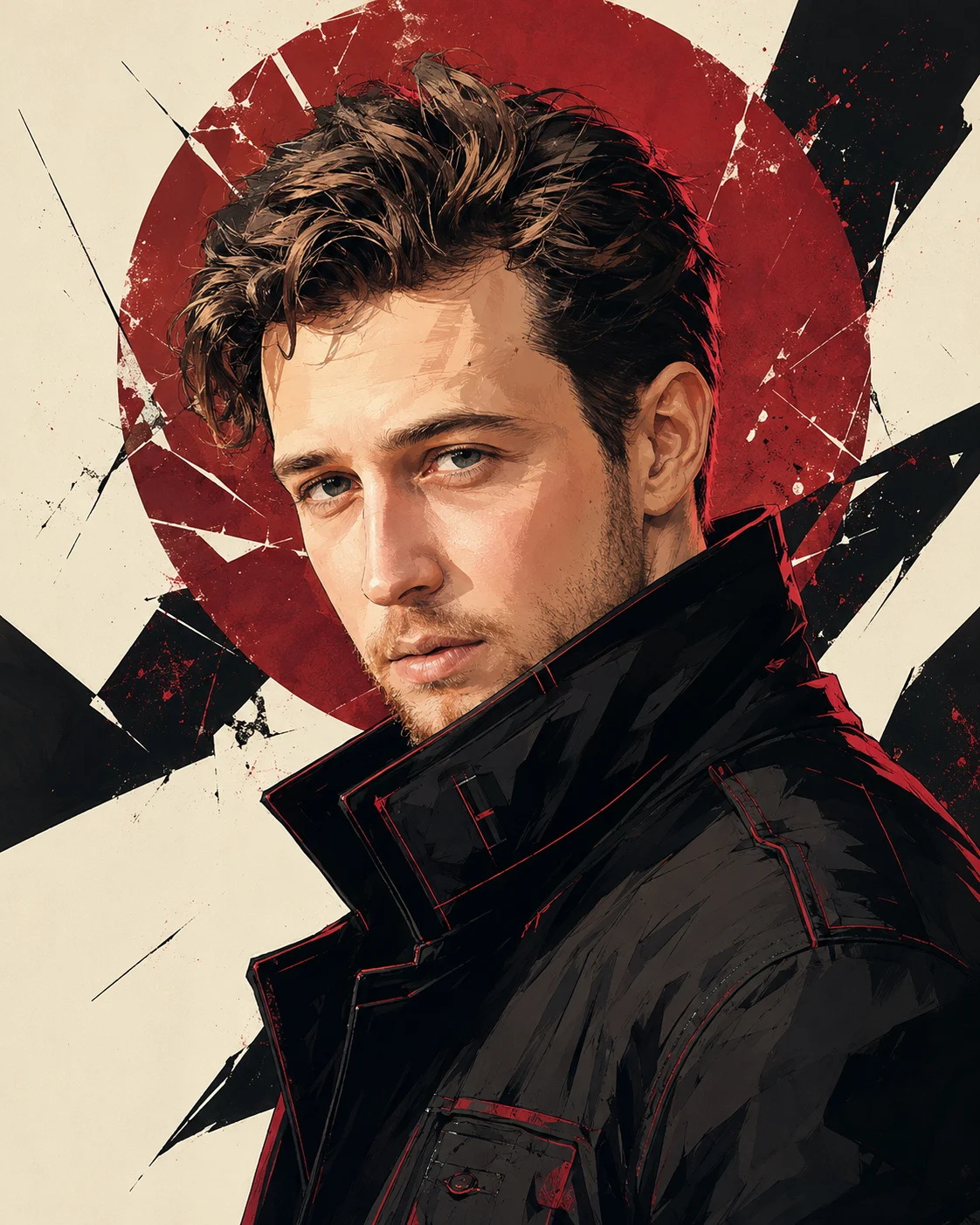
Crimson Sun Anime Graphic Novel Portrait
Turn your photo into a crimson samurai-inspired graphic novel portrait with sharp ink lines, a fractured red sun, and dramatic cinematic shadows.
Using the uploaded photo, create a vertical anime-inspired graphic novel portrait of the same person in a modern crimson-accented fashion editorial. KEEP — Preserve the recognizable identity of the person in the uploaded photo. Keep the original face shape, forehead width, cheekbone placement, jawline, chin, nose bridge and tip, lip shape, eyebrow position, eye shape, and natural eye colour unchanged. Retain the original skin tone, natural pores, skin texture, facial asymmetry, hairline, and any existing facial hair. Keep the person's apparent age and body proportions consistent with the reference. Preserve distinctive facial features instead of replacing them with generic anime characteristics. Render the person in illustrated form without changing their identity. CHANGE — Replace the original outfit with a structured black high-collar jacket made from matte technical fabric, featuring subtle crimson stitching along the collar and shoulders. Add angular seams, clean shoulder construction, and deep burgundy fabric shadows. Turn the head slightly sideways while keeping the eyes directed toward the viewer. Give the portrait a composed, fearless mood without forcing a different facial expression. Use bold angular inkwork, controlled cel shading, and individually defined hair strands. SCENE — Place the subject against a warm off-white background with a large fractured crimson-red sun positioned diagonally behind the head. Add sharp black geometric shapes around the red disc, leaving enough negative space to separate the hairstyle and shoulders. Keep the background graphic and slightly softened at the edges, never crossing the facial features. LIGHT — Use directional warm light from the upper front-left, with natural highlights across the forehead, nose, and cheekbones. Add a restrained crimson rim light along the hair and outer shoulder edges. Keep shadows consistent with the face's lighting direction, using deep burgundy and charcoal rather than flat black. CAMERA — Simulate an 85mm portrait lens at f/2.8, positioned slightly below eye level. Frame from the upper chest upward, keeping the complete hairstyle, chin, and both eyes visible. GRADE — Use a restrained crimson, charcoal-black, warm ivory, and natural-skin palette. Apply graphic-novel contrast, crisp dark contours, layered shadow shapes, and clean colour separation. OUTPUT — Vertical 4:5 aspect ratio, high-resolution digital illustration, precise facial anatomy, sharp edges, detailed hair rendering, and a polished manga-poster finish. DO NOT slim the face, whiten the skin, change eye colour, smooth the skin into plastic, invent jewellery or tattoos, add full samurai armour, exaggerate anime eyes, introduce blood, distort anatomy, or add lettering, logos, or watermarks.
Photo Guide
- Use a sharp, high-resolution photo with both eyes clearly visible.
- Choose a front-facing or slight three-quarter angle for reliable identity matching.
- Use even lighting so facial details remain clear beneath the illustrated shadows.
- Keep the hairline, chin, ears where visible, and existing facial hair unobstructed.
- A red or crimson background in the source may weaken separation from the fractured sun.
- Avoid beauty filters that erase natural skin texture or reshape the jawline.
How to Build
- 1Open Gemini and choose image generation with your photo uploaded as the reference.
- 2Upload one clear portrait and paste the complete Prompt Content.
- 3Select a vertical 4:5 output if the image tool offers aspect-ratio controls.
- 4Choose the highest available image quality or resolution setting.
- 5Generate once, checking facial identity before judging the illustration style.
- 6If the first result drifts, retry with the same photo and strengthen the KEEP instructions.
Pro Tips
- Use a photo with visible hair texture so the wind-swept illustrated strands stay detailed.
- Keep both eyes unobstructed so the sideways pose retains recognisable eye placement.
- Choose a black or neutral source outfit to reduce conflicts with the crimson jacket.
- Request restrained red rim lighting so the skin does not turn entirely red.
- Keep the fractured sun behind the head so it frames rather than obscures the face.
Share This Prompt
About the Author
Naziya
Creative AI writer at MFDA, sharing trendy photo-editing prompts and fresh ideas for beautiful, stylish AI images.