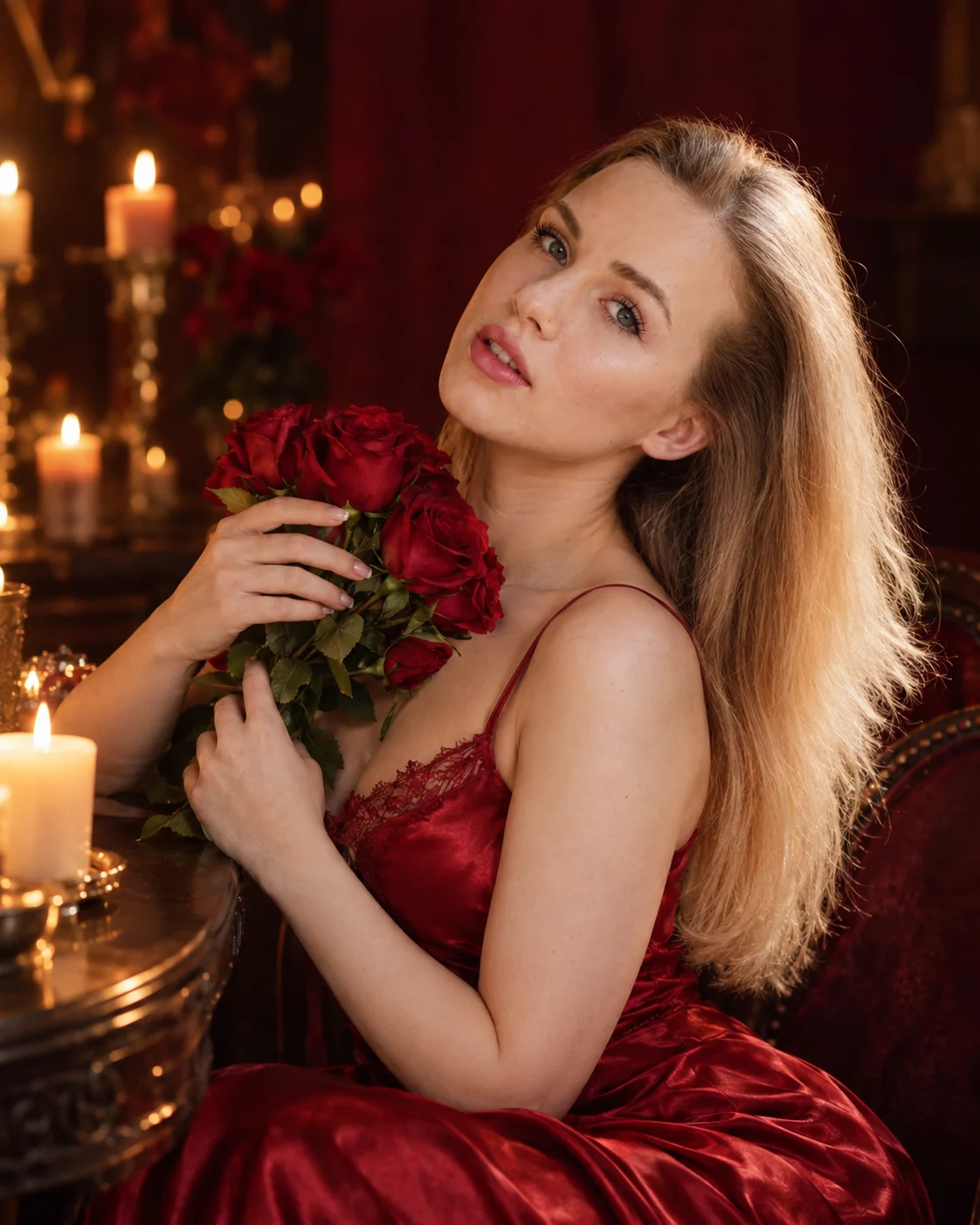
Crimson Silk Gown Candlelight Portrait Photography
Create a romantic crimson silk gown portrait with candlelit skin tones, red roses, a dark burgundy backdrop, and soft cinematic evening lighting.
Using the uploaded photo, create a photorealistic romantic evening portrait of the same woman seated beside a dark wooden table, wearing a crimson-red silk gown and holding a bouquet of fresh red roses in warm candlelight. KEEP — Preserve the woman's exact recognizable facial identity and natural face structure, including forehead shape, eyebrow placement, eye shape and natural eye colour, nose bridge and tip, lip shape, cheek contours, cheekbones, jawline, chin, ears, facial width, and natural asymmetry. Retain her original skin tone, visible pores, fine lines, marks, and natural skin texture. Keep her original hairline, hair density, texture, length, and natural colour. Preserve visible facial hair, if present, and all existing identifying features. Maintain her original body proportions, shoulder width, neck, arms, and hands. Do not replace her face with a generic model's face. CHANGE — Dress her in a sleeveless crimson-red silk gown with thin straps, a softly draped neckline, and subtle lace detailing along the bodice. Position a small bouquet of fresh red roses against her chest. Turn her face slightly toward the candlelight, with her head gently tilted and a peaceful, dreamy smile. Place her beside a polished dark walnut table in a refined burgundy interior. SCENE — Set the portrait in an intimate evening studio with a deep burgundy background, dim golden candle points, and softly blurred warm lights. Keep the table edge and candlelight visually consistent with the seated pose. Use shallow background blur to separate the subject from the room without obscuring her hair or shoulders. LIGHT — Place a large diffused warm key light at the front-left, matching the direction of the candlelight across her face. Use subtle frontal fill to preserve detail in the shadowed cheek and neck. Add a faint warm rim light behind her hair. Keep skin highlights natural and avoid clipping the silk reflections. CAMERA — Use an 85mm portrait lens at f/1.8, camera at seated eye level, with a medium seated composition. Focus sharply on her eyes, facial features, and nearest rose petals. GRADE — Apply warm amber highlights, rich crimson reds, deep burgundy shadows, natural skin tones, moderate contrast, and restrained cinematic colour grading. OUTPUT — Vertical 4:5 aspect ratio, 4K resolution, realistic skin pores, individual hair strands, detailed silk weave, and natural rose-petal texture. DO NOT slim or reshape the face, whiten the skin, change eye colour, smooth skin into plastic, invent jewellery or tattoos, distort hands, add extra fingers, or alter the person's identity.
Photo Guide
- Use a sharp, high-resolution photo with the full face clearly visible.
- Choose a front-facing or three-quarter angle with both eyes visible.
- Use soft, even lighting so facial details remain clear.
- Keep the natural hairline, jawline, and skin texture unobstructed.
- A red or burgundy background is optional; the gown and lighting are added.
- Avoid strong coloured light that changes the original skin tone.
How to Build
- 1Open Gemini or ChatGPT and select image generation or photo editing.
- 2Upload a clear photo of the person whose identity must remain unchanged.
- 3Paste the complete prompt into the image-generation input.
- 4Choose a 4:5 portrait aspect ratio and 4K output if available.
- 5Generate the portrait and inspect the face, hands, gown, and roses.
- 6If the result is wrong, retry with a clearer photo and reinforce KEEP instructions.
Pro Tips
- Choose a photo with both eyes visible so the three-quarter pose stays natural.
- Use a relaxed expression so the dreamy candlelit smile does not look forced.
- Keep the hairline visible so loose waves do not change the person's identity.
- Choose a photo with natural skin tones so amber lighting stays believable.
- Use a clear hand reference so the rose bouquet does not distort the fingers.
Share This Prompt
About the Author
Naziya
Creative AI writer at MFDA, sharing trendy photo-editing prompts and fresh ideas for beautiful, stylish AI images.