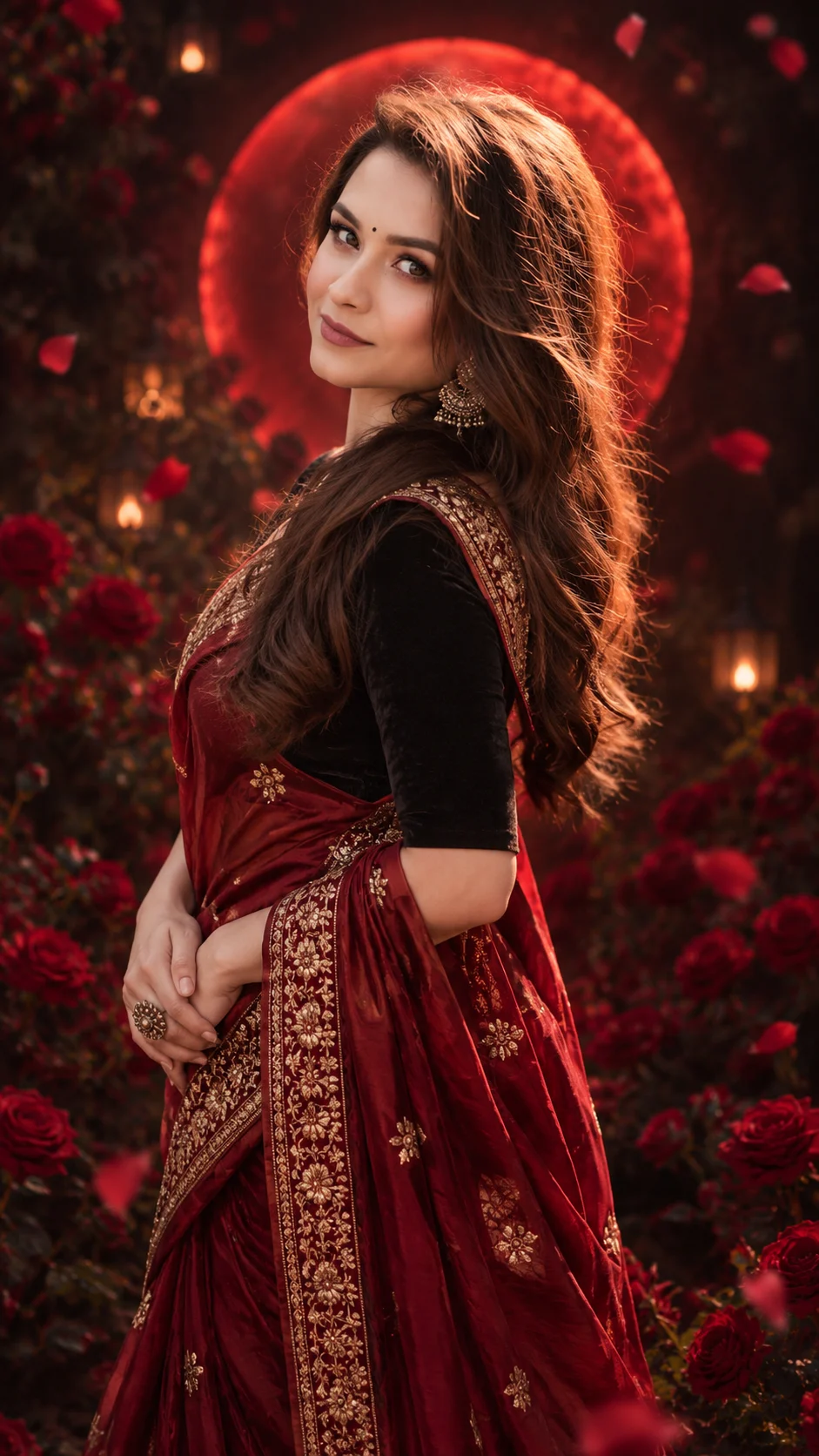
Crimson Rose Queen Indian Saree Portrait
Create a royal Indian portrait in a crimson silk saree with antique gold embroidery, a black velvet blouse, red roses, and a glowing crimson halo.
Using the uploaded photo, create a photorealistic royal Indian fashion portrait of the same woman, framed from head to below the knees in a vertical 9:16 composition. KEEP — Preserve the woman's exact recognizable facial identity and natural facial structure, including forehead shape, eyebrow placement, eye shape and natural eye colour, nose bridge and tip, lip shape, cheek contours, cheekbones, jawline, chin, ears, facial width, and natural asymmetry. Retain her original skin tone, visible pores, fine lines, natural marks, and realistic skin texture. Keep her original hairline, hair density, and natural facial proportions. Preserve her apparent age and body proportions. Do not replace her face with a generic model or blend it with another identity. CHANGE — Dress her in a deep crimson-red silk saree with intricate antique-gold floral embroidery along the border and pallu. Add a fitted black velvet blouse with elbow-length sleeves, traditional gold-and-oxidised-silver earrings, and one bold floral statement ring. Style her long dark brown hair in soft, glossy waves while retaining her natural hairline. Add a small black bindi, subtle eyeliner, and rich crimson lipstick. Pose her standing upright with both hands gently overlapping at the waist, shoulders relaxed, and eyes looking directly at the camera with a gentle, composed smile. SCENE — Place her in a midnight rose garden shortly after dusk. Dense deep-red roses fill the background, with a few softly blurred petals floating near the frame edges. A large circular crimson light sits directly behind her head and shoulders, forming a defined royal halo. Keep the nearest roses slightly recognizable and distant foliage softly blurred. LIGHT — Use soft frontal key lighting at face height, balanced with a subtle warm fill. Add a controlled crimson rim light from behind and a faint warm reflection from the gold embroidery. Keep natural skin colour and realistic shadows beneath the chin. CAMERA — Shoot with an 85mm portrait lens at f/2.0, camera at chest height, with natural perspective and shallow depth of field. GRADE — Apply deep crimson, warm antique gold, and rich black tones with cinematic contrast. Preserve skin detail and prevent red light from tinting the entire face. OUTPUT — Render at a vertical 9:16 aspect ratio, 2160 × 3840 pixels, with sharp facial details and realistic silk, velvet, and jewellery textures. DO NOT slim the face, whiten the skin, change eye colour, apply plastic smoothing, alter body proportions, or invent jewellery or tattoos.
Photo Guide
- Upload a sharp, high-resolution photo with the full face clearly visible.
- Choose a front-facing or slightly angled portrait with both eyes visible.
- Use even natural light so facial shadows remain easy to reproduce.
- Keep your hairline, jawline, and natural skin texture unobstructed.
- A dark-red background in the source photo may confuse the crimson halo.
- Avoid heavy beauty filters because they can distort facial identity.
How to Build
- 1Open ChatGPT or Gemini and select its image-generation or photo-editing feature.
- 2Upload a clear photo of the person whose identity must remain unchanged.
- 3Copy the entire Prompt Content section into the prompt field.
- 4Choose a vertical 9:16 aspect ratio if the tool offers aspect-ratio controls.
- 5Select the highest available image quality or resolution setting.
- 6Generate the portrait and inspect the face, saree embroidery, and halo.
- 7If the result is wrong, regenerate with a specific correction for the failed detail.
Pro Tips
- Use a photo with visible facial details so the model preserves natural features.
- Choose a source with loose or wavy hair to help match the romantic styling.
- Keep the original skin tone visible so crimson lighting does not turn the face red.
- Use a photo with hands visible if you want accurate overlapping hand placement.
- Check the gold embroidery at full resolution so it does not become a flat pattern.
Share This Prompt
About the Author
Naziya
Creative AI writer at MFDA, sharing trendy photo-editing prompts and fresh ideas for beautiful, stylish AI images.