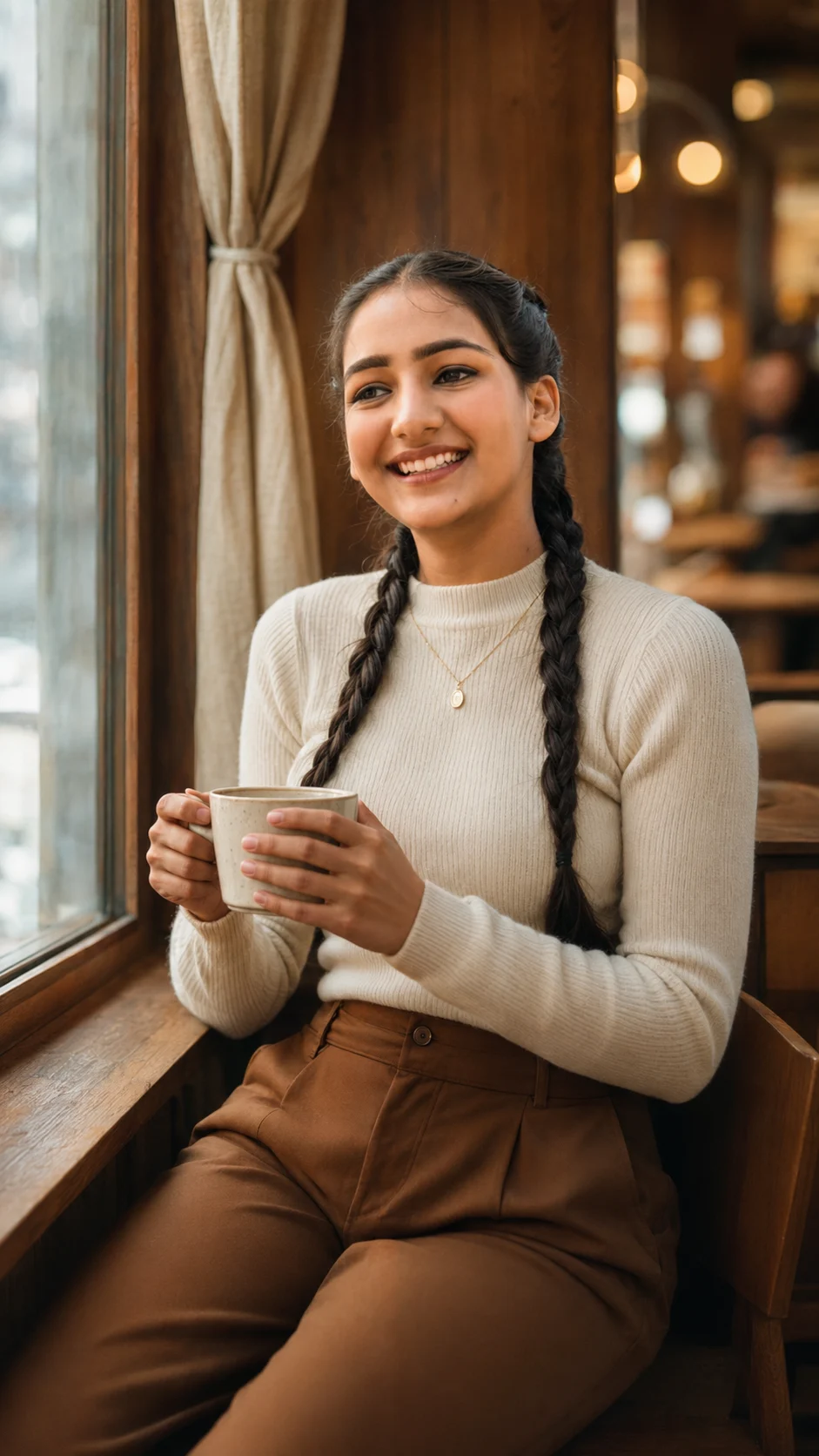
Cozy Cafe Window Portrait
Create a warm café window portrait with natural identity, cream knitwear, brown trousers, soft sunlight, and a softly blurred wooden interior.
Using the uploaded photo, create a photorealistic vertical lifestyle portrait of the same person seated beside a large café window, while preserving their real identity. KEEP - Keep the exact face structure from the uploaded photo, including forehead shape, jawline, cheekbones, nose, lips, chin, and overall facial proportions. Keep the exact eye shape, eye colour, eyelid structure, eyebrow shape, and natural gaze characteristics. Keep the original skin tone, undertone, pores, fine texture, marks, and small natural facial details. Keep the original hairline, natural hair density, and facial hair exactly where present. Keep the person's real body proportions, shoulder width, hand proportions, and natural physique. CHANGE - Change the wardrobe to a fitted cream-colored knitted top with visible fine knit texture and high-waisted warm brown trousers. Add only one delicate gold pendant necklace. Change the pose so the person sits naturally beside the window, holding a simple matte ceramic coffee cup with both hands and turning their face slightly toward the window. Change the environment to a cozy wooden café with soft beige curtains and warm wood surfaces. SCENE - Place the person beside a large café window during late afternoon. Outside the window, show softly indistinct daylight without distracting scenery. Keep the wooden café interior behind the subject moderately blurred, with creamy circular bokeh and enough detail to suggest tables, wood textures, and curtains. LIGHT - Use warm natural window light coming from the subject's side, illuminating the visible cheek, nose bridge, lips, and forehead consistently. Keep the opposite side gently shaded rather than artificially bright. Use approximately 4200–4800K warmth. CAMERA - Capture at 85mm, f/1.8, camera positioned at chest height, with shallow depth of field and natural facial perspective. GRADE - Use warm cream and brown tones, gentle contrast, soft highlights, slightly muted shadows, and a clean editorial film-like finish without excessive HDR. OUTPUT - Render as a vertical 9:16 image at 2160 × 3840 resolution. DO-NOT change the face shape, slim the face, whiten the skin, change eye colour, smooth away pores, alter body proportions, invent jewellery or tattoos, or replace natural facial details with synthetic features.
Photo Guide
- Use a sharp photo of at least 1080px on the shortest side.
- A front or slight three-quarter face angle preserves facial structure best.
- Use even daylight so the real skin texture and eye colour remain clear.
- Keep the full hairline, both eyes, nose, lips, and jaw unobstructed.
- A daylight source photo blends better with the café window lighting.
- Avoid heavy beauty filters; they can remove details needed for identity matching.
How to Build
- 1Open Gemini and choose image generation with the uploaded photo.
- 2Upload one clear face photo with the face fully visible.
- 3Paste this prompt without removing the KEEP instructions.
- 4Set the output ratio to 9:16 and request 2160 × 3840.
- 5Generate once, then compare the face against the uploaded photo.
- 6If the face drifts, regenerate using the same photo and prompt unchanged.
Pro Tips
- Keep the original eye colour visible so the generated gaze stays believable.
- Choose a photo with visible pores so the warm light does not create plastic skin.
- Avoid sunglasses so the eye shape remains anchored during generation.
- Keep the hairline unobstructed so the hairstyle change does not alter the forehead.
- Use a neutral expression so the subtle café smile does not distort the mouth shape.
Share This Prompt
About the Author
Naziya
Creative AI writer at MFDA, sharing trendy photo-editing prompts and fresh ideas for beautiful, stylish AI images.