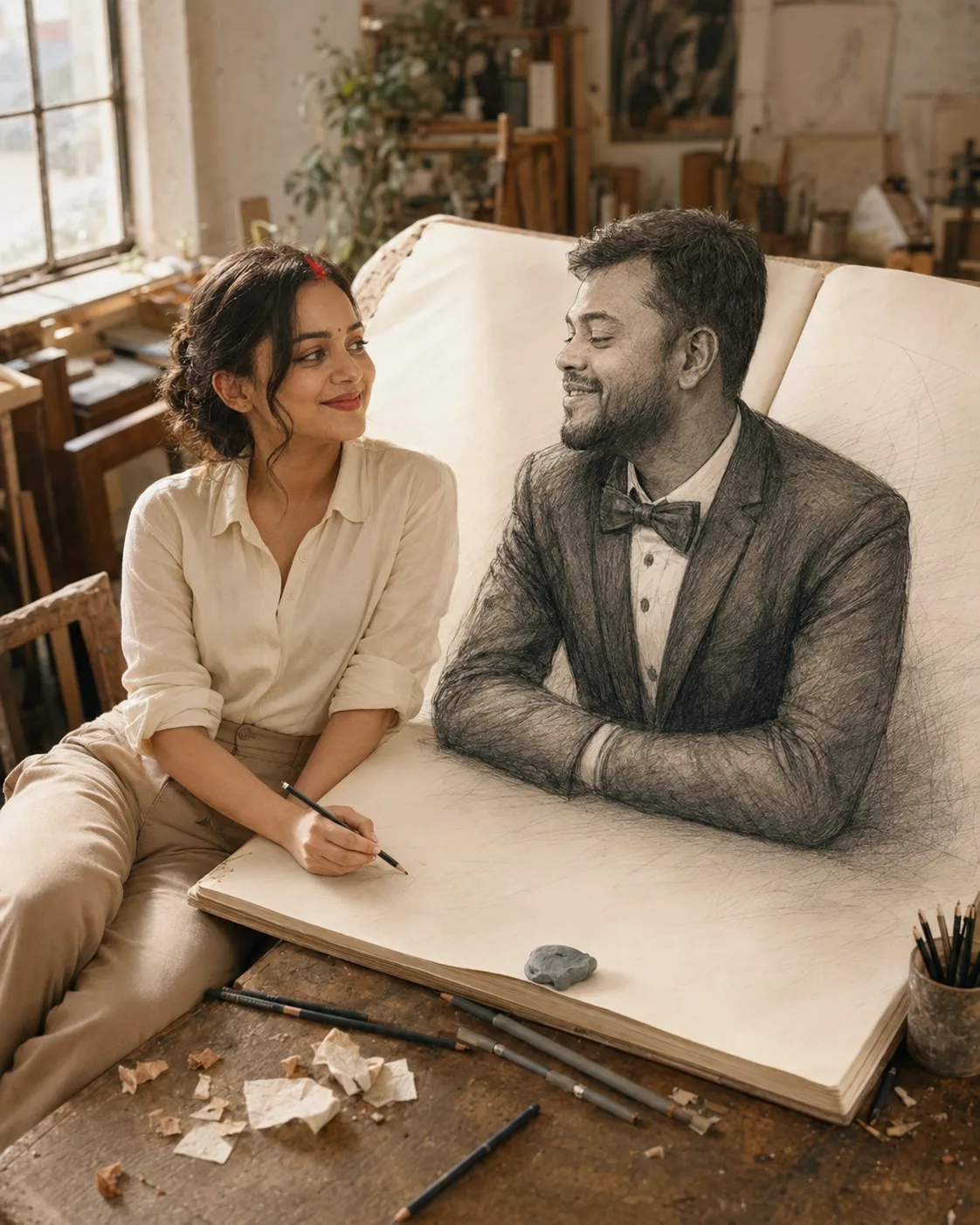
Couple Connected Through a Sketchbook Portrait
Turn your photo into a surreal sketchbook scene where you sit beside a giant drawing and interact with a three-dimensional illustrated partner.
Using the uploaded photo, create a photorealistic surreal portrait of the same person sitting beside an oversized open sketchbook on a wooden artist’s desk, while a male partner appears three-dimensional inside the drawn pages. KEEP — Keep the uploaded person’s exact face structure, including forehead, jawline, cheek shape, nose, lips, chin and natural facial asymmetry. Keep the original eye shape and natural eye colour exactly. Preserve the original skin tone, pores, freckles, marks, fine lines and natural texture. Keep the original hairline, hair density, hairstyle characteristics and facial hair if present. Preserve the person’s natural age and complete body proportions, including shoulder width, torso length, waist, arms, hands and legs. Do not alter their height, build or facial symmetry. CHANGE — Dress the uploaded person in a soft cream cotton blouse with slightly rolled sleeves and high-waisted [warm beige trousers]. Change the pose so they sit beside the open sketchbook, leaning slightly toward the illustrated partner while holding a graphite pencil over the page. Add a large [cream-covered sketchbook], wooden desk, graphite pencils, kneaded eraser, loose paper scraps and visible pencil shavings. SCENE — Set the scene inside a quiet artist’s workspace during late morning. The oversized sketchbook lies open across the wooden desk. The partner is rendered in detailed graphite lines but appears physically raised from the paper, with realistic three-dimensional depth. Keep the distant studio shelves softly blurred. LIGHT — Use soft natural daylight entering from the upper-left window at approximately 5000K. Let the light fall across the uploaded person’s face, hands and sketchbook surface from the same direction, with gentle shadows beneath the raised illustrated figure. CAMERA — Use a 50mm lens at f/2.8, camera at chest height, with moderate background separation and natural perspective. GRADE — Use warm ivory paper, graphite gray, muted beige and soft brown tones, restrained contrast and subtle film grain. Preserve realistic skin colour against the monochrome drawing. OUTPUT — Create a vertical 4:5 image at 2160 × 2700 resolution, with realistic skin, paper fibers and pencil marks. DO-NOT — No face slimming, no skin whitening, no changed eye colour, no plastic smoothing, no invented jewellery or tattoos.
Photo Guide
- Use a sharp photo at least 1200px on the longest side.
- A front or slight three-quarter angle keeps the face geometry stable.
- Use soft daylight so skin texture remains visible.
- Keep the forehead, hairline, eyes and jaw unobstructed.
- A seated or waist-up reference helps match the desk interaction.
- Heavy beauty filters can make the pencil-and-person blend look artificial.
How to Build
- 1Open Gemini and select image generation with photo upload.
- 2Upload one clear reference photo of the person.
- 3Set the canvas to 4:5 portrait before generating if available.
- 4Paste the complete prompt without removing the KEEP section.
- 5Check the face, hands and pencil interaction in the first result.
- 6If wrong, re-upload the clearest photo and regenerate with KEEP unchanged.
Pro Tips
- Use daylight reference photos so graphite shadows do not alter skin tone.
- Keep both eyes visible so the illustrated scene does not distort facial identity.
- Choose a photo with natural hair so the hairline remains consistent.
- Avoid busy backgrounds because they compete with the sketchbook illusion.
- A visible hand reference helps prevent distorted fingers around the pencil.
Share This Prompt
About the Author
Naziya
Creative AI writer at MFDA, sharing trendy photo-editing prompts and fresh ideas for beautiful, stylish AI images.