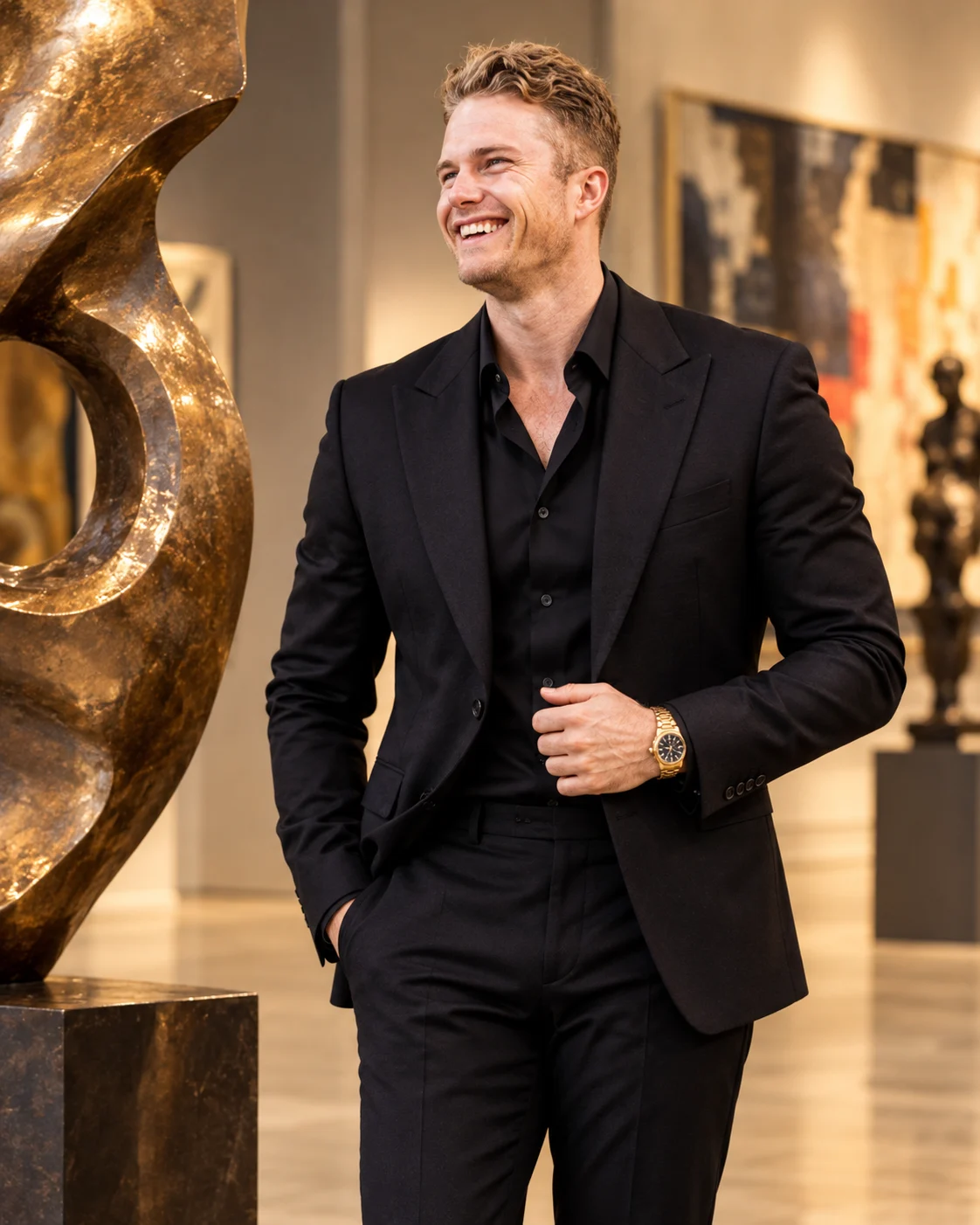
Contemporary Art Gallery Charcoal Suit Portrait
Create a refined charcoal-black designer suit portrait inside a contemporary art gallery with bronze sculptures, warm spotlights and natural facial identity.
Using the uploaded photo, create a sophisticated men's fashion editorial portrait of the same recognizable man standing inside a contemporary art gallery, dressed in a sculpturally tailored charcoal-black designer suit. KEEP — Preserve the exact facial identity and natural facial geometry of the person in the uploaded photograph. Retain the original forehead height and proportions, facial width, eyebrow thickness and placement, eye shape and natural eye colour, nose bridge and tip, lip contours, cheek volume, cheekbones, jawline, chin, ears and natural facial asymmetry. Maintain the original skin tone, visible pores, fine lines, natural skin texture and age characteristics. Keep the original hairline, hairstyle, hair density, texture and colour. Preserve existing facial hair exactly if present. Maintain the original neck length, shoulder width, body proportions and natural posture. Do not replace, reconstruct, beautify or blend the face with another identity. CHANGE — Dress the man in a precisely tailored charcoal-black wool suit with structured shoulders, clean notch lapels and a fitted waist. Underneath, use a black silk shirt with the top two buttons naturally open and no tie. Add tailored black trousers, polished black leather Oxford shoes and one understated gold wristwatch on the original wrist. Position him beside a large abstract bronze sculpture, gently holding his jacket lapel with one hand while the other rests naturally beside his body. His shoulders should remain relaxed and his gaze should meet the camera directly. SCENE — Place him in a spacious contemporary art gallery with polished ivory limestone flooring, minimalist warm-grey architectural walls, oversized abstract paintings and carefully positioned bronze sculptures. Include one prominent bronze artwork beside him and additional artworks softly blurred in the distance. The setting should feel like a private collector's gallery during late afternoon exhibition hours. LIGHT — Use warm gallery spotlights positioned above and slightly to the front-left of the subject. Maintain balanced illumination across both sides of the face, with soft directional shadows beneath the jaw and natural highlights on the forehead and cheeks. Use approximately 3800K warm-neutral lighting. Bronze surfaces should reflect subtle golden highlights without introducing artificial skin tones. CAMERA — Capture a three-quarter standing portrait from mid-thigh upward using a full-frame professional camera, 85mm portrait lens at f/2.0, positioned at chest height. Focus precisely on the eyes, retain realistic suit texture and create controlled background separation. GRADE — Apply muted charcoal, warm ivory, bronze and soft taupe tones. Use refined editorial contrast, natural skin colour, restrained highlights and deep but detailed shadows. Avoid excessive saturation and artificial cinematic effects. OUTPUT — Vertical 4:5 composition, 8K-quality detail, photorealistic finish, natural anatomy and realistic materials. DO NOT — Change facial identity, slim the face, reshape the jawline, whiten the skin, alter eye colour, smooth away natural pores, change age, modify body proportions, invent jewellery or tattoos, duplicate fingers or introduce artificial facial features.
Photo Guide
- Upload a sharp, high-resolution photo with the full face visible.
- Use a front-facing or slightly angled photograph at eye level.
- Choose even natural daylight with no harsh shadows across the face.
- Keep the original hairstyle, hairline, ears and facial hair clearly visible.
- A dark, underexposed face makes the warm gallery lighting look pasted on.
- Avoid sunglasses because direct eye contact is central to this portrait.
How to Build
- 1Open Gemini or ChatGPT and select an image-generation model.
- 2Upload your original photograph as the identity reference.
- 3Copy the complete prompt into the image-generation input.
- 4Choose 4:5 vertical portrait aspect ratio.
- 5Select the highest available image resolution.
- 6Generate the portrait and inspect facial identity and hand anatomy.
- 7If the result looks wrong, regenerate with stronger identity preservation instructions.
Pro Tips
- Choose a photo with clearly visible eyes so the direct gaze stays accurate.
- A structured shoulder reference helps maintain realistic suit proportions.
- Use a black shirt without a tie to preserve the minimalist styling.
- Keep the bronze sculpture beside the subject, not directly behind his head.
- Avoid bright gallery backgrounds so the charcoal suit retains visible detail.
- Use warm-neutral lighting to keep the original skin tone consistent.
Share This Prompt
About the Author
Naziya
Creative AI writer at MFDA, sharing trendy photo-editing prompts and fresh ideas for beautiful, stylish AI images.