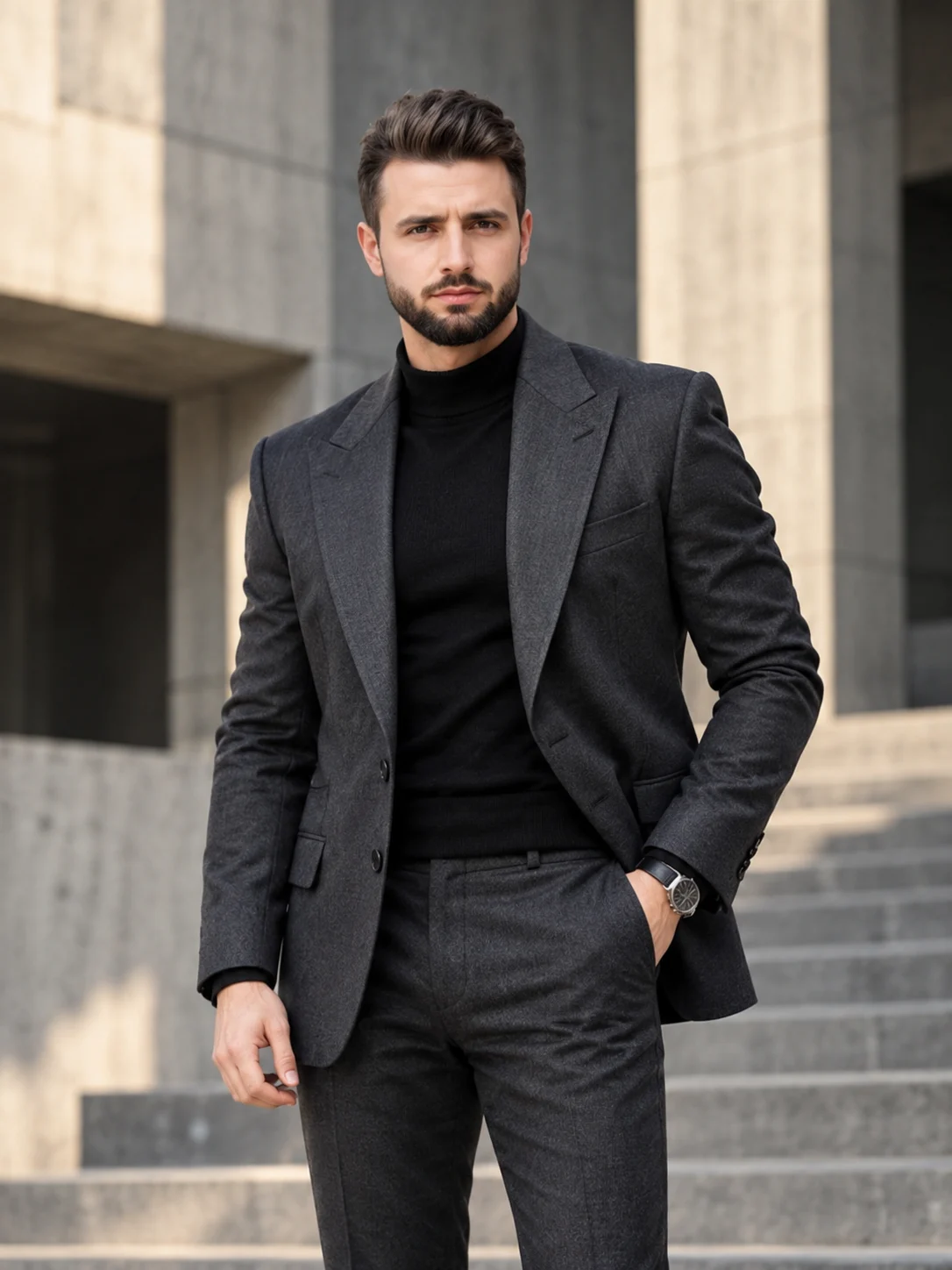
Concrete Visionary — Brutalist Architecture Fashion Portrait
Create a sharp charcoal-suit fashion portrait against monumental concrete architecture, with directional daylight and your original facial identity preserved.
Using the uploaded photo, create a photorealistic 3:4 men's fashion editorial portrait of the same recognizable person, styled as a contemporary architectural visionary inside a monumental brutalist concrete building. KEEP — Preserve the exact facial identity and natural facial geometry from the uploaded photograph. Retain the original forehead height and width, facial proportions, eyebrow thickness and placement, eye shape and natural eye colour, nose bridge and tip, lip contours, cheek volume, cheekbones, jawline, chin, ears and natural facial asymmetry. Maintain the original skin tone, undertones, pores, fine lines, marks and realistic skin texture. Preserve the exact hairline, hairstyle, hair density, hair texture and natural hair colour. Keep existing facial hair, including its original outline, density and length, if present. Retain the person's natural neck length, shoulder width, body proportions and recognizable physical build. Do not reconstruct, beautify or replace the face. CHANGE — Replace the original clothing with a precisely tailored charcoal-grey designer suit featuring structured shoulders, a sculpted single-breasted jacket, sharp peak lapels and subtle wool texture. Add a fitted matte-black merino-wool high-neck shirt underneath. Include one understated brushed-steel luxury wristwatch with a black leather strap. Position the person standing confidently with one hand resting naturally inside a trouser pocket and the other relaxed beside the body. Keep the shoulders level and the posture controlled. SCENE — Place the subject inside a monumental brutalist architectural complex with towering exposed-concrete walls, geometric columns, deep rectangular openings and a broad concrete staircase. Position the portrait during late-afternoon daylight. Keep architectural details recognizable but softly blurred behind the subject. LIGHT — Use directional natural sunlight entering from the upper left, creating controlled highlights along the cheek, suit shoulders and concrete surfaces. Maintain realistic facial exposure with gentle reflected fill from the opposite side. Avoid harsh shadows across the eyes. CAMERA — Shoot using an 85mm portrait lens at f/2.0, camera positioned at chest height. Use a medium three-quarter composition with natural perspective compression and precise focus on the eyes and suit fabric. GRADE — Apply a cool neutral charcoal-and-stone colour grade, restrained highlights, deep but detailed shadows and subtle cinematic contrast. Keep skin tones natural and separate from the cooler architectural background. OUTPUT — Generate a vertical 3:4 portrait at 8K resolution with realistic skin pores, individual fabric fibres, accurate concrete texture and clean editorial detail. DO NOT — Slim the face, reshape facial features, whiten the skin, change eye colour, alter the hairline, remove natural facial asymmetry, apply plastic skin smoothing, invent jewellery or tattoos, or change the person's identity.
Photo Guide
- Use a sharp, high-resolution photo with visible facial details.
- Choose a straight-on or slightly angled camera position.
- Use even daylight so the original facial structure stays readable.
- Keep the complete hairstyle, hairline and both eyes unobstructed.
- A charcoal or neutral outfit is helpful but not required.
- Avoid heavy shadows across the face; they conflict with the concrete lighting.
How to Build
- 1Open Gemini and select Create images with image upload enabled.
- 2Upload one clear photograph of the person you want to preserve.
- 3Paste the complete prompt without removing the KEEP section.
- 4Choose portrait orientation and a 3:4 aspect ratio.
- 5Select the highest available image quality or resolution setting.
- 6Generate the portrait and inspect facial identity against the source.
- 7If the face drifts, regenerate with stronger identity preservation instructions.
Pro Tips
- Use a photo with visible eyebrows so facial proportions remain accurate.
- Keep the original hairline unobstructed to prevent hairstyle reconstruction.
- Choose a photo with natural skin texture to avoid artificial facial rendering.
- Use a chest-up source photo so the tailored shoulders frame naturally.
- Avoid sunglasses in the source photo so eye identity remains consistent.
Share This Prompt
About the Author
Naziya
Creative AI writer at MFDA, sharing trendy photo-editing prompts and fresh ideas for beautiful, stylish AI images.