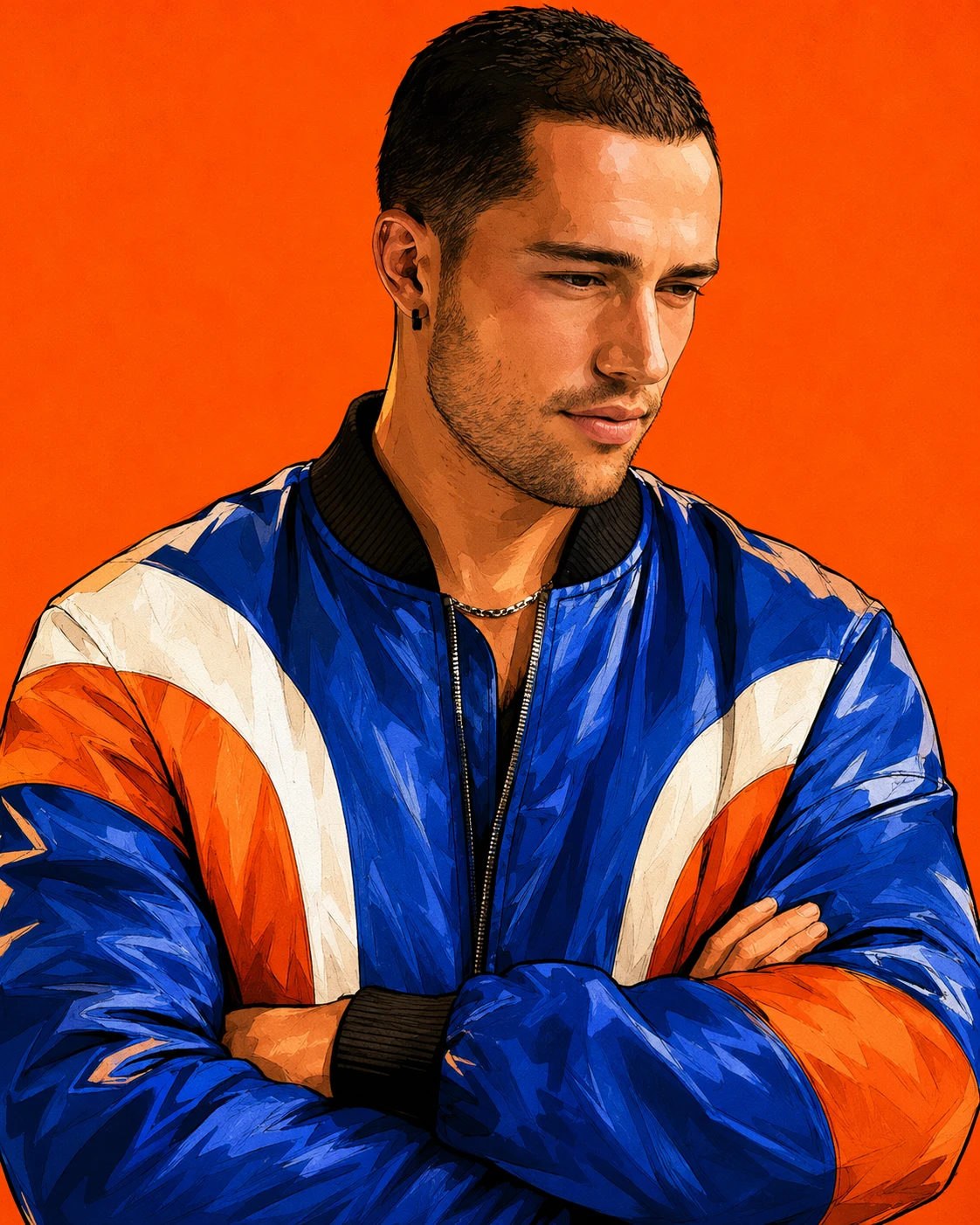
Cobalt Crush Color-Block Bomber Jacket Portrait
Create a bold graphic-inspired fashion portrait featuring a cobalt-blue bomber jacket, orange and white panels, and a vibrant orange studio background.
Using the uploaded photo, create a premium contemporary editorial fashion portrait of the same recognizable person, illustrated in a bold graphic novel and modern digital-painting style. Use a vertical 4:5 composition with expressive ink outlines, geometric shading and rich colour separation. KEEP — Preserve the exact facial identity and natural facial anatomy from the uploaded photograph. Retain the original forehead proportions, eyebrow thickness and placement, eye shape and natural eye colour, nose bridge and tip, lip shape, cheek volume, cheekbones, jawline, chin, ears and natural facial width. Maintain the original skin tone, authentic skin texture, pores, natural marks, age and recognizable facial asymmetry. Preserve the original hairline, hair density, natural hair texture, colour and hairstyle characteristics. Retain facial hair density, outline and length wherever visible. Keep the original neck proportions, shoulder width, body build and natural physical proportions. The finished illustration must unmistakably resemble the person in the reference photo. CHANGE — Replace the original outfit with a structured cobalt-blue satin-finish bomber jacket featuring bold orange and crisp white curved colour-block panels across the shoulders, sleeves and chest. Add realistic ribbed black collar, cuffs and waistband. Position the subject with arms comfortably crossed over the chest, creating a confident street-fashion pose. Set a clean, intense solid orange studio background with no objects or decorative elements. SCENE — Present the subject in a close-up to medium portrait, showing the complete hairstyle, shoulders, upper torso and crossed arms. Use a slightly low camera perspective with the head tilted subtly upward. Keep the orange background evenly coloured and visually uninterrupted. LIGHT — Apply soft directional light from the upper front-left, illuminating the forehead, cheeks and nose. Add controlled warm highlights and gentle shadows beneath the chin. Maintain natural facial volume rather than exaggerated comic-book distortion. CAMERA — Simulate an 85mm portrait lens at f/2.8, positioned at upper-chest height. Use compressed editorial framing with crisp facial details and clean separation from the background. GRADE — Apply vibrant cobalt-blue, saturated orange and clean white colour separation. Use warm golden skin highlights, deep ink-black shadows, subtle print grain, smooth gradients and finely controlled graphic shading. OUTPUT — Vertical 4:5 aspect ratio, high-resolution 8K-style digital illustration, sharp edges, intricate hair strands, detailed facial rendering and professional editorial artwork. DO NOT alter facial identity, slim the face, reshape the jawline, whiten the skin, change eye colour, remove natural facial marks, apply plastic smoothing, invent jewellery or tattoos, add extra fingers, distort the crossed arms, introduce text, logos or watermarks.
Photo Guide
- Use a sharp, high-resolution photo where facial details are clearly visible.
- Choose a front-facing or slightly angled portrait to preserve facial proportions.
- Soft, even lighting helps retain natural skin texture and facial structure.
- Keep the original hairstyle, hairline, shoulders and facial hair visible.
- A bright orange reference background can confuse the new solid-orange backdrop.
- Avoid heavily filtered selfies because they can distort facial identity.
How to Build
- 1Open Gemini or ChatGPT and select its image generation feature.
- 2Upload one clear reference photo showing your face and upper body.
- 3Copy the complete prompt content into the image generation box.
- 4Choose a vertical 4:5 aspect ratio for the finished portrait.
- 5Select the highest available image quality or resolution setting.
- 6Generate the illustration and inspect the face, jacket panels and crossed arms.
- 7If the result is wrong, strengthen the KEEP instructions and regenerate.
Pro Tips
- Choose a photo with visible shoulders so the crossed-arm pose looks natural.
- Use a clearly visible hairline to prevent unwanted hairstyle reconstruction.
- A cobalt-blue outfit in the reference may confuse the jacket replacement.
- Keep the face well lit so warm orange highlights do not change skin tone.
- Check the orange and white sleeve panels for clean, balanced colour separation.
- Use the same reference photo across retries to maintain facial consistency.
Share This Prompt
About the Author
Naziya
Creative AI writer at MFDA, sharing trendy photo-editing prompts and fresh ideas for beautiful, stylish AI images.