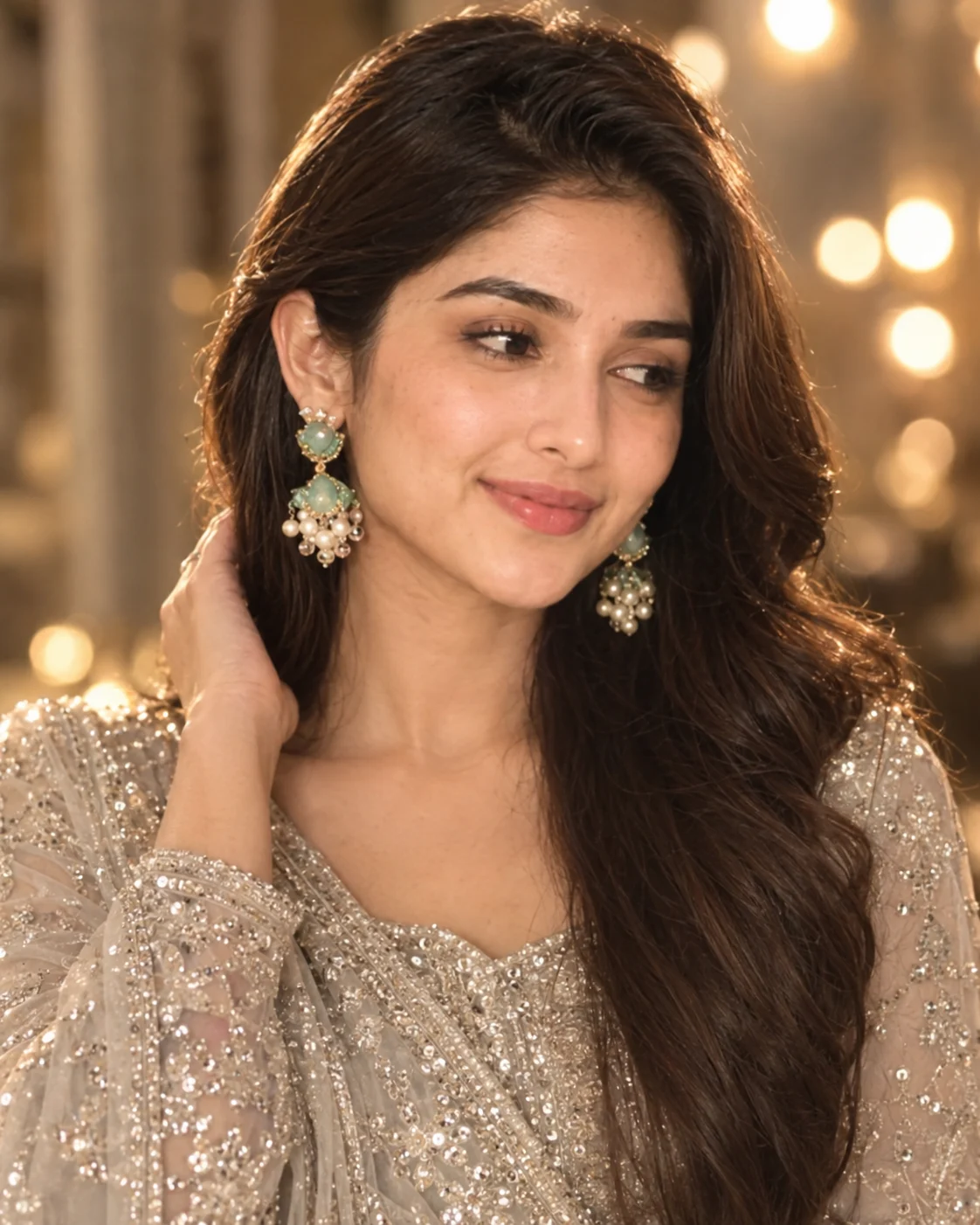
Cinematic Side-Glance Bridal Portrait
Create a realistic bridal side-glance portrait with silver embellishment, warm indoor bokeh, natural skin texture, and preserved identity.
Using the uploaded photo, create a photorealistic cinematic bridal beauty portrait of the same person, posed in a gentle side glance with one hand naturally resting near the hair. KEEP - Preserve the exact facial structure from the uploaded photo, including forehead shape, eyebrow structure, eye shape, natural eye colour, nose proportions, lips, cheeks, jawline, chin, facial proportions, and natural asymmetry. Keep the original skin tone and real skin texture, including pores, fine lines, freckles, and visible natural marks. Preserve the original hairline, hair density, hair texture, and natural hairstyle pattern. Keep any existing facial hair exactly as shown. Preserve the person's real body proportions, shoulder width, neck length, arm shape, hand structure, and finger proportions. The person must remain clearly recognizable as the same individual. CHANGE - Dress the person in a refined silver-toned traditional bridal outfit with dense bead and sequin embellishment that catches small points of light without becoming metallic. Add only the visible bridal styling: elegant jewelry suited to the reference look and naturally arranged hair framing the face. Change the pose to a relaxed side-facing glance with a subtle closed-mouth smile and one hand gently touching or gathering the hair. Use warm cinematic illumination and a softly blurred indoor setting. SCENE - Place the subject indoors during an evening-style setting, with warm circular lights sitting several feet behind the subject. Keep the background strongly out of focus so the face, hair, embroidered fabric, and jewelry remain the visual focus. LIGHT - Place the main warm light from the upper side and slightly behind the subject, allowing it to skim the hair and shoulder while soft frontal fill keeps the face naturally exposed. Use approximately 3200K-3800K warmth without washing out the skin. CAMERA - Shoot as an 85mm portrait photograph at f/1.8, camera positioned at chest height, with natural perspective compression and shallow depth of field. GRADE - Use warm champagne-gold colour grading, soft highlights, moderate contrast, restrained bloom, and realistic skin colour. OUTPUT - Create a vertical 4:5 image at 2048 × 2560 pixels. DO-NOT - no face slimming, no skin whitening, no changed eye colour, no plastic smoothing, no invented jewellery or tattoos, no face drift, no facial reshaping, no altered body proportions, no extra fingers, no fused hands, no artificial-looking skin.
Photo Guide
- Use a sharp, high-resolution portrait where the whole face is clearly visible.
- A slight three-quarter angle works best for the side-glance pose.
- Use soft warm light so the silver outfit does not look flat.
- Keep the hairline, eyes, nose, cheeks, jawline, and hands visible.
- Avoid heavy beauty filters because they can cause facial texture drift.
How to Build
- 1Open Gemini and choose its image generation/editing option.
- 2Upload one clear portrait with the face and hair fully visible.
- 3Paste the complete prompt without removing the KEEP section.
- 4Choose a vertical 4:5 output if the option is available.
- 5Check the face, hands, embroidery, and jewelry before saving.
- 6If the first result is wrong, regenerate and name the exact error to fix.
Pro Tips
- Use a three-quarter source photo so the side glance feels natural.
- Keep both eyes visible in the source so facial alignment stays stable.
- Choose a warm source photo to blend better with the golden background.
- Keep the hand simple so finger structure does not become distorted.
- Use a sharp face crop so the jawline remains consistent between runs.
Share This Prompt
About the Author
Naziya
Creative AI writer at MFDA, sharing trendy photo-editing prompts and fresh ideas for beautiful, stylish AI images.