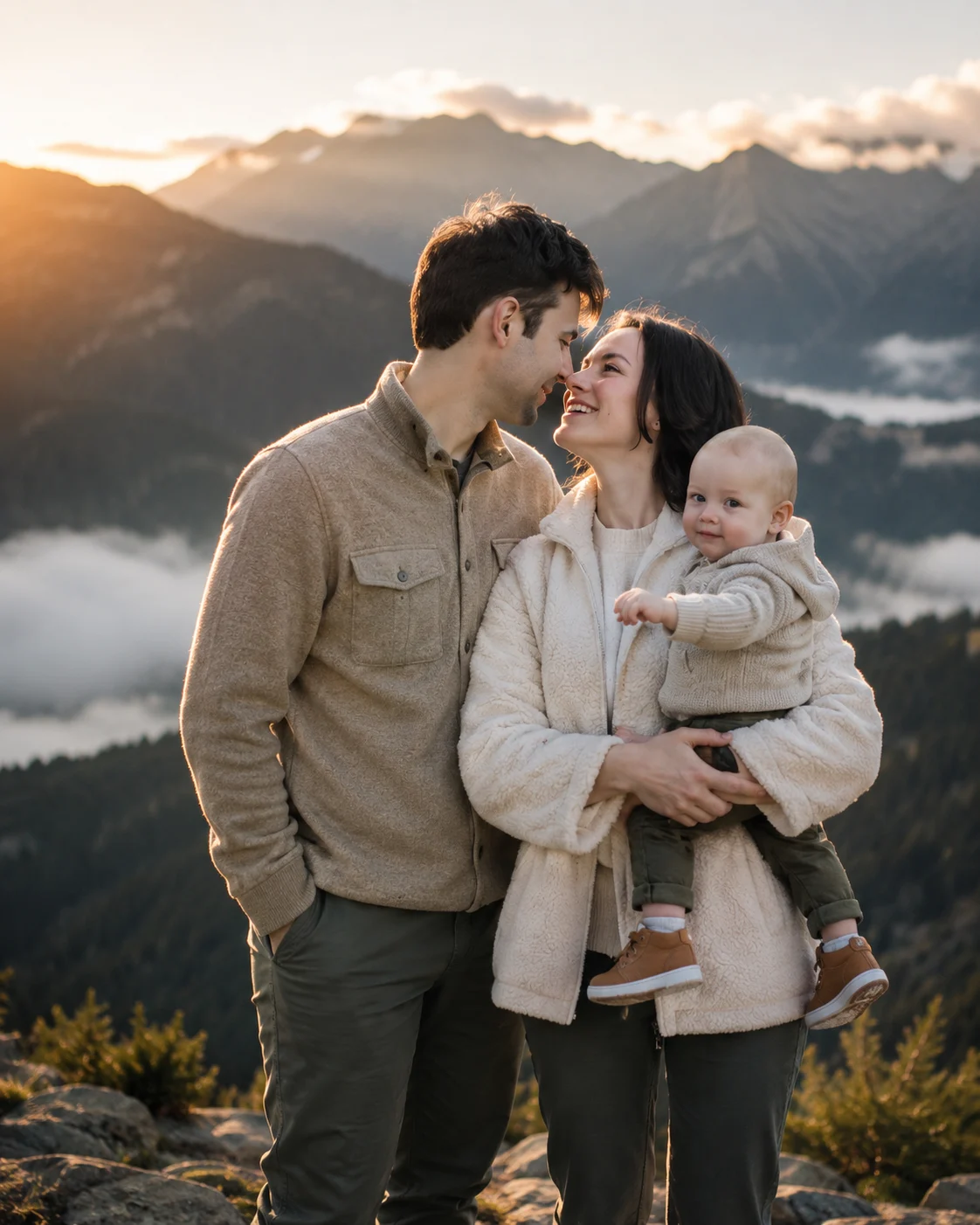
Cinematic Mountain Family Portrait at Sunrise
Create a warm sunrise mountain family portrait while preserving every key facial detail from the uploaded photo and keeping the result natural.
Using the uploaded photo, create a cinematic mountain family portrait featuring the same person as the main identity reference, alongside a loving partner and their child at a peaceful mountain viewpoint at sunrise. KEEP — Keep the uploaded person's exact face structure, eye shape and natural eye colour, skin tone and visible skin texture, hairline, hairstyle, facial hair if present, and natural body proportions. Preserve the original jawline, cheek structure, nose shape, lip shape, forehead proportions, and recognizable facial details. Do not reinterpret the person's identity or make them look like another model. Keep the person's apparent age and natural physical build consistent with the uploaded photo. CHANGE — Change the wardrobe into coordinated, understated outdoor clothing suitable for a cool mountain morning: textured wool or soft knit layers in cream, beige, muted brown, and deep olive, with realistic fabric folds. Place the family in a natural close pose, with the child standing between the couple and the couple positioned comfortably close together. Change the background to mist-covered mountains, distant ridgelines, and sparse alpine vegetation. Add gentle sunrise rim lighting and a restrained cinematic colour grade. SCENE — Set the scene just after sunrise on a quiet mountain viewpoint. Use misty peaks and soft atmospheric haze behind the family. Keep the family sharply defined while distant mountains gradually become softer, creating realistic depth without hiding the landscape. LIGHT — Light the faces from the front-left with soft low-angle morning sunlight, while a subtle warm rim light catches hair and shoulders from behind. Keep shadows gentle and consistent across every face. CAMERA — Shoot at 35mm, f/2.8, camera positioned at chest height, with natural perspective and moderate background separation. GRADE — Use warm highlights, slightly cool mountain shadows, restrained contrast, natural skin tones, and subtle cinematic film grain. OUTPUT — Create a photorealistic 4:5 portrait at 8K resolution. DO NOT — no face slimming, no skin whitening, no changed eye colour, no plastic smoothing, no invented jewellery or tattoos.
Photo Guide
- Use a sharp photo where the face occupies enough pixels for facial details.
- A front-facing or slight 3/4 angle works best for identity preservation.
- Use even daylight so facial shadows do not conflict with sunrise lighting.
- Keep the hairline, jawline, eyes, nose, and lips clearly visible.
- A heavily filtered selfie can cause facial texture and proportions to drift.
- A daylight outdoor source blends better with the warm mountain sunrise look.
How to Build
- 1Open Gemini and choose image generation with your uploaded photo.
- 2Upload one clear identity photo before pasting the full prompt.
- 3Paste the prompt exactly and keep the image ratio at 4:5.
- 4Generate the family scene at the highest available resolution.
- 5Check the face, eye colour, hairline, and body proportions against the source.
- 6If the face changes, regenerate using the same photo and prompt.
Pro Tips
- Choose a photo with visible jaw and hairline so identity stays consistent.
- Use natural daylight in the source so sunrise shadows blend more cleanly.
- Avoid sunglasses because they hide eye shape and colour from the model.
- Keep the source photo lightly edited so skin texture remains believable.
- Use a calm facial expression so the generated family pose feels natural.
Share This Prompt
About the Author
Naziya
Creative AI writer at MFDA, sharing trendy photo-editing prompts and fresh ideas for beautiful, stylish AI images.