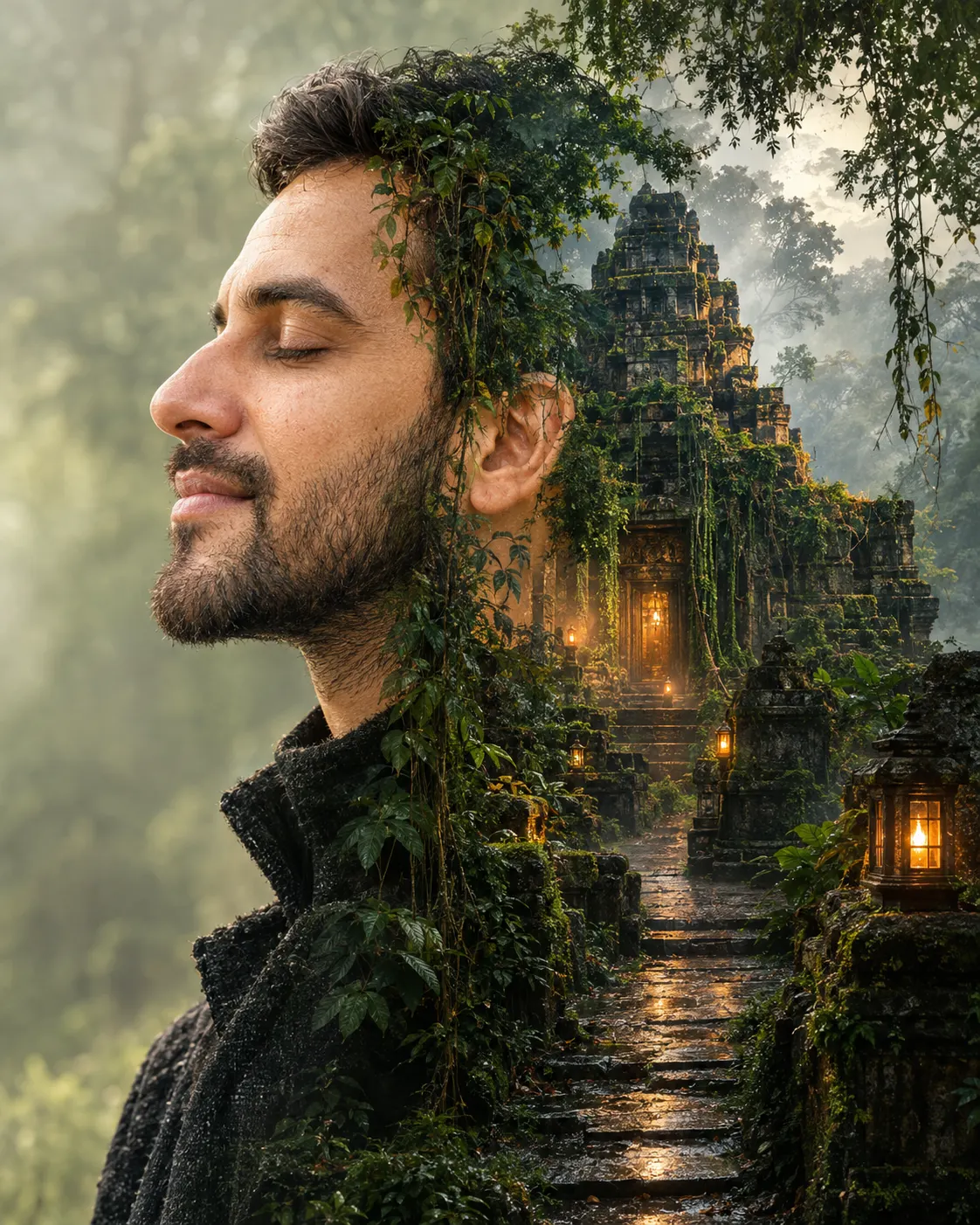
Cinematic Forest Temple Double Exposure Portrait
Create a realistic double exposure portrait that blends your side profile with a misty ancient forest temple, warm lanterns, vines, and earthy cinematic tones.
Using the uploaded photo, create a photorealistic cinematic double exposure portrait of the same person in a calm side-profile composition, merging the person's silhouette with a dense rain forest and an ancient stone temple. KEEP - Keep the uploaded person's exact face structure, facial proportions, eye shape and natural eye colour, original skin tone, visible pores and natural skin texture unchanged. Preserve the real forehead, eyebrows, nose shape, lips, cheeks, jawline, chin, hairline, hairstyle, facial hair if present, and natural body proportions. Keep distinctive facial asymmetry and recognizable identity intact. Do not replace the face with a generic model or alter the person's apparent age. CHANGE - Change the wardrobe to a [dark charcoal wool high-neck jacket] with a visible natural fabric weave and restrained texture. Replace the original surroundings with a layered forest-temple landscape. Add hanging green vines, wet moss, dense broadleaf vegetation, a narrow stone pathway, an ancient weathered stone temple, and small warm bronze lanterns. Use a calm closed-eye profile pose with the head slightly raised. Blend the environment through the silhouette rather than placing a separate landscape beside the face. SCENE - Set the portrait inside a humid tropical forest during early evening after rainfall. Place the ancient stone temple behind the face and upper shoulders, with vines crossing old masonry and a narrow wet pathway leading into the distance. Keep foreground facial details sharp while distant trees, temple edges, and fog become progressively softer. LIGHT - Use soft warm lantern light coming from the front-left side of the face, balanced by cool diffuse daylight remaining in the forest shadows. Keep gentle facial modelling and avoid hard highlights. CAMERA - Use an 85mm lens at f/1.8, camera at eye height, with compressed perspective and shallow depth of field. GRADE - Use earthy forest greens, weathered bronze, muted browns, controlled contrast, soft highlights, and subtle film grain. OUTPUT - Create a vertical 4:5 composition at 8K resolution with realistic skin, stone, foliage, moisture, and natural double-exposure transitions. DO-NOT - no face slimming, no skin whitening, no changed eye colour, no plastic smoothing, no invented jewellery or tattoos, no facial distortion, no extra limbs.
Photo Guide
- Use a sharp high-resolution portrait with the face filling most of the frame
- A clean side angle gives the temple silhouette a stronger profile shape
- Soft daylight works better than harsh indoor light for the forest haze
- Keep the hairline, forehead, nose, lips, and jaw fully visible
- Avoid strong beauty filters because they weaken the double-exposure blend
How to Build
- 1Use Gemini and select image generation with a 4:5 portrait ratio
- 2Upload one clear face photo before pasting the complete prompt
- 3Choose the highest available image quality or 8K output setting
- 4Paste the prompt unchanged so KEEP and CHANGE remain together
- 5Generate once, then inspect the face before making another variation
- 6If the first result drifts, regenerate using the same reference photo
Pro Tips
- Choose a calm profile photo so the temple follows the face contour cleanly
- Keep facial hair visible so the lower-face texture survives the blend
- Use damp-looking forest elements to connect naturally with the evening scene
- Keep lanterns small and warm so they do not overpower the face
- Avoid excessive green saturation so the skin tone stays believable
Share This Prompt
About the Author
Naziya
Creative AI writer at MFDA, sharing trendy photo-editing prompts and fresh ideas for beautiful, stylish AI images.