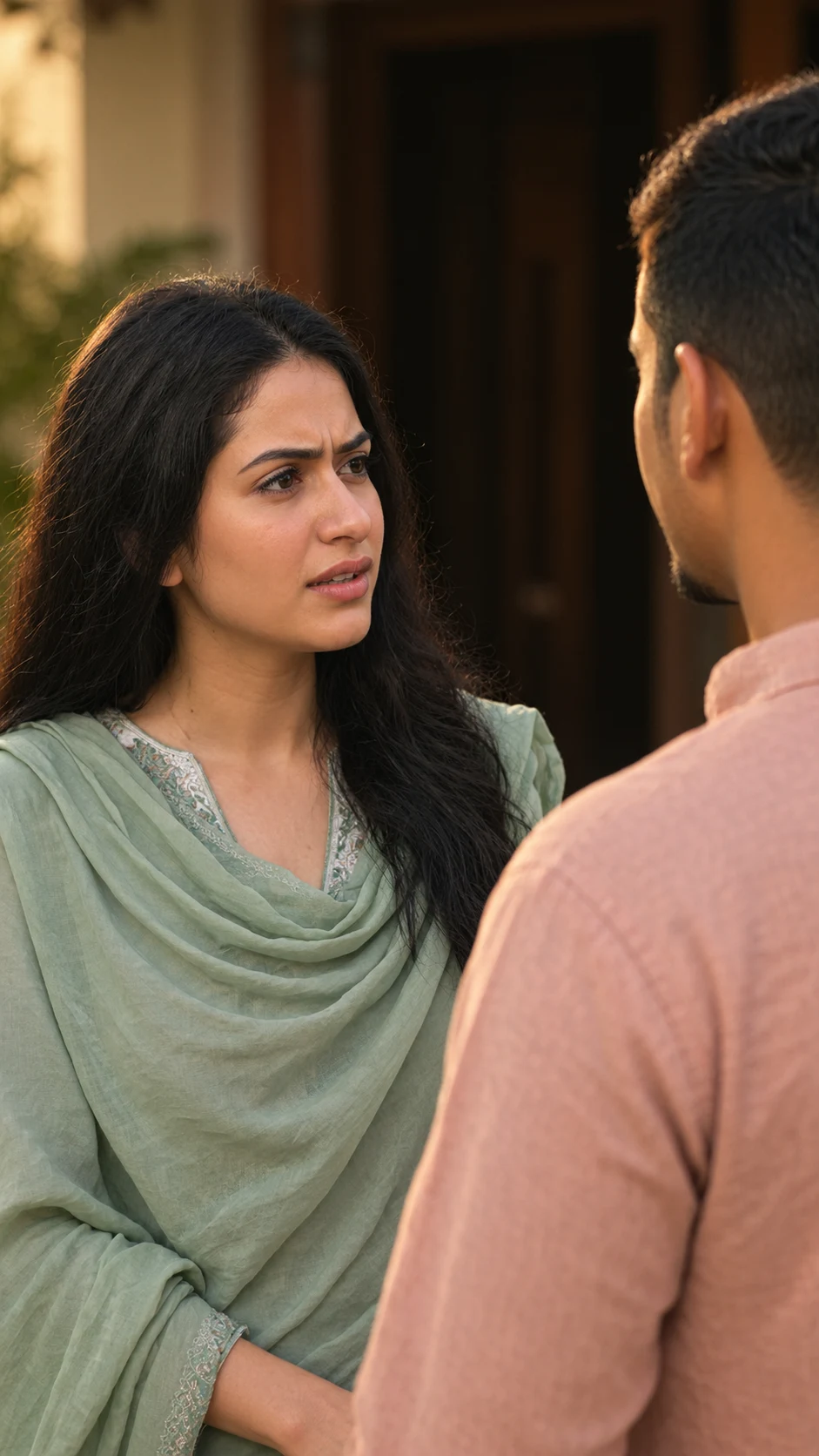
Cinematic Emotional Couple Conversation Portrait
Create a cinematic outdoor couple scene with preserved identity, sage-green fabric, warm light, shallow focus, and natural emotional expression.
Using the uploaded photo, create a photorealistic cinematic portrait of the same person or couple in an intimate outdoor conversation scene, matching the visual arrangement of the reference. KEEP - Preserve the exact face structure of every person from the uploaded photo, including forehead shape, eyebrow structure, eye shape and natural eye colour, nose proportions, lips, cheeks, cheekbones, jawline, chin, ears, facial asymmetry, and overall facial proportions. Keep each person's original skin tone, pores, fine lines, marks, and natural skin texture. Keep the original hairline, natural hair density, hair texture, hairstyle structure, and any visible facial hair. Keep each person's original body proportions, height impression, shoulder width, and natural physical build. Keep both identities separate and recognizable without blending or replacing either face. CHANGE - Place the woman on the left side of the composition, facing the man with a serious, concerned conversational expression. Dress her in a muted sage-green traditional outfit with a soft, lightweight dupatta draped naturally across the shoulders and chest, plus a pale embroidered neckline. Place the man closer to the camera on the right foreground, turned mostly away from the camera while facing her. Dress him in a dusty peach-pink cotton kurta-style shirt. Change the setting, pose, wardrobe, lighting, and colour treatment while keeping the people themselves recognizable. SCENE - Set the conversation outside a traditional home during warm late-afternoon or early-evening light. Place a dark wooden doorway and shadowed entrance behind them. Keep the background softly blurred, while the woman's face remains the primary sharp focal point. Frame the interaction as a natural dramatic moment rather than a posed studio portrait. LIGHT - Use warm directional light coming from the front-left of the woman, softly illuminating her forehead, cheeks, nose, and lips. Keep gentle shadow falloff on the opposite side of her face. Use warm neutral-white light around 4000-4500K so her skin, sage fabric, and peach shirt remain naturally integrated with the outdoor setting. CAMERA - Shoot at eye level with a 50mm lens at f/2.0, using moderate lens compression and shallow depth of field. Keep the woman sharply focused while the man's foreground shoulder and the dark doorway gradually fall out of focus. Maintain natural facial proportions without wide-angle distortion. GRADE - Apply a warm cinematic drama grade with restrained saturation, soft highlights, slightly lifted shadows, natural skin tones, and moderate contrast. Keep the sage-green clothing muted rather than neon and retain the dusty peach shirt as a soft secondary colour. OUTPUT - Render as a vertical 9:16 composition at 4K resolution, with realistic skin texture, natural fabric detail, accurate facial proportions, and cinematic depth. DO-NOT - No face slimming, no skin whitening, no changed eye colour, no plastic smoothing, no invented jewellery or tattoos, no face merging, no altered facial proportions, and no artificial beauty-filter appearance.
Photo Guide
- Use a sharp photo with enough resolution to show facial structure and skin texture.
- Front-facing or three-quarter faces work best for accurate identity preservation.
- Use even natural light so the eyes, nose, lips, and jawline remain clearly visible.
- For this look, warm outdoor daylight blends better than harsh indoor lighting.
- Keep hairline, face edges, shoulders, and visible body shape unobstructed.
- Avoid blurry faces or heavy beauty filters; they can cause identity drift.
How to Build
- 1Open Gemini and choose image generation with your photo attached.
- 2Upload one clear source photo containing the person or couple.
- 3Paste the full prompt and keep the output ratio at 9:16.
- 4Generate several variations without changing the KEEP section.
- 5Choose the version with the closest facial identity and natural skin texture.
- 6If the first result drifts, use a clearer photo and regenerate without changing KEEP.
Pro Tips
- Use a photo with visible jawlines so the emotional close-up stays recognizable.
- Choose natural skin texture so warm grading does not create plastic-looking faces.
- Keep the eyes unobstructed so their original shape and colour remain stable.
- Use a sharp hairline reference so the pulled-back hairstyle does not alter identity.
- A clear shoulder outline helps preserve body proportions in the foreground framing.
Share This Prompt
About the Author
Naziya
Creative AI writer at MFDA, sharing trendy photo-editing prompts and fresh ideas for beautiful, stylish AI images.