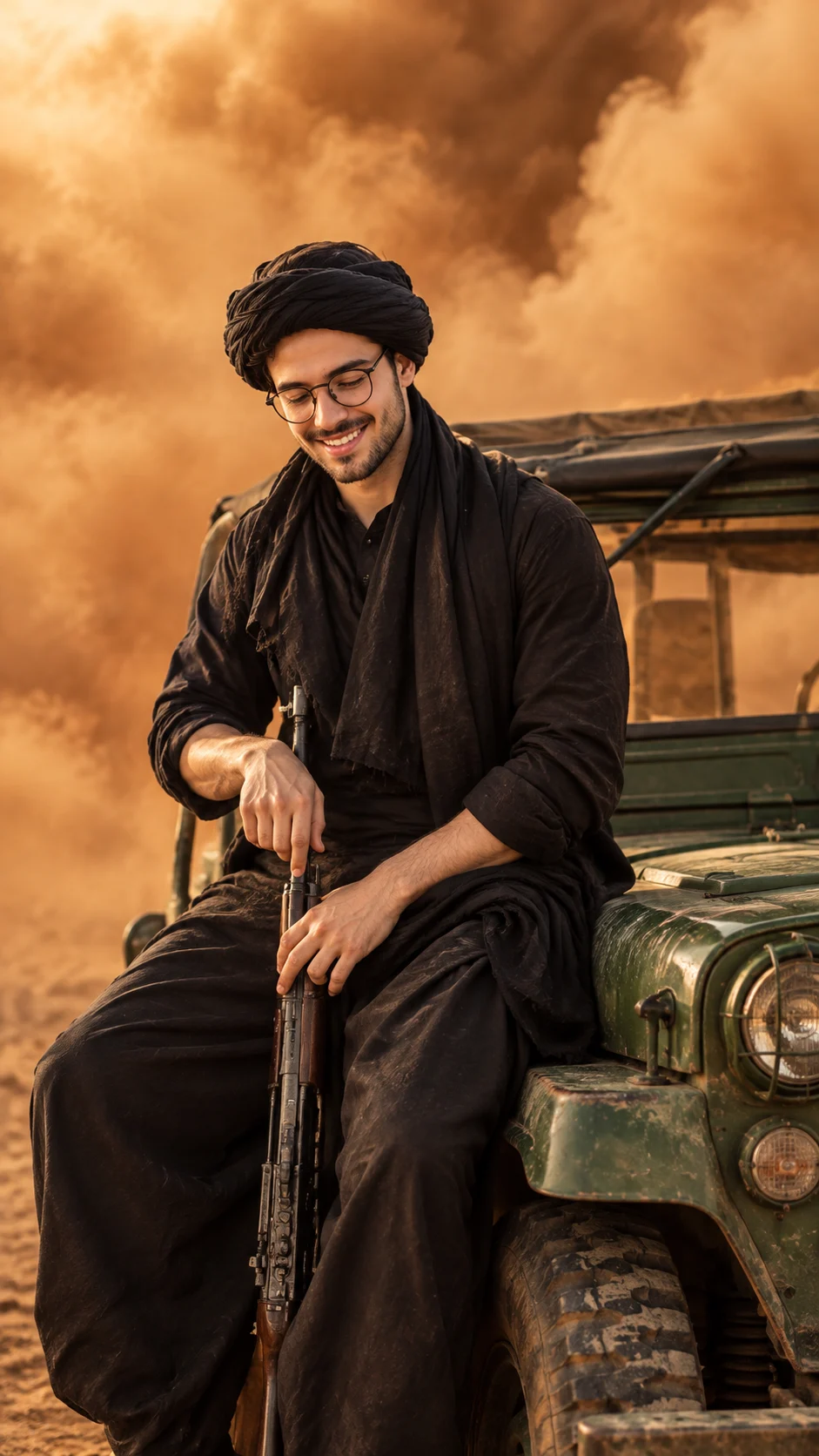
Cinematic Desert Jeep Portrait for Men AI
Turn your photo into a warm cinematic desert portrait beside a vintage green jeep while keeping your face, skin, hair and body identity intact.
Using the uploaded photo, create a photorealistic cinematic portrait of the same person seated beside the vintage green open-top jeep shown in the reference look. KEEP - Preserve the exact identity of the person from the uploaded photo. Keep the original forehead shape, eyebrow placement, eye shape and natural eye colour, nose structure, lips, cheeks, cheekbones, jawline, chin, ears, and natural facial asymmetry. Keep the real skin tone, visible pores, fine skin texture, natural marks and under-eye details. Keep the original hairline, hair density and natural hair texture. Keep the existing facial-hair pattern, density and colour if facial hair is visible in the uploaded photo. Keep the person's natural body proportions, shoulder width, neck length, hand size and overall height impression. Do not turn the person into a generic model. CHANGE - Change the wardrobe to layered black traditional clothing with a matte black fabric texture and a black wrapped turban. Change the pose so the person sits naturally beside the front side of a weathered olive-green vintage jeep, with the upper body slightly angled and the gaze directed downward. Add the long dark rifle visible in the reference composition, held vertically and naturally without altering the person's hands or proportions. Change the setting to a dusty orange-brown outdoor environment. Keep the jeep's aged green metal body, dark canvas roof and open side structure visible. Change the lighting to warm directional sunlight and the grade to muted golden-brown cinematic tones. SCENE - Place the person beside the vintage green jeep during late-afternoon desert-like conditions. Thick airborne dust fills the distant background, with soft orange-brown clouds behind the subject. Keep the jeep sharper than the far background while allowing distant dust to fall into atmospheric blur. LIGHT - Use warm sunlight coming from the upper front-left, softly illuminating the visible face and black clothing while creating gentle shadow on the opposite side. CAMERA - Use an 85mm lens at f/2.8, camera positioned around chest height, with moderate background compression and shallow depth of field. GRADE - Apply a warm amber-brown film treatment, controlled highlights, deep natural shadows, moderate contrast and restrained saturation. OUTPUT - Create a vertical 9:16 image at 2160 × 3840 resolution with realistic photographic detail. DO-NOT - No face slimming, no skin whitening, no changed eye colour, no plastic smoothing, no invented jewellery or tattoos, no altered facial proportions, no beautification, no extra fingers, no distorted hands, no text or watermark.
Photo Guide
- Use a sharp photo where the full face and hairline are clearly visible.
- Front or three-quarter angles work best so both eyes and facial structure stay readable.
- Use even daylight if possible; it blends better with the warm outdoor scene.
- Keep facial hair, shoulders and enough of the upper body visible.
- A heavily filtered selfie can ruin natural skin texture and identity retention.
How to Build
- 1Open ChatGPT and choose image generation mode.
- 2Upload a clear, high-resolution photo with the face unobstructed.
- 3Paste the full prompt exactly as written above.
- 4Generate in a vertical 9:16 format at the highest available resolution.
- 5Check the face, hands, clothing and jeep against the original photo.
- 6If the first result drifts, regenerate while stressing the KEEP section.
Pro Tips
- Use a photo with visible forehead and hairline so the turban fits naturally.
- Keep both eyes visible in the source so their shape and colour remain stable.
- Choose natural facial hair detail so the black styling does not replace it.
- Avoid extreme source angles because they can shift jaw and nose proportions.
- Use a clean background in the source so the warm dust scene replaces it cleanly.
Share This Prompt
About the Author
Naziya
Creative AI writer at MFDA, sharing trendy photo-editing prompts and fresh ideas for beautiful, stylish AI images.