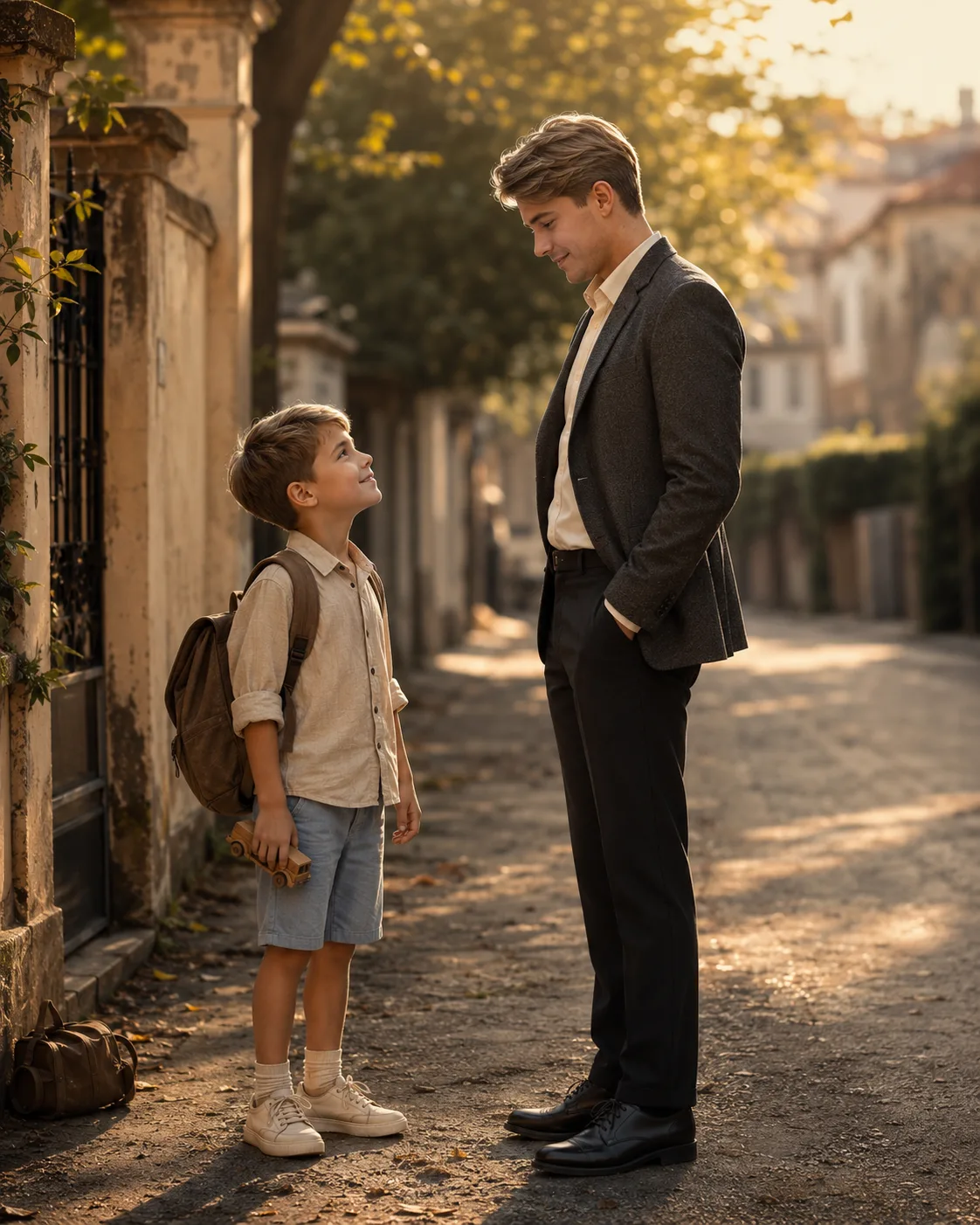
Child Meets Future Self Cinematic Portrait
Create a realistic cinematic portrait of yourself meeting your future adult self, with matching identity, warm golden-hour light, and emotional storytelling.
Using the uploaded photo, create a highly realistic cinematic scene of the same person appearing as a young child and as their future adult self, standing face-to-face in an emotional childhood setting. KEEP from the uploaded photo: preserve the person’s exact face structure, eye shape and natural eye colour, skin tone and visible skin texture, hairline, facial hair where present, and natural body proportions. Keep distinctive facial details such as the nose shape, lips, cheek structure, eyebrows, and overall identity unchanged. The adult must read as the same person naturally aged rather than a different face. CHANGE: create the younger version as a believable child with age-appropriate proportions and simple cotton clothing in muted beige and light blue. Create the adult version in a tailored charcoal wool jacket, plain cream shirt, dark trousers, and clean leather shoes. Change the pose so the child looks upward toward the adult while the adult looks gently downward, with relaxed hands and natural posture. Use a nostalgic street scene, warm lighting, shallow depth of field, and a soft cinematic colour grade. SCENE: place both versions on a familiar-looking childhood residential street during late golden hour. Add a worn school bag, a small childhood toy, and aged walls behind them. Keep these objects subtle and secondary, with the distant background strongly blurred. LIGHT: use low warm sunlight coming from camera-left, softly wrapping across both faces. Keep gentle fill from the opposite side so neither face becomes unnaturally dark. Use approximately 4300–4800K warmth with soft atmospheric haze. CAMERA: photograph at 35mm, f/2.0, camera at the child’s chest height, with both faces within the same natural perspective and focus plane. GRADE: apply warm amber highlights, restrained shadows, natural skin colour, moderate contrast, subtle film grain, and a soft cinematic 35mm-film character without orange skin. OUTPUT: create a vertical 4:5 composition at 2160 × 2700 pixels, keeping both full figures visible with enough space around them. DO-NOT: no face slimming, no skin whitening, no changed eye colour, no plastic smoothing, no invented jewellery or tattoos. Do not alter identity, add extra people, duplicate either character, distort hands, or add text or watermarks.
Photo Guide
- Use a sharp photo where the full face and hairline are clearly visible.
- A front or slight three-quarter angle gives the best identity match.
- Use even daylight so the original skin texture remains easy to read.
- Keep the eyes, nose, mouth, jawline, and hairline unobstructed.
- A daylight childhood photo blends better than a dark indoor portrait.
- Heavy filters or sunglasses can ruin the age-matching effect.
How to Build
- 1In Gemini, upload your clearest face photo and paste the prompt.
- 2Choose image generation and keep the output at a vertical 4:5 ratio.
- 3Use one reference photo so the face identity stays anchored.
- 4Generate once, then compare both faces with the uploaded reference.
- 5If the first result is wrong, regenerate with stricter identity preservation.
Pro Tips
- Use a front-facing photo so the child and adult share stronger facial anchors.
- Keep natural skin texture visible so ageing looks photographic, not synthetic.
- Choose a photo with visible hairline so the adult hairstyle develops naturally.
- Avoid extreme expressions so the facial structure remains consistent.
- Keep the background simple so the two versions remain the visual focus.
Share This Prompt
About the Author
Naziya
Creative AI writer at MFDA, sharing trendy photo-editing prompts and fresh ideas for beautiful, stylish AI images.