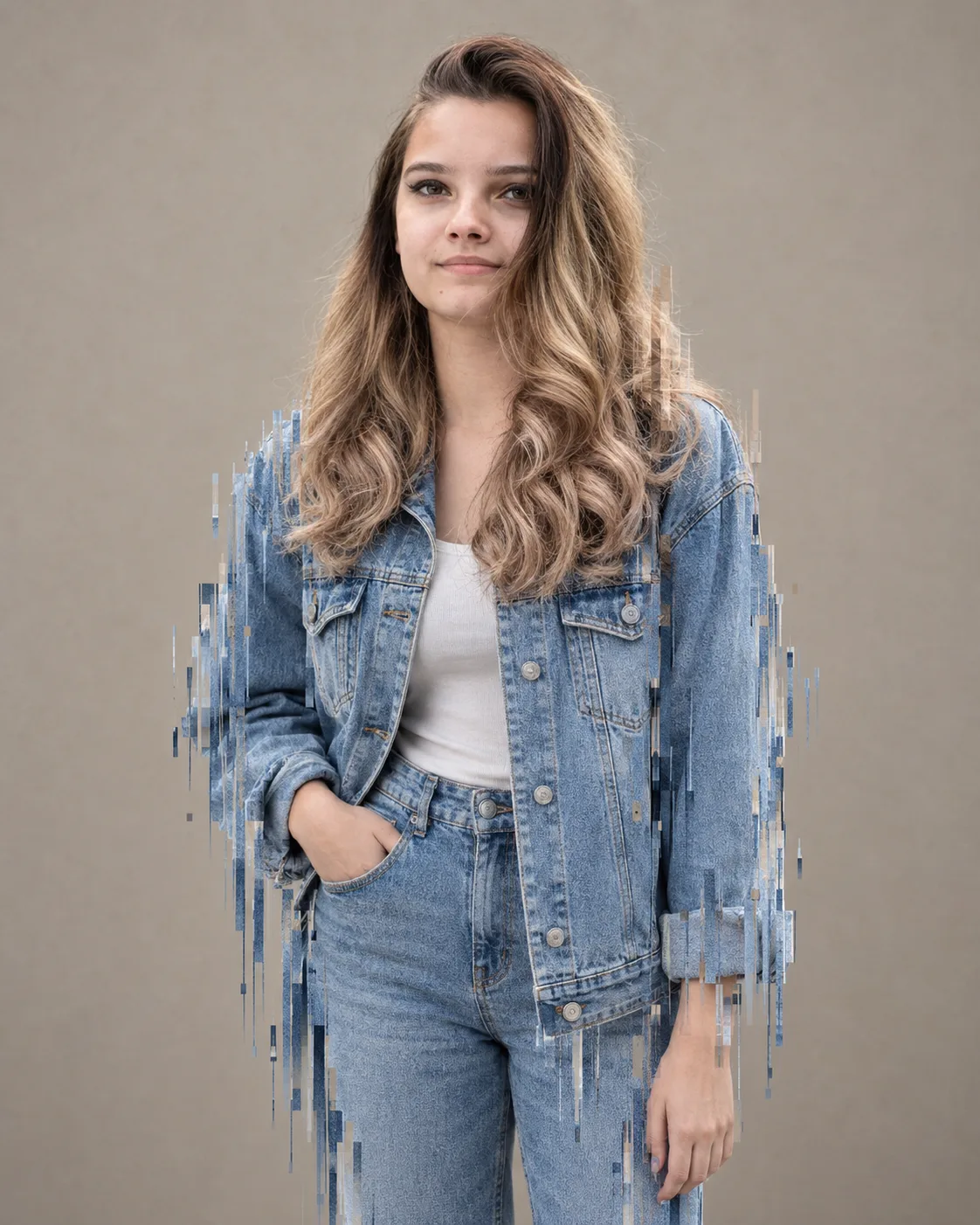
Casual Denim-on-Denim Glitch Portrait
Create a crisp denim-on-denim editorial portrait with downward pixel sorting, neutral studio tones, and strong identity preservation.
Using the uploaded photo, create a professional vertical editorial portrait built around a casual light-blue denim-on-denim fashion look with a controlled downward pixel-sorting glitch effect. KEEP: Keep the uploaded person’s exact face structure, natural jawline, cheek shape, eye shape and eye colour, nose shape, lip shape, skin tone and real skin texture. Keep the original hairline, natural hairstyle characteristics, facial hair if present, and body proportions. Preserve the person’s recognizable identity without reshaping facial features. Keep natural asymmetry and small facial details that make the uploaded person look like themselves. CHANGE: Change the wardrobe to a classic light-blue denim jacket with visible cotton twill texture, paired with matching light-blue denim jeans. Use a clean, minimal fashion-editorial styling with no logos, prints, or unnecessary accessories. Change the pose to a relaxed standing fashion pose with the shoulders naturally aligned and the body facing mostly toward the camera. Change the background to a plain warm-neutral studio wall. Add a vertical pixel-sorting glitch that appears to pull selected image pixels downward from parts of the jacket, jeans, and outer silhouette. Keep the glitch controlled and directional rather than covering the entire face. Use soft studio lighting and a restrained neutral colour grade. SCENE: Place the subject in a minimal indoor studio during a controlled daytime photoshoot. The plain beige-grey wall sits directly behind the subject with only mild background separation. Keep the environment uncluttered so the denim texture and downward glitch remain the main visual details. LIGHT: Use a large softbox positioned slightly above and 45 degrees to one side of the face, creating soft directional illumination with gentle shadow falloff. Use approximately 5200K neutral daylight so the skin and blue denim remain natural. CAMERA: Capture the portrait at 85mm, f/2.8, from chest height. Use moderate lens compression, sharp facial detail, realistic denim texture, and subtle background blur. GRADE: Apply a neutral editorial colour treatment with slightly cool blue denim, natural skin tones, medium contrast, controlled highlights, and fine photographic grain. Keep the glitch pixels crisp rather than neon or overly distorted. OUTPUT: Create a vertical 4:5 composition at 8K resolution, keeping the full upper body and denim outfit comfortably inside the frame. DO-NOT: no face slimming, no skin whitening, no changed eye colour, no plastic smoothing, no invented jewellery or tattoos, no facial reconstruction, no exaggerated body reshaping, no glitch covering the eyes or mouth.
Photo Guide
- Use a sharp photo with enough resolution to see facial and denim details.
- Choose a front or slight three-quarter angle so the face stays clearly visible.
- Soft, even lighting helps the studio shadows blend naturally.
- Keep the hairline, jawline, shoulders, and clothing area visible.
- Light-blue clothing is ideal because it makes the pixel trails read clearly.
- Avoid heavy filters; they can make the glitch look pasted onto the portrait.
How to Build
- 1Open Gemini and upload a clear portrait photo.
- 2Paste the full prompt without removing the KEEP section.
- 3Choose a vertical 4:5 image setting if available.
- 4Generate the first version at the highest available quality.
- 5Check that the face and eye colour still match the source photo.
- 6If the result is wrong, regenerate with the same photo and stress KEEP.
Pro Tips
- Use a plain shirt in the source photo so wardrobe replacement stays clean.
- Keep the face away from the glitch trails so identity remains readable.
- Use soft frontal light so the new studio lighting matches facial shadows.
- Avoid sunglasses because they hide eye shape and colour during generation.
- Keep the glitch concentrated on clothing for a cleaner editorial finish.
Share This Prompt
About the Author
Naziya
Creative AI writer at MFDA, sharing trendy photo-editing prompts and fresh ideas for beautiful, stylish AI images.