Camel Overcoat Winter Portrait on Tree-Lined Path
Create a soft winter fashion portrait with a camel overcoat, cream ribbed knitwear, dry leaves, filtered daylight, and a natural walking pose.
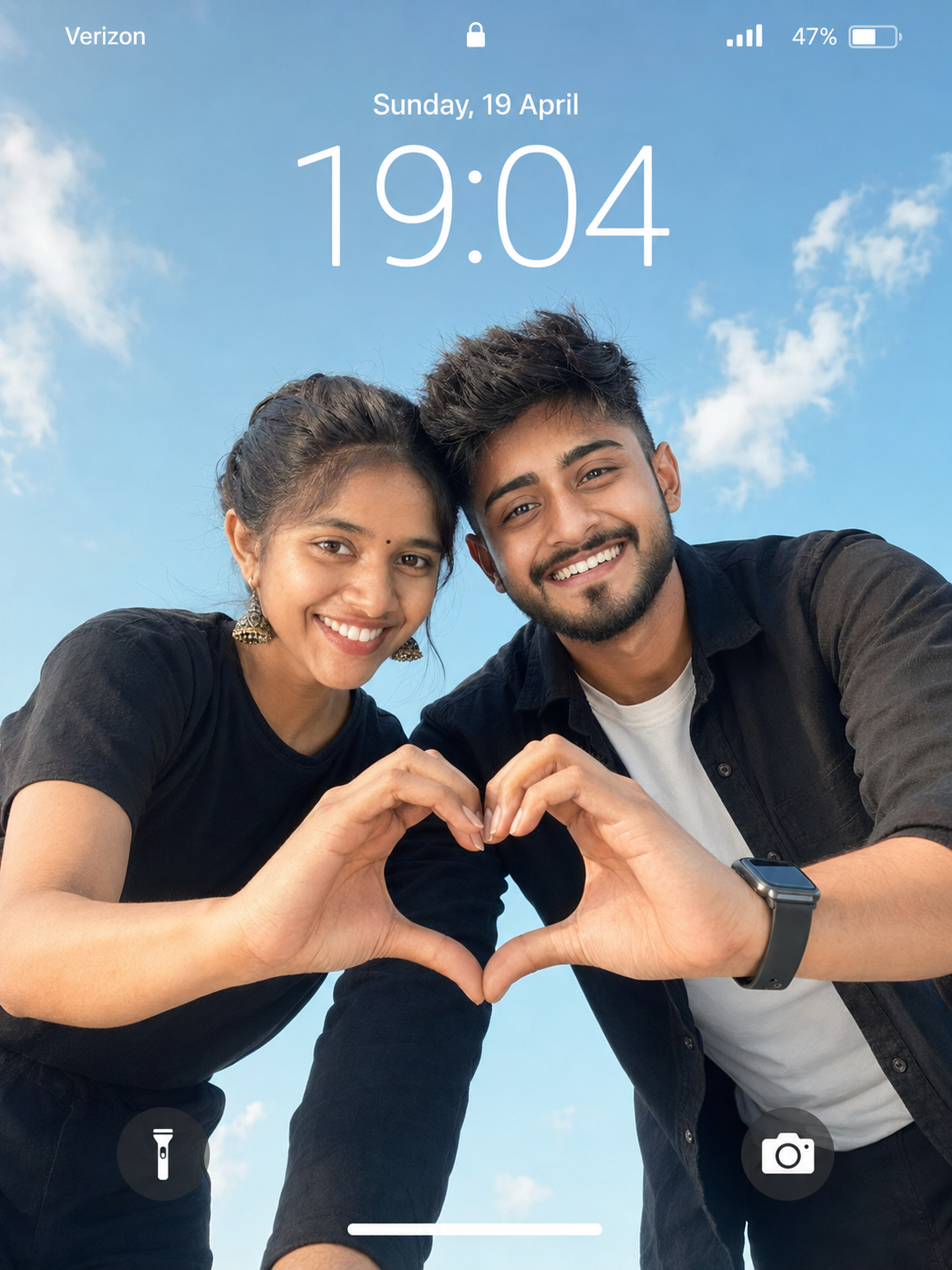
Using the uploaded photos, create an ultra-realistic cinematic portrait of the same couple leaning toward the camera from above against an open blue sky, designed as a vertical smartphone lockscreen composition. KEEP: Preserve each person’s exact face structure, eye shape and colour, eyebrows, nose, lips, cheek structure, jawline, natural facial asymmetry, skin tone and visible skin texture. Keep each person’s original hairline, hair density, facial hair if present, age appearance and body proportions. Preserve recognizable hands and natural finger proportions from the references. Treat both uploaded people as separate strict identity references and do not blend or exchange their facial features. CHANGE: Dress the woman in a simple black soft-fabric t-shirt with natural folds and drape. Dress the man in a white inner t-shirt under a black casual shirt with realistic fabric creases and an optional smartwatch. Change the pose so both lean slightly forward toward the camera, with their heads tilted inward and their hands extended downward toward the lens. Their fingers meet to form one clear heart shape at the centre of the frame. Give both subjects soft, natural happy smiles and direct eye contact. SCENE: Place the couple outdoors beneath an unobstructed light blue daytime sky. Add only subtle natural white clouds, with no buildings, trees or distracting objects. Keep the entire background crisp rather than artificially blurred. LIGHT: Use soft daylight from the front and slightly above, around 5600K. Illuminate both faces evenly while retaining small natural highlights on the cheeks and forehead. Avoid harsh shadows so the low camera angle still produces believable facial lighting. CAMERA: Use a 50mm lens, approximately f/5.6, with the camera below chest level and aimed upward. Keep faces and the centred heart gesture sharply focused. GRADE: Use neutral, clean contrast with realistic skin colour, restrained saturation and crisp blue skies. Avoid HDR halos or excessive clarity. OUTPUT: Create a vertical 3:4 image at 4096 × 5461 resolution with sharp faces, hands, clothing and sky. LOCKSCREEN: Add a subtle smartphone lockscreen UI showing “Sunday, 19 April”, large time “19:04”, “Verizon” with a signal icon, and a 47% battery icon. DO-NOT: no face slimming, no skin whitening, no changed eye colour, no plastic smoothing, no invented jewellery or tattoos.
Photo Guide
- Use two sharp reference photos with each face fully visible and unobstructed.
- Front or slight three-quarter angles give cleaner identity matching.
- Even daylight helps preserve realistic skin texture for the sky scene.
- Keep hands visible if possible so the heart gesture stays anatomically accurate.
- Avoid sunglasses or strong shadows because they can weaken face matching.
How to Build
- 1Open ChatGPT and choose image generation or image editing mode.
- 2Upload both couple photos as separate identity references.
- 3Paste the prompt and keep both references attached during generation.
- 4Set the canvas to vertical 3:4 if an aspect option is available.
- 5Check that faces and the centred heart gesture are both sharp.
- 6If the first result is wrong, regenerate while reinforcing the KEEP section.
Pro Tips
- Use evenly lit reference faces so the upward angle does not change skin tone.
- Keep both hairlines visible so the identity anchors remain stable.
- Avoid cropped hands because heart gestures can distort fingers between runs.
- Use a plain source background so the blue sky stays visually clean.
- Keep the lockscreen text subtle so it does not cover either face.
Share This Prompt
About the Author
Jitesh Mali
Author