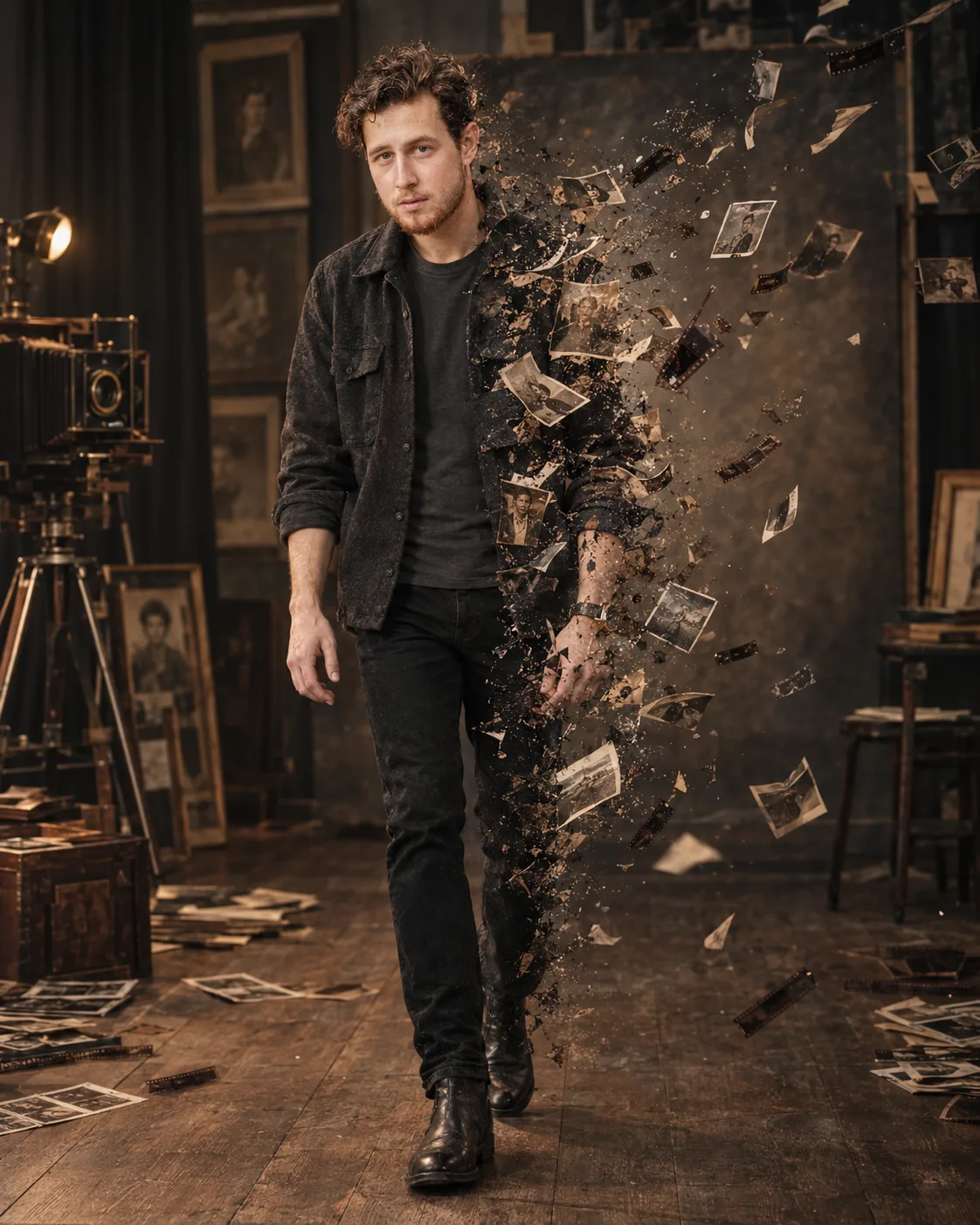
Burning Photograph Studio Disintegration Portrait
Create a cinematic studio portrait where the subject walks through a vintage photo room as their body dissolves into floating photographs.
Using the uploaded photo, create a photorealistic full-body cinematic portrait of the same person walking through an abandoned vintage photographic studio as their body gradually transforms into floating photographic fragments. KEEP — Preserve the exact facial identity from the uploaded photo: forehead shape, eyebrow placement, eye shape and natural eye colour, nose bridge and tip, lips, cheeks, cheekbones, jawline, chin, ears, facial width, and natural facial asymmetry. Keep the original skin tone, visible pores, fine texture, natural marks, under-eye detail, stubble or beard pattern, hairline, hair density, hair texture, and natural expression. Keep the person's real body proportions, shoulder width, height impression, arms, hands, and leg proportions. Use the uploaded face as the only facial identity source. CHANGE — Dress the subject in a charcoal-black wool overshirt worn open over a dark slate cotton crew-neck T-shirt, fitted black trousers, and worn black leather boots. Replace the original environment with [vintage photographic studio]. Place the subject in [walking pose], with one leg naturally ahead and the arms relaxed. Make the right side of the body gradually break apart into curled strips of aged photographic paper, tiny film negatives, paper dust, and realistic image fragments. The fragments should appear to originate from the clothing and body rather than simply float around the subject. SCENE — Set the scene inside an old photography studio during late evening, with wooden floorboards, a large vintage camera, aged portrait frames, dark curtains, scattered contact sheets, and a faded studio backdrop behind the subject. Keep the background softly blurred while the nearest photographic fragments remain sharply detailed. LIGHT — Use a large soft warm key light from camera-left at approximately 3200K, gently illuminating the face and front of the clothing. Add a weaker cool fill from the right so the dissolving edge remains separated from the dark studio. CAMERA — Photograph at 85mm f/2.0 from waist-to-chest camera height, using natural full-body perspective, shallow depth of field, and precise focus on the face and upper torso. GRADE — Use muted sepia-brown shadows, restrained charcoal blacks, warm highlights, medium contrast, subtle film grain, and realistic analog-film colour separation. OUTPUT — Vertical 4:5 aspect ratio, 4K resolution, full body visible from head to boots, with enough negative space on the right for the photographic fragments to expand. DO-NOT — no face slimming, no skin whitening, no changed eye colour, no plastic smoothing, no invented jewellery or tattoos, no altered facial structure, no duplicate limbs, no cropped feet, no photographs covering the face, no cartoon fragments, no artificial plastic effects.
Photo Guide
- Use a sharp high-resolution photo where the full face and hairline are visible.
- A front or three-quarter daylight photo gives cleaner facial identity detail.
- Keep both shoulders, hands, and enough torso visible for body proportions.
- Avoid heavy shadows across the eyes, nose, or jawline in the source photo.
- For this studio look, a neutral indoor photo blends well with the warm film lighting.
How to Build
- 1Open Gemini and choose image generation with the uploaded photo as reference.
- 2Paste the full prompt without changing the KEEP section.
- 3Set the output to vertical 4:5 at the highest available resolution.
- 4Use one clear reference photo rather than combining multiple facial sources.
- 5Check that the face stays unobstructed while the right side disintegrates.
- 6If the first result is wrong, regenerate while preserving the KEEP section exactly.
Pro Tips
- Choose a photo with visible skin texture so pores survive the studio lighting.
- Keep the hairline unobstructed so the vintage styling does not change identity.
- Use a neutral expression so the cinematic transformation remains believable.
- Leave space beside the subject so photograph fragments do not crowd the face.
- Avoid source photos with strong colour filters so the sepia grade stays controlled.
Share This Prompt
About the Author
Naziya
Creative AI writer at MFDA, sharing trendy photo-editing prompts and fresh ideas for beautiful, stylish AI images.