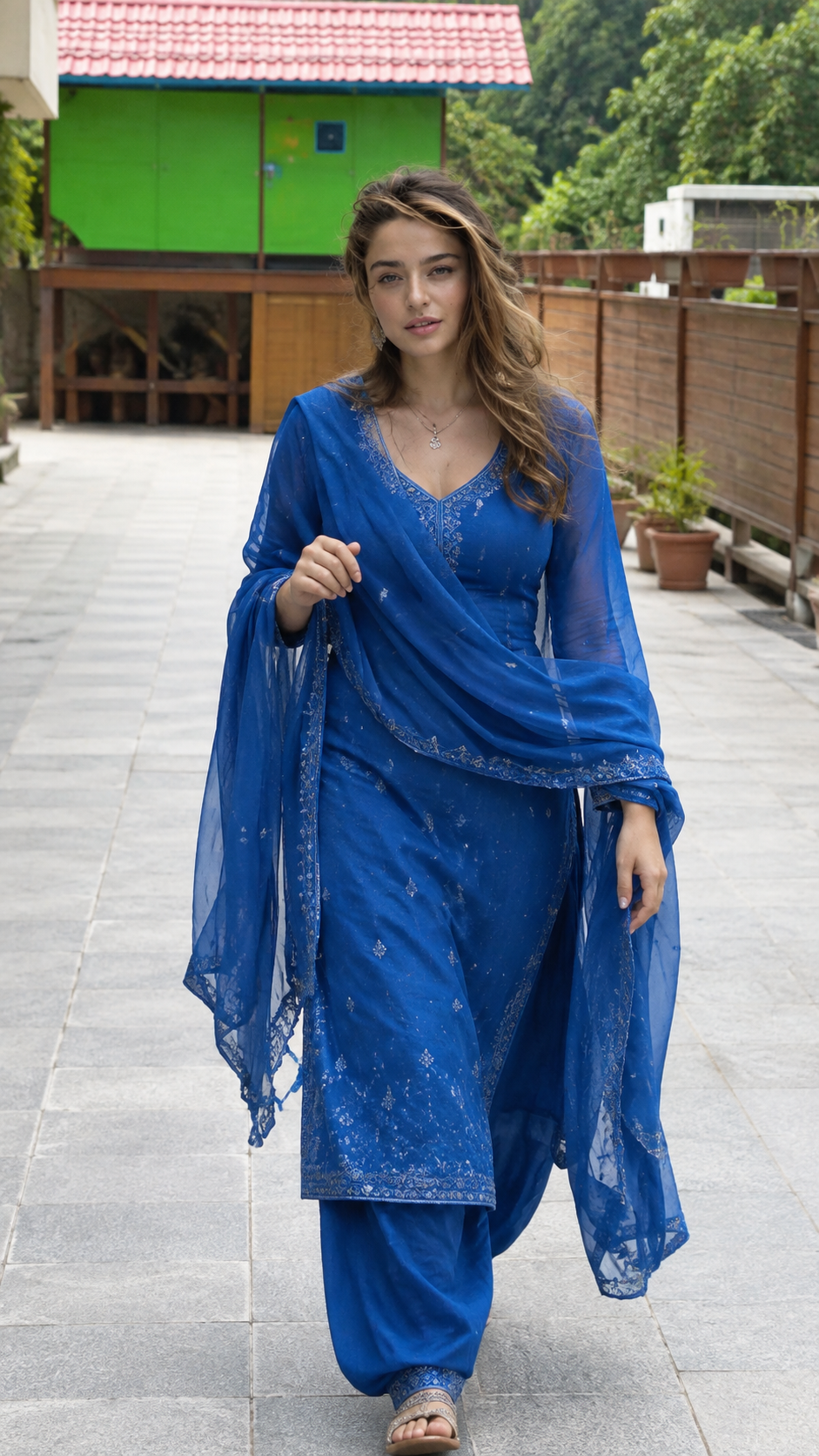
Blue Salwar Suit Outdoor Portrait Prompt
Create a natural full-body blue salwar suit portrait that keeps your face, skin texture, proportions, and hairstyle recognizable.
Using the uploaded photo, create a photorealistic full-body outdoor portrait of the same woman, keeping her recognizable and naturally proportioned. KEEP - Preserve the exact facial structure from the uploaded photo, including forehead shape, eyebrow structure, eye shape, natural eye colour, nose proportions, lips, cheeks, jawline, chin, facial proportions, and natural asymmetry. Keep the original skin tone and visible skin texture, including pores, fine lines, and natural marks. Preserve the hairline, hair density, natural hair texture, and hairstyle pattern. Keep any existing facial hair exactly as shown. Preserve body proportions, height impression, shoulder width, neck, torso, arms, hands, fingers, legs, and overall build. Keep the person's natural age and recognizable identity. Do not merge, replace, or reinterpret the face. CHANGE - Dress the woman in a flowing royal-blue traditional salwar suit with subtle tonal embroidery and a matching lightweight sheer dupatta. Keep the dupatta naturally draped across the shoulders and arms, with its decorative border visible along the edges. Add a delicate necklace and simple earrings matching the understated traditional styling. Place her walking naturally toward the camera on a wide light-grey tiled outdoor walkway, with one hand lightly holding the dupatta and the other relaxed beside her body. Keep the pose casual rather than fashion-model stiff. SCENE - Set the portrait outdoors in soft daytime conditions. Behind her, show the visible bright-green elevated structure with a red tiled roof, wooden supports, brown fencing, potted plants, and dense green trees. Keep the background recognizable but gently softened rather than heavily blurred. LIGHT - Use soft natural daylight coming from the open outdoor area, with even illumination across the face and gentle shadows. Keep the light neutral to slightly warm so the blue clothing and natural skin tone remain believable. CAMERA - Use a 50mm lens at f/4, camera at chest height, with a natural full-body perspective and enough depth of field to keep the woman sharp while softly separating the background. GRADE - Use realistic daylight colour, moderate contrast, natural skin colour, restrained saturation, and subtle photographic detail. Avoid a glossy beauty-filter finish. OUTPUT - Create a vertical 9:16 image at 2160 × 3840 resolution, with the complete figure visible from head to feet. DO-NOT - No face slimming, no skin whitening, no changed eye colour, no plastic smoothing, no invented jewellery or tattoos, no face drift, no altered body proportions, no extra fingers, no distorted hands, and no artificial beauty reshaping.
Photo Guide
- Use a sharp, high-resolution photo where the full face is clearly visible.
- Choose a front-facing or slightly angled photo with natural facial detail.
- Daylight source photos blend better with this outdoor walkway scene.
- Keep hairline, shoulders, hands, and body outline visible.
- Avoid heavy filters because they can distort natural skin texture.
- Avoid cropped feet or hidden hands; they can cause anatomy errors.
How to Build
- 1Use Gemini and upload the clearest original photo available.
- 2Paste the full prompt after the photo finishes uploading.
- 3Choose 9:16 portrait output for the full-body framing.
- 4Set image quality to the highest available option.
- 5Check that the blue suit, face, hands, and feet remain realistic.
- 6If the first result is wrong, regenerate with identity preservation emphasized.
Pro Tips
- Keep the original face evenly lit so facial features do not drift.
- Use a photo showing the hairline so the hairstyle stays consistent.
- Keep both hands visible so the dupatta does not create extra fingers.
- Use natural daylight references so the face does not look pasted on.
- Avoid beauty-filtered inputs so pores and skin texture remain believable.
Share This Prompt
About the Author
Naziya
Creative AI writer at MFDA, sharing trendy photo-editing prompts and fresh ideas for beautiful, stylish AI images.