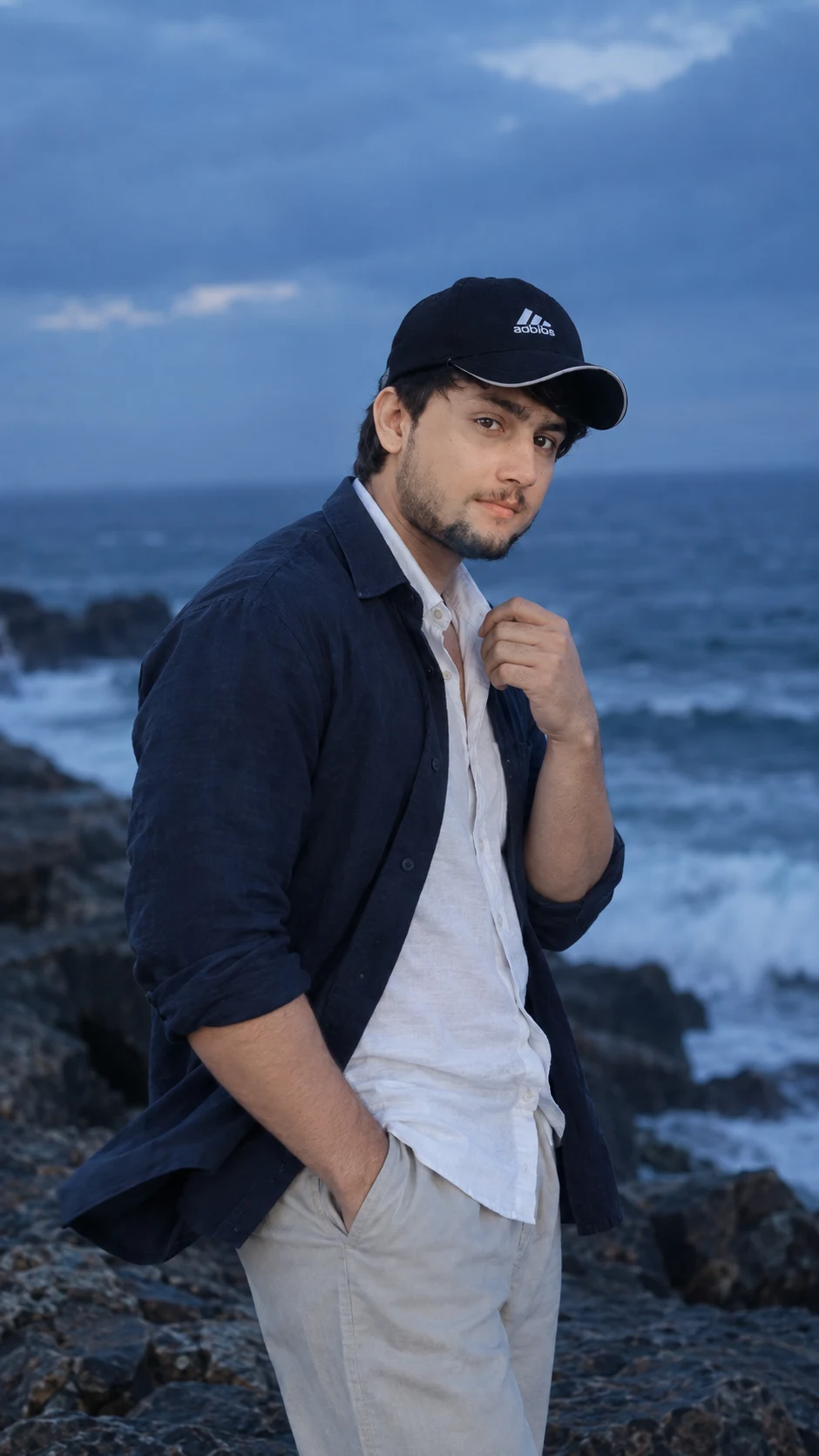
Blue Hour Coastal Cliff Cinematic Portrait
Create a realistic blue-hour coastal portrait with preserved identity, wind movement, cool light, rocky cliffs, and cinematic ocean depth.
Using the uploaded photo, create a photorealistic cinematic portrait of the same man standing on a dramatic rocky coastline during blue hour. KEEP - Keep the exact facial structure from the uploaded photo: forehead shape, eyebrow placement, eye shape and natural eye colour, nose proportions, lips, cheeks, cheekbones, jawline, chin, ears, and natural facial asymmetry. Keep the original skin tone, visible pores, fine texture, natural marks, under-eye detail, hairline, hair density, natural hairstyle, and facial-hair pattern, density, and colour. Preserve the original body proportions, shoulder width, neck, arms, hands, and overall height impression. Keep the person clearly recognizable as the same individual. Do not beautify, reshape, or replace any facial feature. CHANGE - Change the wardrobe to [a loose white cotton shirt beneath a dark navy overshirt, relaxed trousers, and no visible accessories]. Change the pose to standing sideways toward the ocean, with one hand naturally adjusting the shirt collar. Change the environment to [a dark rocky coastline with powerful waves, a distant ocean horizon, and a cloudy blue evening sky]. Allow natural wind to move the shirt fabric and hair. SCENE - Place the subject on uneven dark coastal rocks during blue hour, with the ocean behind him and the horizon fading into cool atmospheric haze. Keep distant waves and clouds softly blurred while the subject remains sharply defined. LIGHT - Use soft, cool ambient sky light coming from the front-left and slightly above, with gentle illumination across the face rather than strong side shadows. Keep the light around 6500-7500K to match the blue-hour environment. CAMERA - Shoot at 85mm, f/1.8, camera at chest height, using a medium-full vertical composition with natural compression and shallow depth of field. GRADE - Use cool blue and muted navy tones, restrained saturation, soft contrast, natural skin colour, and subtle cinematic film texture. OUTPUT - 9:16 vertical, 2160x3840 resolution. DO-NOT - No face slimming, no skin whitening, no changed eye colour, no plastic smoothing, no invented jewellery or tattoos, no facial reshaping, no extra fingers, and no generic-model face.
Photo Guide
- Use a sharp, high-resolution daylight portrait where the full face stays visible.
- Choose a front or three-quarter angle so the jawline and hairline remain clear.
- Avoid harsh shadows; even natural daylight blends better with blue-hour grading.
- Keep the hairline, facial hair, eyes, nose, lips, and both shoulders visible.
- A dark indoor photo can make the cool coastal lighting look pasted on.
How to Build
- 1Open Gemini and upload one clear, high-resolution face photo.
- 2Paste the full prompt without removing the KEEP section.
- 3Set output to 9:16 portrait at the highest available resolution.
- 4Choose photorealistic image generation rather than illustration or stylization.
- 5Check that the ocean, rocks, wind, and face share the same light direction.
- 6If the first result is wrong, strengthen KEEP and regenerate with the same photo.
Pro Tips
- Use a photo with visible facial texture so blue-hour light does not erase detail.
- Keep both shoulders visible so the body proportions remain consistent.
- Avoid sunglasses so the natural eye shape and colour stay anchored.
- Choose a photo with natural hair so wind movement looks believable.
- Use a three-quarter source angle if the original face is not perfectly frontal.
Share This Prompt
About the Author
Naziya
Creative AI writer at MFDA, sharing trendy photo-editing prompts and fresh ideas for beautiful, stylish AI images.