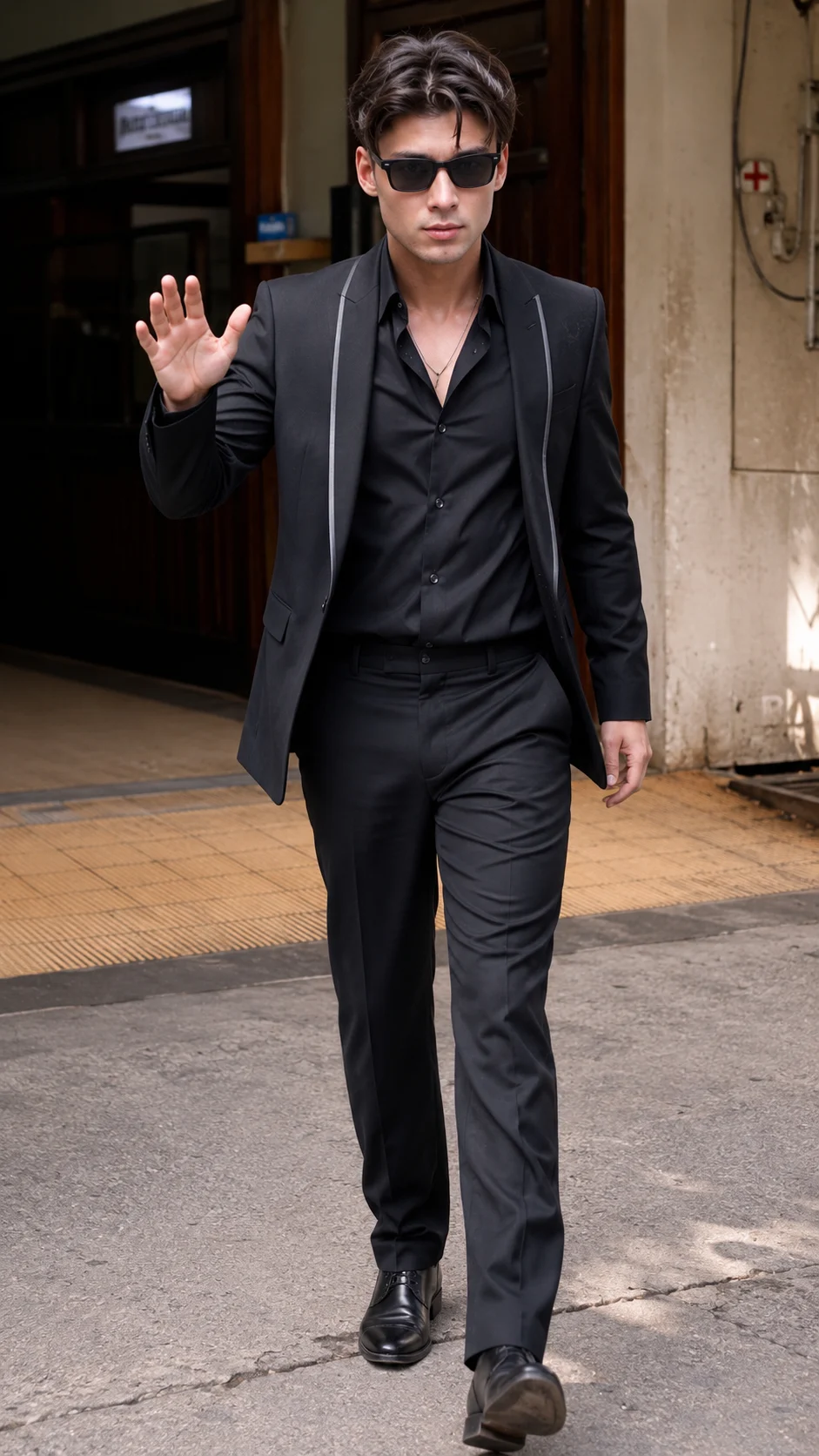
Black Suit Outdoor Walking Portrait
Create a photorealistic full-body portrait in a sharp black suit, sunglasses, and daylight outside a classic building entrance.
Using the uploaded photo, create a photorealistic full-body cinematic portrait of the same person walking toward the camera outside a classic urban building entrance. KEEP - Keep the uploaded person's exact facial identity and face structure, including forehead shape, eyebrow placement, eye shape, natural eye colour, nose structure, lips, cheeks, cheekbones, jawline, chin, ears, facial proportions, and natural asymmetry. Preserve the original skin tone, visible pores, fine skin texture, natural facial details, hairline, hair density, hairstyle, facial hair if visible, and original body proportions. Keep the person's natural height, build, shoulder width, limb proportions, and realistic physical appearance. Do not beautify or replace the person with a generic fashion model. CHANGE - Dress the person in a tailored charcoal-black formal suit with a structured black blazer featuring narrow light piping along the front edges, a soft black button-up shirt worn slightly open at the collar, straight tailored trousers, and polished black leather formal shoes. Add dark rectangular sunglasses while keeping the underlying eye shape unchanged. Add only a simple thin metallic chain if it is clearly part of the reference look. Pose the person mid-stride, facing the camera, with the left hand raised naturally in a relaxed greeting gesture and the other arm hanging beside the body. SCENE - Place the subject at the entrance of an older urban building with dark wooden double doors, beige weathered plaster walls, exposed utility details, and a warm tan tiled walkway. Show pavement in the foreground. Keep the background recognizable but moderately soft, with stronger blur behind the subject. LIGHT - Use bright natural daytime light coming from the upper right side of the frame. Keep the face illuminated from the same direction, with soft highlights on the skin and subtle shadows on the opposite side. Use neutral-warm daylight around 5200K. CAMERA - Shoot at approximately 70mm, f/4, from waist-to-chest camera height, keeping the entire body visible with natural perspective and moderate background compression. GRADE - Use a restrained cinematic grade with neutral skin tones, controlled contrast, slightly warm highlights, muted shadows, and realistic black fabric detail. OUTPUT - Create a vertical 9:16 composition at 2160 x 3840 resolution. DO-NOT - no face slimming, no skin whitening, no changed eye colour, no plastic smoothing, no invented jewellery or tattoos.
Photo Guide
- Use a sharp, high-resolution photo where the full face is clearly visible.
- A straight-on or slightly front-facing angle preserves facial proportions best.
- Use even daylight so the face blends naturally with the outdoor scene.
- Keep the hairline, hairstyle, facial hair, and body outline unobstructed.
- A daylight outdoor source blends better with this bright street setting.
- Avoid blurry faces or cropped bodies; they can cause identity and pose drift.
How to Build
- 1Open Gemini and choose image generation with the uploaded photo as reference.
- 2Upload one clear photo showing the face and enough body for proportions.
- 3Paste the full prompt without removing the KEEP or CHANGE sections.
- 4Choose a vertical 9:16 output if the tool provides aspect controls.
- 5Generate the image and check the face, hands, shoes, and full-body framing.
- 6If the first result is wrong, regenerate while keeping the same photo and prompt.
Pro Tips
- Use a photo with visible hairline so the hairstyle stays consistent.
- Keep the original facial angle close to frontal so sunglasses do not alter identity.
- Choose a sharp source with natural skin texture so pores remain realistic.
- Avoid heavy filters in the source because they can change skin tone and texture.
- Keep both hands visible when possible so the greeting gesture renders cleanly.
Share This Prompt
About the Author
Naziya
Creative AI writer at MFDA, sharing trendy photo-editing prompts and fresh ideas for beautiful, stylish AI images.