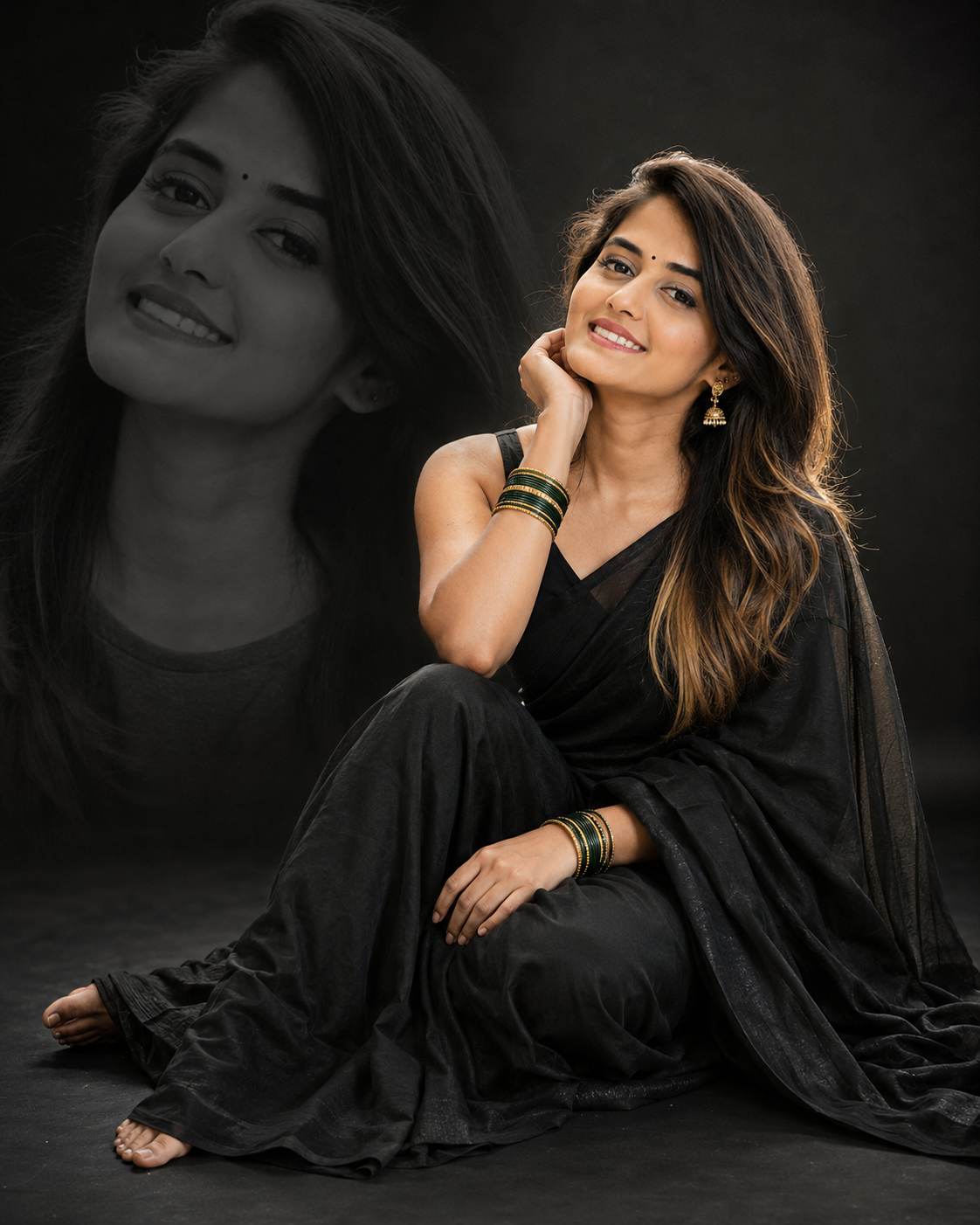
Black Saree Double-Exposure Studio Portrait
Create a refined black saree studio portrait with a monochrome double-exposure backdrop, soft lighting, realistic texture, and editorial framing.
Using the uploaded photo, create a photorealistic full-body studio portrait of the same person, seated gracefully on a smooth dark floor in an elegant black saree. KEEP: Keep the person’s exact face structure, natural facial proportions, eye shape and eye colour, skin tone and visible skin texture, hairline, natural hair density, facial hair if present, and body proportions from the uploaded photo. Preserve the recognizable identity of the person rather than recreating a similar-looking model. Keep natural asymmetry, facial contours, nose shape, lips, jawline, and cheek structure unchanged. CHANGE: Change the wardrobe to a luxurious matte black saree with realistic woven fabric folds and a fitted matching black blouse. Add a small black bindi, traditional gold-toned jhumka earrings, and stacked green-and-gold bangles. Change the pose so the person sits naturally on the floor, positioned slightly right of centre, with one hand resting gently against the cheek and the other relaxed on the knee. Use a warm, natural smile. Change the background to a deep black seamless studio setting with subtle tonal gradients. Add a large monochrome close-up portrait of the same person, cropped from head to shoulders, softly blended into the left background. SCENE: Place the subject in a controlled editorial studio with a smooth charcoal-black floor and seamless black backdrop. The background portrait should remain clearly recognizable but softly integrated, with its edges fading gradually into the dark surroundings. Keep the seated subject sharply defined while the background treatment has restrained depth. LIGHT: Use a large diffused softbox positioned slightly above and to the left of the subject, producing gentle illumination across the face and saree. Add a subtle rim light from behind the right shoulder to separate the black clothing from the backdrop. Keep shadows controlled rather than crushed, with a neutral-warm skin illumination around 4300K. CAMERA: Photograph at eye level with a slightly elevated camera position using an 85mm lens at f/2.8. Keep the seated subject sharp while allowing the studio background to fall gently out of focus. Maintain realistic hand anatomy, fabric folds, and facial proportions. GRADE: Use a refined cinematic grade with deep blacks, restrained highlights, natural skin tones, moderate contrast, and a subtle monochrome treatment for the background portrait. Preserve fine skin texture and individual fabric detail without artificial sharpening. OUTPUT: Create a vertical 4:5 composition at 8K resolution, with the seated subject occupying the right side and sufficient negative space for the monochrome portrait on the left. Do not add text or watermark. DO-NOT: No face slimming, no skin whitening, no changed eye colour, no plastic smoothing, no invented jewellery or tattoos, no altered body proportions, no distorted hands, no duplicate facial features, and no artificial facial replacement.
Photo Guide
- Use a sharp, high-resolution photo where the full face is clearly visible.
- A front or three-quarter angle works best for matching facial structure.
- Use even daylight or soft indoor light without harsh coloured illumination.
- Keep the hairline, eyes, jawline and natural skin texture unobstructed.
- A warm-neutral source photo blends better with the soft studio skin lighting.
- Heavy filters or beauty retouching can cause face drift in the final result.
How to Build
- 1Open Gemini and upload one clear, high-resolution reference photo.
- 2Paste the full prompt and choose image generation mode.
- 3Set the output ratio to 4:5 before generating.
- 4Generate once, then compare the face with the uploaded photo.
- 5If the face drifts, regenerate using the same photo without changing settings.
- 6If the first result is wrong, re-upload a clearer face photo and retry.
Pro Tips
- Use a photo with visible cheek contours so the identity stays consistent.
- Choose a photo with natural skin texture so the studio finish stays realistic.
- Keep both eyes unobstructed so their shape and colour remain accurate.
- Avoid sunglasses because they hide features needed for face matching.
- Use a visible hairline so the hairstyle change does not alter the forehead shape.
Share This Prompt
About the Author
Jitesh Mali
Author