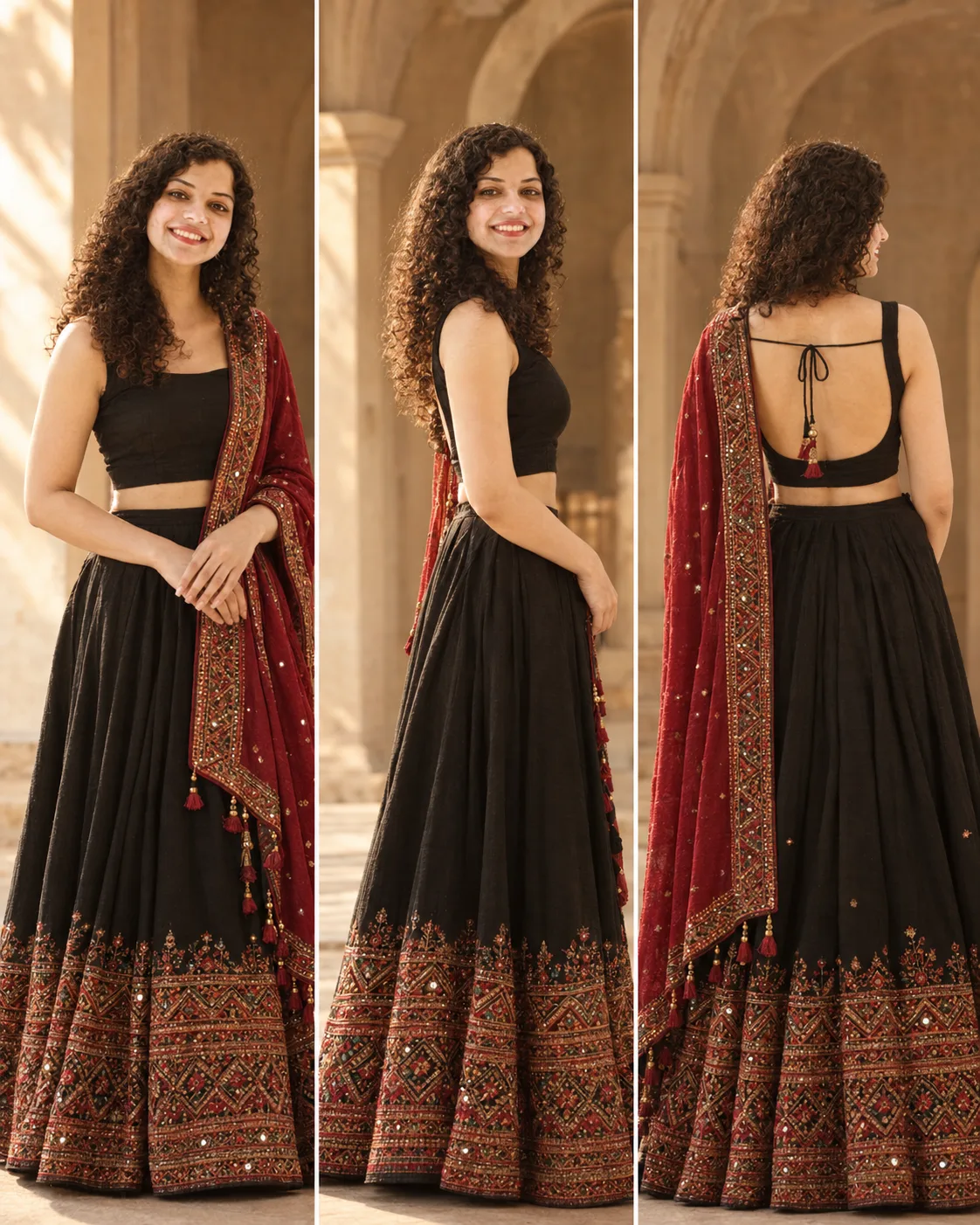
Black Lehenga Red Dupatta Editorial Portrait
Create a three-view Indian bridal fashion portrait with a black lehenga, red embroidered dupatta, warm sunlight, and preserved identity.
Using the uploaded photo, create a photorealistic three-panel Indian fashion portrait of the same person wearing a black lehenga with a richly embroidered deep-red dupatta. KEEP - Preserve the exact facial identity from the uploaded photo. Keep the original forehead shape, eyebrow structure, eye shape and natural eye colour, nose structure, lip proportions, cheek shape, jawline, chin, facial proportions, and natural facial asymmetry. Preserve the real skin tone, visible pores, fine texture, natural marks, and complexion. Keep the original hairline, hair density, hair texture, hairstyle pattern, and any existing facial hair exactly as shown. Keep body proportions, shoulder width, torso shape, arm and hand proportions, height impression, and natural build unchanged. The same person must remain recognizable in every panel without face blending or facial redesign. CHANGE - Change the wardrobe to a floor-length black lehenga with a fitted black sleeveless blouse and a deep-red dupatta draped over one shoulder. The lehenga hem should carry dense red, gold, and multicolour traditional geometric embroidery with small reflective embellishments. Add matching embroidered borders and small decorative tassels along the dupatta edge. Keep the styling elegant and detailed without inventing jewellery that is not visible in the reference. SCENE - Create a vertical three-panel fashion composition in a warm heritage interior with tall beige stone or plaster arches. Panel one shows a front three-quarter standing pose with the dupatta falling over the left side. Panel two shows a side-profile fashion pose with the embroidered lehenga visible. Panel three shows the back of the outfit, clearly displaying the blouse's open-back design and thin tie strings. LIGHT - Use warm late-afternoon sunlight entering from the upper left, creating soft directional highlights on the face, hair, embroidery, and fabric while retaining gentle shadow detail. CAMERA - Use an 85mm lens at f/2.8, camera at chest height, with moderate compression and a softly blurred architectural background. GRADE - Apply a warm cinematic editorial grade with earthy beige, deep black, muted red, and restrained gold tones, medium contrast, and natural skin colour. OUTPUT - Create a vertical 4:5 triptych at 2048 × 2560 pixels with three evenly sized panels. DO-NOT - No face slimming, no skin whitening, no changed eye colour, no plastic smoothing, no invented jewellery or tattoos, no altered body proportions, no extra fingers, no duplicated limbs, and no identity drift.
Photo Guide
- Use a sharp portrait photo with at least 1500px on the longest side.
- A front or slight three-quarter face angle gives the strongest identity match.
- Use soft natural light so the facial structure remains clearly visible.
- Keep the hairline, shoulders and upper torso unobstructed.
- A warm-toned source photo blends especially well with the heritage interior.
- Avoid beauty filters because they can remove skin texture needed for identity.
How to Build
- 1Start in Gemini and upload your clearest identity photo.
- 2Choose image generation and paste the prompt without changing KEEP.
- 3Set the canvas to 4:5 portrait at the highest available quality.
- 4Check that all three panels show the same facial structure and eye colour.
- 5Confirm the back panel preserves realistic shoulders and blouse construction.
- 6If the first result drifts, regenerate using the same photo and prompt.
Pro Tips
- Keep the source hair visible so the side and back views stay believable.
- Use a photo showing natural skin texture so the warm grade does not over-smooth it.
- The red dupatta needs visible embroidery detail, so use a sharp source image.
- Check the third panel for realistic back anatomy before accepting the result.
- Keep the facial expression natural so the three views feel like one photoshoot.
Share This Prompt
About the Author
Naziya
Creative AI writer at MFDA, sharing trendy photo-editing prompts and fresh ideas for beautiful, stylish AI images.