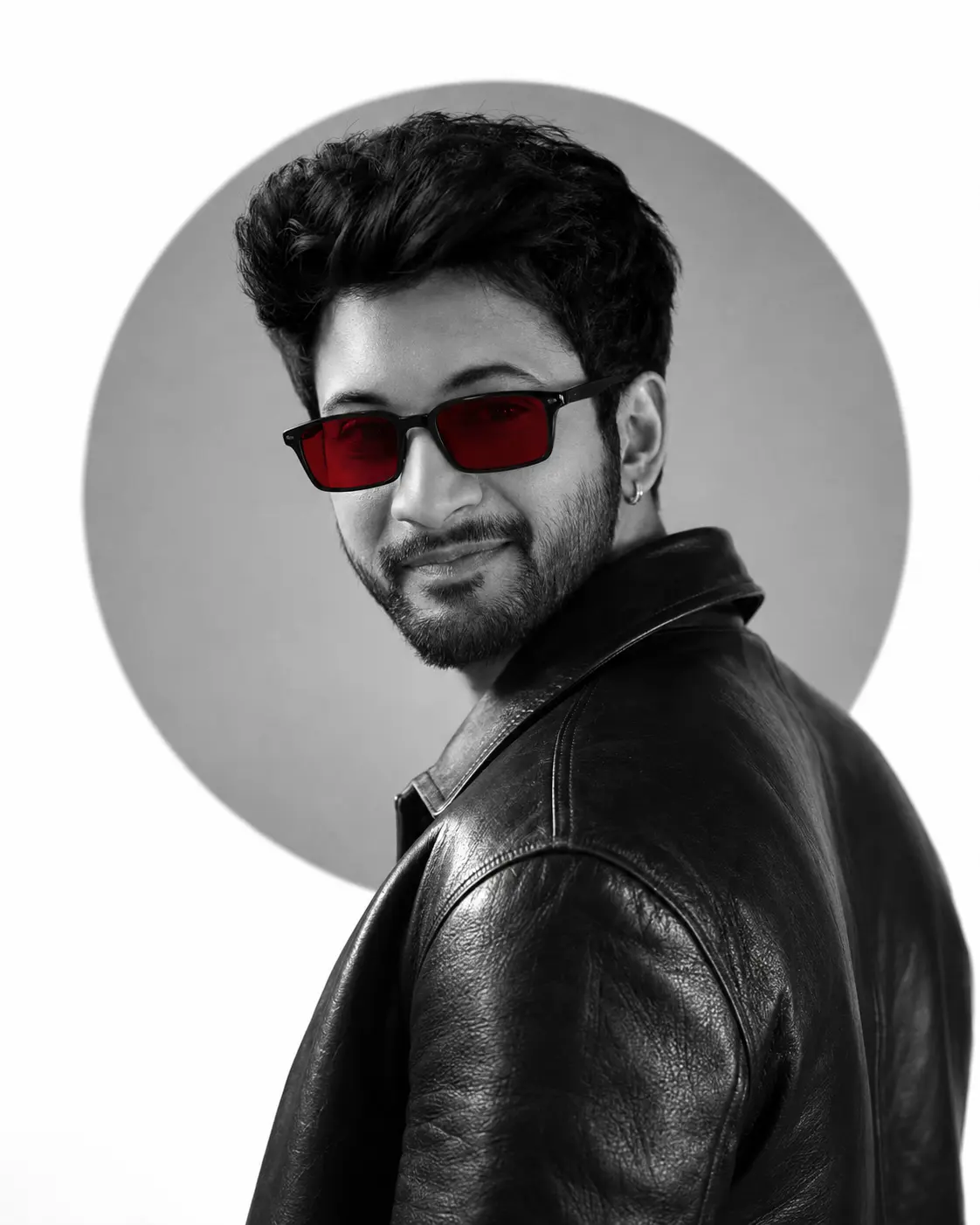
Black and White Leather Fashion Portrait
Create a monochrome leather jacket portrait with a sharp over-shoulder pose and red sunglasses that preserve your exact facial identity.
Using the uploaded photo, create a black-and-white high-fashion studio portrait with a three-quarter over-the-shoulder pose. KEEP the exact face structure, eye shape and colour, natural skin tone and real skin texture, hairline, facial hair shape, body proportions, jawline, nose, lips, cheeks and facial proportions from the uploaded photo. Preserve the person’s recognisable identity without reshaping, beautifying or replacing any facial feature. CHANGE the wardrobe to a premium black leather jacket with visible grain, realistic stitching and crisp specular highlights. Add modern rectangular sunglasses with deep red lenses as the only coloured element. Pose the body facing away from the camera while rotating the head back over the left shoulder, creating a calm, confident and slightly intense expression. Keep the frame from mid-torso to head and place the subject slightly off-centre. Change the background to a clean white studio backdrop with a soft grey circular graphic centred directly behind the head. SCENE: a minimalist editorial studio, photographed against the white backdrop with no props or visible environment. The grey circle remains softly defined rather than fully blurred, while the subject stays sharply separated from it. LIGHT: use a strong key light from the front-left, slightly above eye level, to sculpt the face, jawline and cheekbones. Keep the shadows controlled on the far side of the face and preserve realistic beard texture. Use neutral studio light with no warm or cool colour cast. CAMERA: 85mm lens at f/1.8, camera at chest height, shallow depth of field, sharp focus on the face and sunglasses. GRADE: rich monochrome contrast, clean white highlights, deep blacks and controlled shadow detail, with selective saturated red limited strictly to the sunglass lenses. OUTPUT: vertical 4:5 aspect ratio, 8K resolution. DO-NOT: no face slimming, no skin whitening, no changed eye colour, no plastic smoothing, no invented jewellery or tattoos.
Photo Guide
- Use a clear 1080p or higher photo with the face and shoulders sharply visible.
- Use a photo where the left side of the face can rotate naturally toward the camera.
- Choose even daylight or neutral light so the monochrome studio lighting blends cleanly.
- Keep the full hairline, beard shape and jawline visible for accurate identity matching.
- Avoid sunglasses in the upload; they can confuse the exact red-lens placement.
How to Build
- 1Open Gemini and choose Image generation at 4:5 portrait output.
- 2Upload one clear reference photo that shows the full face and upper body.
- 3Paste the full prompt without changing the KEEP section.
- 4Generate the image and inspect the jawline, beard and eye shape first.
- 5If the first result drifts, regenerate using the same photo and add no extra style text.
Pro Tips
- Use a neutral-light photo so the high-contrast key light does not create a pasted-on face.
- Keep the beard fully visible so its edge does not drift during the profile rotation.
- Use an unobstructed hairline so the backward-brushed hairstyle stays believable.
- Do not add extra colours, so the red lenses remain the single editorial colour accent.
- Keep the source photo close to chest-up framing, so body proportions match the final crop.
Share This Prompt
About the Author
Naziya
Creative AI writer at MFDA, sharing trendy photo-editing prompts and fresh ideas for beautiful, stylish AI images.