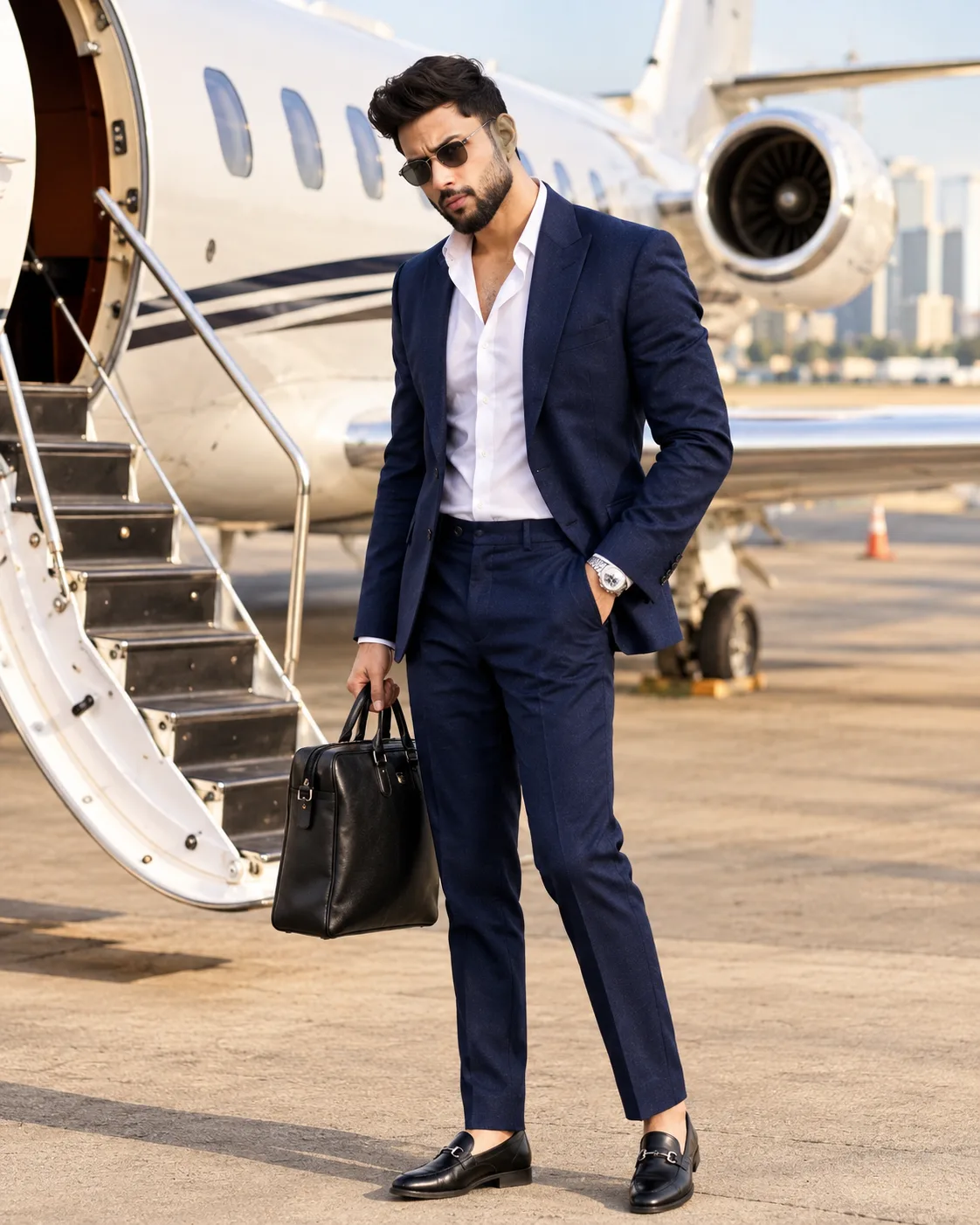
Billionaire Private Jet Luxury Fashion Portrait
Create a realistic billionaire lifestyle portrait beside a private jet, wearing a tailored navy suit with a luxury airport runway setting.
Using the uploaded photo, create a photorealistic full-body billionaire lifestyle fashion editorial portrait of the same recognizable man standing beside a private luxury jet on an executive airport runway. KEEP — Preserve the person's exact facial identity from the uploaded photograph. Retain the original forehead width, eyebrow thickness and placement, eye shape and natural eye colour, nose bridge and tip, lip shape, cheek volume, cheekbone position, jawline, chin, ears and natural facial asymmetry. Maintain the original skin tone, pores, fine lines, marks, age and realistic skin texture. Keep the original hairline, hair density, hairstyle and natural hair texture. Preserve facial hair exactly if present. Retain the person's natural neck, shoulders, body proportions, height and limb anatomy. Do not replace, reconstruct or blend the face with another identity. CHANGE — Dress him in a tailored navy-blue two-piece business suit made from fine Italian wool, paired with a crisp white cotton shirt worn open at the collar. Add polished black leather loafers, a refined metal wristwatch and classic black sunglasses. He carries a structured black full-grain leather briefcase in one hand while keeping the other hand naturally inside his trouser pocket. SCENE — Position him beside a sleek white private jet with its passenger staircase extended. Include visible aircraft windows, polished metallic details, airport hangars and a distant city skyline. Keep the background softly blurred while maintaining recognizable aircraft details. LIGHT — Use warm late-afternoon sunlight coming from the front-left, naturally illuminating the face, suit and aircraft. Match the facial highlights and shadows to the runway environment. Avoid artificial studio lighting. CAMERA — Shoot vertically at 85mm, f/1.8, at chest height. Use a full-body composition with realistic perspective and natural proportions. GRADE — Apply sophisticated warm-neutral cinematic grading, controlled contrast, natural navy tones and subtle golden highlights. Keep skin colours accurate. OUTPUT — Vertical 4:5 portrait, high-resolution 8K appearance, realistic fabric, leather, aircraft surfaces and natural skin detail. DO NOT — Slim the face, whiten the skin, change eye colour, alter facial hair, modify body proportions, apply plastic smoothing, invent jewellery or tattoos, or introduce any facial identity changes.
Photo Guide
- Use a sharp, high-resolution photo with clearly visible facial details.
- Choose a front-facing or slight three-quarter camera angle.
- Use natural daylight with even illumination across the face.
- Keep the original hairstyle, forehead and facial hair clearly visible.
- A warm daylight reference blends better with the sunlit airport runway.
- Heavy face filters or extreme shadows can cause identity drift.
How to Build
- 1Open Gemini and select the image generation feature.
- 2Upload your original photograph as the identity reference.
- 3Copy the complete PROMPT CONTENT into the prompt box.
- 4Choose 4:5 portrait aspect ratio if the option is available.
- 5Select the highest available image quality setting.
- 6Generate the portrait and inspect facial identity carefully.
- 7If the result is wrong, strengthen the KEEP instructions and regenerate.
Pro Tips
- Choose a photo with visible shoulders so the tailored suit fits naturally.
- Keep the forehead visible to preserve the original hairline.
- Use a neutral expression so the sunglasses do not distort facial anatomy.
- Choose a photograph with natural daylight for consistent runway lighting.
- Keep both hands visible in the reference to improve briefcase positioning.
- Avoid heavily cropped photos because full-body proportions are harder to match.
Share This Prompt
About the Author
Naziya
Creative AI writer at MFDA, sharing trendy photo-editing prompts and fresh ideas for beautiful, stylish AI images.