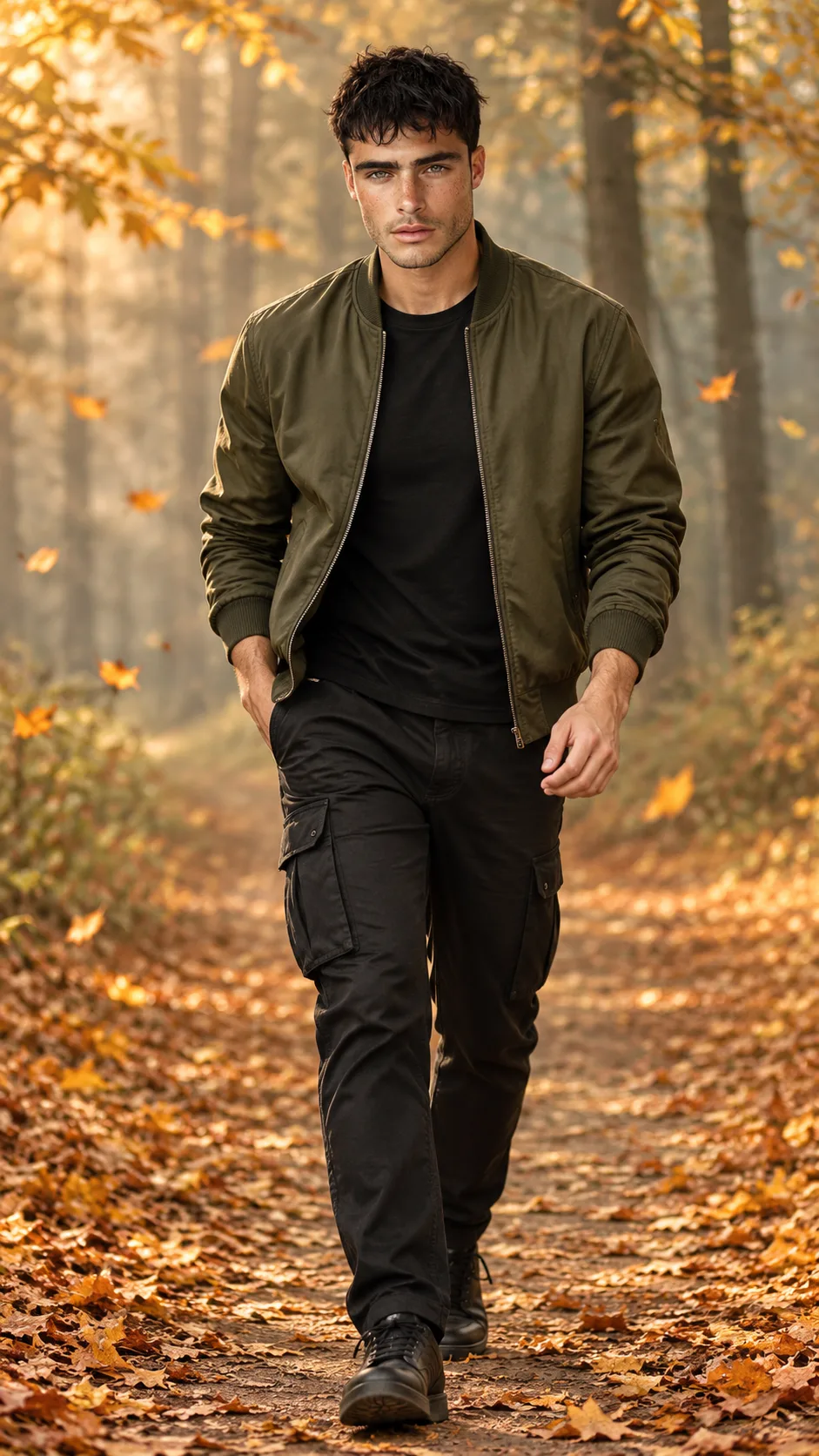
Autumn Forest Explorer Full-Body Fashion Portrait
Create a realistic autumn fashion portrait with an olive bomber jacket, black cargo trousers, golden falling leaves and a misty forest backdrop.
Using the uploaded photo, create a photorealistic full-body autumn fashion portrait of the same recognizable person walking along a forest pathway covered with golden fallen leaves, in a vertical 9:16 composition. KEEP — Preserve the exact facial identity and natural appearance of the person in the uploaded photo. Retain the original forehead shape, facial width, eyebrow placement, eye shape and natural eye colour, nose bridge and tip, lip shape, cheeks, cheekbones, jawline, chin, ears and natural facial asymmetry. Maintain the original skin tone, visible pores, fine skin texture, natural marks, hairline, hairstyle, hair density and individual hair strands. Preserve the original facial hair pattern, age, neck structure, shoulder width, body proportions and natural height relationship. Keep the same recognizable person without blending or replacing facial features. CHANGE — Dress the person in an olive-green matte-finish bomber jacket made from textured cotton twill, featuring a ribbed collar, cuffs and hem. Add a plain black crew-neck T-shirt underneath, tapered black cargo trousers with detailed side pockets, and black leather sneakers with subtle textured soles. Keep accessories minimal and do not introduce jewellery that is absent from the reference photo. SCENE — Place the person walking naturally through a dense autumn forest during late afternoon. Cover the pathway with golden-yellow, amber and burnt-orange leaves. Add tall trees with autumn foliage, scattered falling leaves and a light layer of atmospheric fog between the trees. Keep the distant forest softly blurred while the person remains sharply focused. LIGHT — Use warm natural sunlight entering diagonally from the upper left, softly illuminating the face and jacket. Maintain gentle facial shadows and consistent warm reflections across the clothing. CAMERA — Shoot at 85mm, f/2.0, at chest height, with natural perspective and full-body framing. GRADE — Apply a warm cinematic autumn colour grade with muted olive greens, golden highlights, earthy browns and soft amber shadows. Preserve realistic skin colours. OUTPUT — Vertical 9:16 aspect ratio, 4K resolution, detailed photorealistic finish. DO NOT slim the face, whiten the skin, change eye colour, alter facial identity, smooth skin into plastic, invent jewellery or tattoos, distort hands or limbs, or change natural body proportions.
Photo Guide
- Use a sharp, high-resolution photo with the face clearly visible.
- Choose a front-facing or slight three-quarter camera angle.
- Use even daylight so facial details remain clear.
- Keep the original hairstyle, forehead and jawline unobstructed.
- A daylight reference photo blends better with warm forest lighting.
- Avoid sunglasses covering the eyes or heavy face filters.
How to Build
- 1Open Gemini and select the image generation feature.
- 2Upload a clear portrait or full-body reference photograph.
- 3Copy the complete prompt into the prompt input.
- 4Choose 9:16 portrait orientation and 4K if available.
- 5Generate the image using the uploaded photo as identity reference.
- 6If the face changes, retry with stronger identity preservation.
Pro Tips
- Choose a photo with visible hair texture to preserve the hairstyle.
- Keep the original face well-lit so warm highlights look natural.
- Use a full-body reference to maintain realistic walking proportions.
- Avoid busy clothing in the source photo to reduce outfit conflicts.
- Keep the forest fog behind the subject so facial details stay sharp.
Share This Prompt
About the Author
Naziya
Creative AI writer at MFDA, sharing trendy photo-editing prompts and fresh ideas for beautiful, stylish AI images.