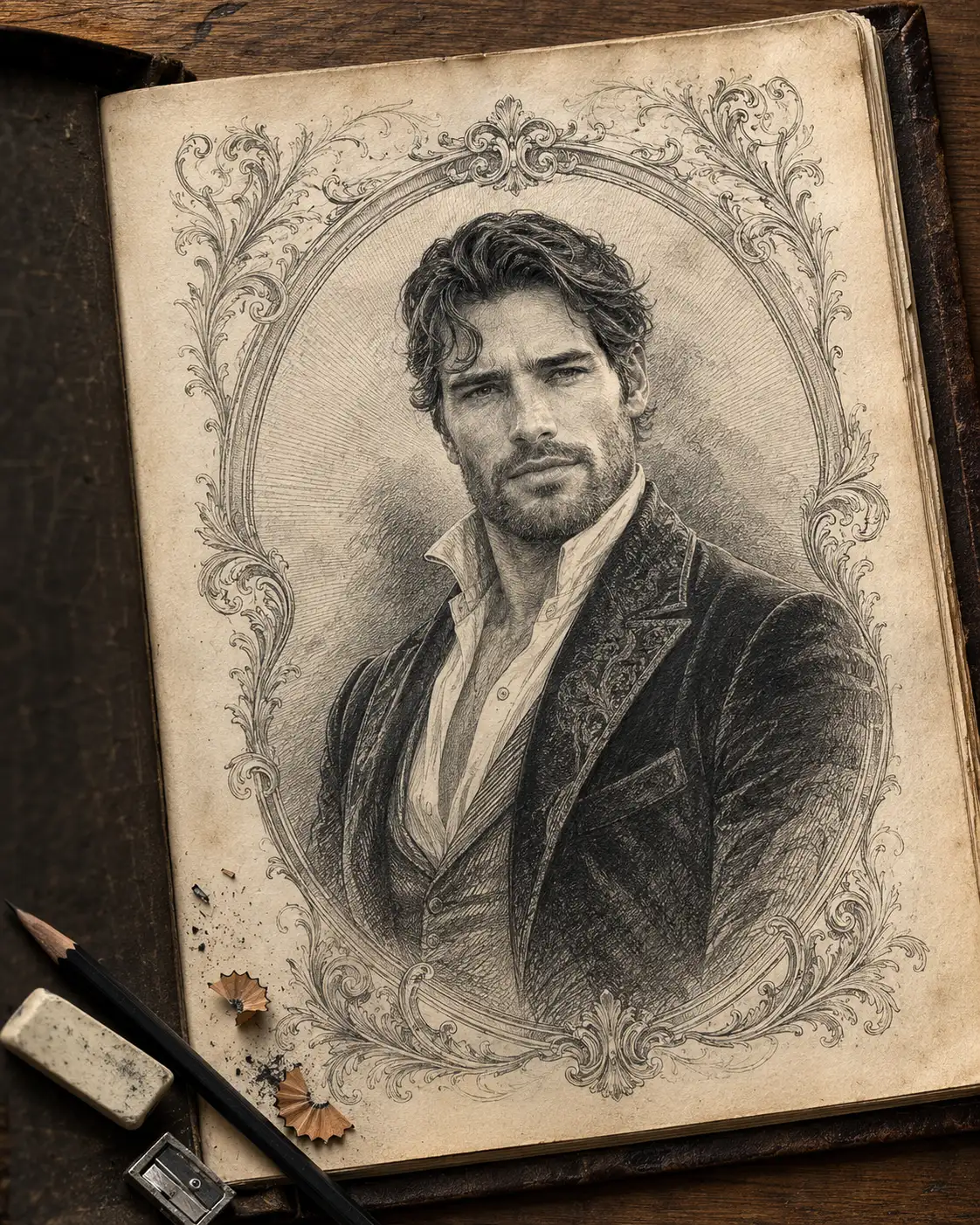
Antique Graphite Engraving Portrait from Your Photo
Turn your photo into an antique graphite engraving with intricate cross-hatching, ornate vintage borders, aged ivory paper, and preserved facial identity.
Using the uploaded photo, create a traditional black-and-white graphite engraving portrait of the same person, presented on aged ivory drawing paper inside a vintage artist's portfolio, with intricate hand-drawn ornamentation and authentic engraving techniques. KEEP — Preserve the subject's exact facial identity, forehead proportions, eyebrow placement, eye shape and original eye colour, nose bridge and tip, lip shape, cheekbones, jawline, chin, ears, facial width, and natural asymmetry. Retain the original skin tone through accurate grayscale values, natural skin texture, authentic age, and recognizable expression. Preserve the original hairline, hair density, texture, colour translated into graphite, and hairstyle. Keep visible facial hair consistent with the uploaded photo. Maintain the subject's natural head-to-body proportions without slimming or reshaping the face. CHANGE — Replace the original pose with a composed three-quarter upper-body portrait. Dress the subject in elegant vintage formal clothing featuring a structured dark velvet jacket, a finely textured ivory shirt, and a detailed high collar. Add an ornate hand-drawn engraving frame around the head and shoulders, using symmetrical scrollwork and fine decorative lines. SCENE — Place the finished drawing on thick, aged ivory paper inside an open vintage artist's portfolio resting on a weathered walnut desk. Include a graphite pencil, a small rectangular eraser, curled wooden shavings, and subtle graphite dust. Keep the ornamental frame behind the portrait rather than across the face. LIGHT — Use soft natural daylight from the upper left, approximately 5000K, producing gentle shadows along the paper edges, pencil, and portfolio. Translate facial illumination into consistent graphite highlights and shadows. CAMERA — Photograph the physical artwork from a slightly elevated 45-degree overhead angle using a 50mm lens at f/5.6. Keep the portrait, engraving lines, paper fibres, and nearby drawing tools sharply defined. GRADE — Keep the portrait strictly monochromatic, using charcoal black, layered mid-gray, and untouched ivory highlights. Apply fine parallel hatching, dense cross-hatching, delicate stippling, and precise contour lines. Preserve the warm paper and natural walnut desk tones without introducing colour into the drawing. OUTPUT — Vertical 4:5 aspect ratio, 4K resolution, realistic physical sketchbook photography, detailed engraving craftsmanship, and natural perspective. DO NOT slim the face, whiten the skin, change eye colour, alter the hairline, erase natural marks, smooth skin into plastic, invent jewellery or tattoos, introduce facial asymmetry that is absent from the reference, add extra fingers, use digital painting effects, place text over the artwork, or add watermarks.
Photo Guide
- Upload a sharp, high-resolution photo with clearly visible facial features.
- Choose a front-facing or three-quarter photo with both eyes unobstructed.
- Use soft, even lighting so facial proportions remain easy to identify.
- Keep the hairline, ears, jawline, and any facial hair visible.
- A clear face helps the fine engraving lines follow real facial anatomy.
- Avoid heavy beauty filters; they can distort details in the engraved portrait.
How to Build
- 1Open Gemini and select image generation with your uploaded reference photo.
- 2Upload one clear portrait so the model has a single identity reference.
- 3Paste the complete prompt and retain the KEEP and CHANGE sections.
- 4Choose a vertical 4:5 image format if the tool offers aspect-ratio controls.
- 5Select the highest available image resolution for fine engraving details.
- 6Check facial identity, ornate borders, and graphite texture in the result.
- 7If the face drifts, regenerate using a clearer reference and stronger KEEP rules.
Pro Tips
- Choose a photo with visible eyebrows and hairline so the engraving stays recognizable.
- Use a neutral expression to preserve the subject's natural facial character.
- Keep the face well lit so cross-hatching does not obscure important features.
- Request fine parallel lines around the cheeks to retain natural facial contours.
- Keep the ornate frame away from the eyes and jawline to protect facial clarity.
- Use the same reference photo for retries so facial identity remains consistent.
Share This Prompt
About the Author
Naziya
Creative AI writer at MFDA, sharing trendy photo-editing prompts and fresh ideas for beautiful, stylish AI images.