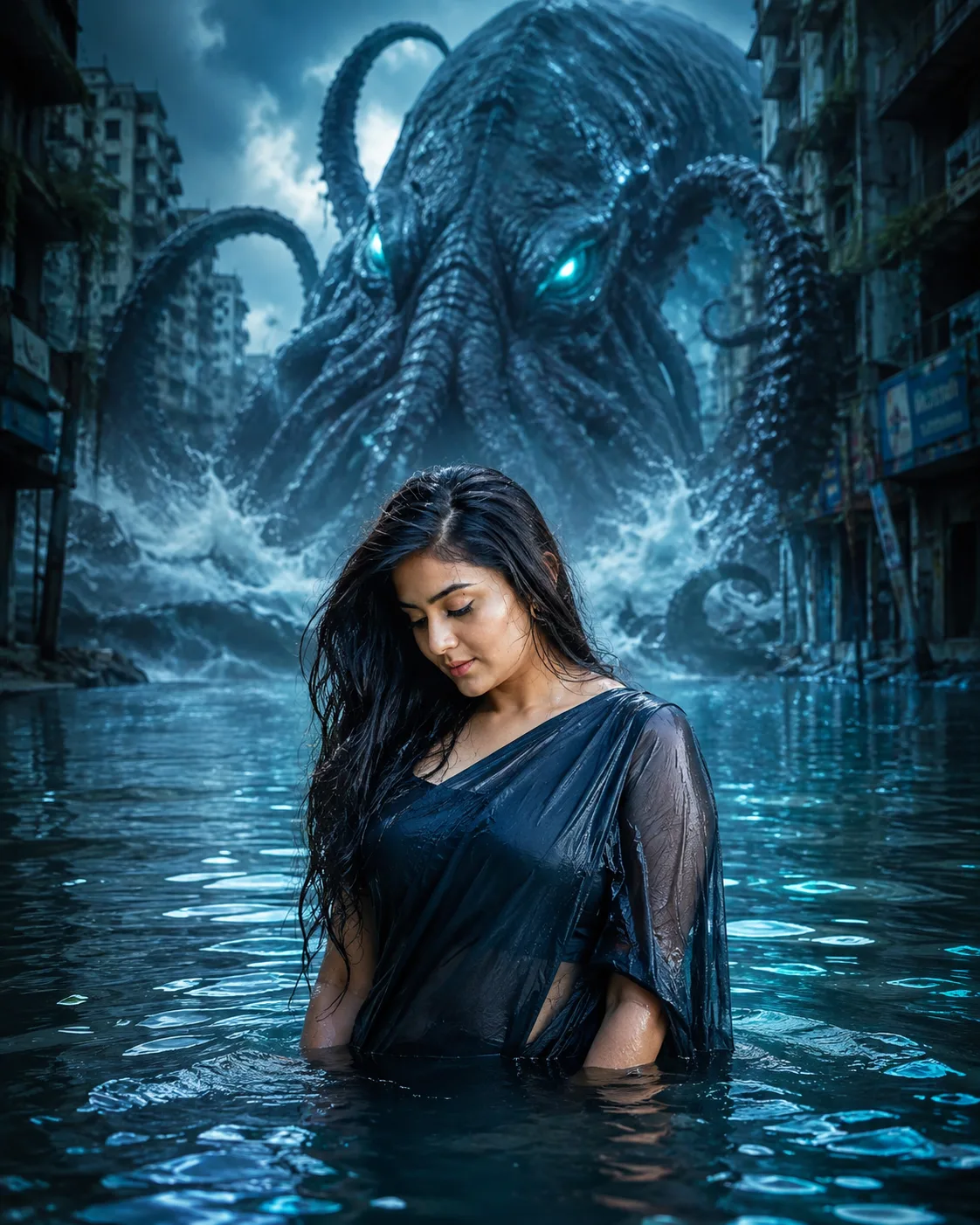
Abyssal Sea Monster Flooded City Portrait
Turn your photo into a cinematic flooded-city portrait, with a colossal sea monster rising behind you in dark blue storm light.
Using the uploaded photo, create a photorealistic cinematic portrait of the same person standing waist-deep in shallow floodwater on an abandoned city street, with a gigantic ancient sea monster rising behind them. KEEP - Keep the exact face structure from the uploaded photo, including forehead shape, eyebrow placement, eye shape and natural eye colour, nose structure, lips, cheeks, cheekbones, jawline, chin, ears, facial proportions, and natural asymmetry. Keep the original skin tone, visible pores, fine skin texture, hairline, hairstyle, facial hair if present, and natural body proportions. Keep the person's real identity unchanged. CHANGE - Change the wardrobe into practical dark charcoal or deep navy clothing made from wet cotton or lightweight technical fabric, with realistic water-darkened folds and subtle surface reflections. Change the background into a flooded urban street surrounded by abandoned concrete buildings. Change the pose to a natural upright stance with the body facing the camera, arms relaxed and partially visible above the water. Add a colossal ancient sea creature behind the person, with dark blue tentacles, wet reflective skin, glowing turquoise eyes, and immense scale. Add large storm waves, drifting mist, and blue bioluminescent reflections across the water. SCENE - Place the person in waist-deep shallow water at blue-hour dusk. Abandoned multi-story buildings recede behind them, softened by atmospheric mist rather than heavy blur. The creature rises between the buildings, with its upper body and tentacles clearly visible above the water. LIGHT - Use soft storm-filtered light from high front-left, with cool cyan fill from the creature reflecting onto the person's face and wet clothing. Keep facial illumination physically consistent with the surrounding water glow. CAMERA - Shoot at 50mm, f/2.8, camera at chest height, keeping the person sharp while the distant buildings fall into moderate atmospheric blur. GRADE - Use a deep blue and cyan colour grade, controlled highlights, cool shadows, realistic skin colour, medium-high contrast, and subtle cinematic film grain. OUTPUT - Vertical 4:5 aspect ratio, 2160 × 2700 pixels, photorealistic detail. DO-NOT - No face slimming, no skin whitening, no changed eye colour, no plastic smoothing, no invented jewellery or tattoos.
Photo Guide
- Use a sharp photo of at least 1200px on the shortest side.
- A front-facing or three-quarter photo keeps the facial structure easier to match.
- Soft daylight on the original face blends better with the creature's cool fill.
- Keep the hairline, jaw, ears, and full face clearly visible.
- Avoid wet-face filters or heavy shadows that hide facial landmarks.
How to Build
- 1Use Gemini with image upload and select the highest-quality image mode.
- 2Upload one clear photo where the face and body proportions are visible.
- 3Paste the prompt without changing the KEEP section.
- 4Choose a 4:5 portrait output and keep image editing enabled.
- 5Generate once, then compare the face against the uploaded photo.
- 6If the first result drifts, regenerate using the same photo and prompt.
Pro Tips
- Use a photo with visible cheeks and jawline so the face survives misty lighting.
- Choose darker clothing so the turquoise reflections remain visible on the fabric.
- Keep the creature behind, not beside, the person so the scale reads correctly.
- Use a photo with natural skin texture so cool light does not look painted on.
- Avoid extreme poses because waist-deep water already creates strong visual depth.
Share This Prompt
About the Author
Naziya
Creative AI writer at MFDA, sharing trendy photo-editing prompts and fresh ideas for beautiful, stylish AI images.