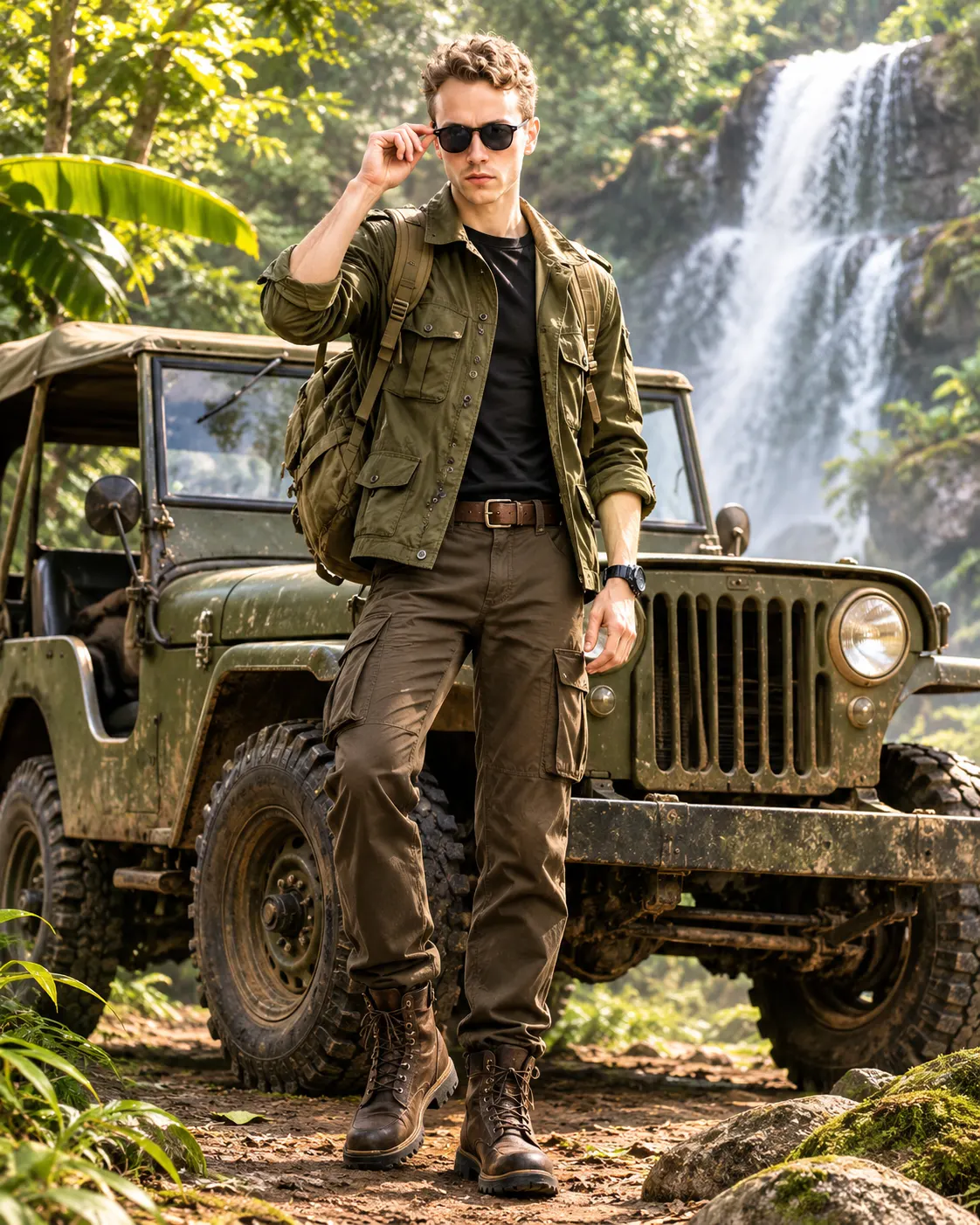
3D Jungle Adventure Hero with Vintage Off-Road Jeep
Transform your uploaded photo into a detailed 3D animated jungle explorer standing beside a vintage off-road jeep in a misty tropical rainforest.
Using the uploaded photo, create a premium stylized 3D animated full-body adventure character portrait of the same recognizable person standing confidently beside a rugged vintage off-road jeep in a dense tropical jungle. Use a vertical 4:5 composition with the entire character and most of the vehicle clearly visible. KEEP — Preserve the uploaded person's exact facial identity and natural facial structure. Retain the original forehead width, eyebrow thickness and placement, eye shape and natural eye colour, nose bridge and tip, lip shape, cheek volume, cheekbone position, jawline, chin, ears and natural facial asymmetry. Maintain the original skin tone, visible pores, natural skin texture, marks and age. Preserve the original hairline, hair density, hairstyle, hair texture and facial hair. Keep the person's natural neck, shoulder width, body proportions and recognizable physical appearance. Do not replace the face with a generic animated character. Apply 3D stylization without changing the person's identity. CHANGE — Dress the character in an olive-green rugged cotton explorer jacket with realistic fabric creases, reinforced shoulder panels, front utility pockets, dark metal buttons and rolled sleeves. Add a charcoal-black inner T-shirt, dark khaki cargo trousers with multiple functional pockets, a brown leather utility belt and rugged dark-brown hiking boots. Place a weathered olive-green canvas backpack over both shoulders, with visible buckles and stitched straps. Give the character a relaxed standing pose, one hand resting naturally near the backpack strap and the other hanging comfortably beside the body. SCENE — Position a vintage military-style off-road jeep directly beside and slightly behind the character. Include round headlights, a weathered metal grille, rugged black tires, visible suspension details and a canvas roof. Surround the scene with tropical banana leaves, oversized jungle foliage, moss-covered rocks and a cascading waterfall. Set the environment during late afternoon, with gentle mist floating between the trees. Keep the waterfall and jeep recognizable without competing with the face. LIGHT — Use soft natural daylight filtering through the jungle canopy from the upper front-left. Add subtle warm highlights on the face and jacket, balanced with cool green ambient reflections. Keep facial illumination consistent with the environment. CAMERA — Shoot at 50mm, f/2.8, at chest-height camera level. Keep the face sharply focused, with natural depth separation and softly blurred distant foliage. GRADE — Use rich forest greens, earthy olive tones, muted browns and natural skin colours. Apply cinematic contrast, realistic material reflections and subtle atmospheric depth. OUTPUT — Vertical 4:5 aspect ratio, full-body framing, 8K resolution, detailed 3D animated movie aesthetic, realistic anatomy and finely sculpted facial features. DO NOT slim the face, whiten the skin, change eye colour, alter facial proportions, remove natural skin texture, apply plastic smoothing, invent jewellery or tattoos, distort hands, add extra fingers, crop the boots or jeep, or replace the person's identity.
Photo Guide
- Use a sharp original photo with at least 1024px resolution.
- Choose a front-facing or slight three-quarter face angle.
- Use soft daylight so the jungle lighting blends naturally.
- Keep the forehead, hairline, ears and facial hair visible.
- Wear simple clothing so the explorer outfit replaces it cleanly.
- Avoid dark indoor selfies; they can distort the jungle lighting.
How to Build
- 1Open Gemini or ChatGPT and select its image generation feature.
- 2Upload one clear photograph showing your face.
- 3Copy the complete prompt content into the image generator.
- 4Choose a 4:5 vertical aspect ratio if the option is available.
- 5Select the highest available image quality setting.
- 6Generate the image and inspect the face, jeep and full-body framing.
- 7If the result is wrong, strengthen the KEEP instructions and regenerate.
Pro Tips
- Use a daylight portrait so the jungle highlights match your face.
- Choose a neutral expression so the animated smile stays recognizable.
- Keep both shoulders visible so the backpack straps align correctly.
- Use a full-body reference to preserve natural height and proportions.
- Request a visible jeep grille so the vehicle reads as a vintage 4x4.
- Avoid heavily filtered selfies so natural skin texture survives stylization.
Share This Prompt
About the Author
Naziya
Creative AI writer at MFDA, sharing trendy photo-editing prompts and fresh ideas for beautiful, stylish AI images.