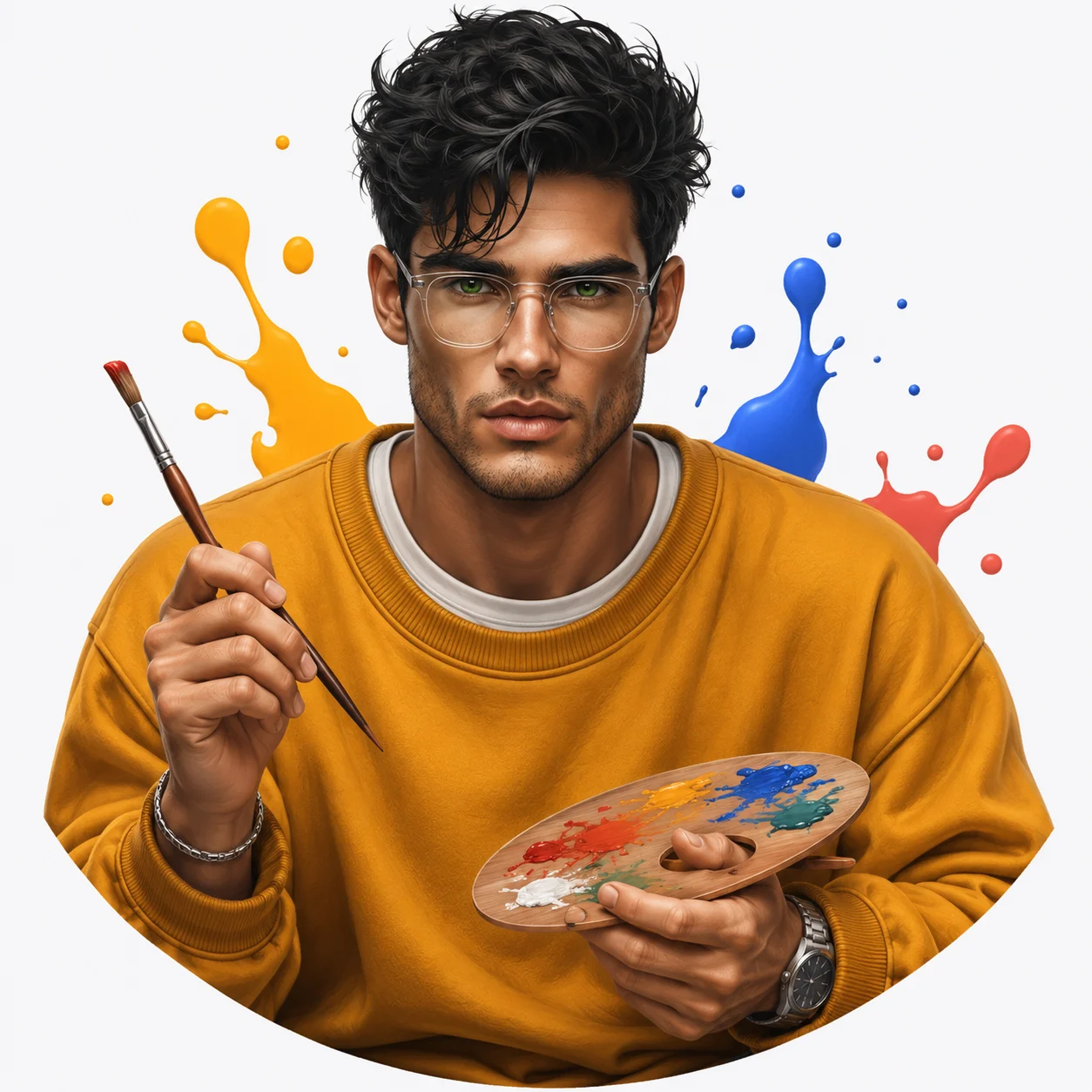
3D Cartoon Creative Artist Male Avatar Portrait
Turn your uploaded photo into a colourful 3D cartoon artist avatar with a mustard sweatshirt, transparent glasses, paintbrush and vibrant artistic details.
Using the uploaded photo, create a premium 3D cartoon-style creative artist portrait of the same recognizable man, framed as a centered chest-up avatar with a smooth semicircular curved lower edge. KEEP — Preserve the exact facial identity from the uploaded photo. Retain the original forehead width, eyebrow thickness and placement, eye shape and natural eye colour, nose bridge and tip, lip shape, cheek volume, cheekbone position, jawline, chin, ears and natural facial asymmetry. Keep the original skin tone, visible pores, natural skin texture, facial marks, hairline, hair density, hairstyle, individual hair direction and facial proportions. Preserve the original neck width, shoulder proportions and natural body build. Do not replace the person's face with a generic animated character. CHANGE — Dress the man in an oversized mustard-yellow cotton sweatshirt with visible ribbed cuffs and realistic fabric folds, layered over a clean white crew-neck T-shirt. Add transparent rectangular eyeglasses with subtle clear frames, a slim silver bracelet and one understated metallic wristwatch. Place a professional wooden-handled paintbrush in his right hand and a small oval artist palette in his left hand, featuring distinct patches of red, blue, yellow, green and white paint. Keep both hands anatomically correct with five naturally positioned fingers. SCENE — Place the character against a seamless pure-white studio background. Arrange a few small floating 3D paint splashes in mustard yellow, cobalt blue and coral red behind his shoulders. Keep the decorative shapes softly separated from the silhouette, with no objects crossing the face. Create a clean, playful creative-studio atmosphere. LIGHT — Use a large softbox positioned 45 degrees to the front-left, with gentle frontal fill and subtle shadows beneath the chin. Maintain neutral daylight colour temperature around 5500K. CAMERA — Use an 85mm portrait lens at f/2.8, camera positioned at chest height, with natural facial proportions and sharp focus on both eyes, glasses and hands. GRADE — Apply a warm-neutral colour grade, balanced highlights, gentle contrast and natural skin tones. Keep the mustard sweatshirt rich without oversaturating the paint colours. OUTPUT — Render a polished 3D animated character with realistic materials, detailed hair, soft skin shading, global illumination and ambient occlusion. Use a square 1:1 composition at 8K resolution. DO NOT slim the face, whiten the skin, change eye colour, alter the hairline, replace facial features, apply plastic skin smoothing, invent jewellery or tattoos, add extra fingers, distort the paintbrush or palette, or introduce text, logos or watermarks.
Photo Guide
- Use a sharp, high-resolution photo with clearly visible facial details.
- Choose a front-facing photo or a slight three-quarter angle.
- Use even daylight so the original skin tone remains accurate.
- Keep your hairline, ears, neck and shoulders visible.
- A mustard-yellow background can clash with the sweatshirt colour.
- Avoid photos with hands covering the face or strong beauty filters.
How to Build
- 1Open Gemini AI and select the image generation or image editing option.
- 2Upload your original portrait photo as the identity reference.
- 3Paste the complete prompt into the image generation input.
- 4Choose a 1:1 square aspect ratio for the avatar composition.
- 5Select the highest available image quality or resolution setting.
- 6Keep the uploaded photo as the primary face reference.
- 7If the face or hands look wrong, regenerate with stricter KEEP instructions.
Pro Tips
- Use a photo with visible natural hair texture to preserve individual curls.
- Keep both eyes unobstructed so the transparent glasses fit naturally.
- Choose a mustard sweatshirt shade that contrasts with white surroundings.
- Keep the paint palette near chest height so all colours remain visible.
- Avoid oversized paint splashes so the face remains the main focus.
Share This Prompt
About the Author
Naziya
Creative AI writer at MFDA, sharing trendy photo-editing prompts and fresh ideas for beautiful, stylish AI images.