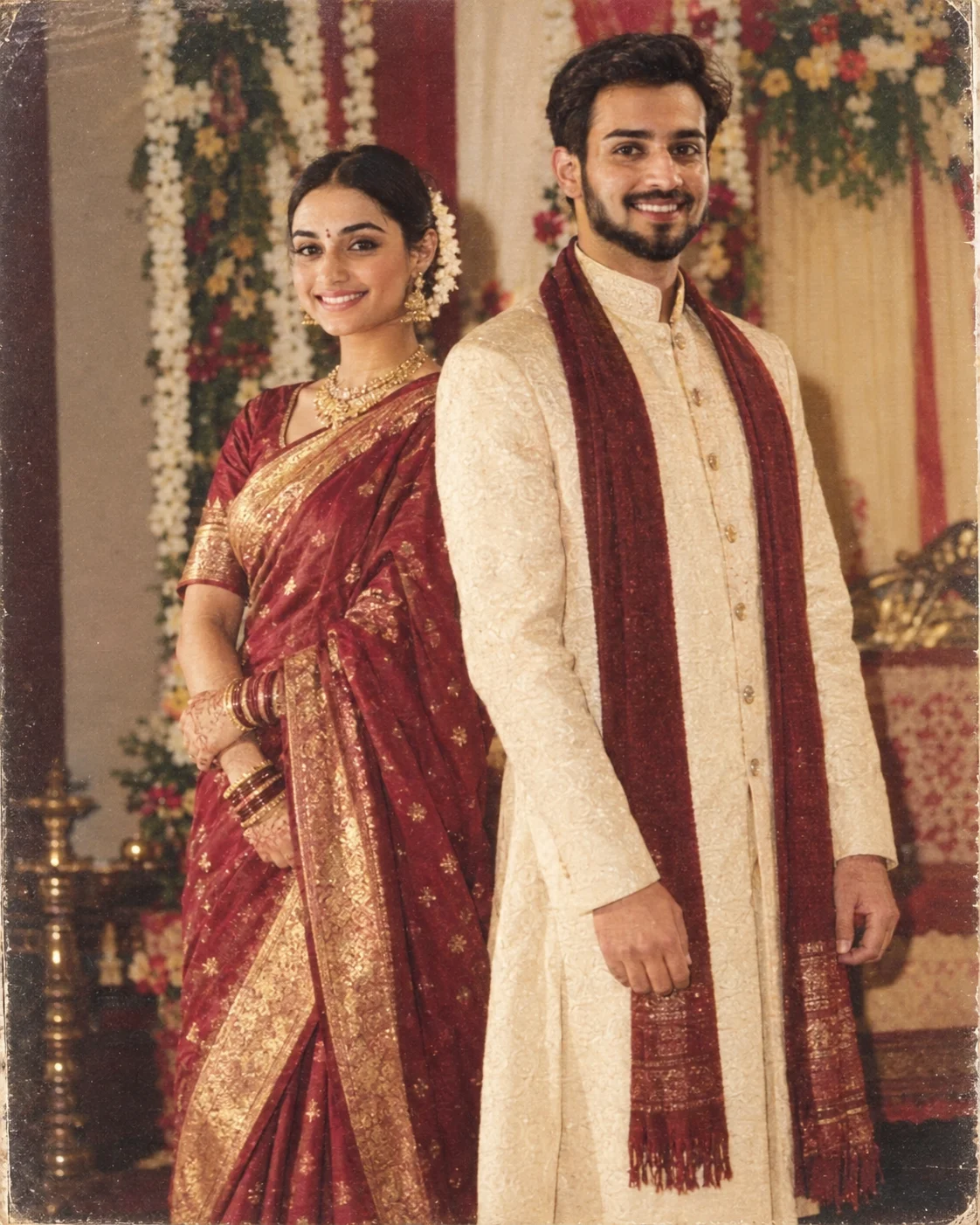
1990s Indian Wedding Album Photo Look
Turn a modern portrait into an authentic 1990s Indian wedding album photo with direct flash, traditional décor, faded print texture, and period colour.
Using the uploaded photo, create an authentic 1990s Indian wedding album portrait of the same person, photographed like a real family shaadi picture from a printed photo album. KEEP — Preserve the uploaded person’s exact facial identity: forehead shape, eyebrow structure, eye shape and natural eye colour, nose structure, lip proportions, cheek shape, jawline, chin, facial proportions, and natural facial asymmetry. Keep the original skin tone, visible pores, fine lines, marks, and natural skin texture. Preserve the exact hairline, hair density, hairstyle pattern, and facial hair if present. Keep the person’s natural height impression, shoulder width, torso shape, arm length, hand proportions, and overall body build. CHANGE — Dress the person in a traditional Indian wedding outfit appropriate to a 1990s shaadi album, using [saree / salwar suit / sherwani / kurta] in [maroon, cream, mustard, deep green] with visible woven cotton, silk, brocade, or zari texture. Add only simple period-appropriate styling that does not alter identity. Place the subject in front of traditional wedding décor with fabric drapes, floral decoration, and a modest indoor celebration setting. SCENE — Set the portrait during an indoor Indian wedding ceremony in the evening, with decorated fabric panels and soft floral arrangements behind the subject. Keep the background moderately blurred rather than heavily cinematic, retaining enough décor detail to resemble a family-album photograph. LIGHT — Use direct on-camera flash from near the camera axis, creating a crisp facial exposure, small natural shadows behind the subject, and slightly brighter highlights on skin and fabric. Keep the ambient room light warm at approximately 3000–3500K so the flash and background separate naturally. CAMERA — Simulate a 50mm film-camera lens at f/4, camera positioned at chest height, with moderate perspective and enough depth of field to keep the face and clothing clearly readable. GRADE — Use slightly faded 1990s consumer-film colours, restrained contrast, warm skin tones, mild green-red colour bias, visible fine grain, subtle print fading, and authentic printed-photo texture rather than a modern digital HDR finish. OUTPUT — Create a vertical 4:5 composition at 2048×2560 resolution, framed like a scanned wedding-album print with natural edges and slight archival softness. DO NOT — no face slimming, no skin whitening, no changed eye colour, no plastic smoothing, no invented jewellery or tattoos, no modern HDR sharpness, no exaggerated cinematic bokeh, and no generic model-like facial replacement.
Photo Guide
- Use a sharp photo where the full face and hairline are clearly visible.
- A straight or slight three-quarter angle works best for direct-flash framing.
- Even front lighting helps the flash effect blend with the original face.
- Keep the original hairstyle visible so the 1990s styling stays believable.
- Avoid sunglasses or deep shadows across the eyes and forehead.
- Modern studio retouching can weaken the printed-album texture.
How to Build
- 1Open Gemini and upload your clearest front-facing portrait.
- 2Paste the full prompt without removing the KEEP or DO-NOT sections.
- 3Choose a 4:5 portrait ratio if Gemini offers aspect-ratio controls.
- 4Use the highest available image quality for the final 2048×2560 output.
- 5Check the face, eye colour, hairline, and body proportions against your photo.
- 6If the first result is wrong, regenerate and explicitly reinforce the KEEP list.
Pro Tips
- Choose a photo with visible skin texture so the print grain stays believable.
- Keep the forehead and hairline unobstructed so identity survives the styling.
- Use a simple original outfit photo so the wardrobe change stays controlled.
- Avoid strong coloured lighting because direct flash should remain dominant.
- Compare the jawline after generation because soft vintage processing can blur it.
Share This Prompt
About the Author
Naziya
Creative AI writer at MFDA, sharing trendy photo-editing prompts and fresh ideas for beautiful, stylish AI images.