Raksha Bandhan AI Photo Editing Prompts
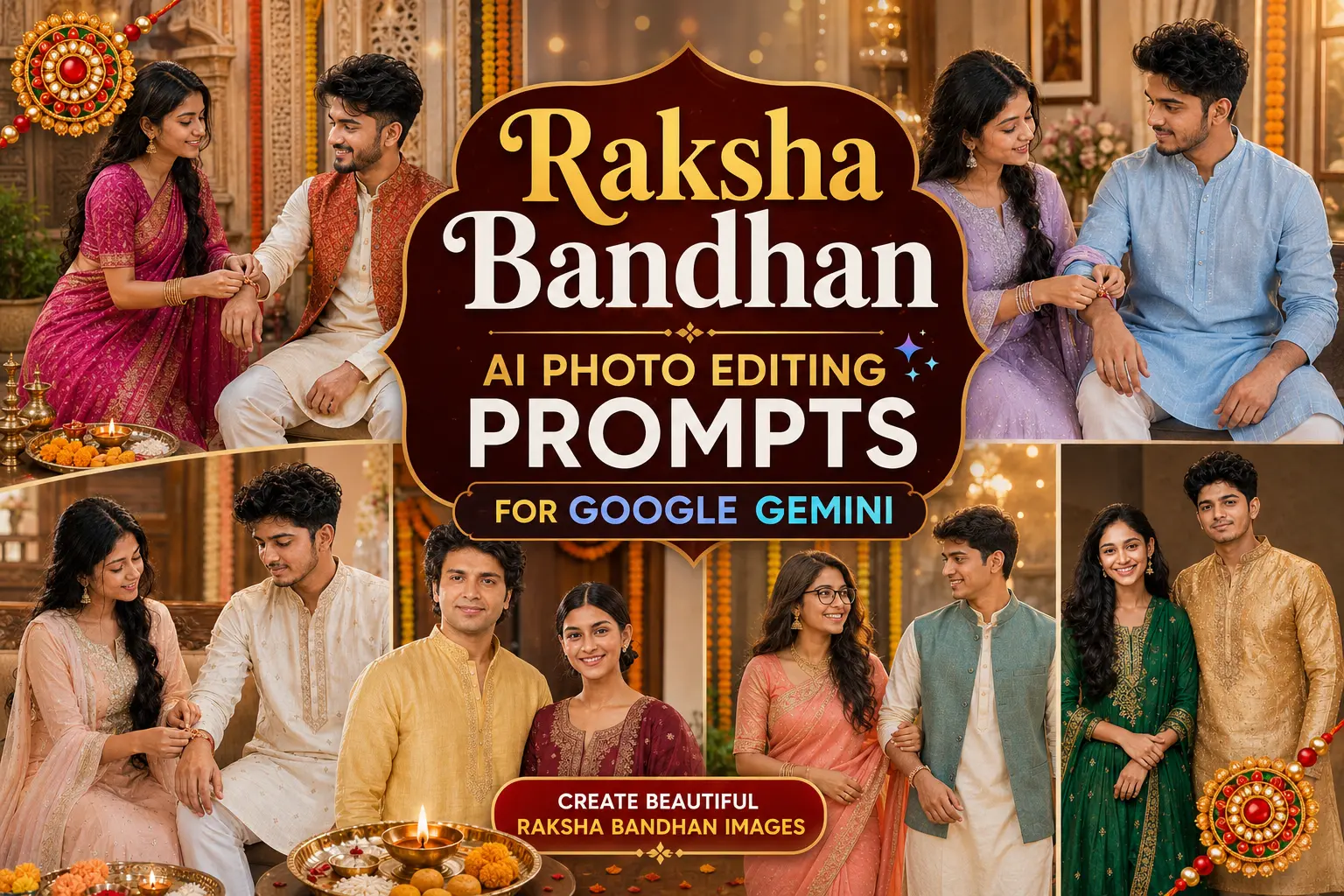
A good Rakhi photo doesn't need a studio setup. With the right reference photos, you can turn an ordinary brother-sister picture into a believable festive portrait with traditional clothing, a decorated room, a puja thali, and warm evening light. I tested these Raksha Bandhan AI Photo Editing Prompts 2026 around the details that usually make or break an edit: recognizable faces, natural hands, believable Rakhi placement, and enough background detail without making the image look artificial. The four options below cover a ceremony shot, standing portrait, seated celebration, and simple camera-facing pose, so you can choose a style that fits your original photo.
Before you start
Start with photos where both faces are sharp and mostly unobstructed. A front-facing or three-quarter portrait works better than a heavily angled selfie. Use separate images if the brother and sister aren't available in one photo, and identify which reference belongs to whom.
You also need:
Photo: Clear, well-lit face with visible hair and natural skin detail
Tool: ChatGPT with image generation/editing available
Aspect ratio: 9:16 for status or Reels, 4:5 for Instagram feed, 3:4 for a general portrait
Best practice: Avoid sunglasses, strong face filters, cropped foreheads, and very dark source images
Traditional Rakhi Ceremony at Home
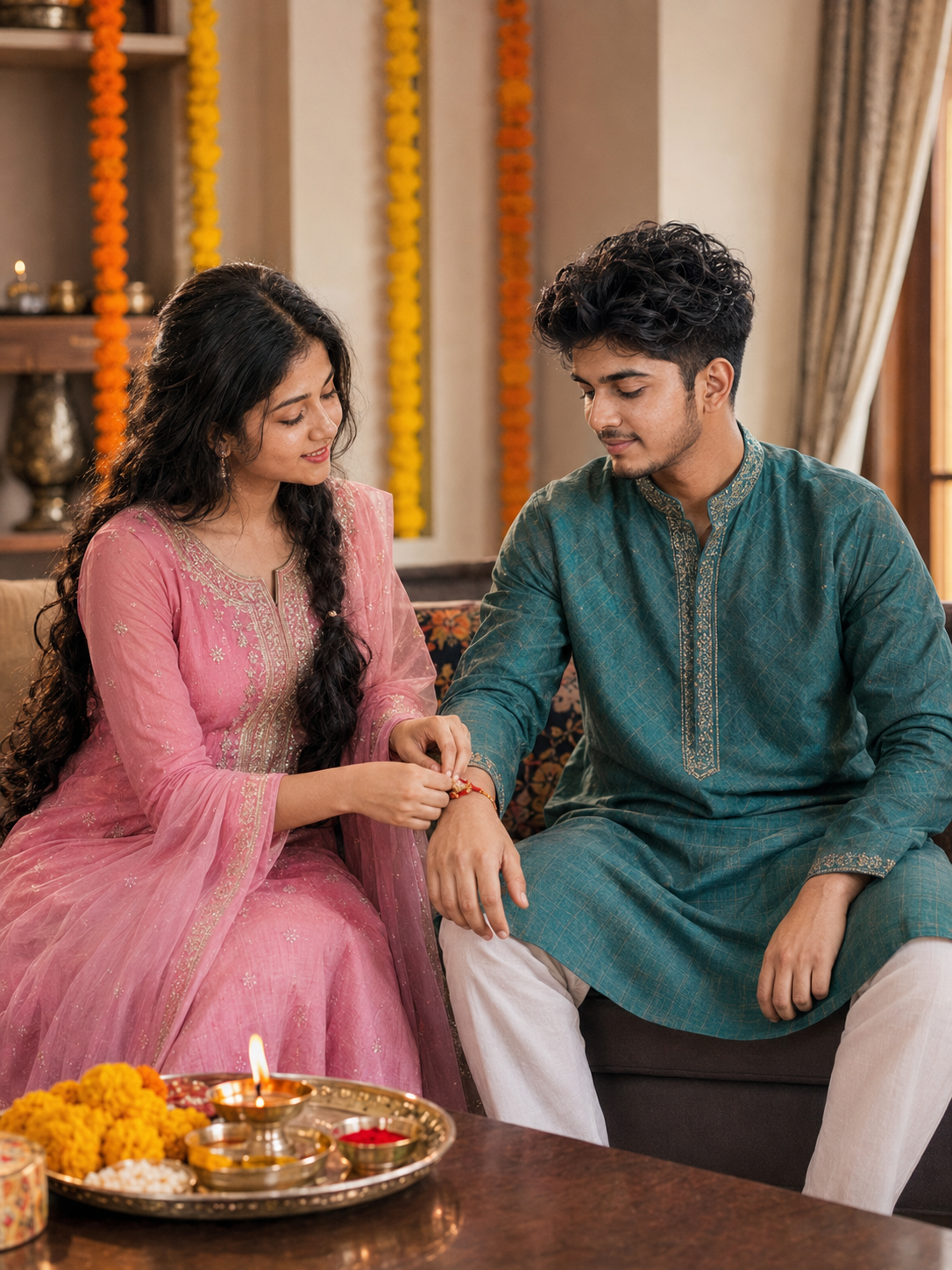
This version is built around the actual Rakhi moment rather than simply putting two people in festive clothes. The sister ties the Rakhi while both siblings look toward the wrist, which gives the image a natural reason for their pose. A wooden table, puja items, marigolds, and warm household lighting help the generated setting feel like a real family celebration.
The Prompt
Using the uploaded photo, create a realistic photograph of a traditional Rakhi ceremony inside an Indian home. KEEP: Keep the uploaded person's exact face structure, natural facial proportions, eye shape and eye colour, skin tone and visible skin texture, hairline, natural hair density, facial hair if present, and body proportions. Keep their recognizable jawline, cheeks, nose, lips, ears, facial asymmetry, and natural expression characteristics. Do not replace or redesign their facial identity. CHANGE: Change the wardrobe to a silk [insert outfit color] ethnic outfit. Change the pose to a candid seated posture where the sister focuses down while tying a cotton thread Rakhi around her brother's right wrist, with the brother looking down towards the wrist. Change the background to a domestic living room setting. SCENE: Place the subjects seated beside a dark wooden coffee table holding a polished brass puja thali with fresh yellow marigolds, red kumkum, rice, and brass diya. The background features soft-focus indoor walls decorated with hanging marigold garlands, captured during daytime with a cozy home atmosphere. LIGHT: Use soft, natural window illumination coming from the side at a 45-degree angle, combined with subtle warm ambient room lighting. Keep light evenly balanced across both faces. CAMERA: Photograph using a 50mm lens at f/2.8 aperture from chest height to maintain an eye-level realistic perspective with moderate depth of field. GRADE: Apply a clean, true-to-life color grade with balanced skin tones, warm earthy accents, and moderate natural contrast. OUTPUT: Render a 3:4 vertical composition at 8K resolution. DO-NOT: No face slimming, no skin whitening, no changed eye colour, no plastic smoothing, no invented jewellery or tattoos, no altered body proportions, no duplicate facial features, no extra limbs, no distorted hands, no text, no watermark, and no logo.
✦ Curated by MFDA
Standing Festive Sibling Portrait
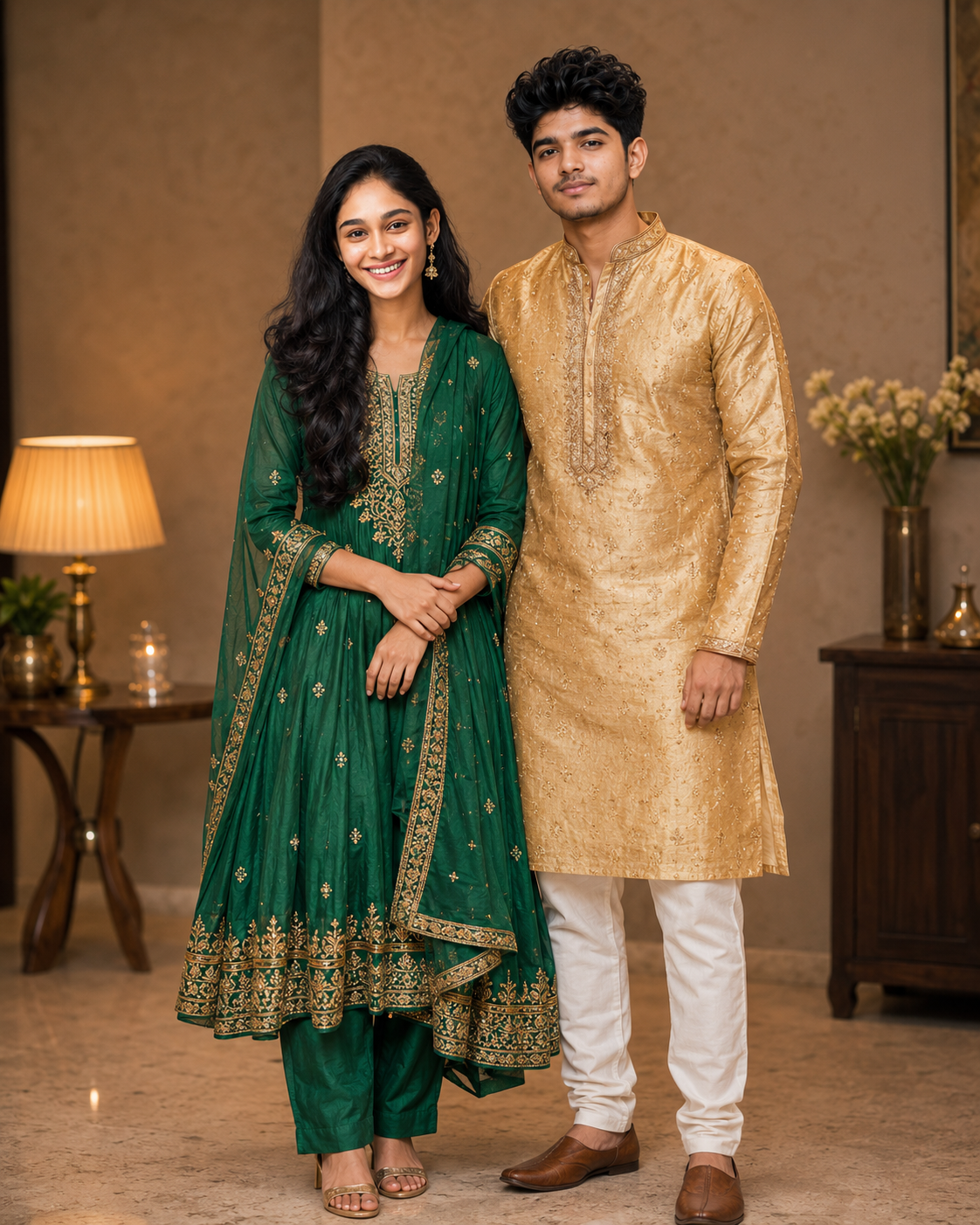
Choose this one when you want a cleaner photo for Instagram or a profile-style post. The siblings stand together instead of sitting through the ceremony, making it easier to keep their full outfits visible. The combination of an embroidered kurta, green traditional suit, gold details, and warm indoor light gives the portrait a festive look without requiring an elaborate location.
The Prompt
Using the uploaded photo, create a clean, full-body professional portrait of siblings standing together in festive attire. KEEP: Keep the uploaded person's exact face structure, natural facial proportions, eye shape and eye colour, skin tone and visible skin texture, hairline, natural hair density, facial hair if present, and body proportions. Keep their recognizable jawline, cheeks, nose, lips, ears, facial asymmetry, and natural expression characteristics. Do not replace or redesign their facial identity. CHANGE: Change the wardrobe to an intricately embroidered [insert color] silk kurta and a vibrant green traditional suit with gold details. Change the pose to a relaxed, confident standing posture where both siblings are standing side-by-side, facing the camera directly with soft smiles. Change the setting to a clean, uncluttered indoor space. SCENE: Place the subjects in a sophisticated indoor room with warm ambient lighting. The background should be a lightly textured wall with subtle, slightly out-of-focus warm household decor to maintain a clean, professional aesthetic suitable for social media profiles. LIGHT: Use crisp, directional indoor lighting with a slight warm color temperature. Ensure high-contrast illumination on the faces to make them pop against the background, mimicking a professional studio strobe bounced off a warm reflector. CAMERA: Photograph using a 35mm lens at f/4, camera positioned at waist height to capture the full outfits seamlessly without distorting the body proportions. GRADE: Apply a vibrant, high-contrast colour grade with deep blacks, rich greens and golds, and perfectly balanced skin tones. The finish should look like a polished, high-end editorial social media post. OUTPUT: Render a 4:5 vertical composition at 8K resolution. DO-NOT: No face slimming, no skin whitening, no changed eye colour, no plastic smoothing, no invented jewellery or tattoos, no altered body proportions, no duplicate facial features, no extra limbs, no distorted hands, no text, no watermark, and no logo.
✦ Curated by MFDA
Soft Pastel Raksha Bandhan Portrait
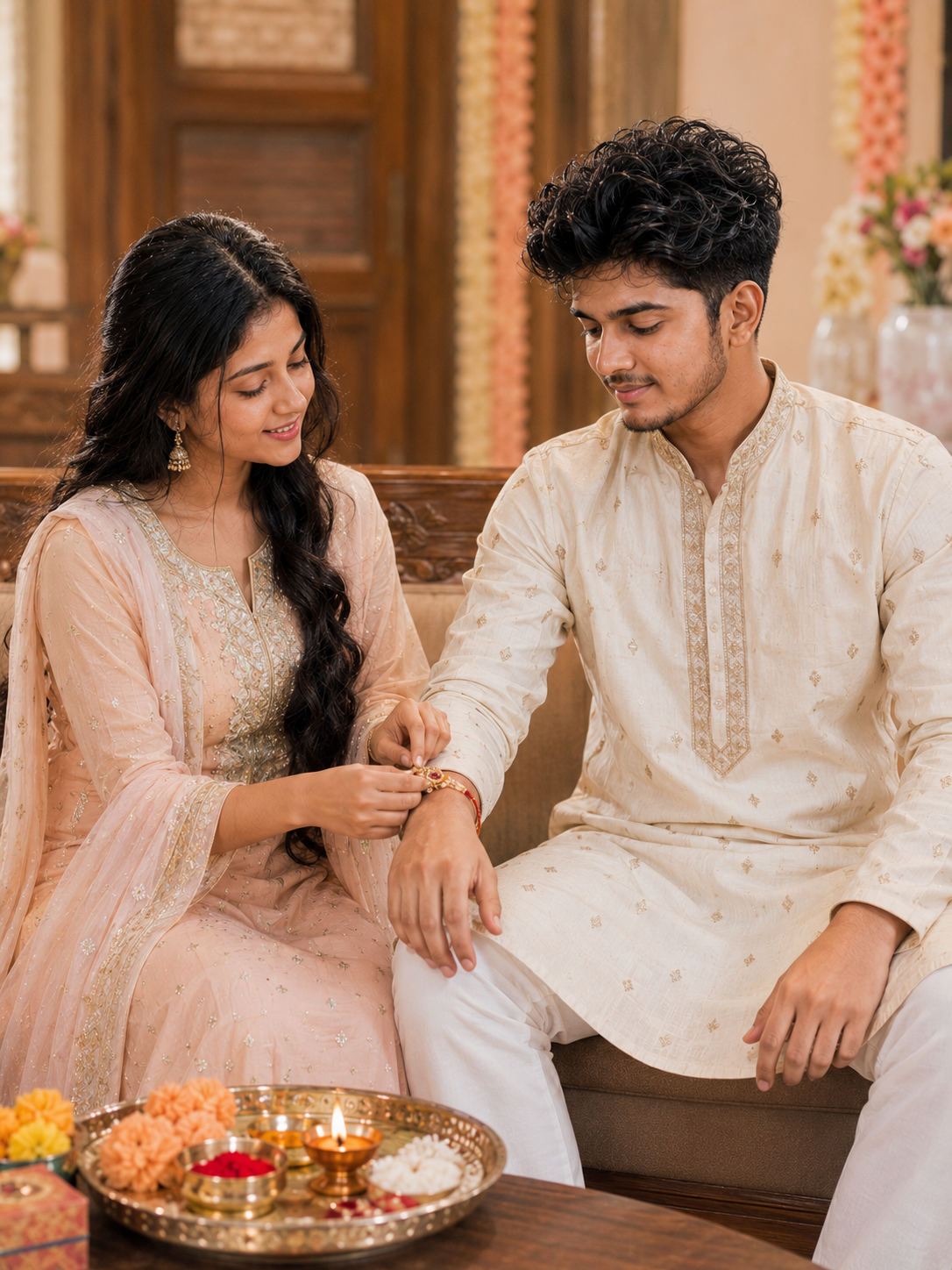
The pastel version is useful when you want something softer and less saturated. Cream, peach, gold, and warm wood tones work particularly well with skin tones and don't compete with the faces. The seated composition also gives the AI fewer complicated body positions to construct, although you should still inspect the hands and Rakhi after generation.
The Prompt
A beautiful, soft pastel portrait of an Indian brother and sister celebrating Raksha Bandhan. They are seated comfortably on an elegant piece of warm wood furniture. The sister is lovingly tying a beautifully detailed Rakhi on her brother's wrist. Both are wearing traditional Indian clothing in soft cream, peach, and subtle gold tones. The lighting is soft and natural, highlighting their natural skin tones without being harsh. The background features warm wood textures and out-of-focus pastel decorations. Highly detailed faces, clear hands, realistic, cinematic lighting, masterpiece, 8k resolution. Negative Prompt: Bad anatomy, extra fingers, mutated hands, poorly drawn Rakhi, missing fingers, vibrant, oversaturated colors, harsh lighting, neon, high contrast, artificial colors.
✦ Curated by MFDA
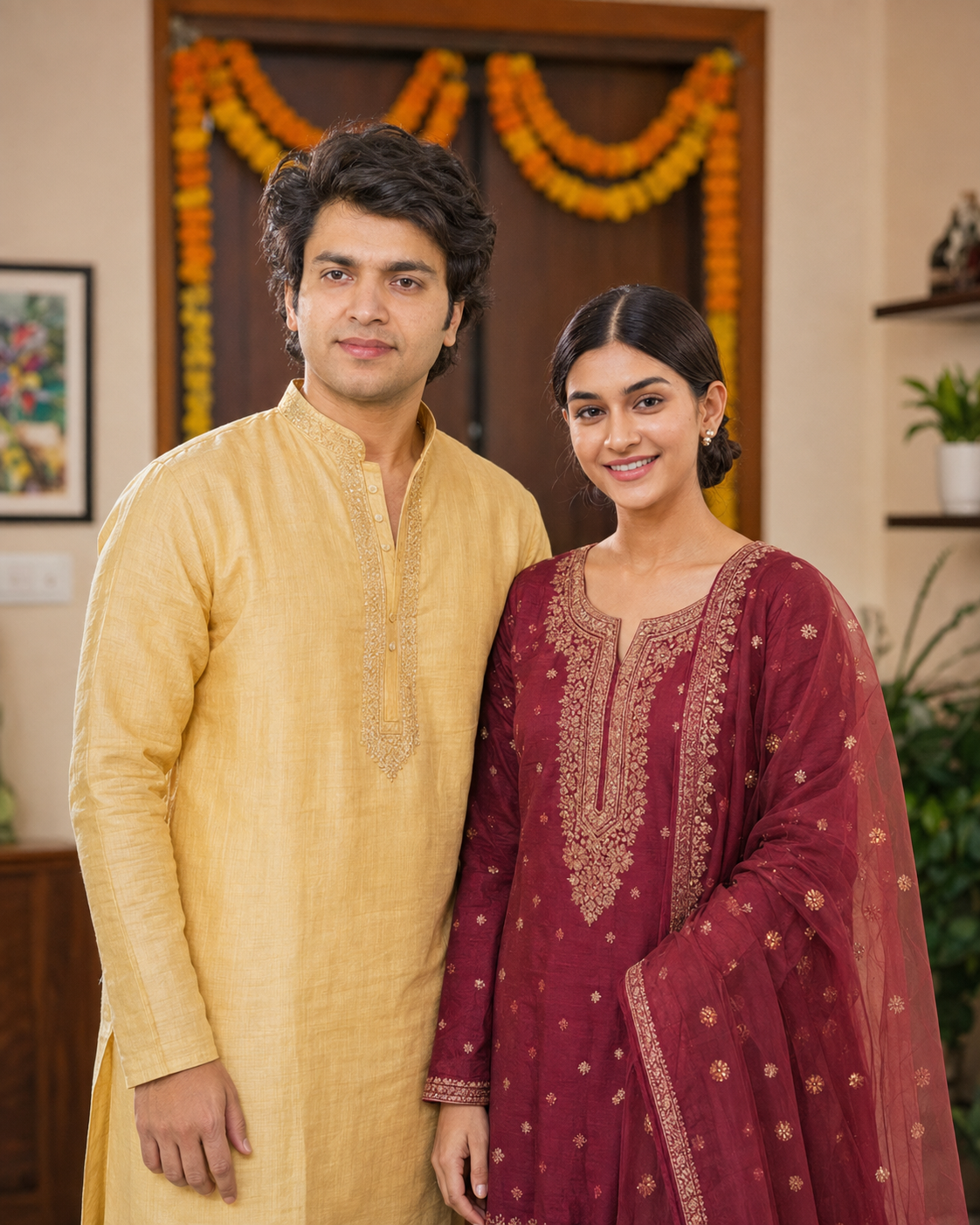
Simple Camera-Facing Family Portrait
Not every Raksha Bandhan image needs to show the ceremony itself. This option creates a straightforward portrait where both siblings look toward the camera. It's a practical choice when your original photos already have natural smiles and you want a polished festive image rather than an action scene.
The Prompt
Using the uploaded photo, create a polished, simple camera-facing portrait of a brother and sister for Raksha Bandhan. KEEP the exact face structure, eye shape and colour, original skin tone and skin texture, existing hairline, current facial hair, and exact body proportions of both individuals in the source image. CHANGE the wardrobe to traditional Indian festive wear: the brother in a [BROTHER CLOTHING COLOR, e.g. pastel yellow] raw silk kurta, and the sister in a [SISTER CLOTHING COLOR, e.g. deep maroon] embroidered salwar kameez with a sheer dupatta draped over one shoulder. CHANGE the pose to them standing side-by-side, squared to the lens, offering warm, natural smiles directly at the camera with no hand gestures and no ceremony action. Set the scene in a brightly lit, modern Indian living room during mid-morning. Behind them, place a subtle backdrop featuring a marigold garland draped over a wooden doorway, blurred just enough to separate the subjects without losing the festive context. The lighting must simulate soft, diffused window light coming from 45 degrees to the right, filling shadows on the left side of their faces to match typical domestic indoor portrait lighting and avoid a pasted-on look. Shoot this using the visual characteristics of an 85mm lens at f/2.8, positioned exactly at chest height to keep body proportions natural and avoid facial distortion. Apply a clean, true-to-life colour grade with slightly lifted shadows, vibrant but not oversaturated warm tones, resembling modern high-end digital portrait photography. Output aspect ratio 4:5, 4k resolution. Do not slim faces, do not whiten skin, do not change eye colour, do not apply plastic smoothing, do not invent jewellery on the brother, and do not add facial tattoos.
✦ Curated by MFDA
How to use these in Gemini
Open Gemini's image creation feature. Use the version of Gemini that lets you upload reference images and generate or edit images.
Upload your reference photos. If you're using two separate pictures, upload both and clearly identify which one is the sister and which is the brother.
Choose one prompt card. Start with only one prompt rather than combining several different scenes.
Generate the image. Use 9:16 for a vertical status image, 4:5 for a social feed post, or 3:4 when you want a more traditional portrait shape.
Inspect the important details. Check the faces first, then hands, fingers, Rakhi position, clothing, and text in the background.
Fix the weak area if needed. If the first result changes a face or creates poor hands, ask for that specific correction while keeping the composition and identities unchanged. If repeated edits make the image worse, return to the original references and generate again.
Getting better results
Use high-resolution reference photos because blurry facial details give the model less reliable information for preserving identity.
Keep the source lighting reasonably even because strong shadows across the eyes or cheeks can be mistaken for part of the person's facial structure.
Use one clear scene per generation because asking for several poses, outfits, locations, and camera angles at once can produce conflicting instructions.
Describe the clothing precisely because “traditional dress” leaves too much room for the model to invent an outfit that doesn't match what you had in mind.
Specify the camera framing because telling the model whether you want a close portrait, three-quarter shot, or full-body image helps control how much of the environment appears.
Check hands before saving the image because sibling ceremony poses naturally involve wrists and fingers, which are common failure points in AI-generated images.
Avoid relying on generated text because decorative signs can contain misspellings or distorted letters; add the final greeting separately if accurate wording matters.
When the result comes out wrong
What went wrong | Why it happens | What to change |
|---|---|---|
The face looks different | The reference may be unclear, heavily filtered, or the scene instructions compete with identity preservation | Use a sharper original photo and repeat the identity requirement |
Hands or fingers look unnatural | Rakhi scenes involve close interaction between multiple hands and wrists | Ask for natural hands and regenerate the specific scene rather than adding more unrelated details |
The Rakhi is missing | The model may prioritize faces and clothing over a small wrist detail | Explicitly request a clearly visible Rakhi on the brother's wrist |
Clothes look distorted | Detailed embroidery can be difficult when the framing is tight | Simplify the outfit description or use a slightly wider three-quarter composition |
Background text is incorrect | AI-generated lettering is still unreliable in many images | Remove the sign and add “Happy Raksha Bandhan” later with a normal editing tool |
The image looks too artificial | Excessive cinematic effects, skin smoothing, or sharpness can remove natural detail | Ask for realistic skin texture, moderate lighting, and less aggressive processing |
FAQ
Can I use these Raksha Bandhan prompts with my own photos?
Yes. These prompts are designed around uploaded reference images rather than creating unrelated fictional siblings. For the best match, use recent photos with clear faces and enough visible hair and skin detail. If you have separate brother and sister photos, upload both and tell the tool which person each image represents.
Will AI keep my face exactly the same?
Not always. Identity preservation can be strong, but it isn't guaranteed in every generation. Changes are more likely when the original face is small, blurry, partially covered, or shown from an unusual angle. Compare the generated image with the original before using it, especially if the photo is meant to represent a real family member.
Can I use these images for commercial purposes?
That depends on the AI tool you use, its current terms, and the rights associated with your source photos and any generated material. A prompt itself doesn't give you ownership of someone else's photograph or permission to use another person's likeness commercially. Check the tool's current usage terms before using the result in advertisements, products, or paid campaigns.
Is ChatGPT free for Raksha Bandhan photo editing?
ChatGPT may offer image features on free plans, but availability, limits, and generation access can change. Some accounts or features may have usage restrictions. Check the options shown in your own ChatGPT account rather than assuming every image feature is available without limits.
Why does the AI change my brother's or sister's face?
The model is generating a new image while trying to follow your reference. A low-quality source, dramatic pose, strong angle, or too many competing instructions can make identity retention harder. Use a clear reference and keep the first generation focused on one scene. If the face still changes, try a different source photo.
Which aspect ratio should I choose for a Rakhi photo?
Use 9:16 for WhatsApp Status, Stories, and other vertical-screen formats. 4:5 works well for Instagram feed posts, while 3:4 gives you a more conventional portrait shape. If you're unsure, 4:5 is a practical starting point because it leaves enough room for the siblings and some festive background.
Can I make a Raksha Bandhan image without showing the Rakhi ceremony?
Yes. A simple sibling portrait can work just as well. Ask for both people to stand or sit naturally and face the camera, then use festive clothing, marigold flowers, diyas, or a decorated home as the visual cues. This approach can also be easier for the AI because it avoids a complicated hand-to-wrist interaction.
Closing
Raksha Bandhan AI Photo Editing Prompts :- The strongest Raksha Bandhan edits usually start with a good source photo, not a longer prompt. Pick a clear reference, choose one scene, and inspect the faces and hands before keeping the result. If the first generation misses the mark, correct the specific problem or regenerate from the original instead of endlessly stacking edits onto a weak image.
About the Author
Mina
**AI Prompt Engineer at MFDA.** I design precise, creative prompts for AI image generation, photo editing, portraits, fashion, and visual storytelling.