Rainy Balcony Romance Prompts for Gemini 2026
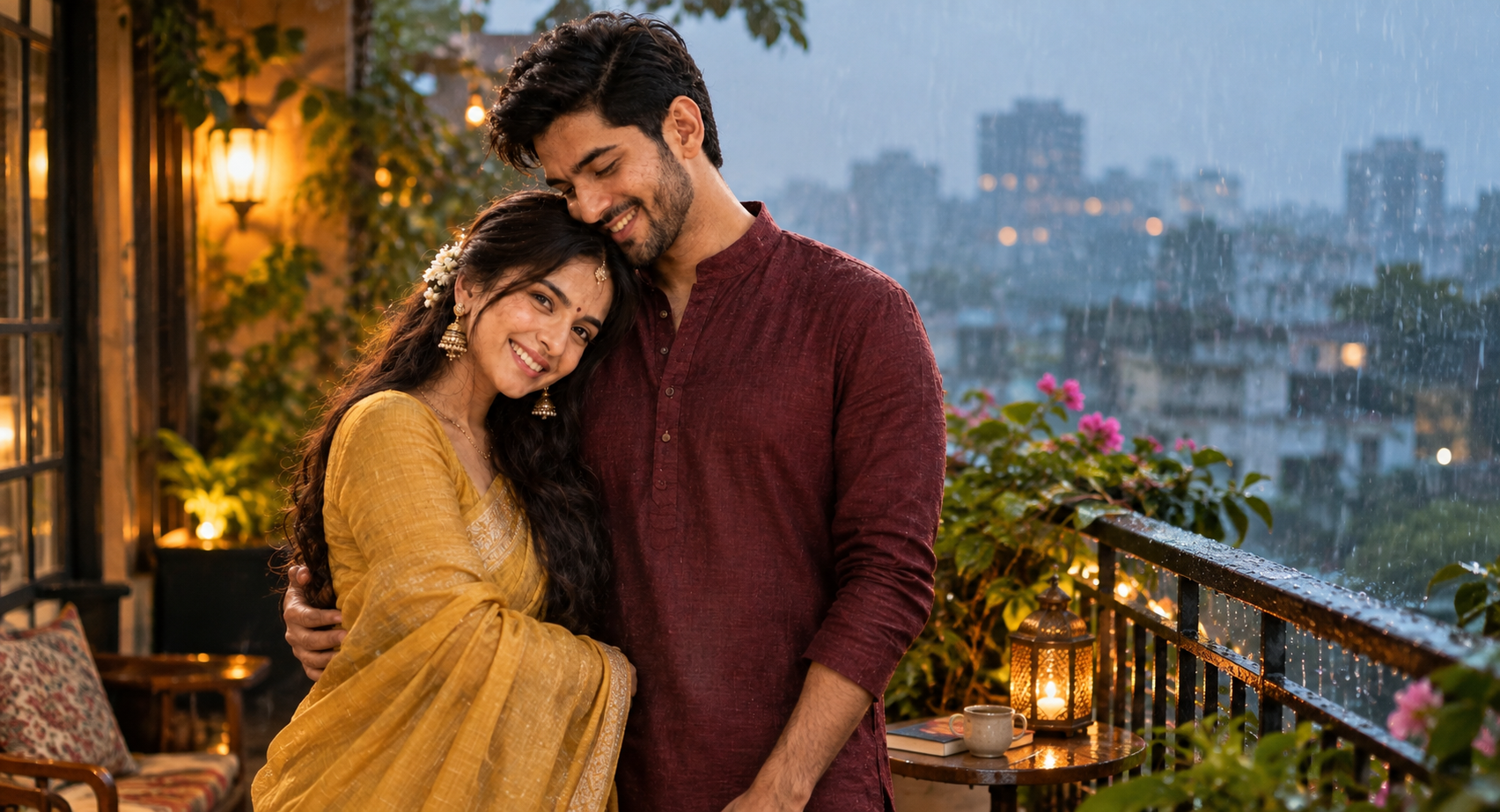
Rain changes the feel of a couple photo more than almost any background does. With Rainy Balcony Romance prompts, you can turn a simple couple photo into a warm monsoon scene with wet hair, soft house lights, a transparent umbrella and a blurred city behind you. I tested this kind of setup with the details that usually make or break the result: the umbrella needs to sit naturally over both people, while the balcony and rain should stay behind the couple rather than compete with their faces. This look works especially well for engagement photos, anniversary posts and traditional Indian outfits. It also gives you a romantic result without needing an elaborate studio setup.
Before you start
Start with a clear photo where both faces are visible and neither person is heavily cropped. A waist-up or three-quarter couple photo works better than a tiny full-body image because Gemini has more facial detail to preserve. Avoid strong beauty filters, dark sunglasses and photos where one face is hidden.
Photo: clear couple photo, preferably in daylight or soft indoor light
Tool: Gemini image generation/editing
Aspect ratio: 4:5 for Instagram portraits; 9:16 for Stories and Reels covers
Monsoon Balcony With Warm House Lights
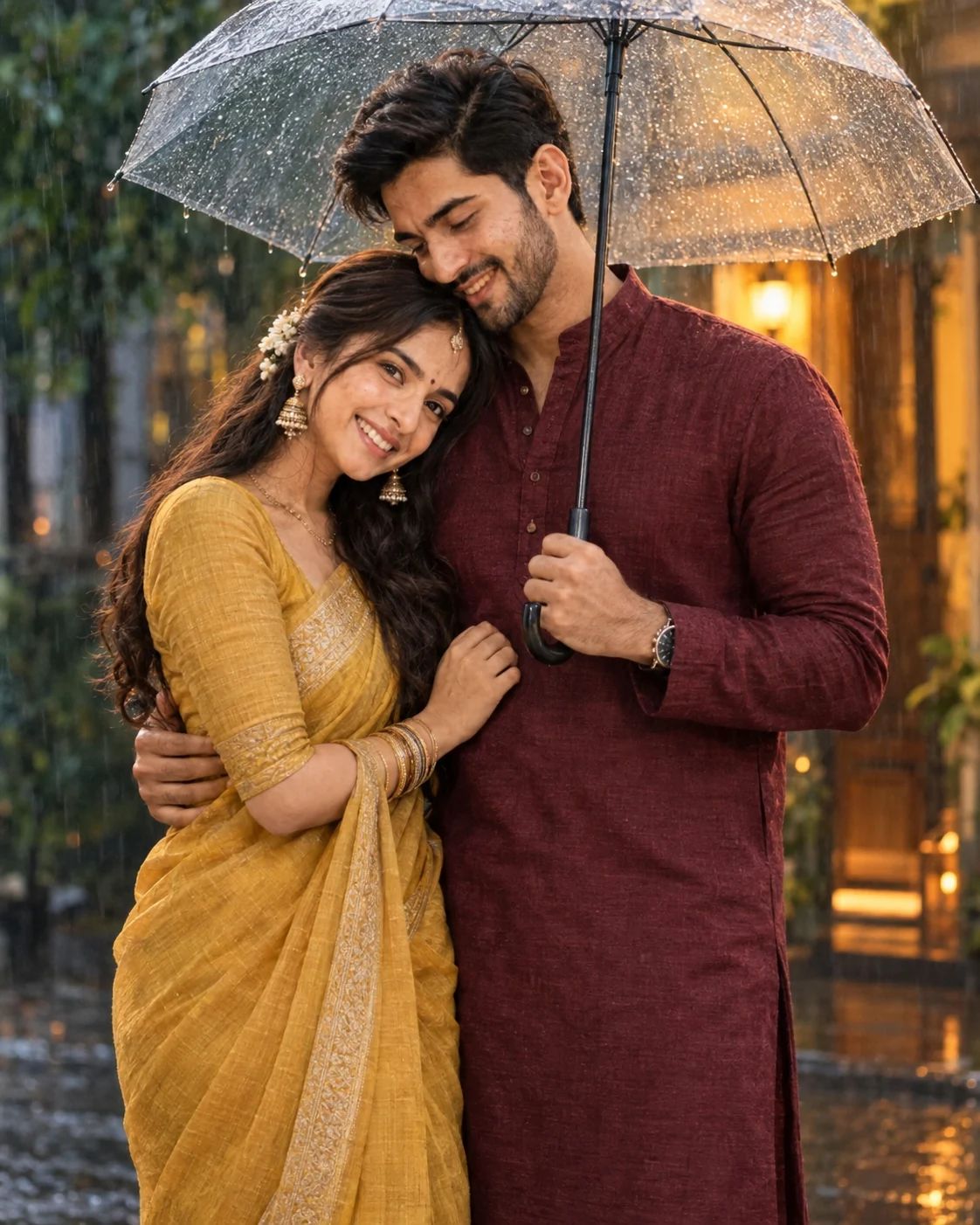
This version gives you the classic Indian monsoon feeling without making the scene look like a generic rain backdrop. The ethnic clothing adds visual texture, while the transparent umbrella creates a useful foreground element. The strongest detail is the warm light spilling from the house behind you; it helps separate the couple from the cooler rainy city.
The Prompt
Using the uploaded photo, create a photorealistic Indian monsoon couple portrait of the same two people standing close together on a rain-wet outdoor street, with a transparent umbrella in the foreground and warm house light glowing behind them. KEEP - Keep both people’s exact face structure from the uploaded photo, including forehead shape, eyebrow shape, eye shape, natural eye colour, nose, lips, cheeks, jawline, chin, facial proportions, and natural facial asymmetry. Keep their original skin tones, visible pores, fine texture, freckles, marks, and natural complexion. Keep each person’s original hairline, hairstyle, hair texture, and facial hair exactly where visible. Keep their real body proportions, shoulder width, torso length, waist, arms, legs, and height relationship. Do not make either person taller, slimmer, broader, younger, or more symmetrical. CHANGE - Dress the couple in refined Indian ethnic clothing: a deep maroon cotton-silk kurta for the man and a muted mustard-yellow cotton saree with a textured woven border for the woman. Add a clear transparent umbrella held naturally above them. Change the setting to a rain-soaked residential street with wet stone pavement, dark green foliage, and a softly glowing house entrance behind them. Use a close, affectionate standing pose with natural body contact and relaxed expressions. Keep the rainy atmosphere cool while the background house light stays warm amber. SCENE - Set the portrait during early evening monsoon rain. Fine rain streaks should remain visible around the couple, while the house doorway, foliage, and distant street details fall into soft background blur. LIGHT - Use cool overcast daylight from the open sky as the broad frontal light, with warm amber light from behind and slightly to one side. Keep the face exposure balanced so neither face looks pasted into the rainy scene. CAMERA - Use an 85mm lens at f/1.8, camera at chest height, with shallow depth of field and natural perspective. GRADE - Apply a cinematic Indian monsoon grade with cool blue-green shadows, warm amber highlights, moderate contrast, realistic skin tones, and restrained film grain. OUTPUT - Create a vertical 4:5 composition at 2048×2560 resolution, keeping both full upper bodies clearly visible. DO-NOT - No face slimming, no skin whitening, no changed eye colour, no plastic smoothing, no invented jewellery or tattoos.
✦ Curated by MFDA
How to use these in Gemini
Open Gemini and use its image generation or image-editing option.
Upload your couple photo as the reference image.
Add the prompt card beneath the uploaded image instructions.
Choose 4:5 if you want a feed-ready portrait, or 9:16 for a Story-style composition.
Check the faces, hands, umbrella position and rain before accepting the result.
If the first result is wrong, regenerate with the same reference photo and specifically identify the failed element instead of changing the whole scene.
Getting better results
Use a photo with both faces facing the camera: Gemini has less trouble maintaining identity when eyes, nose and jawline aren't blocked.
Pick simple clothing in the reference: Heavy patterns can influence the generated wardrobe, making the final ethnic outfits look cluttered.
Keep the reference lighting neutral: A strongly colored indoor photo can cause the rainy scene's warm balcony lights to spread unnaturally across the faces.
Try 4:5 before 1:1: The taller frame leaves enough room for the umbrella, balcony rail and rain while keeping the couple prominent.
Use a slightly distant original photo: Extremely tight selfies can make the generated perspective feel cramped, especially when an umbrella is added.
Avoid photos with motion blur: Rain already introduces many small details, so a soft reference face gives the model less reliable identity information.
Regenerate instead of repeatedly editing one bad result: Once facial structure has drifted, a fresh generation from the original reference often restores likeness more cleanly.
When the result comes out wrong
What went wrong | Why it happens | What to change |
|---|---|---|
Face looks like a different person | The reference face is small, angled or partly covered | Use a sharper photo with both faces clearly visible and regenerate |
Skin looks plastic | The model adds excessive beauty retouching to match a polished editorial style | Ask for natural skin texture, visible pores and realistic facial detail |
Hands or fingers look wrong | Holding the umbrella and arm pose creates several overlapping hand positions | Use a simpler reference pose and regenerate with the original image |
Rain looks pasted on | Rain is added as a foreground effect instead of interacting with the scene | Regenerate and keep droplets on the umbrella, hair and balcony surfaces |
Lighting doesn't match | Warm house light and cool rainy surroundings create competing light sources | Use softer reference lighting and keep the house glow concentrated behind the couple |
Umbrella looks distorted | Transparent objects are harder to render consistently | Regenerate rather than editing the umbrella repeatedly; check its handle and canopy first |
FAQ
Does this work with any couple photo?
Not equally well. A clear photo with both faces visible gives you the best chance of preserving identity. Group photos, extreme selfies and heavily filtered pictures are more difficult. If one person is partly hidden behind hair or another object, expect Gemini to make more changes to that face.
Why does Gemini change the face in my couple photo?
Image models can reinterpret facial details when the source photo is low-resolution, poorly lit or viewed from an unusual angle. The problem becomes more noticeable when the new composition changes pose or perspective. Use a sharp reference and keep the requested camera perspective reasonably close to the original.
Can I use these AI couple images commercially?
That depends on the tool's current terms, your source photo rights and how you're using the finished image. Don't assume that an AI-generated image is automatically cleared for advertising, merchandise or client work. Check Gemini's current terms and the rights attached to any photos, logos or other material used as references.
Is Gemini free for making these images?
Gemini has offered image-generation features under different plans and limits, and availability can change. Your account, region and the specific Gemini feature you're using can affect access. Check the current options shown in your Gemini account rather than relying on an older pricing claim.
How do I get a different variation?
Keep the same reference photo but change one visual variable at a time. For example, switch from a 4:5 portrait to 9:16, move from evening to overcast afternoon, or change the clothing fabric from silk to cotton. Smaller changes make it easier to see which instruction actually improved the image.
Why does the rain sometimes hide the couple's faces?
Rain can become too dense when the model treats it as a major visual effect. Ask for lighter, fine droplets and keep the faces unobstructed. The umbrella should carry much of the rainy atmosphere, while the background rain remains softer and more blurred.
Closing
Start with your clearest couple photo and try the 4:5 version first. Pay attention to the faces before judging the atmosphere. If the rain, umbrella or lighting looks good but the identity is off, regenerate from the original reference instead of trying to rescue that version.
Tags
About the Author
Naziya
Creative AI writer at MFDA, sharing trendy photo-editing prompts and fresh ideas for beautiful, stylish AI images.