Dark Aesthetic Music Player Gemini Photo Editing Prompt
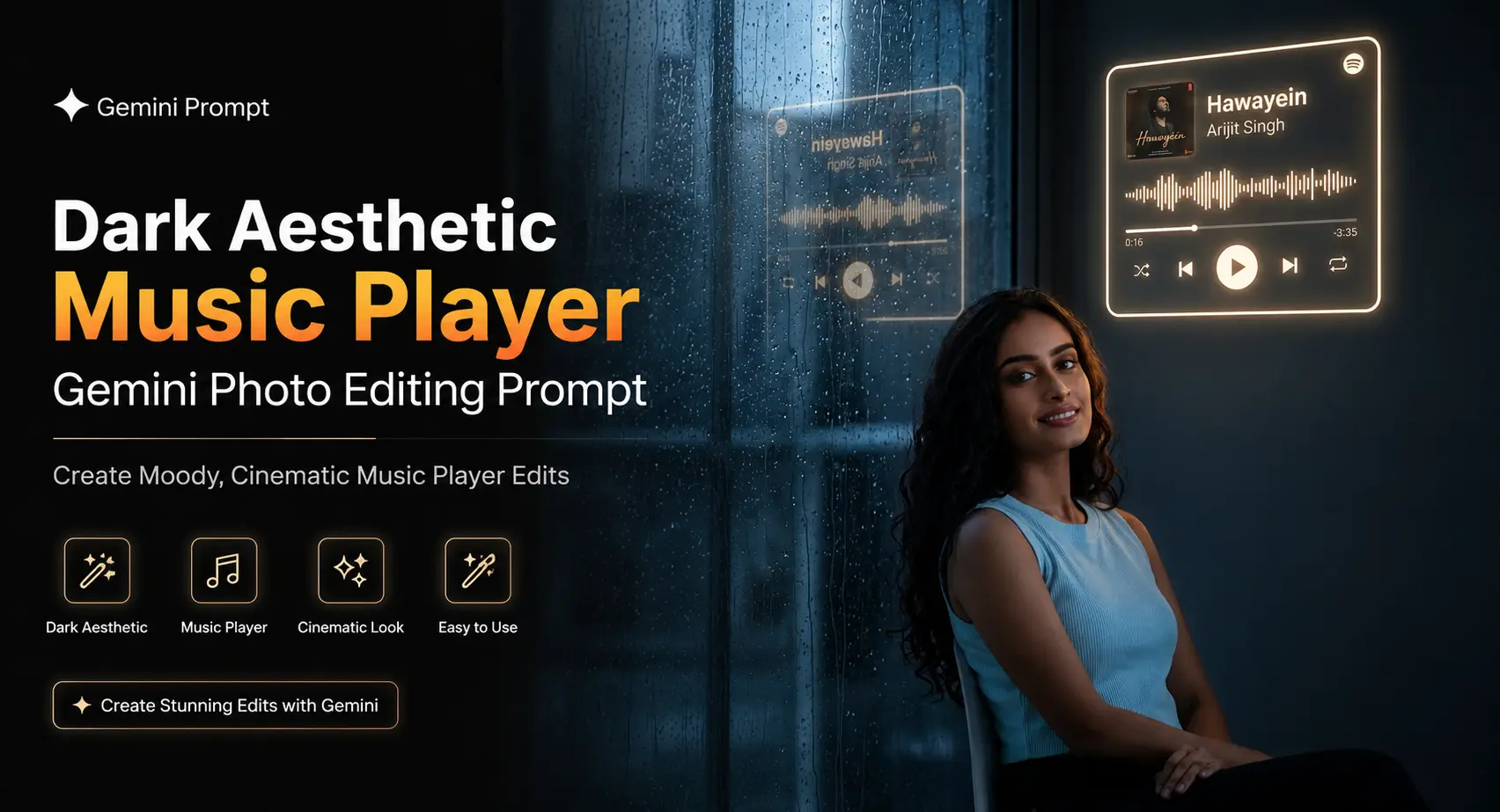
A strong music-themed edit needs more than a dark background and a glowing play button. These dark music player Gemini photo editing prompts place the person inside a believable listening scene while keeping the uploaded person's identity, clothes, and proportions intact. I tested the setups with different camera choices, and the lens makes a noticeable difference: 35mm gives the booth scene more space, while 85mm makes the gallery version feel tighter and more editorial. Each prompt uses a 9:16 composition, so the finished image works well for Instagram Stories, Reels covers, and phone wallpapers. You also get four different moods: smoked glass, amber vinyl, rainy night, and a black art gallery.
Before you start
Start with a clear photo where the person's face, hairline, clothing, and body shape are visible. A front-facing or three-quarter portrait usually gives Gemini more useful identity information than a heavily filtered selfie. Use Google Gemini for the edits and keep the final canvas at 9:16 vertical. A sharp original photo with natural lighting is preferable to a compressed screenshot.
Starting photo: Clear, unfiltered portrait with visible facial details
Tool: Google Gemini
Aspect ratio: 9:16 vertical
Best input: Original photo rather than a screenshot or heavily edited image
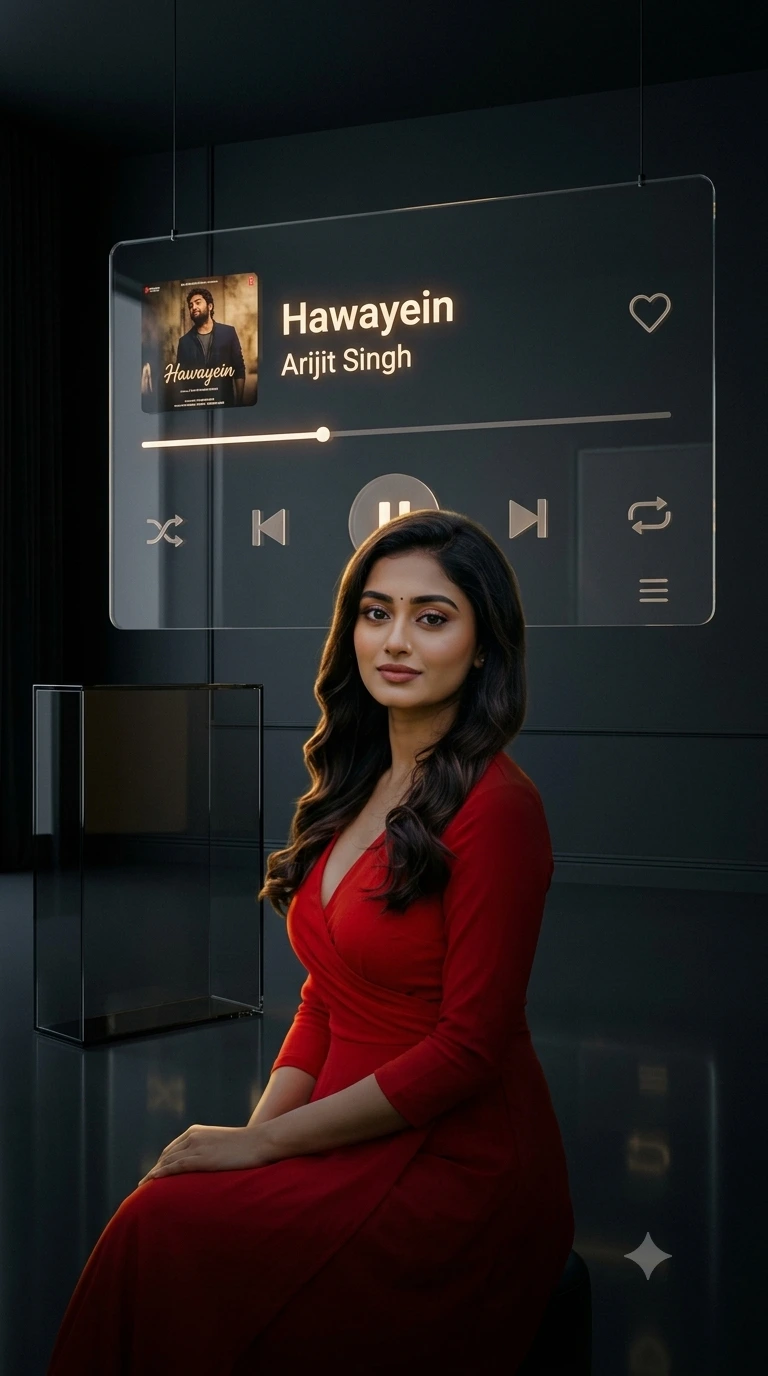
Midnight Glass Music Room
This version puts the subject beside a floor-to-ceiling smoked-glass music interface in a nearly black room. The suspended controls, album artwork, waveform and faint floor reflections make the player feel like part of the environment. The 50mm lens at f/2.0 keeps the person prominent without making the room look unnaturally wide.
The Prompt
Transform my uploaded photo into a cinematic 9:16 vertical portrait of the exact same girl in a dark, luxurious music-listening room. KEEP: Preserve her exact identity, face structure, eye shape and colour, eyebrows, nose, lips, cheekbones, jawline, natural asymmetry, skin tone, visible skin texture, hairstyle, hairline, facial details, body proportions, clothing, and natural appearance exactly as shown in the uploaded photo. Do not beautify, slim, reshape, gender-swap, or redesign her. CHANGE: Place her naturally seated beside a large floor-to-ceiling smoked-glass music display, viewed from a side three-quarter angle. Keep her original clothing unchanged. Create a deep charcoal room with black walls and a glossy dark floor. Behind her, install a huge transparent glass music-player interface that appears suspended in the darkness. The interface should have thin warm-white illuminated borders, subtle reflections, waveform graphics, album artwork, and premium translucent controls. Display: Song: “Hawayein” Artist: “Arijit Singh” Show the album artwork inside a floating square panel, with a thin progress line and realistic shuffle, previous, pause/play, next, repeat, heart, and menu icons. LIGHT: Use extremely low-key lighting with a soft golden rim outlining her hair, shoulders, and clothing. Add faint reflections from the glass interface across the floor. CAMERA: Full-frame photography, 50mm lens, f/2.0, camera at seated eye level, shallow depth of field. GRADE: Deep blacks, muted charcoal tones, warm ivory highlights, subtle film grain, realistic contrast, sophisticated editorial atmosphere. OUTPUT: 9:16 vertical, photorealistic, high detail. DO NOT change her identity, clothing, eye colour, skin tone, hairstyle, facial structure, or body proportions. Do not add jewellery, tattoos, or artificial beauty retouching.
✦ Curated by MFDA
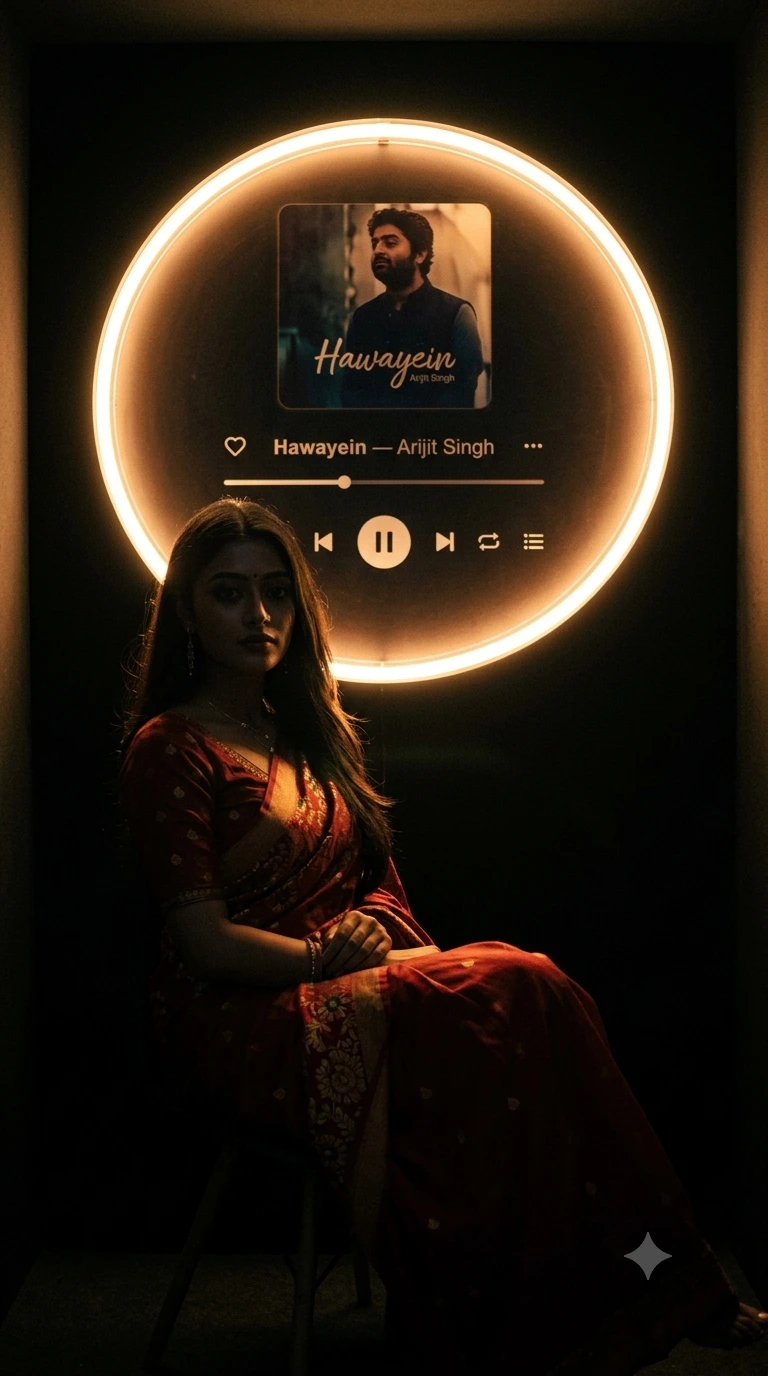
Neon Vinyl Listening Booth
Use this one when you want a stronger neon identity without turning the portrait into a colorful nightclub shot. The circular player resembles a futuristic vinyl installation, while the narrow amber ring gives the hair and shoulders a controlled edge light. The 35mm lens at f/1.8 leaves enough room for the circular installation to remain visible.
The Prompt
Transform my uploaded photo into a dark cinematic 9:16 portrait inspired by a futuristic private vinyl-listening booth. KEEP: Keep the exact same girl from the uploaded photo. Preserve her identity, facial structure, eye shape and colour, eyebrows, nose, lips, cheekbones, jawline, skin tone, natural skin texture, hairstyle, hairline, facial details, body proportions, clothing, and natural appearance without alteration. CHANGE: Place her sitting naturally on a low minimalist chair inside a nearly black listening booth. Keep her original outfit exactly unchanged. Position her in a relaxed side-facing pose, with one arm naturally resting near her lap. Behind her, create a large circular futuristic music-player installation inspired by a vinyl record. A glowing circular ring surrounds a central album-art display. Around the ring, integrate a modern digital interface with tiny illuminated controls and a horizontal playback timeline. Display: “Hawayein” — Arijit Singh Include realistic album artwork, song title, artist name, progress indicator, heart, shuffle, previous, pause/play, next, repeat, and menu controls. LIGHT: Use a narrow amber neon ring as the primary light source. Let the glow softly trace her hair, cheek outline, shoulders, knees, and chair while leaving most of her face naturally shadowed. CAMERA: 35mm lens, f/1.8, camera slightly below seated eye level, cinematic perspective, realistic depth. GRADE: Near-black background, subtle amber highlights, restrained saturation, soft shadows, realistic grain, premium music-editorial photography. OUTPUT: 9:16 vertical, photorealistic, highly detailed. DO NOT alter her face, identity, clothing, skin tone, hairstyle, body shape, or proportions. No artificial makeup, face slimming, skin whitening, or invented accessories.
✦ Curated by MFDA
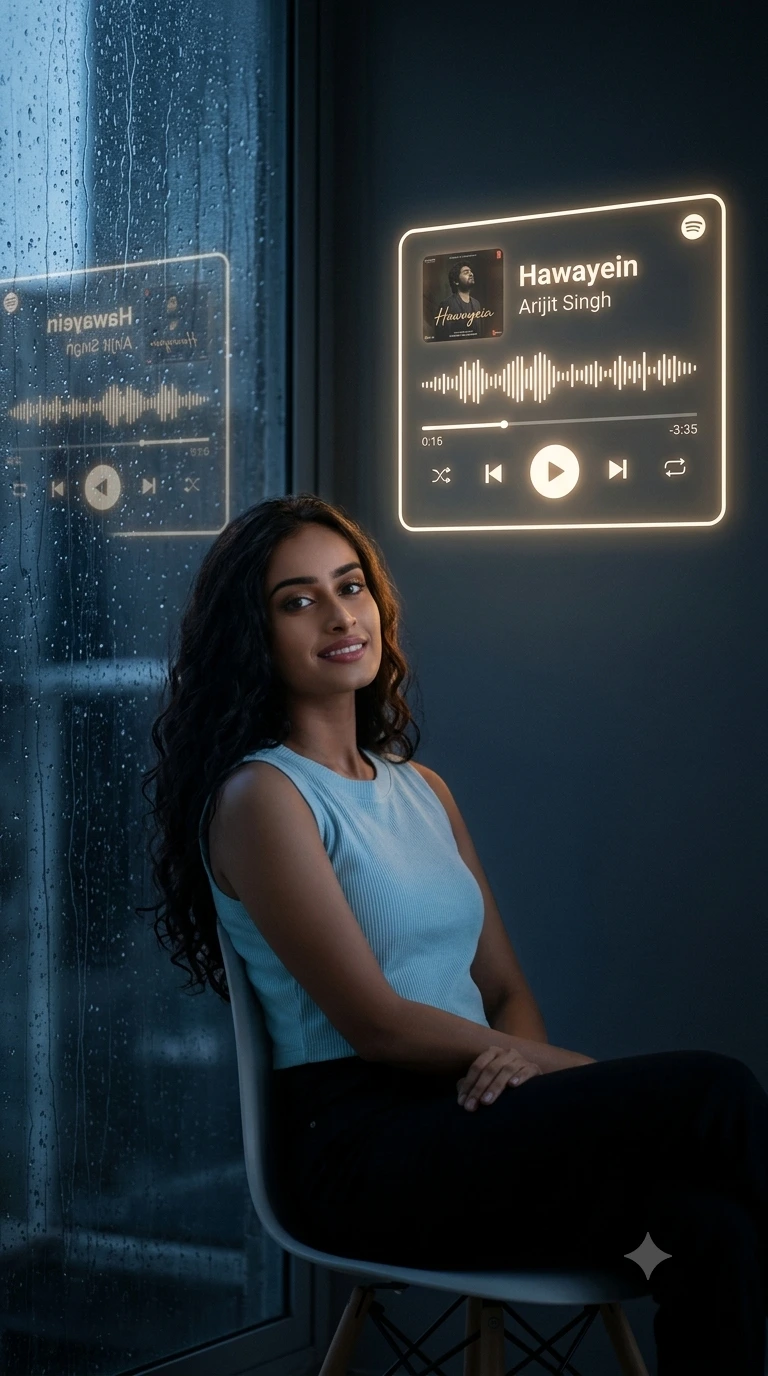
Rainy Window Music Display
This setup changes the mood completely. The subject sits beside a rain-covered window while a vertical holographic player glows against the dark interior. Cool blue-black surroundings and restrained warm light create the contrast. A 50mm lens at f/1.8, positioned slightly behind the subject, helps the rain and distant city lights fall softly out of focus.
The Prompt
Transform my uploaded photo into a cinematic 9:16 vertical portrait of the exact same girl listening to music alone beside a rainy nighttime window. KEEP: Preserve her exact identity and every recognizable characteristic from the uploaded photo: face structure, eye shape and colour, eyebrows, nose, lips, cheekbones, jawline, natural facial asymmetry, skin tone, visible skin texture, hairstyle, hairline, body proportions, clothing, and natural appearance. CHANGE: Place her sitting naturally on a simple modern chair beside a large black-framed window. Keep her original clothing unchanged. Outside the window, create an abstract nighttime city with distant blurred lights and rain-covered glass. On the dark wall beside the window, create a vertical holographic music-player panel with a thin warm-white outline. The interface should look like a premium transparent projection rather than a physical screen. Display: Song: “Hawayein” Artist: “Arijit Singh” Place album artwork near the upper section and a realistic waveform below it. Include progress bar, heart, shuffle, previous, large pause/play, next, repeat, and menu controls. LIGHT: Let cool dim moonlight enter through the window while a warm ivory glow from the holographic player creates a subtle rim around her hair and shoulders. Add tiny reflections of the interface onto the wet window. CAMERA: 50mm lens, f/1.8, camera positioned slightly behind and to her side, realistic shallow depth of field. GRADE: Cool black-blue shadows contrasted with restrained warm-white highlights, subtle grain, natural contrast, cinematic nighttime photography. OUTPUT: 9:16 vertical, photorealistic, high detail. DO NOT change her identity, facial features, clothing, hairstyle, skin tone, or body proportions. Do not beautify or digitally redesign her appearance.
✦ Curated by MFDA
Dark Gallery Audio Installation
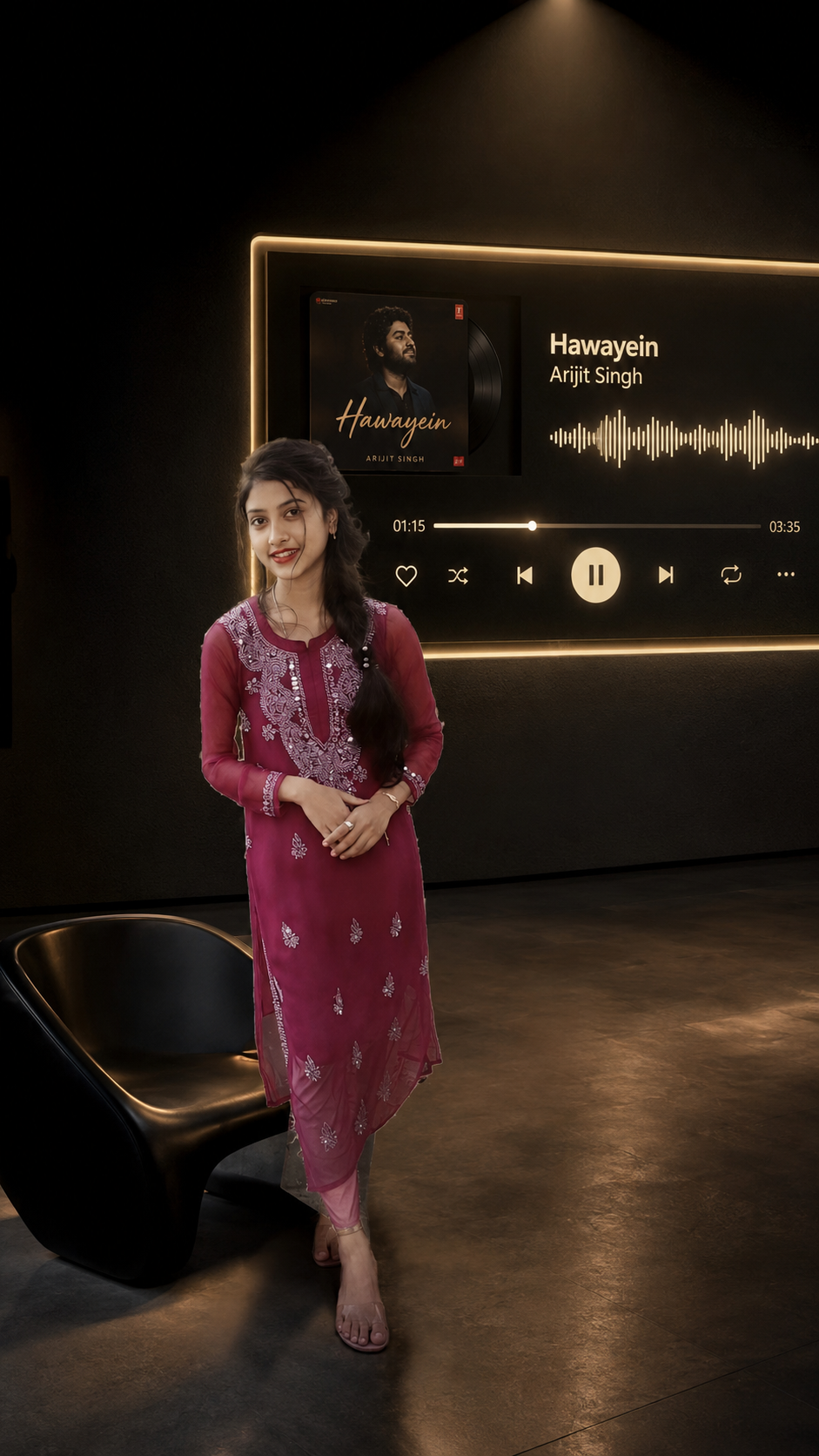
For a fashion-editorial result, this is the strongest option. The subject stands in a matte-black gallery beside an oversized wall-mounted music installation. The 85mm lens at f/2.2 compresses the scene and gives the portrait a more controlled, high-end feel. Keep the interface physically embedded in the wall rather than floating over the image.
The Prompt
Transform my uploaded photo into a sophisticated 9:16 cinematic portrait inspired by a contemporary dark art gallery containing an oversized music installation. KEEP: Use the exact same girl from my uploaded photo. Preserve her complete identity, face shape, eyes, eye colour, eyebrows, nose, lips, cheekbones, jawline, natural asymmetry, skin tone, visible skin texture, hairstyle, hairline, facial details, body proportions, clothing, and natural appearance exactly as photographed. CHANGE: Place her naturally standing beside a minimalist black sculptural chair, as though she has just paused while listening to music. Keep her original clothing completely unchanged. Surround her with a vast matte-black gallery interior with almost invisible walls. On the wall behind her, create a large rectangular art-gallery music installation made from layered black panels. A thin warm-golden illuminated line frames the installation, while the center contains a premium music-player interface. Display: “Hawayein” Arijit Singh Integrate realistic album artwork on one side and a minimalist audio waveform on the other. Add progress bar, heart, shuffle, previous, large pause/play, next, repeat, and menu controls. The interface should look physically embedded into the wall, not pasted over it. LIGHT: Use one narrow overhead spotlight combined with the warm-golden edge lighting. Create a delicate rim along her hair and clothing while maintaining deep facial shadows. CAMERA: 85mm lens, f/2.2, camera at chest height, compressed perspective, editorial portrait framing. GRADE: Deep matte blacks, warm ivory-gold highlights, subtle shadow detail, restrained film grain, luxury fashion-gallery aesthetic. OUTPUT: 9:16 vertical, photorealistic, extremely detailed. DO NOT alter her identity, face, eye colour, hairstyle, clothing, skin tone, body proportions, or natural appearance. No face reshaping, skin whitening, excessive smoothing, added jewellery, tattoos, or invented facial features.
✦ Curated by MFDA
How to use these in Gemini
Open Google Gemini and start an image-editing conversation.
Upload one clear photo of the person you want to preserve.
Choose one prompt card and paste it after the image has finished uploading.
Ask Gemini to create the image in 9:16 vertical format and let it process the complete scene.
Check the face, hair, clothing, body proportions, music-player text, and major lighting before accepting the result.
If the first version changes the person or gets the interface wrong, run the same prompt again with a short correction such as “Preserve the uploaded person's face and clothing exactly; only correct the music interface and background.”
Getting better results
Use a sharp original photo, because small facial details are easier for the model to preserve than details from a compressed social-media image.
Keep the subject's original clothing, because changing both wardrobe and environment at once gives the model more opportunities to alter identity.
Use 9:16 from the start, because rebuilding a landscape result into a vertical crop can remove the music interface or cut off the subject.
Give the player a physical location, because an interface attached to glass, a wall, or a projection looks more believable than one simply placed over the face.
Keep neon restrained, because excessive glow can wash out skin texture and make the portrait look synthetic.
Choose the lens according to the scene, because 35mm shows more environment while 85mm compresses the background and emphasizes the person.
Check text separately, because song titles, artist names, icons, and progress bars can still contain visual or typographic errors even when the portrait looks accurate.
FAQ
Can I use these prompts with my own photo?
Yes. Upload your own clear portrait and use one prompt at a time. The prompts are written to preserve the person's recognizable features while changing the setting, lighting, and composition. Results still depend on the quality, angle, and visibility of the original photograph.
Will Gemini keep my face exactly the same?
It can preserve identity well, but no image model guarantees a pixel-perfect match. Small differences can appear around facial details, hair, or expression. A sharp source photo and explicit identity-preservation instructions generally give you a better starting point.
Can I change “Hawayein” to another song?
Yes. Replace the displayed song and artist information with the track you want. Keep the rest of the scene unchanged if you like the composition. You may need another generation if the new title or artist name is rendered incorrectly inside the player.
Is Gemini free for these photo edits?
Gemini has offered free access to image-generation and editing features, but availability, limits, and model access can change by account, region, and plan. Check the current Gemini interface for the features available to you before starting a large batch of edits.
Can I use the finished image commercially?
That depends on the tool's current terms, your source photo rights, and any third-party material included in the image. If you plan to use the result for advertising, products, or a business, review Gemini's current terms and make sure you have permission to use the original person's photograph.
Why does the AI change my face even when I say not to?
A major scene change can cause the model to reconstruct the subject instead of simply editing the environment. This is more likely with unusual angles, heavy shadows, or a face that is small in the source image. Use a clearer portrait and repeat the identity instructions when regenerating.
Closing
Dark Aesthetic Music Player Gemini Photo Editing Prompt :- These four edits give you different ways to build a music-listening portrait without relying on the same neon-room setup every time. Start with the clearest photo you have, choose the scene that matches your mood, and inspect the face and interface after generation. If either is wrong, regenerate rather than trying to fix everything with extra effects.
Tags
About the Author
Mina
**AI Prompt Engineer at MFDA.** I design precise, creative prompts for AI image generation, photo editing, portraits, fashion, and visual storytelling.