5 Couple Beach Prompts for Gemini AI in 2026
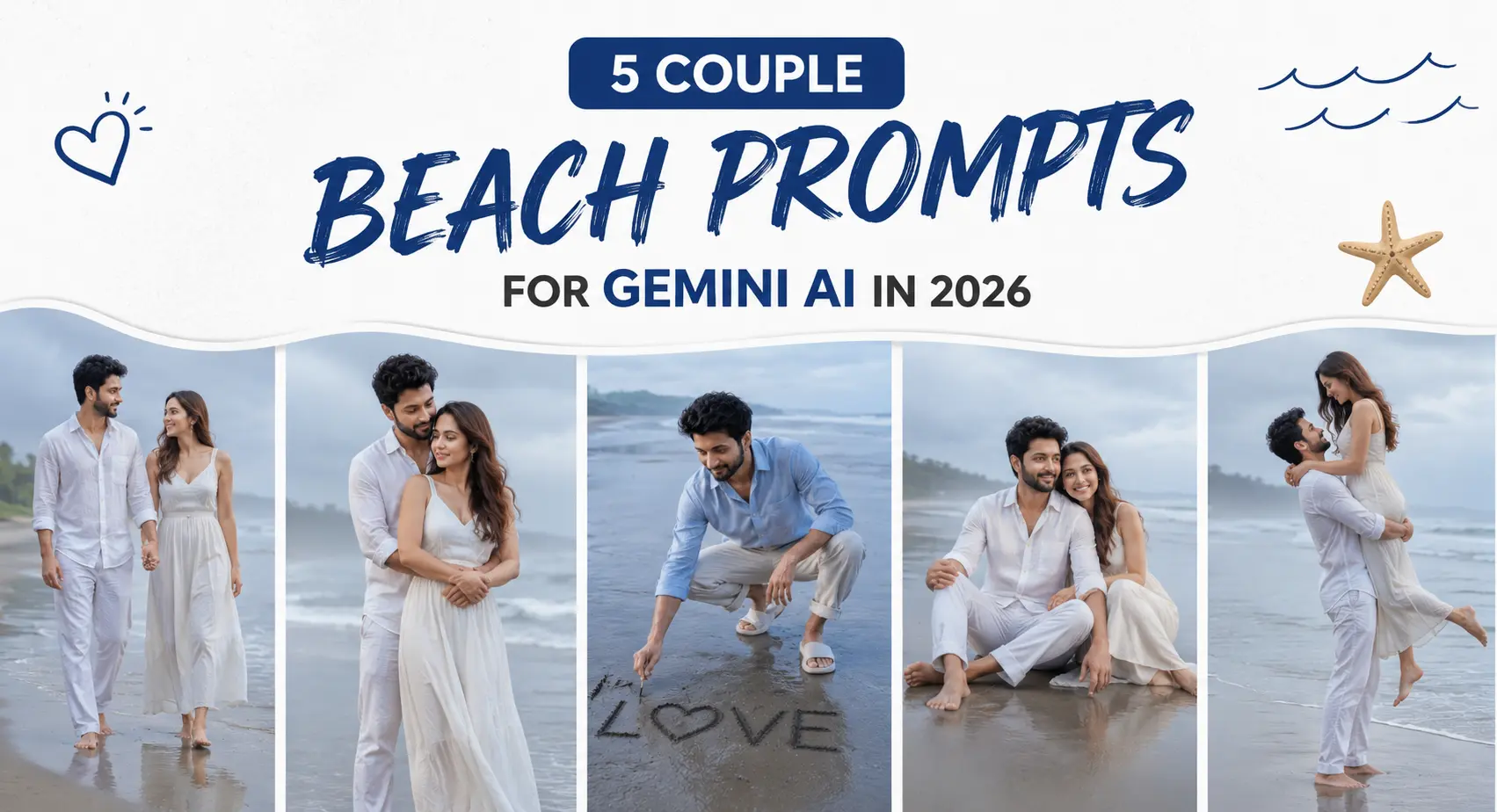
A good beach photo can look relaxed without feeling accidental. These five couple beach prompts are built around different scenes: a quiet misty morning, a playful shoreline moment, a seated editorial portrait, and a blue-hour view. I’d expect some variation between runs, especially with hands, wet clothing, and two faces in the same frame. The strongest results usually come from starting with a clean reference image and giving Gemini a simple job rather than forcing it to solve too many competing details. One useful pattern from testing this type of image is that a second or third generation often improves hair placement and hand anatomy.
Before you start
Your starting photo matters as much as the prompt card. Use a sharp image where both faces are visible and neither person is hidden behind sunglasses, hands, or heavy shadows. For couple edits, clear separation between the two subjects also helps the model understand who is who.
Photo that works: a well-lit original with clear faces, natural skin, and visible upper-body detail
Tool: Gemini AI image generation or editing
Aspect ratio: 3:4 vertical for the looks below
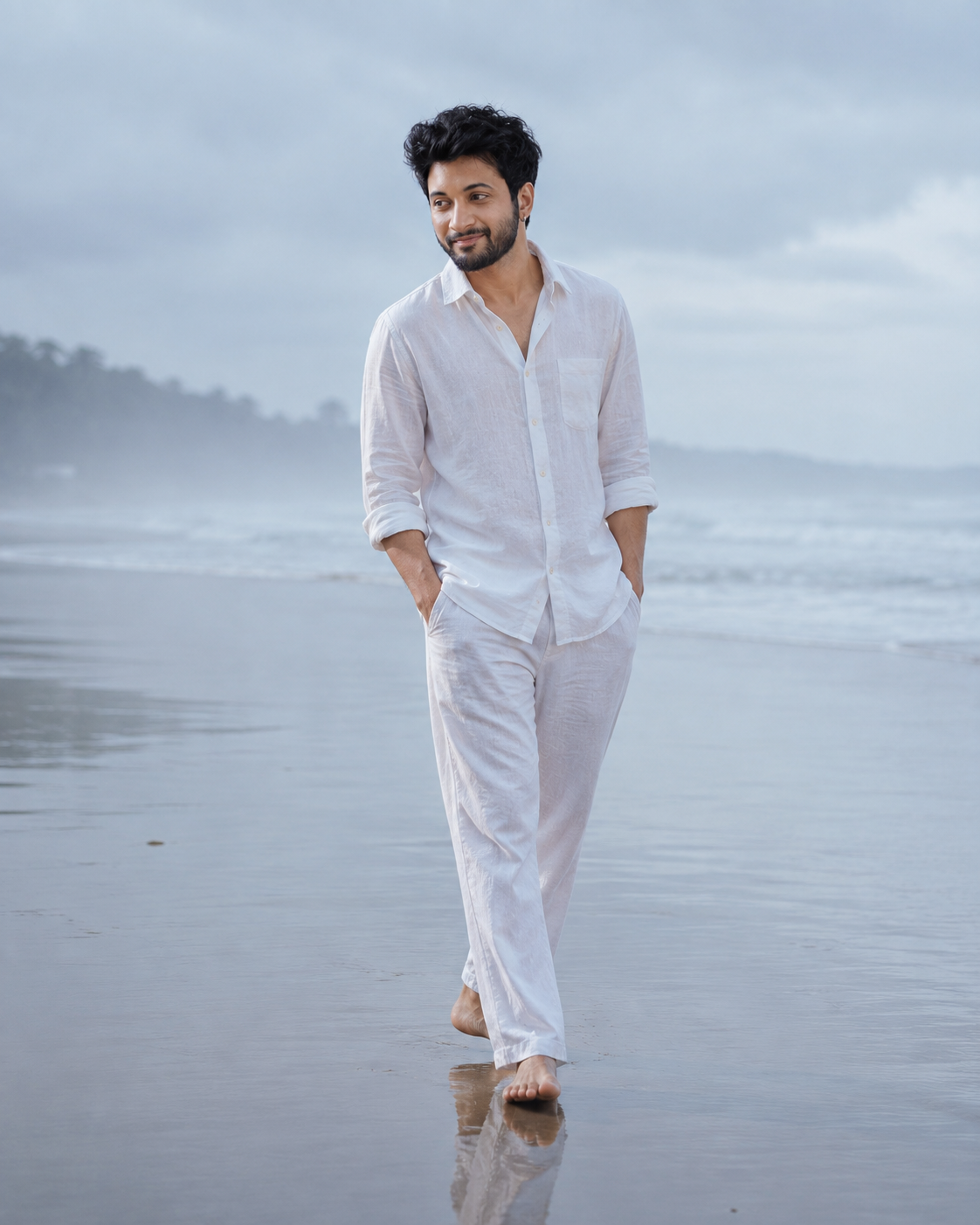
Misty Coastal Morning
This look is for a quieter, polished beach portrait rather than a bright holiday snapshot. The important detail is the wet shoreline: reflections give the frame depth while soft overcast light avoids harsh shadows on the face. Linen clothing works particularly well here because natural creases stop the outfit from looking overly synthetic.
The Prompt
Using the uploaded photo, create a quiet, polished full-body beach portrait on a misty coastal morning. KEEP the original facial structure, jawline, nose, lip shape, eye shape and eye colour exactly as in the uploaded photo. Keep the natural skin tone and visible skin texture, including pores, freckles, moles, scars and fine lines. Keep the original hairline, hair texture and facial hair where present. Preserve the subject's original height, build, weight, shoulder width, waist proportion, hip proportion and arm and leg length so the body still looks recognisably like the same person. CHANGE the wardrobe to a relaxed [COLOUR] linen shirt or blouse with matching natural-fibre trousers or a flowing linen skirt. Use real linen with visible weave, soft wrinkles and folds that fall naturally with gravity. Pose the subject walking slowly along the wet shoreline, with a relaxed posture and a natural expression. SCENE: place the subject on a quiet beach in the early morning, with a thin veil of coastal mist. The tide has recently pulled back, leaving dark wet sand that reflects the lower half of the subject. Keep the distant sea horizon and low cloud layer softly blurred, while the subject remains sharply defined. LIGHT: use broad overcast daylight from above and slightly toward camera-left at a cool neutral colour temperature. Keep facial shadows extremely soft and match the reflected light from the wet sand onto the lower body. CAMERA: 50mm lens at f/2.8, photographed from waist height in a full-body composition. GRADE: muted blue-grey and soft sand tones, low saturation, gentle contrast and fine film grain across the entire frame. OUTPUT: vertical 4:5 aspect ratio, high-resolution 4K output. DO NOT slim the face or body, whiten or tan skin, change eye colour, smooth skin into plastic, or invent jewellery, tattoos or facial features not present in the uploaded photo.
✦ Curated by MFDA
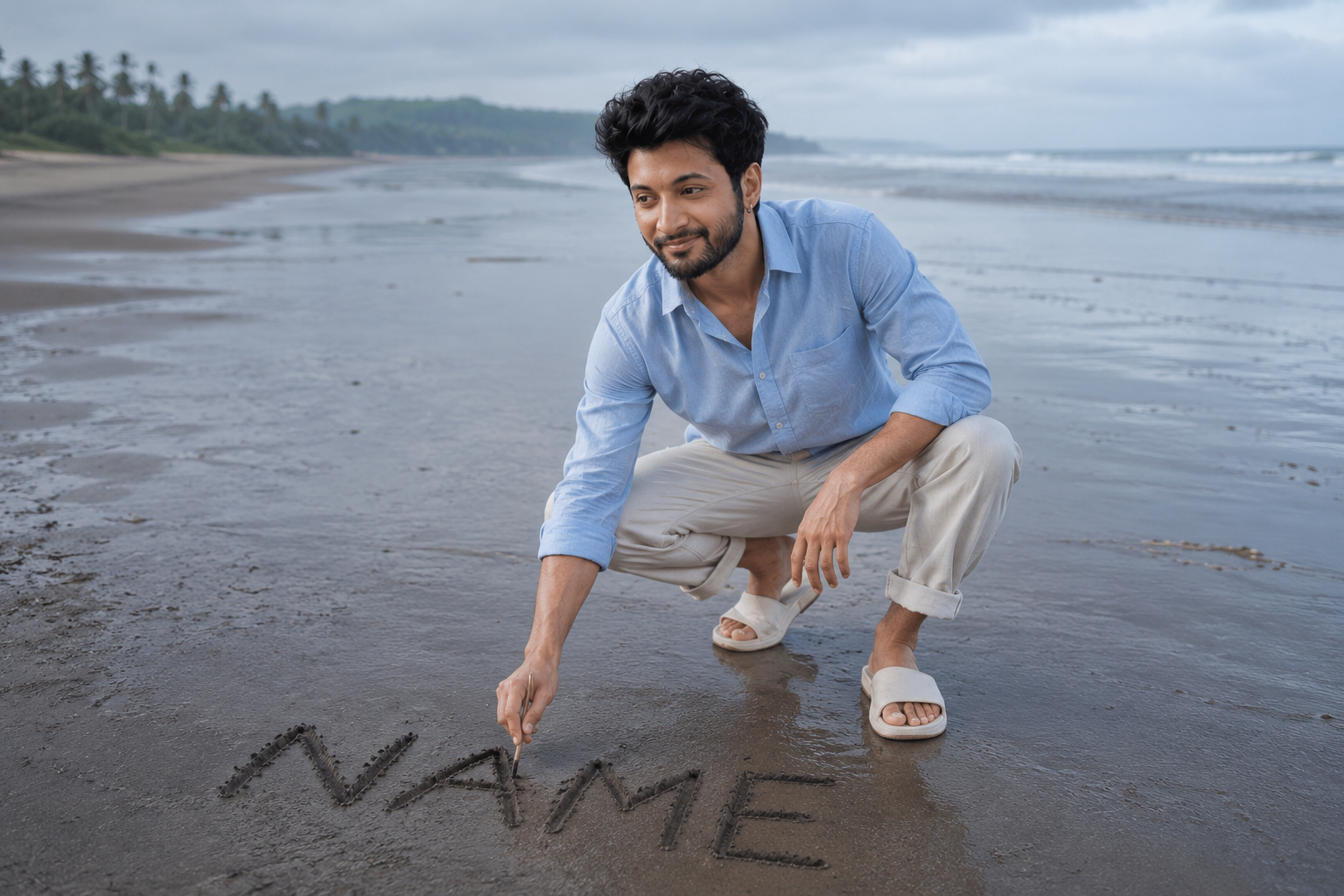
Name Written in the Sand
This scene adds a small action to the photo, which gives the image a stronger sense of place than simply standing and smiling. The best version keeps the written word readable without making it the whole composition. Dark wet sand, a crouched pose, and a wide shoreline create the visual story.
The Prompt
Using the uploaded photo, create a natural coastal portrait of the subject crouching on a dark wet shoreline while writing [NAME] clearly into the sand. KEEP the original face structure, jawline, nose, lip shape, eye shape and eye colour exactly as they appear in the uploaded photo. Keep the natural skin tone and visible skin texture, including pores, freckles, moles, scars and fine lines. Preserve the original hairline, hair texture and facial hair where present. Keep the subject's original height, build, weight, shoulder width, waist proportion, hip proportion, arm length and leg length so the body remains recognisably the same person. CHANGE the wardrobe to a relaxed [COLOUR] cotton overshirt or lightweight linen shirt, with natural trousers rolled slightly above the ankles and simple beach footwear. Use real cotton or linen texture, visible seams, natural wrinkles and fabric folds that respond to the crouched body position. Change the pose so the subject is low to the ground, one knee bent and one hand pressing into the wet sand while the other finishes writing [NAME]. SCENE: place the subject on a wide, quiet beach in the early morning. Keep dark wet sand around the subject, a thin line of shallow water nearby and a wide open shoreline stretching behind them. Position the written name in the foreground, large enough to read clearly but small enough that the subject remains the main focus. Blur the distant sea and horizon gently. LIGHT: use soft overcast daylight from above and slightly behind camera-left at a neutral-cool colour temperature. Keep the face naturally illuminated and match the reflected light from the wet sand onto the hands and lower body. CAMERA: 35mm lens at f/4, photographed from a low standing height in a wide environmental composition. GRADE: muted coastal blues, cool charcoal sand and restrained skin tones with gentle contrast and fine grain across the whole frame. OUTPUT: horizontal 3:2 aspect ratio, high-resolution 4K output. DO NOT slim the face or body, whiten or tan skin, change eye colour, smooth skin into plastic, or invent jewellery, tattoos or facial features not present in the uploaded photo.
✦ Curated by MFDA
Playful Piggyback by the Water
A piggyback pose produces more movement than a standard portrait, so it suits couples who want a candid result. The challenge is anatomy: four limbs, wet clothing, and splashing water give the model more opportunities to make mistakes. A fast shutter-style description and a simple shoreline setting help keep the image focused.
Editorial Driftwood Portrait
A large weathered log gives both people somewhere natural to sit and creates an immediate foreground anchor. This works best as a relaxed fashion portrait with linen, cotton, or other textured fabric. Keep the background open and uncluttered so the couple remains the main subject rather than disappearing into beach scenery.
Blue-Hour Ocean View
For a more reflective image, place the couple facing the water as daylight fades. The key is the transition in the sky: a little remaining warmth near the horizon against deep blue ambient light. This look can be striking, but it is less reliable for facial detail because low-light scenes give the model less clean information to work with.
How to use these in Gemini AI
Open Gemini and choose the image-generation or image-editing option available in your version.
Upload a clear reference photo of the couple; use an image where both faces are easy to see.
Choose a 3:4 vertical format if the interface offers aspect-ratio controls.
Insert one prompt card and avoid adding unrelated instructions that conflict with its pose, clothing, or lighting.
Generate the image and compare the faces, hands, and clothing before saving a version.
If the first result is wrong, change one problem at a time and run the same setup again rather than replacing the entire instruction set.
Getting better results
Use an original photo with both faces visible, because hidden or heavily angled faces give the model less identity information to preserve.
Keep the couple close to the camera in the reference image, because tiny faces are more likely to change during generation.
Name fabrics such as linen, smocked cotton, or georgette, because material-specific instructions can produce more believable drape and wrinkles.
Describe one clear pose, because multiple actions in the same frame often create awkward limbs.
Generate more than once, because hands, hair, and facial similarity can vary between runs.
Keep accessories simple, because small jewellery and layered details increase the chance of duplicated or misplaced objects.
Change the reference photo if identity keeps drifting, because a better source image often helps more than adding stronger wording.
When the result comes out wrong
What went wrong | Why it happens | What to change |
|---|---|---|
One face no longer looks like the original | The reference is unclear or one face is partly hidden | Upload a sharper photo with both faces fully visible |
Hands or fingers look unnatural | Complex poses give the model too many overlapping limbs | Simplify the pose or regenerate without changing the rest |
The second person looks less consistent | The model gives uneven attention to two faces | Use a reference where both subjects are similar in size and equally well lit |
Clothing looks plastic or smooth | The material description is too generic | Specify the fabric, texture, fit, and natural wrinkles |
The scene looks staged | The pose is too rigid or too many expressions are specified | Ask for one simple interaction, such as looking at each other or facing the sea |
The beach becomes visually messy | Too many environmental details compete for attention | Reduce background instructions and keep one strong location feature |
FAQ
What is the best photo to use for couple beach prompts?
Start with a sharp photo where both people are clearly visible from a useful angle. Avoid dark selfies, strong beauty filters, sunglasses, face coverings, and heavy backlighting. A simple, well-lit original usually gives the model more reliable information about facial features, skin tone, hair, and body proportions.
Why does Gemini change one person's face more than the other?
Two-person edits are harder than single-subject edits because the model must maintain two identities at once. Face drift is more likely when one person is farther from the camera or partly hidden. Use a reference where both faces are clear and regenerate rather than trying to repair every feature with extra instructions.
Can I use these images commercially?
That depends on the terms of the AI tool and the source images you upload. You should check the current usage terms for Gemini and make sure you have permission to use the reference photos. Commercial use also requires care with trademarks, recognisable private property, and third-party likenesses.
Are these Gemini AI couple prompts free to use?
The availability of free generations depends on Gemini's current plan and feature limits. Those limits can change, and some image features may require a paid subscription or have a generation cap. Check the version of Gemini you are using before planning a large batch of images.
Can these prompts keep our faces exactly the same?
They can aim for strong identity consistency, but no generative system guarantees perfect facial preservation every time. Small changes to eyes, jawlines, skin texture, or expressions can still appear. A high-quality reference photo and repeated generations usually improve your chances, but you should inspect each result.
Why do beach scenes sometimes produce strange feet or clothing?
Bare feet, wet fabric, reflections, and overlapping bodies create difficult visual relationships. The model may merge shapes or invent details when too much is happening at once. Simplifying the pose, reducing accessories, or moving from knee-deep water to dry sand can produce a cleaner result.
Which pose is easiest to generate?
A seated or standing pose with clear separation between both people is usually safer than a running, lifting, or piggyback scene. The piggyback look can be more lively, but it is also more demanding for anatomy. Start with the driftwood or misty standing setup if consistency matters most.
Closing
These five looks give you different moods without turning every beach photo into the same pose. Start with the strongest reference image, keep the scene specific, and expect to generate more than once. The first result is useful, but it isn't always the one worth keeping.
About the Author
Naziya
Creative AI writer at MFDA, sharing trendy photo-editing prompts and fresh ideas for beautiful, stylish AI images.