5 Best Double Exposure Couple Image Prompts 2026
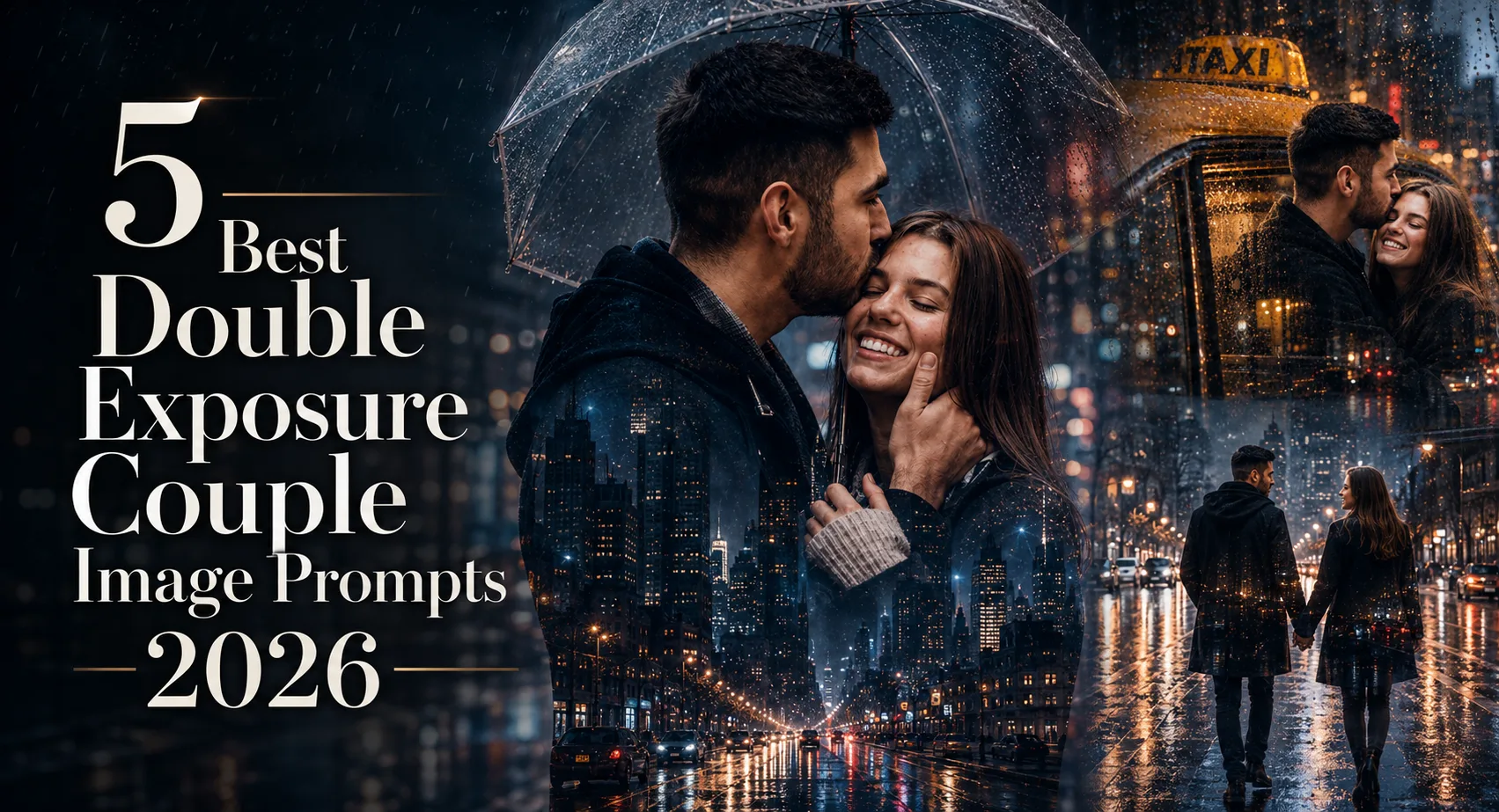
Double exposure works especially well for couple portraits because the second scene can add a memory or place without replacing the people. These double exposure couple image prompts focus on rainy city settings, from neon streets to a quiet rooftop skyline. I found that the strongest results come when the original couple stays relatively simple and the city scene carries the visual detail. A close side-profile photo is particularly useful here because the silhouette gives the model a clear area to blend the second exposure. These ideas suit anniversary posts, romantic edits, travel-themed portraits, and cinematic social photos. Use a sharp source image rather than a heavily filtered selfie, especially when you want both faces to remain recognizable.
Before you start
Start with a clear couple photo where both faces are visible and aren't heavily covered by hair, hands, or shadows. ChatGPT can handle the image edit, but the source photo still controls how reliably identity is retained. A 4:5 portrait ratio works well for most of these ideas; use 16:9 when you want more city environment. A photo taken around blue hour or after sunset usually gives the rainy lighting enough contrast to blend naturally.
Photo type: clear couple portrait, preferably side profile or three-quarter view
Tool: ChatGPT image generation/editing
Aspect ratio: 4:5 for portraits, 16:9 for wider city scenes
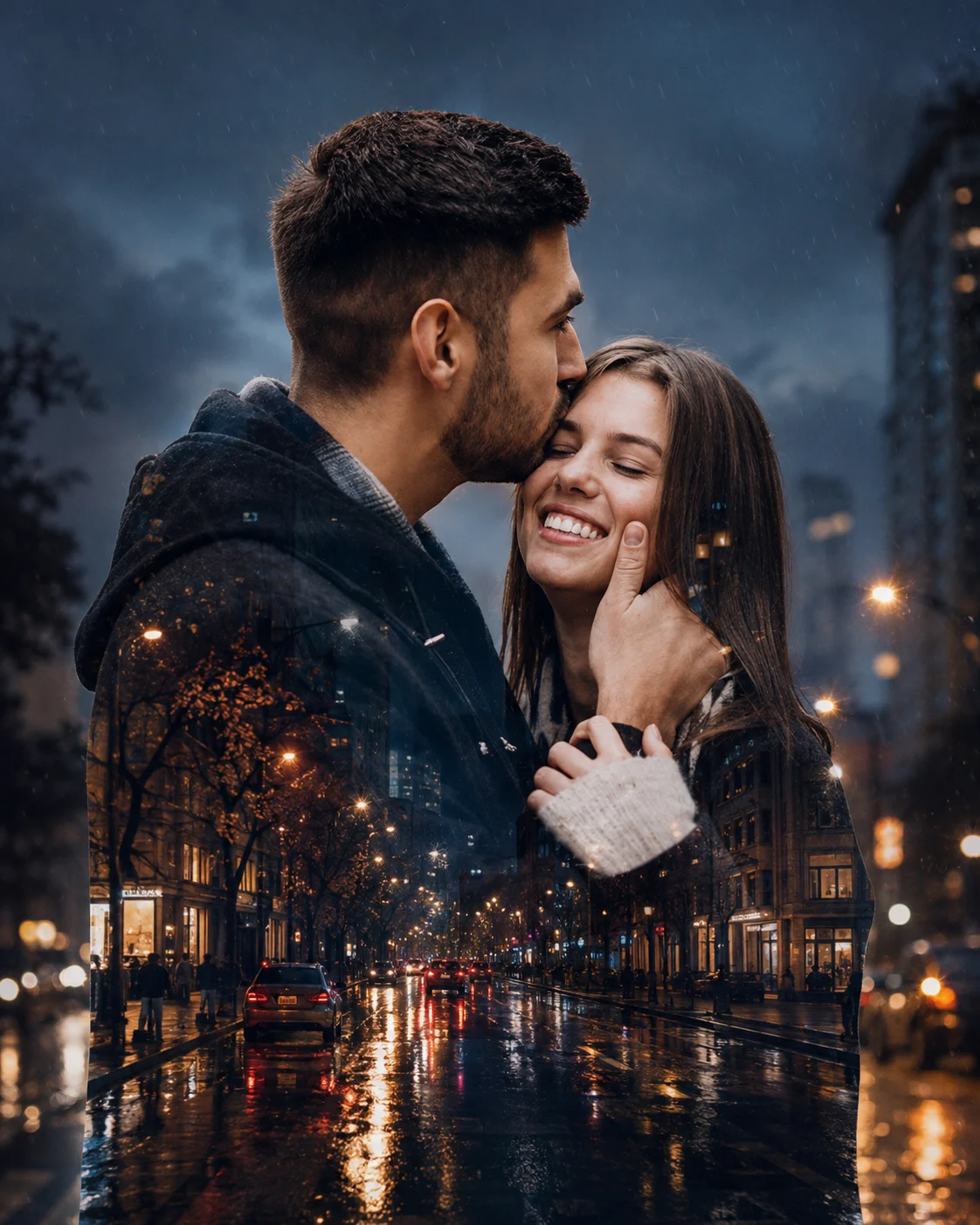
Rainy Street Embrace
This version keeps the couple close together while the silhouettes carry a wet urban street filled with streetlights and soft reflections. It suits intimate anniversary or relationship portraits because the embrace gives the image an obvious emotional center. The important detail is the blue-and-amber light balance: cool rain around the couple with warmer lamps inside the city layer prevents the exposure from becoming flat.
The Prompt
Using the uploaded photo, create a photorealistic cinematic double-exposure couple portrait based on a close rainy-street embrace. KEEP - Preserve both people exactly as they appear in the uploaded photo. Keep each person's facial structure, forehead shape, eyebrow structure, eye shape and natural eye colour, nose proportions, lips, cheeks, jawline, chin, facial proportions, and natural asymmetry unchanged. Keep both original skin tones and visible skin texture, including pores, fine lines, freckles, marks, and natural variation. Keep each person's hairline, hair density, hairstyle pattern, and facial hair exactly as visible. Keep their individual body proportions, shoulder width, neck, torso, arms, hands, fingers, legs, and natural height relationship unchanged. Do not merge or blend their identities. CHANGE - Recompose the couple into a close natural embrace, with their upper bodies forming clear recognizable silhouettes. Dress them in understated dark evening clothing with realistic cotton, wool, or matte fabric texture in charcoal, black, and deep navy. Blend a rain-soaked urban street inside and around their silhouettes, with wet asphalt, soft street reflections, distant streetlights, and subtle falling rain. SCENE - Set the scene on a city street after sunset during blue hour transitioning into night. Place blurred buildings and distant traffic behind them, with wet pavement visible beneath the composition. Keep the background strongly defocused so the couple remains the visual focus. Use restrained blue-and-amber city tones rather than a colourful neon-heavy scene. LIGHT - Place the main warm streetlight glow from the upper side and slightly behind the couple, with a cooler blue ambient fill coming from the opposite side. Keep facial highlights soft and directional, matching the rainy environment so the double exposure does not look pasted over the original faces. CAMERA - Simulate an 85mm portrait lens at f/1.8, camera positioned around chest height. Use shallow depth of field, natural perspective, controlled compression, and crisp facial detail. GRADE - Apply a cinematic film-inspired grade with cool blue shadows, restrained amber highlights, medium contrast, gentle highlight roll-off, and realistic wet-surface reflections. OUTPUT - Create a vertical 4:5 composition at 2048 × 2560 resolution, with both faces clearly recognizable and the double exposure concentrated around the surrounding silhouettes. DO-NOT - No face slimming, no skin whitening, no changed eye colour, no plastic smoothing, no altered facial proportions, no face merging, no invented jewellery or tattoos, no extra fingers, no distorted hands, and no artificial beauty retouching.
✦ Curated by MFDA
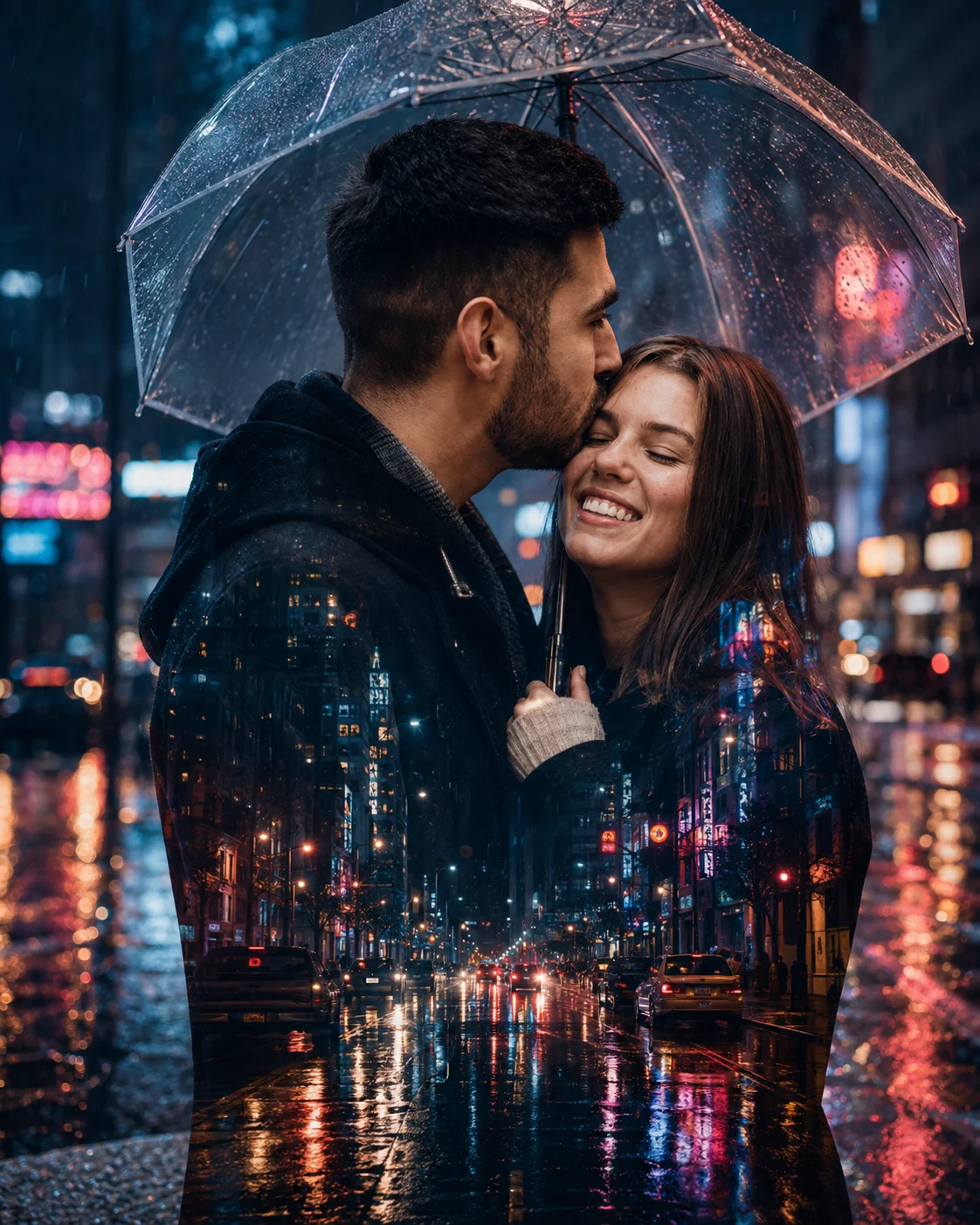
Transparent Umbrella and Neon Rain
Here the couple stands beneath a transparent umbrella while the second exposure brings in neon signs, puddles, headlights, and a busy downtown street. It works particularly well for couples who want a modern nightlife feel rather than a soft wedding aesthetic. Keep the umbrella readable; when it gets lost in the double exposure, the composition starts looking like two unrelated photos layered together.
The Prompt
Using the uploaded photo, create a photorealistic cinematic double-exposure couple portrait of the same two people standing close together beneath a transparent umbrella on a rainy downtown street. KEEP - Preserve both people's exact identities from the uploaded photo. Keep each person's forehead, eyebrows, eye shape and natural eye colour, nose, lips, cheeks, jawline, chin, facial proportions, and natural asymmetry unchanged. Preserve both original skin tones and real skin texture, including pores, fine lines, freckles, marks, and natural tonal variation. Keep each person's hairline, hair density, hairstyle pattern, and facial hair exactly as shown. Preserve their individual body proportions, shoulder width, neck, torso, arms, hands, fingers, legs, and natural height relationship. Do not merge their faces or make either person look like a different model. CHANGE - Place the couple in a close standing pose beneath one clear transparent umbrella. Dress them in modern dark evening clothing using matte black cotton, charcoal wool, or deep navy fabric. Build a double exposure containing blurred neon signs, rain-covered pavement, shallow puddles, passing headlights, and soft city reflections. Keep the umbrella clearly visible as a physical object rather than blending it completely into the background. SCENE - Set the scene on a busy downtown street after sunset during blue hour and early night. Place distant storefronts, traffic, and neon signage behind the couple. Keep the city background heavily blurred with circular light bokeh while the umbrella edge and both faces remain sharp. Wet pavement should show elongated reflections beneath them. LIGHT - Use cool blue ambient light from the front and side, balanced by warm amber and magenta neon coming from behind and slightly to one side. Keep facial illumination soft and directional, with realistic reflections on the umbrella and damp clothing. CAMERA - Simulate a 50mm lens at f/1.8, camera positioned at chest height. Use natural perspective, moderate compression, shallow depth of field, and sharp facial detail. GRADE - Apply a cinematic night grade with deep blue shadows, restrained magenta highlights, warm amber accents, medium contrast, and soft film-like highlight roll-off. OUTPUT - Create a vertical 4:5 composition at 2048 × 2560 resolution, keeping the couple, umbrella, and main reflections clearly readable. DO-NOT - No face slimming, no skin whitening, no changed eye colour, no plastic smoothing, no altered facial proportions, no face merging, no invented jewellery or tattoos, no extra fingers, no distorted hands, and no opaque umbrella.
✦ Curated by MFDA
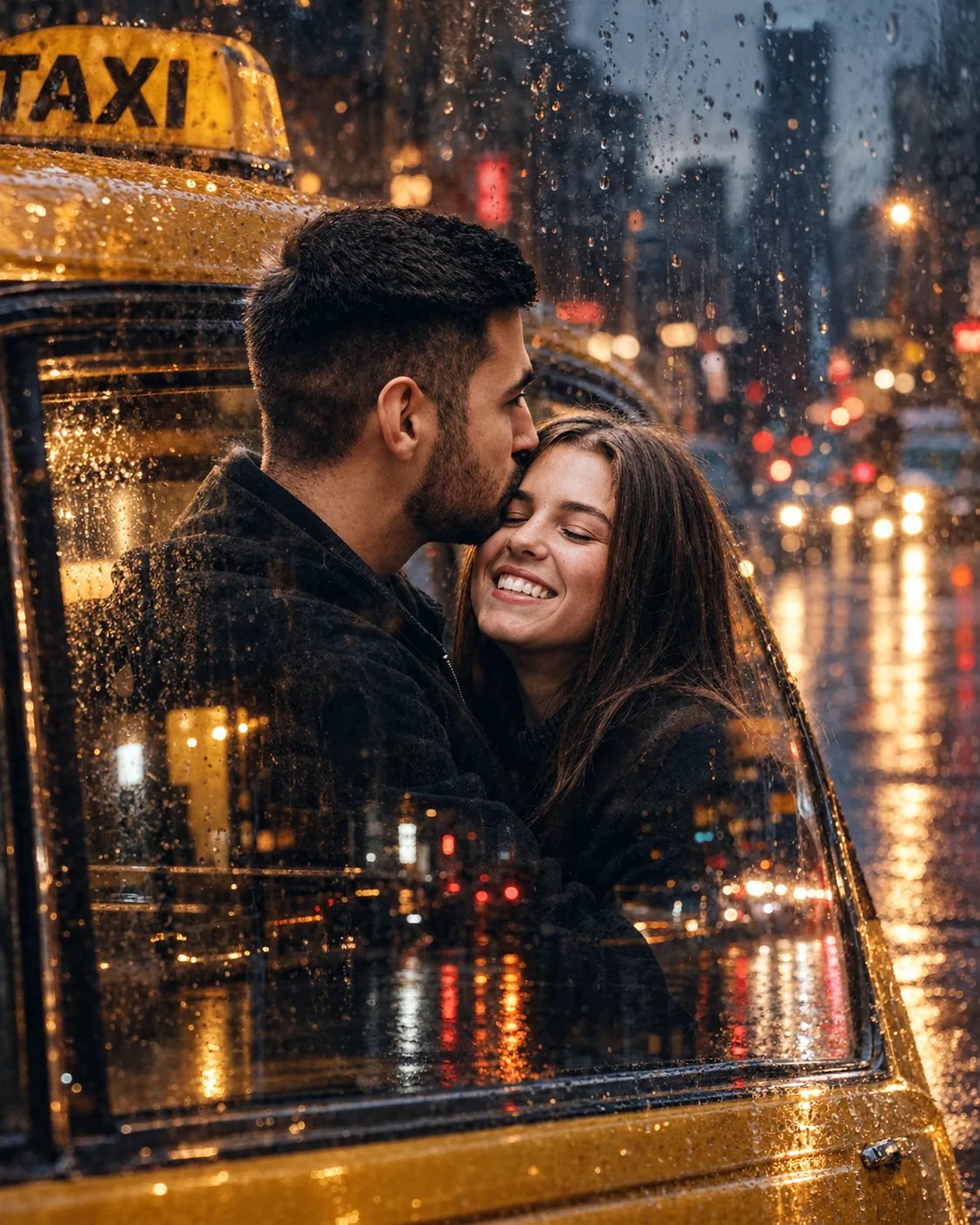
Vintage Taxi Through a Rainy Window
A vintage yellow taxi adds a different visual story to the same rainy setting. The couple remains the emotional subject while the taxi, wet glass, and blurred lights create a nostalgic travel-memory effect. This look is especially flattering with a close portrait crop and dark clothing because the darker silhouette gives the yellow vehicle and city highlights room to show through.
The Prompt
Using the uploaded photo, create a photorealistic cinematic double-exposure couple portrait with a nostalgic rainy-city travel mood, blending the couple with a vintage yellow taxi seen through rain-covered glass. KEEP - Preserve both people's exact identities from the uploaded photo. Keep each person's forehead, eyebrow structure, eye shape and natural eye colour, nose proportions, lips, cheeks, jawline, chin, facial proportions, and natural facial asymmetry unchanged. Preserve both original skin tones and realistic skin texture, including pores, fine lines, freckles, marks, and natural tonal variation. Keep each person's hairline, hair density, hairstyle pattern, and facial hair exactly as visible. Preserve their individual body proportions, shoulders, necks, torsos, arms, hands, fingers, and natural height relationship. Keep their separate identities distinct and recognizable throughout the double exposure. CHANGE - Create a close intimate couple composition with both people positioned naturally together, using dark charcoal, black, or deep navy clothing made from matte cotton, wool, or soft denim. Blend a classic vintage yellow taxi into the surrounding silhouettes and rainy glass layer. Add subtle chrome trim, dark window frames, wet glass droplets, and blurred city lights without allowing these elements to cover either face. SCENE - Place the couple beside or inside a vintage yellow taxi on a city street after sunset. Use a rain-covered window as a translucent visual layer, with distant storefronts, traffic lights, and wet pavement behind it. Keep the city strongly blurred while the couple's faces and the main taxi details remain readable. The taxi should feel like part of the same rainy environment rather than a separate pasted object. LIGHT - Use soft cool blue ambient light from the rainy street with a warm amber glow entering from the taxi side and nearby streetlights. Keep highlights gentle across the faces and allow small warm reflections to appear naturally on the wet glass and clothing. CAMERA - Simulate an 85mm lens at f/1.8, camera positioned slightly above chest height. Use compressed portrait perspective, shallow depth of field, crisp facial detail, and smooth background bokeh. GRADE - Apply a muted cinematic film grade with warm yellow highlights, cool blue-grey shadows, medium-low saturation, gentle contrast, and soft highlight roll-off for a nostalgic analogue feel. OUTPUT - Create a vertical 4:5 composition at 2048 × 2560 resolution, keeping both faces prominent and the yellow taxi clearly identifiable without overpowering the couple. DO-NOT - No face slimming, no skin whitening, no changed eye colour, no plastic smoothing, no altered facial proportions, no face merging, no invented jewellery or tattoos, no extra fingers, no distorted hands, and no excessive taxi detail covering the faces.
✦ Curated by MFDA
Rooftop Skyline in the Rain
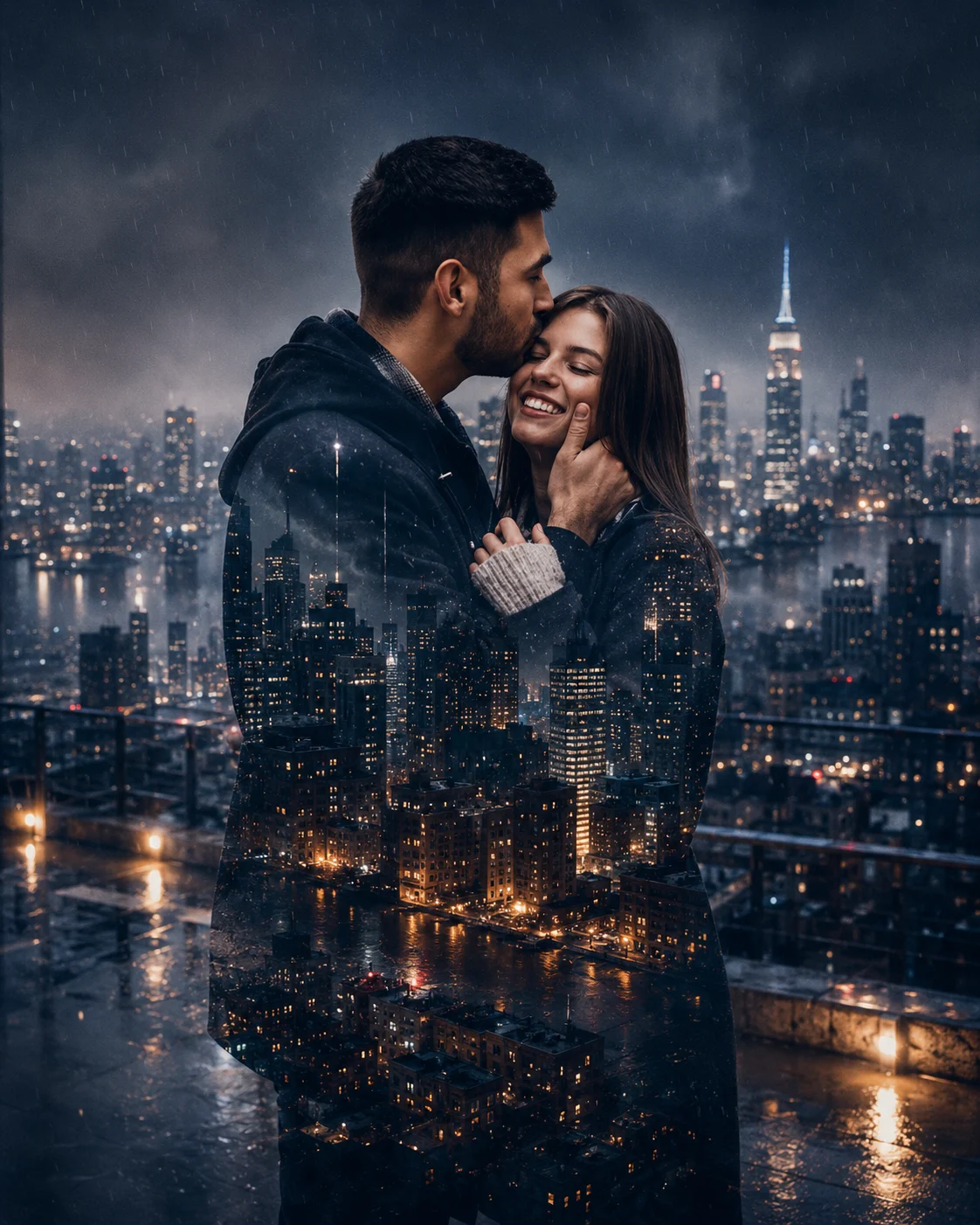
Instead of street-level movement, this version places the couple against a high rooftop setting, with their silhouettes carrying a rainy skyline, glowing windows, mist, and distant buildings. It gives you more breathing room and works well for editorial-style couple portraits. A 16:9 composition is useful here because the skyline needs horizontal space; a tight square crop can remove too much of the city.
The Prompt
Using the uploaded photo, create a photorealistic cinematic double-exposure couple portrait on a high rooftop overlooking a rainy city skyline. KEEP - Preserve both people exactly as they appear in the uploaded photo. Keep each person's forehead, eyebrow structure, eye shape and natural eye colour, nose proportions, lips, cheeks, jawline, chin, facial proportions, and natural asymmetry unchanged. Preserve both original skin tones and realistic skin texture, including pores, fine lines, freckles, marks, and natural tonal variation. Keep each person's hairline, hair density, hairstyle pattern, and facial hair exactly as visible. Preserve individual body proportions, shoulder width, neck, torso, arms, hands, fingers, legs, and natural height relationship. Keep their identities separate and recognizable. Do not merge their facial features or replace either person with a generic model. CHANGE - Place the couple standing close together on a rooftop, using a relaxed intimate pose with their bodies naturally angled toward one another. Dress them in dark charcoal, black, or deep navy clothing made from wool, cotton, or matte linen. Blend a rainy city skyline through the surrounding silhouettes, including distant high-rise buildings, glowing windows, soft mist, rain streaks, and subtle reflections. Keep the skyline secondary to the couple. SCENE - Set the scene after sunset during blue hour transitioning into night. Position the couple near a rooftop edge with a wide urban skyline behind them. Make distant buildings and windows softly blurred while retaining enough structure to show the city's depth. Add fine atmospheric rain and mist rather than heavy foreground rain. LIGHT - Use cool blue ambient light from the open skyline, with warm window light rising from the buildings behind and slightly below the couple. Keep facial light soft and directional, with gentle highlights on the side facing the city glow. Match the reflections and shadows to the same rooftop light sources. CAMERA - Simulate a 50mm lens at f/2.0, camera positioned at chest height. Use moderate perspective, shallow-to-medium depth of field, realistic facial detail, and enough horizontal space for the skyline. GRADE - Apply a muted cinematic film grade with cool blue-grey shadows, restrained amber window highlights, medium contrast, subtle grain, and smooth highlight roll-off. OUTPUT - Create a vertical 4:5 composition at 2048 × 2560 resolution. Keep both faces clear and recognizable while giving the skyline enough horizontal space to remain an important part of the double exposure. DO-NOT - No face slimming, no skin whitening, no changed eye colour, no plastic smoothing, no altered facial proportions, no face merging, no invented jewellery or tattoos, no extra fingers, no distorted hands, and no artificial beauty retouching.
✦ Curated by MFDA
Walking Together Through the Rain
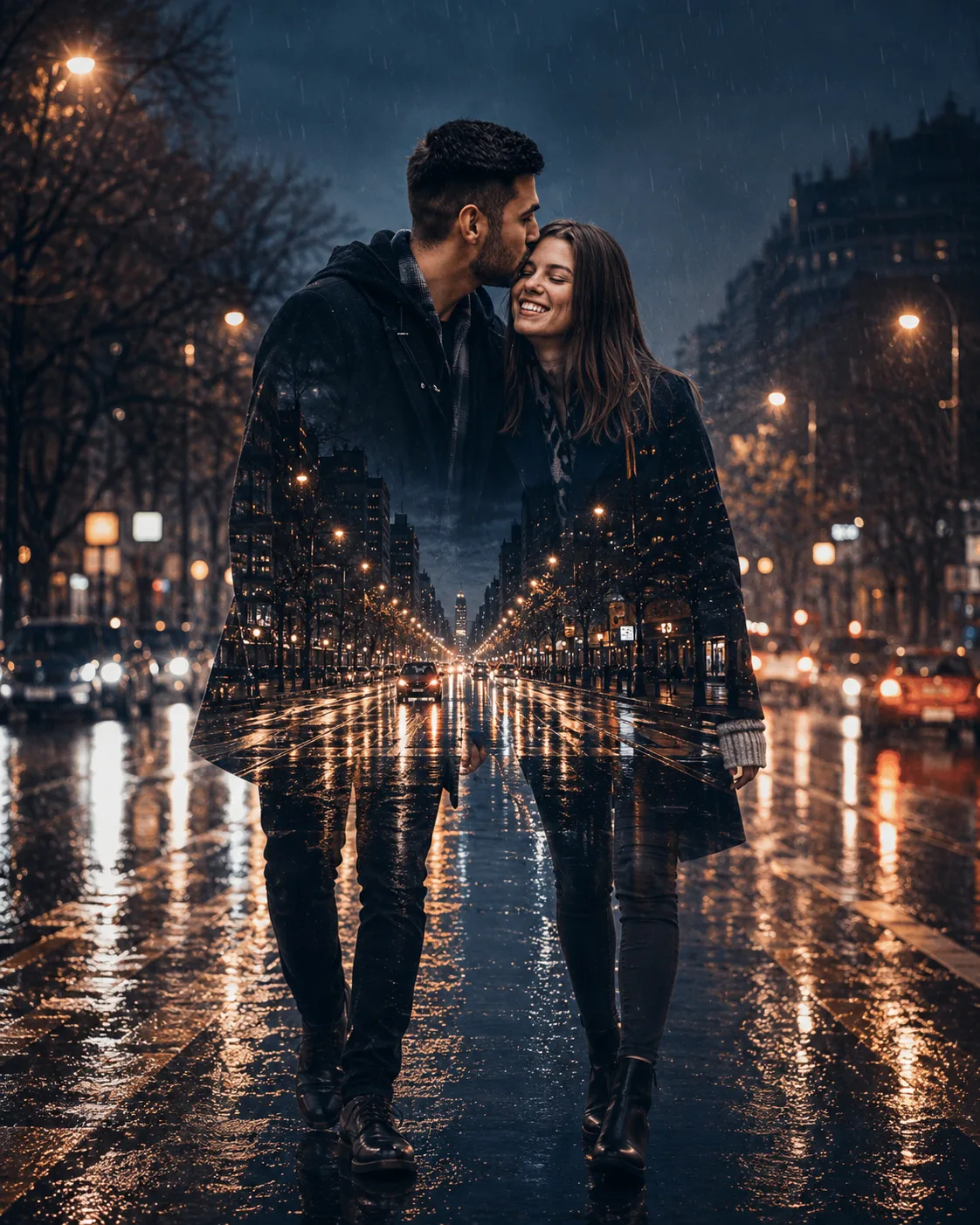
This is the most natural-looking option of the five. The couple walks hand in hand while the silhouettes reveal a long city avenue, falling rain, street lamps, and headlights. It suits candid relationship photos because the pose doesn't depend on a perfectly staged embrace. Leave enough space around their legs and hands in the source image so the walking silhouette doesn't become crowded.
The Prompt
Using the uploaded photo, create a photorealistic cinematic double-exposure couple portrait of the same two people walking hand in hand through a rainy city avenue. KEEP - Preserve both people's exact facial identities from the uploaded photo. Keep each person's forehead shape, eyebrow structure, eye shape and natural eye colour, nose proportions, lips, cheeks, jawline, chin, facial proportions, and natural facial asymmetry unchanged. Preserve both original skin tones and visible texture, including pores, fine lines, freckles, marks, and natural tonal variation. Keep each person's hairline, hair density, hairstyle pattern, and facial hair exactly as shown. Preserve individual body proportions, shoulder width, neck, torso, arms, hands, fingers, legs, build, and natural height relationship. Keep their identities separate and recognizable without blending or replacing either face. CHANGE - Place the couple in a relaxed walking pose, holding hands naturally as they move forward along a long urban avenue. Dress them in dark charcoal, black, or deep navy cotton, wool, or matte linen clothing with realistic wet fabric response. Blend the rainy avenue through their surrounding silhouettes, including falling rain, street lamps, distant headlights, wet asphalt, and elongated reflections. SCENE - Set the image after sunset during blue hour transitioning into night. Use a long city avenue that recedes into the distance behind the couple. Keep street lamps and headlights softly blurred, while wet pavement carries narrow reflected streaks of amber and white light. Leave visible space around their hands and legs so the walking action remains readable. LIGHT - Use cool blue ambient light from the rainy street, with warm amber street lamps and headlights positioned behind and slightly to the side. Add soft directional fill to their faces from the same street sources so their skin does not look pasted onto the double exposure. CAMERA - Simulate a 50mm lens at f/2.0, camera at waist-to-chest height, with moderate perspective and shallow-to-medium depth of field. Keep enough vertical framing to show the hand connection and walking legs. GRADE - Apply a restrained cinematic night grade with cool blue-grey shadows, warm amber highlights, medium contrast, subtle grain, and smooth highlight roll-off. OUTPUT - Create a vertical 4:5 composition at 2048 × 2560 resolution. DO-NOT - No face slimming, no skin whitening, no changed eye colour, no plastic smoothing, no altered body proportions, no face merging, no invented jewellery or tattoos, no extra fingers, and no distorted hands.
✦ Curated by MFDA
How to use these in ChatGPT
Open ChatGPT and start a new image-generation conversation.
Upload a clear photo of the couple. Use the original image rather than a screenshot of a compressed social-media post.
Tell ChatGPT to preserve both people's facial identity, skin texture, hair, body proportions, and natural asymmetry.
Add the selected prompt card after the image is uploaded.
Check the first result at the face and hands before judging the overall effect. Double exposure can look convincing while still changing small identity details.
If the first result is wrong, ask for a revision that keeps the original people and changes only the failed area—for example, restore the faces or hands while keeping the rainy city composition.
Getting better results
Use a side-profile or three-quarter source for the first prompt, because a clean facial outline gives the second exposure a more controlled silhouette.
Choose darker or mid-tone clothing, because black cotton, navy denim, or a dark jacket gives the city lights enough contrast to remain visible.
Try 4:5 for close romantic portraits, since it keeps both faces prominent without giving the model too much empty background to invent.
Use blue-hour or night source lighting, because the rainy city layer looks more believable when the original photo doesn't have harsh midday sunlight.
Keep the umbrella transparent rather than opaque, because visible rain and neon can then pass through it without hiding the couple completely.
Use a 16:9 ratio for the rooftop idea, because the skyline needs width and the extra space helps preserve the sense of height.
Don't overdescribe the city, because too many buildings, signs, cars, and reflections can compete with the couple and make the double exposure muddy.
When the result comes out wrong
What went wrong | Why it happens | What to change |
|---|---|---|
Faces look like different people | The model prioritizes the dramatic city exposure over the source identity | Ask it to restore both original faces and facial proportions before changing anything else |
Skin looks plastic or overly smooth | Cinematic portrait styling often adds artificial beauty retouching | Request original skin texture, pores, fine lines, natural marks, and realistic tonal variation |
Hands or fingers look wrong | Walking and umbrella poses create overlapping limbs that are harder to interpret | Use a source photo with visible hands and ask for anatomically correct hands while preserving the pose |
Rainy lighting looks pasted on | The original photo and city layer have different light directions | Match the light direction, shadow softness, reflections, and colour temperature between both layers |
Double exposure becomes too busy | Too many city details compete with the couple's silhouette | Reduce signs, vehicles, and background objects while keeping only the main lights and reflections |
One person's face blends into the background | The exposure is being applied too strongly over facial areas | Tell ChatGPT to keep both faces clean and recognizable, using the double exposure mainly inside the surrounding silhouette |
FAQ
Do these prompts work with any couple photo?
They can work with many couple photos, but results vary with the source. A clear photo with both faces visible is much easier to edit than a low-resolution selfie, side-lit snapshot, or image where one person is partly hidden. For the walking concept, a full or three-quarter body photo gives the model more useful pose information.
Why does ChatGPT change the couple's faces?
Double exposure asks the model to combine two visual layers, so it may reinterpret facial areas while constructing the silhouette. This becomes more noticeable when the source image is small or heavily filtered. Explicitly preserving facial structure, natural asymmetry, skin texture, and individual identity helps reduce that drift.
Can I use these AI couple images commercially?
That depends on the image tool's current terms, your source material, and how you plan to use the finished image. Check ChatGPT/OpenAI's applicable terms and any third-party assets or trademarks visible in the result before using an image for paid advertising, merchandise, or client work. Don't assume every generated image has identical commercial rights.
Is ChatGPT free for making these images?
ChatGPT has different access and usage limits depending on the account and current product offering. Image-generation availability can also change. If image creation isn't available on your account, the same visual concepts can still be adapted to another image generator that accepts uploaded photos and text instructions.
How do I get a different variation without changing the couple?
Ask for a variation while explicitly keeping both people's identity, pose, clothing, and facial structure unchanged. Then change only one visual variable, such as the city, lighting, camera crop, or weather. Changing five things at once makes it harder to tell which instruction caused an unwanted face or pose change.
Which source photo is best for a rainy double exposure?
A sharp portrait with natural lighting and visible facial features is the safest starting point. Side-profile images are especially useful when you want the city to appear inside a recognizable silhouette. Avoid photos with strong beauty filters, motion blur, or faces hidden behind sunglasses if identity preservation is the priority.
Closing
Start with Rainy Street Embrace if you want the cleanest introduction to the effect. Once that works, try the neon umbrella or vintage taxi version for a stronger visual story. Keep the source photo sharp, check the faces before approving the final image, and change one visual element at a time when refining the result.
Tags
About the Author
Naziya
Creative AI writer at MFDA, sharing trendy photo-editing prompts and fresh ideas for beautiful, stylish AI images.