5 Best Couple Romantic Prompts for Gemini 2026
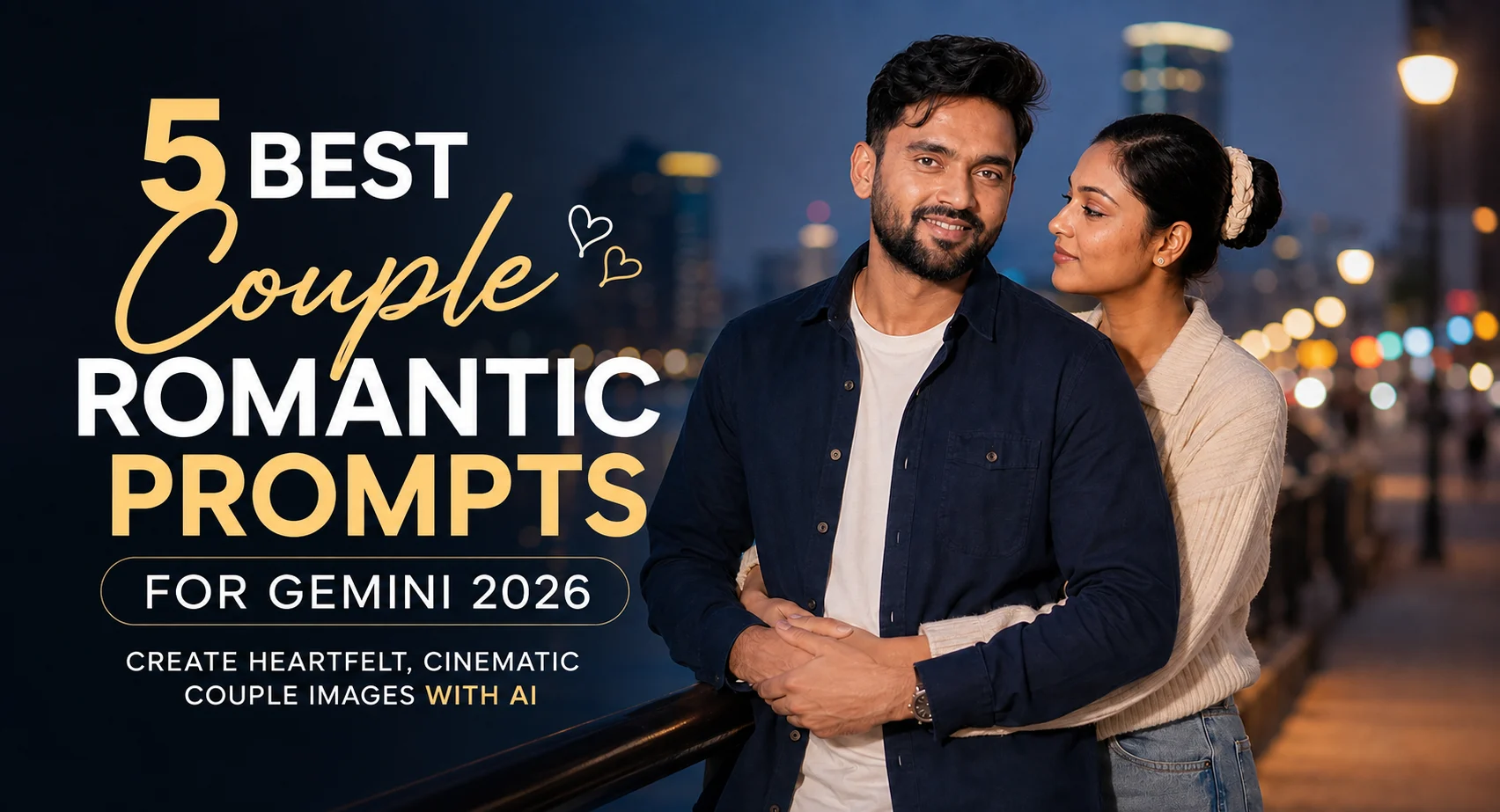
If you want a romantic couple photo that still looks like the two of you, the reference photos matter as much as the wording. These best couple romantic prompts for Gemini cover five very different situations: a café date, night walk, beach sunset, Indian street scene and back hug. The café setup is particularly useful because the large window gives Gemini clear lighting and positioning cues instead of leaving the background vague. You get prompts designed around natural expressions, recognizable faces and believable photography rather than an overly polished AI look.
Before you start
Use two clear reference photos if you have them—ideally recent images where both faces are unobstructed. Avoid sunglasses, heavy filters and extreme side profiles. Gemini works better when facial features are easy to identify.
Tool: Google Gemini with image generation/editing enabled
Photo: clear, well-lit face and upper-body reference images
Aspect ratio: 4:5 for portraits or 9:16 for full-body social posts
Best source: original camera photos rather than compressed screenshots
Cozy Café Window Date
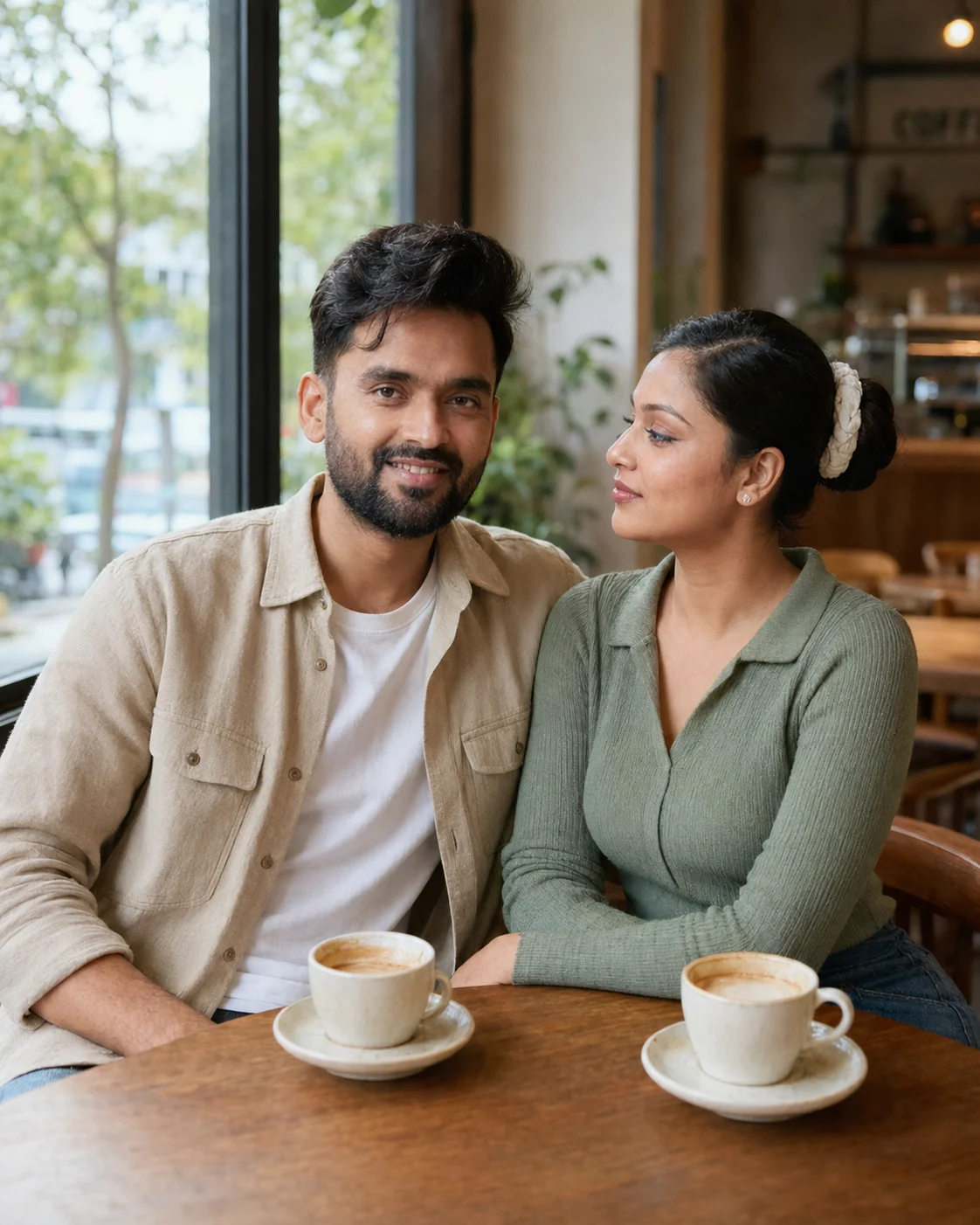
This version gives you a relaxed couple portrait rather than a staged studio image. It suits everyday outfits and works especially well when both people have clear reference photos. The large café window is the important detail: it gives Gemini a believable light source and helps the two faces sit naturally within the same scene.
The Prompt
Using the uploaded photo, create a relaxed photorealistic couple portrait during a quiet café window date. KEEP — Preserve each person’s exact face structure, eye shape and natural eye colour, skin tone and visible skin texture, hairline, facial hair where present, and natural body proportions from the uploaded photos. Keep distinctive facial details such as the nose shape, lips, jaw structure, eyebrows, freckles, beard pattern, and natural asymmetry. Do not merge or swap facial features between the two people. Keep each person recognisable as themselves. CHANGE — Place both people together at a small café table beside a large window. Dress them in relaxed everyday outfits: one person in a soft beige cotton overshirt over a plain white T-shirt, the other in a muted sage-green knit top with natural fabric texture. Use a warm wooden café table, ceramic coffee cups, and simple neutral furnishings. Change the pose to a natural seated position with their bodies angled slightly toward each other, relaxed shoulders, and an understated affectionate expression rather than a staged smile. Replace the original background, lighting, and colour treatment with a warm café setting. SCENE — Set the scene in a quiet modern café in the late afternoon. A large window sits directly beside the couple, with soft outdoor greenery and indistinct street shapes visible beyond the glass. Keep the café interior behind them softly blurred, with enough detail to show tables, chairs, and warm neutral décor without competing with their faces. LIGHT — Use natural window light coming from the side and slightly forward of the couple, with soft illumination across both faces. Keep shadows gentle and realistic. Use a warm-neutral daylight balance around 4800–5200K so skin remains natural while the café feels cozy. CAMERA — Photograph at 50mm, f/2.0, camera positioned at seated eye level around chest height relative to the couple. Use medium framing from approximately the waist upward, with realistic perspective and mild background compression. GRADE — Apply a warm, restrained lifestyle-photography grade with natural skin tones, moderate contrast, slightly lifted shadows, muted highlights, and subtle warmth in the wooden and café tones. Avoid orange skin or excessive cinematic effects. OUTPUT — Create a vertical 4:5 image at 2048 × 2560 resolution with clean facial detail and realistic fabric texture. DO-NOT — No face slimming, no skin whitening, no changed eye colour, no plastic smoothing, no invented jewellery or tattoos.
✦ Curated by MFDA
Cinematic Hand-in-Hand Night Walk
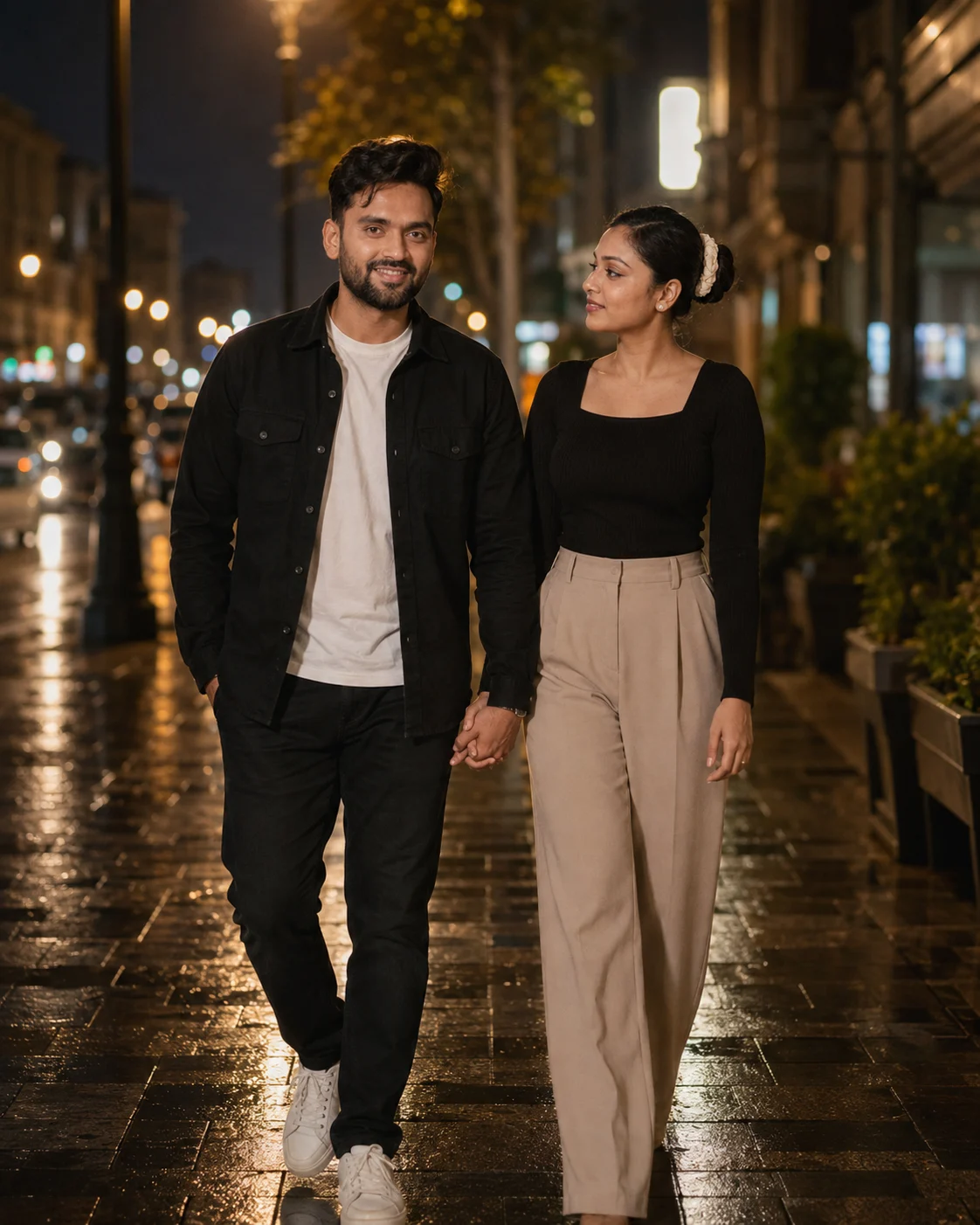
For a more dramatic result, this setup puts the couple in motion instead of simply posing together. The 50mm photography direction keeps the scene feeling like a real camera shot, while street lamps and pavement reflections add depth. It’s a strong choice for evening outfits, although glasses can sometimes become inconsistent between the reference and generated image.
The Prompt
Using the uploaded photo, create a photorealistic cinematic evening portrait of the same person walking hand-in-hand with [PARTNER OR SECOND PERSON] through a softly lit city street. KEEP — Keep the uploaded person's exact face structure, eye shape and eye colour, natural skin tone and visible skin texture, hairline, facial hair if present, and natural body proportions. Preserve distinctive facial details such as the nose shape, lips, jaw structure, eyebrows, and natural asymmetry. Keep the person's real age appearance and recognizable identity unchanged. CHANGE — Change the wardrobe to [EVENING OUTFIT], using realistic fabrics such as cotton, denim, wool, leather, or satin as appropriate. Use [OUTFIT COLOUR] as the main clothing colour. Change the pose to a natural walking position with one hand clearly linked with the partner's hand, rather than a static standing pose. Place the pair on a reflective [CITY STREET OR WALKWAY] after dark. Use warm street-lamp illumination, controlled shadows, and a subtle cinematic colour grade. SCENE — Set the scene during [TIME, SUCH AS 8:30 PM], with street lamps receding into the background and damp pavement catching small reflections. Keep the surroundings naturally blurred behind the subjects, with enough visible street detail to establish a real evening location without distracting from the faces. LIGHT — Light the faces primarily from the side and slightly above using warm street-lamp illumination around 3200K–3800K. Keep a softer ambient fill from the surrounding street so the shadow side of the face retains real skin detail instead of becoming black. CAMERA — Use a 50mm full-frame lens at f/1.8, camera positioned around chest height, with natural perspective and moderate background compression. Frame both people from approximately mid-thigh upward while keeping the joined hands visible. GRADE — Use warm highlights, neutral skin tones, slightly cool blue-black shadows, restrained contrast, and subtle film-like grain without crushing facial detail. OUTPUT — Create a vertical 4:5 image at [2048 × 2560] resolution with realistic photographic detail. DO NOT — no face slimming, no skin whitening, no changed eye colour, no plastic smoothing, no invented jewellery or tattoos, and no altered facial identity.
✦ Curated by MFDA
Barefoot Beach Sunset Portrait
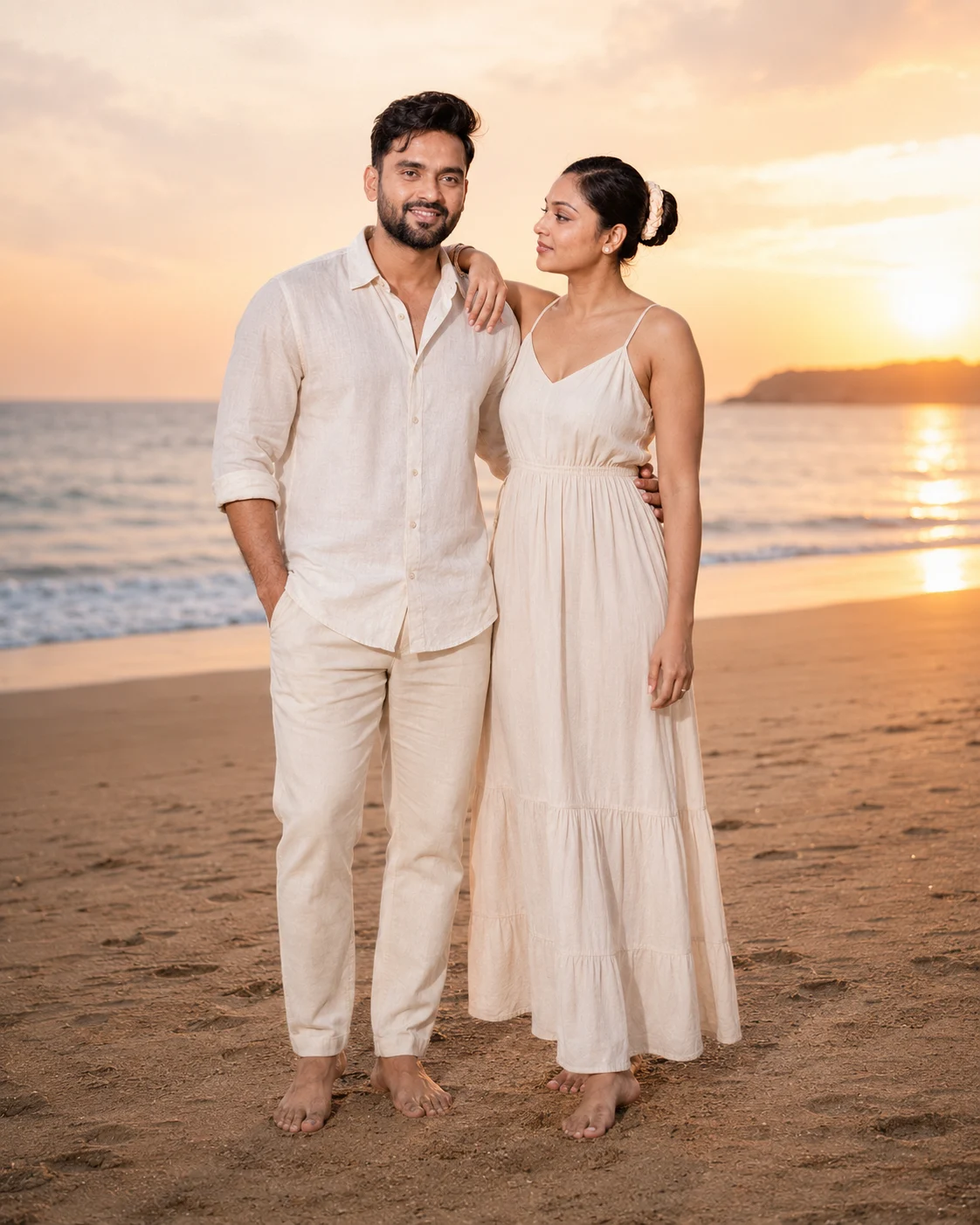
The shoreline gives this image a softer, more romantic mood without needing an elaborate pose. It works particularly well when the reference photos show the couple’s full body because Gemini has more information about proportions. The sunset rim light is the key element; keeping the couple facing the horizon makes the pose feel less artificial.
The Prompt
Using the uploaded photo, create a photorealistic full-body beach portrait of the same couple, keeping their real identity while placing them in a warm sunset shoreline scene. KEEP - Keep each person’s exact face structure, facial proportions, eye shape and natural eye colour, skin tone and visible skin texture. Keep the hairline, natural hairstyle characteristics, facial hair where present, body proportions, height relationship, and overall build from the uploaded photo. Keep recognizable facial details such as the jaw shape, nose structure, lips, brows, and natural asymmetry. Do not replace either person with a generic model. CHANGE - Change the setting to a quiet sandy beach at sunset. Dress the couple in [lightweight neutral beach outfits] using breathable cotton and linen fabrics in [cream, beige, white, or muted pastel colours]. Remove footwear so both people are barefoot on the sand. Use a relaxed standing pose with the couple close together, naturally oriented toward the horizon rather than facing the camera rigidly. Add warm low-angle sunlight, a subtle golden rim around their hair and shoulders, and a soft warm colour grade. SCENE - Place the couple on open beach sand during the final 20–30 minutes before sunset. The ocean should sit behind them with a low, calm horizon, while distant shoreline details remain softly blurred. Keep enough sand in the foreground to show both bare feet clearly. Avoid crowded beaches, buildings, umbrellas, or distracting objects. LIGHT - Light the faces primarily from the low setting sun positioned slightly behind and to one side of the couple. Add gentle reflected daylight from the sand and sky toward the front of their faces so their features remain naturally visible instead of becoming dark silhouettes. Use warm late-day light around 3500–4500K. CAMERA - Shoot at 50mm, f/2.8, with the camera at chest height and enough distance for full-body framing. Keep both faces and feet sharp enough to preserve identity while allowing the ocean and distant shoreline to fall into gentle background blur. GRADE - Use warm golden highlights, natural skin tones, moderate contrast, soft shadow detail, and restrained saturation. Keep the result photographic rather than heavily orange or artificially cinematic. OUTPUT - Create a vertical 4:5 image at 2048 × 2560 pixels, with both people fully visible from head to bare feet. DO-NOT - No face slimming, no skin whitening, no changed eye colour, no plastic smoothing, no invented jewellery or tattoos, no altered body proportions, no extra fingers or limbs.
✦ Curated by MFDA
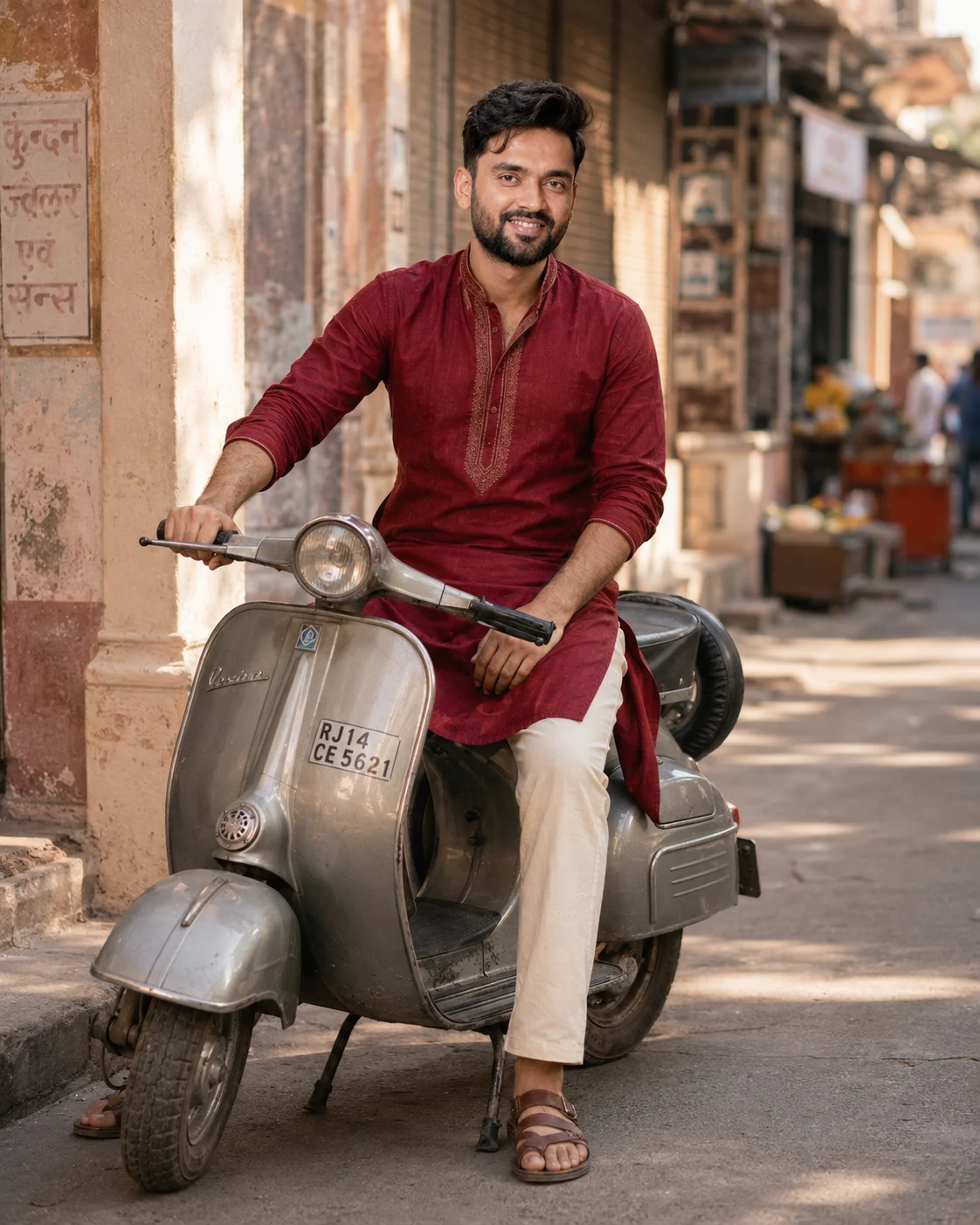
Classic Scooter on an Indian Street
This one has more visual character than a generic outdoor couple portrait. The scooter, traditional outfit and Indian street setting give Gemini several concrete objects to work with. Morning sunlight is a useful choice here because it creates softer shadows than harsh midday light. Keep the reference images free from heavy beauty filters for better facial consistency.
The Prompt
Using the uploaded photo, create a photorealistic portrait of the same person seated naturally on a classic vintage scooter on an Indian street in soft morning light. KEEP — Keep the face structure exactly as shown in the uploaded photo, including jawline, cheek shape, chin, nose proportions, eye shape and eye colour. Keep the real skin tone, natural skin texture, facial marks, hairline, hair density, and any existing facial hair unchanged. Keep the person's body proportions, height impression, shoulder width, hand size, and overall physical build consistent with the reference. The person must remain recognisably the same individual rather than a beautified or idealised version. CHANGE — Change only the styling and scene: dress the person in a [traditional outfit] made from [cotton/silk fabric], using [deep maroon and cream] as the main colours, with realistic fabric folds and stitching. Place them in a relaxed seated pose on a [classic vintage scooter], with one hand naturally resting on the handlebar and the other positioned comfortably. Change the background to a lived-in Indian street with old shopfronts, muted walls, small roadside details, and subtle street activity. Use warm directional morning sunlight, a natural warm colour grade, and gentle contrast. SCENE — Set the scene during early morning, around 8:00 AM, with sunlight entering from the front-left side. Keep the scooter clearly visible while the distant buildings and street details fall into a moderate background blur. The environment should feel photographic and naturally occupied, not like a studio set. LIGHT — Use soft golden morning daylight from the front-left, with mild shadow shaping across the face and body. Keep the opposite side slightly darker but still detailed so the face belongs naturally in the scene. CAMERA — Shoot at 85mm, f/2.0, from approximately chest height, using eye-level perspective and moderate telephoto compression. Frame the person and most of the scooter vertically without distorting facial proportions. GRADE — Use warm natural skin tones, slightly muted background colours, gentle contrast, preserved highlight detail, and a subtle cinematic film-like finish without heavy filters. OUTPUT — Create a vertical 4:5 image at 2048 × 2560 resolution with realistic photographic detail. DO NOT change the face shape, slim the face, whiten the skin, change the eye colour, alter the hairline, reshape the body, add plastic skin smoothing, invent jewellery, add tattoos, or introduce facial features not present in the uploaded photo.
✦ Curated by MFDA
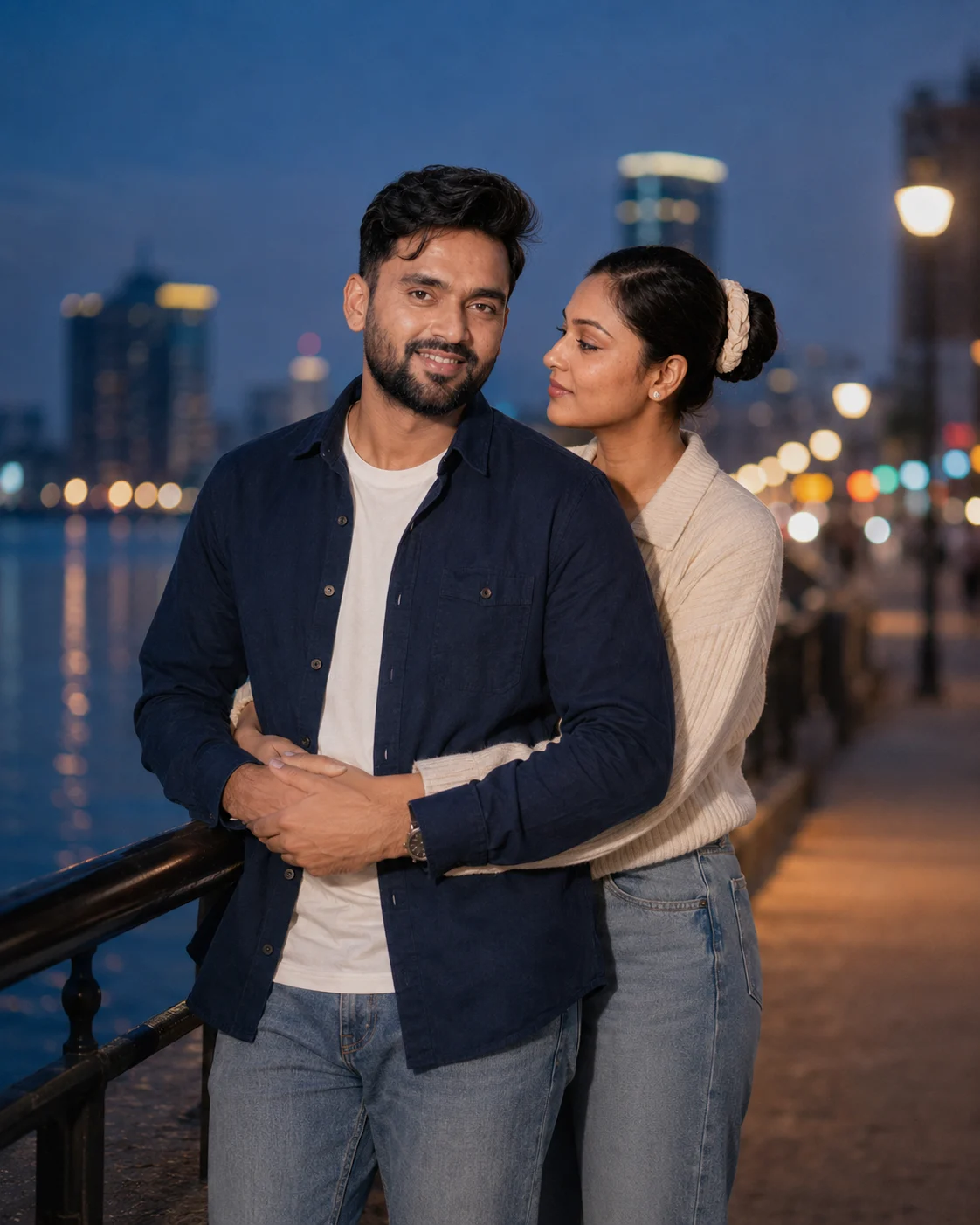
Soft Blue-Hour Back Hug
A back hug can easily look stiff if the hands or arms aren't described carefully, so this setup gives the pose a clear physical relationship. Blue hour also avoids the overly bright look common in AI-generated romantic portraits. The distant city lights provide separation behind the couple, while the shallow depth of field keeps attention on their faces.
The Prompt
Using the uploaded photo, create a realistic blue-hour couple portrait where the uploaded person is naturally embraced from behind by [partner description], with a relaxed romantic mood. KEEP — Keep the uploaded person's exact face structure, eye shape and eye colour, natural skin tone and visible skin texture, hairline, facial hair if present, and body proportions. Keep the person's recognizable facial features, natural asymmetry, nose shape, lips, jaw structure, cheek structure, and apparent age unchanged. Keep their identity clearly traceable to the uploaded photo. CHANGE — Change the wardrobe to [uploaded person's outfit], using clearly defined fabrics such as soft cotton, fine knit, denim, satin, or wool as appropriate. Use [outfit colour] without changing the person's skin tone. Change the pose so the partner stands directly behind them in a genuine back hug, with the partner's arms wrapping naturally around the waist or upper torso. Keep hands anatomically correct, with relaxed fingers and realistic contact against the clothing. Change the setting to an outdoor city location at blue hour, with distant warm lights behind the couple. SCENE — Place the couple on a quiet [city street / rooftop / riverside walkway] shortly after sunset. The sky should retain a deep blue tone while distant buildings, street lamps, and windows create small warm points of light. Keep the immediate background softly blurred so the couple remains the visual focus. LIGHT — Use soft ambient blue-hour light coming from the front-left of the uploaded person's face, with gentle warm spill from distant street lighting on the opposite side. Keep shadows soft and directional so the face looks naturally present in the scene rather than composited. CAMERA — Shoot at 85mm, f/1.8, camera positioned at chest height, with moderate compression and shallow depth of field. Frame from approximately mid-thigh upward, keeping both faces and the back-hug contact clearly visible. GRADE — Use a cool blue-hour colour grade with restrained contrast, natural skin tones, slightly warm practical lights, and subtle cinematic depth without heavy teal-orange processing. OUTPUT — Create a vertical 4:5 image at 2048 × 2560 resolution with realistic photographic detail. DO-NOT — no face slimming, no skin whitening, no changed eye colour, no plastic smoothing, no invented jewellery or tattoos, no altered facial proportions, no extra fingers, no fused hands, and no artificial-looking embrace.
✦ Curated by MFDA
How to use these in Gemini
Open Gemini and use the image-generation feature available with your account.
Upload the clearest reference photos of both people before entering the prompt.
Add one prompt card at a time rather than combining several scenes in one request.
Keep the requested aspect ratio in mind—use 4:5 for a portrait or 9:16 when you want a full-body social-media image.
Check the faces, hands, clothing and background before accepting the result.
If the first result is wrong, ask Gemini to regenerate the same scene while specifically correcting the failed detail instead of changing the entire concept.
Getting better results
Use photos taken in similar lighting because a bright front-facing photo and a dark side-lit photo give Gemini conflicting facial information.
Choose a 4:5 ratio for café and portrait scenes because it leaves enough vertical space without making the couple look too small.
Use a 9:16 ratio for the scooter and night-walk concepts because the taller frame gives more room for full-body poses and environmental details.
Avoid sunglasses in the reference image when identity is the priority, since covered eyes make facial matching harder.
Keep clothing descriptions specific, such as cotton, linen or a pastel traditional outfit, because generic clothing requests tend to produce less consistent styling.
Use one main light source in the scene, such as a café window or sunset, because multiple competing light directions can make the couple look composited.
Don't keep regenerating with random changes; identify whether the problem is the face, hands, pose or lighting and change only that part.
When the result comes out wrong
What went wrong | Why it happens | What to change |
|---|---|---|
Face looks like a different person | The reference image isn't clear enough or the scene has too many competing details | Upload sharper, front-facing references and reinforce identity preservation |
Skin looks plastic or overly smooth | The generator interprets the portrait as beauty photography | Ask for natural skin texture, visible pores and realistic facial detail |
Hands or fingers look wrong | Romantic poses involve overlapping arms and hands, which are harder to construct | Simplify the hand position and regenerate without changing the faces |
Lighting looks pasted on | The light direction doesn't match the environment | Specify one source, such as window light, sunset or street lamps |
Bodies look distorted | Full-body scenes require Gemini to infer proportions beyond the reference crop | Use full-body reference photos and explicitly preserve body proportions |
FAQ
Do these couple prompts work with any photo?
Not equally well. Clear photos with visible faces, natural lighting and minimal filters usually give better identity preservation. A heavily edited selfie, distant group photo or image where one person is partly hidden gives Gemini less useful information. For full-body scenes, full-body reference images are preferable.
Why does Gemini change my face in the generated photo?
Image generators don't copy a face like a conventional photo editor. They reconstruct the requested scene while trying to preserve identity, so complicated poses, unusual angles, sunglasses or poor reference quality can cause facial drift. Use sharper references and ask for the facial structure and recognizable features to remain consistent.
Can I use Gemini-generated couple images commercially?
That depends on the specific Gemini product, your account terms, the source photos and any rights attached to recognizable people or third-party material. Don't assume that an AI-generated image is automatically cleared for advertising, merchandise or client work. Check Google's current Gemini terms and any applicable rights before commercial publication.
Is Gemini free for making these images?
Gemini has offered image-generation features under different plans and usage limits, and availability can change. Your account may have access to some image features without a paid subscription while advanced limits or capabilities may require a paid plan. Check the options shown in your own Gemini account before planning a large batch.
How do I get a different variation of the same couple photo?
Keep the reference images and scene concept the same, then change one variable. Try a different camera angle, outfit, background or time of day rather than rewriting everything. For example, change a café scene from a window-side table to an outdoor terrace while keeping the couple's pose and identity requirements intact.
Why does the couple look good separately but wrong together?
Gemini has to preserve two identities while also constructing a shared pose, lighting setup and body relationship. This becomes harder when the reference photos have very different angles or lighting. Use references with similar image quality and describe exactly who stands where, particularly for hugs, scooters and hand-holding poses.
Can I use these prompts with photos of any couple?
They work best when you have permission to use the reference photos and the people depicted are comfortable with the generated result. Technical success also depends on image quality. For reliable identity matching, provide unobstructed faces and avoid references where one person is heavily cropped, blurred or hidden.
Closing
Start with the café window scene if you want the safest first attempt. It has a simple pose, clear lighting and a controlled background. Once the faces look consistent, move to the night walk or beach version for a more cinematic result. Keep the same reference photos across variations so you can see which changes actually improve the image.
About the Author
Naziya
Creative AI writer at MFDA, sharing trendy photo-editing prompts and fresh ideas for beautiful, stylish AI images.