2 Vintage Couple Photo Prompts for AI in 2026
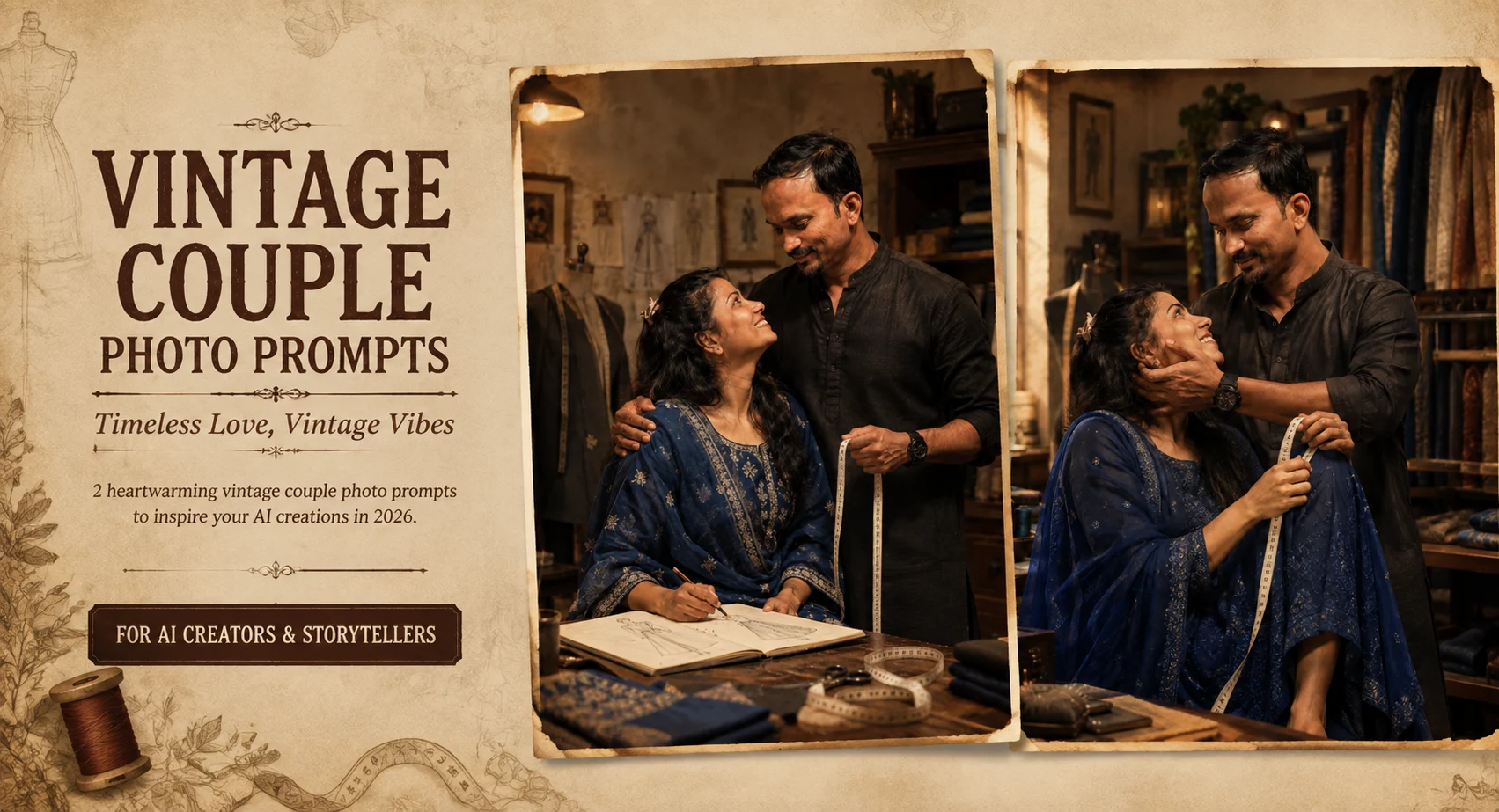
If you want a couple portrait that feels more like a fashion editorial than a standard posed photo, a vintage design studio gives you plenty to work with. The combination of traditional clothing, tailoring details, warm indoor light, and a measuring tape creates a believable story around the couple. In testing this style, the strongest results came from clear identity references and a 50mm portrait look, especially when both faces remained separately recognizable. You also get useful visual details such as embroidered fabric, aged walls, wooden furniture, and shallow background blur. The key is giving the AI enough scene direction without letting the environment overpower the people.
Before you start
Start with a clear photo where both people are visible and their faces aren't heavily covered by shadows, hair, or accessories. A front-facing or slightly angled couple photo usually gives the model enough information to preserve their individual features.
Photo: Clear, sharp image showing both faces
Tool: AI image generator that supports reference images
Aspect ratio: 4:5 for a portrait-style editorial composition
Best reference: Good natural lighting with minimal face obstruction
Warm Vintage Tailor Studio
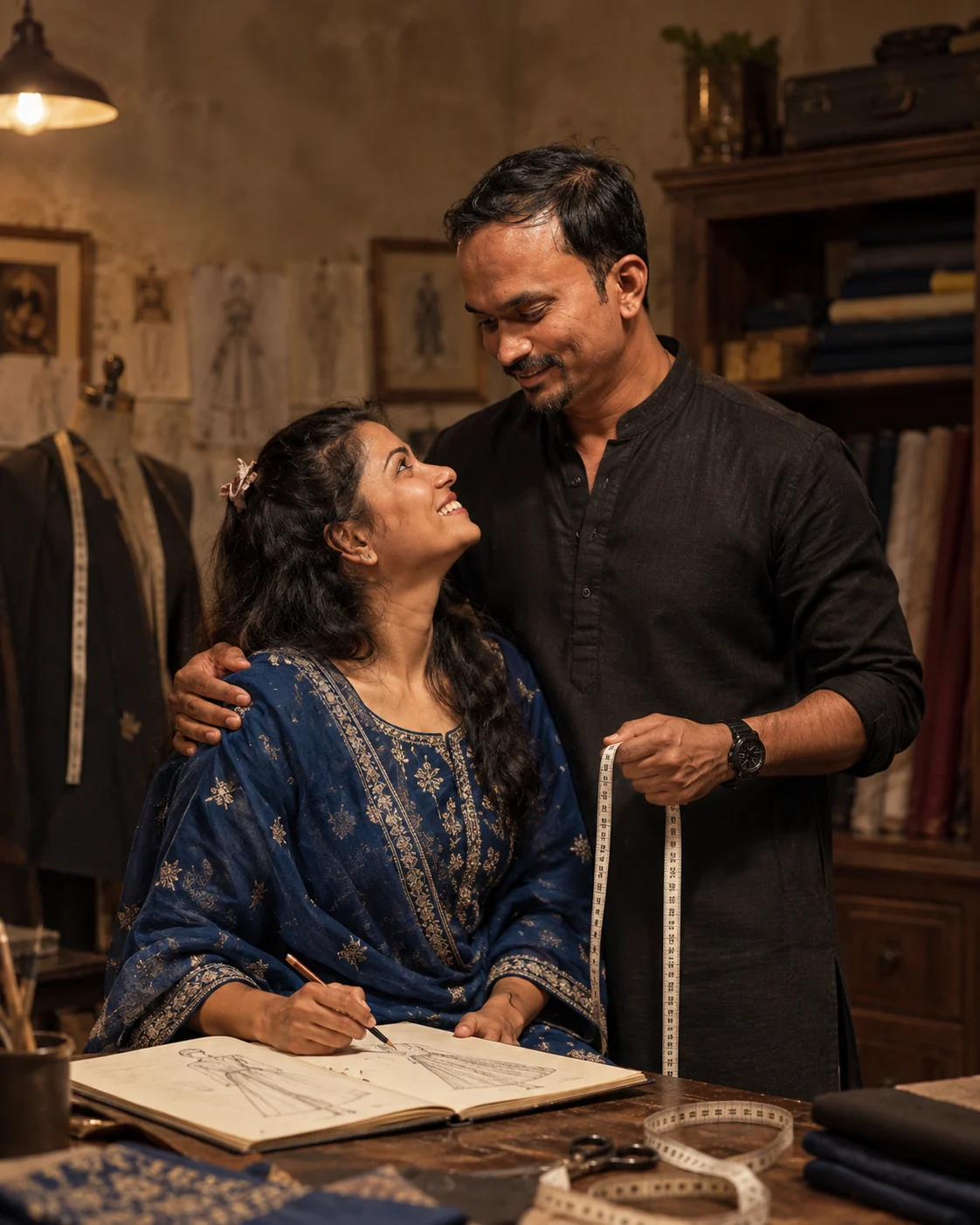
This look turns a simple couple photo into a cinematic fashion-design scene. The black kurta, royal-blue embroidered outfit, white measuring tape, and sketchbook give the portrait a clear tailoring theme. The aged beige walls and dark wood keep the background visually rich without competing with the couple. Warm indoor lighting and a 50mm perspective help maintain a natural portrait feel.
The Prompt
Using the uploaded photo, create a photorealistic cinematic couple fashion portrait set inside a warm vintage tailor studio, while keeping both people clearly recognizable as the same individuals. KEEP — Preserve the exact facial identity and visible structure of both people from the uploaded photo, including forehead shape, eyebrow placement, eye shape and natural eye colour, nose bridge and tip, lips, cheeks, cheekbones, jawline, chin, ears, facial width, and natural facial asymmetry. Keep each person’s original skin tone, pores, fine texture, under-eye detail, and natural facial expression. Keep the original hairline, hair density, hairstyle, and facial-hair pattern where present. Preserve both people’s natural body proportions, height relationship, shoulder width, neck, arms, hands, and overall physical build. Do not merge their identities or replace either person with a generic fashion model. CHANGE — Dress the man in a structured black cotton kurta with subtle woven texture and clean tailoring. Dress the woman in a royal-blue traditional outfit with visible embroidered threadwork and refined fabric texture. Add a white measuring tape naturally draped around the tailoring workspace or held in one hand, plus an open sketchbook containing fashion garment drawings. Change the environment to an aged tailor studio with beige plaster walls, dark walnut wood furniture, folded fabric, and restrained tailoring details. Use a composed standing pose with natural interaction between the couple. SCENE — Place the couple indoors during a warm evening studio session. Behind them, use aged beige walls, dark wooden furniture, neatly arranged fabric rolls, and a tailoring table. Keep these background elements softly blurred but still recognizable enough to establish the tailoring setting. LIGHT — Use warm directional light from the upper front-left, with soft diffusion across both faces and gentle shadow falloff toward the opposite side. Keep skin naturally illuminated so both faces sit convincingly inside the room. CAMERA — Photograph at 50mm, f/2.2, camera positioned at chest height, with natural perspective, moderate background compression, and sharp focus on both faces and upper bodies. GRADE — Apply warm amber highlights, muted beige shadows, controlled contrast, slightly faded blacks, and subtle vintage film grain without changing natural skin colour. OUTPUT — Create a vertical 4:5 composition at 2048×2560 resolution, keeping both people fully visible from approximately mid-thigh upward with balanced negative space around the tailoring details. DO-NOT — no face slimming, no skin whitening, no changed eye colour, no plastic smoothing, no invented jewellery or tattoos.
✦ Curated by MFDA
Royal-Blue Traditional Fashion Portrait
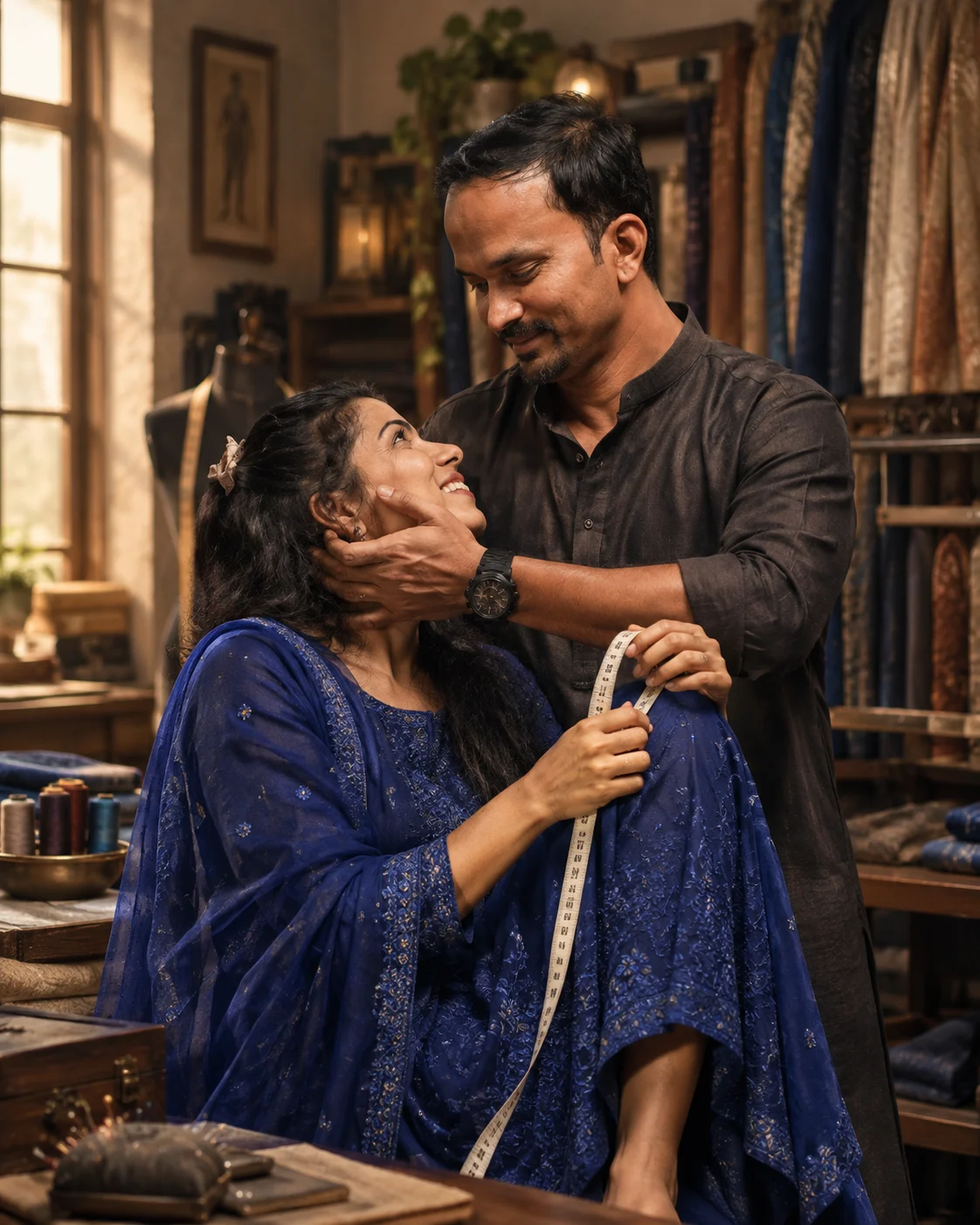
This version puts more attention on the woman's embroidered royal-blue outfit while keeping the couple visually connected. The measuring tape becomes a small storytelling element rather than a prop placed randomly in the scene. Keep the couple close together and use realistic hand positioning so the interaction doesn't look artificially assembled.
The Prompt
Using the uploaded photo, create a photorealistic vertical 4:5 traditional fashion portrait of the same couple in a refined tailor-studio setting, keeping both people clearly recognizable and naturally connected. KEEP — Preserve the exact facial identity and visible structure of both people from the uploaded photo. Keep each person’s forehead shape, eyebrow placement, eye shape and natural eye colour, nose bridge and tip, lips, cheeks, cheekbones, jawline, chin, ears, facial width, and natural facial asymmetry. Keep the original skin tone, visible pores, fine texture, under-eye detail, hairline, hair density, hairstyle, and facial-hair pattern where present. Keep both people’s body proportions, shoulder width, neck shape, hand proportions, and height relationship unchanged. Do not merge their identities or replace either person with a generic model. CHANGE — Dress the woman in an elegant royal-blue traditional outfit made from richly woven fabric with dense tonal embroidery across the bodice and sleeves. Add a matching royal-blue dupatta with fine embroidered edging, keeping the fabric weight and folds realistic. Dress the man in a coordinated traditional outfit using deep neutral fabric with subtle tailoring details that complement her blue clothing without competing with it. Place a flexible tailor’s measuring tape naturally between them as a small working-studio detail. Keep their hands positioned realistically as they interact with the tape. SCENE — Place the couple inside a warm vintage tailor studio with wooden worktables, folded textiles, hanging fabric rolls, thread spools, and softly aged walls behind them. Keep the background moderately blurred while retaining enough textile detail to establish the tailoring environment. LIGHT — Use warm diffused window light from front-left at approximately 4300K, with soft facial shadows and gentle fill from the opposite side so both faces match the scene naturally. CAMERA — Shoot at 85mm, f/2.2, camera at chest height, with natural perspective compression and sharp focus on both faces and the embroidered blue outfit. GRADE — Apply warm neutral skin tones, deep royal-blue colour separation, restrained contrast, subtle film grain, and realistic textile detail without excessive saturation. OUTPUT — Vertical 4:5 composition at 2160 × 2700 pixels, with both people fully framed and their interaction clearly visible. DO-NOT — No face slimming, no skin whitening, no changed eye colour, no plastic smoothing, no invented jewellery or tattoos, no altered body proportions, no extra fingers, no distorted hands, and no floating or randomly placed measuring tape.
✦ Curated by MFDA
How to use these in your AI image generator
Upload a clear reference photo containing both people and make sure their faces are easy to see.
Choose a portrait canvas, preferably 4:5, so the couple and studio environment have enough vertical space.
Add one prompt card at a time instead of combining several concepts in one generation.
If your tool offers reference-image strength or identity settings, keep identity preservation relatively strong while allowing the scene and clothing to change.
Use a realistic photography or cinematic setting rather than an illustration or beauty filter style.
If the first result changes a face, creates strange hands, or loses the measuring tape, regenerate with the same reference and strengthen the identity, hand-placement, and object-consistency instructions.
Getting better results
Use a sharp reference photo because blurry facial details give the generator less reliable information to preserve.
Keep both faces visible because partially hidden faces are more likely to receive unwanted changes.
Use 4:5 for the portrait because it leaves enough room for the couple, furniture, and studio background without making the subjects too small.
Keep the 50mm look because it produces a familiar portrait perspective without the exaggerated distortion of a wide lens.
Describe the measuring tape clearly because small props can otherwise disappear, multiply, or attach incorrectly.
Mention realistic hands and proportions because interacting hands are among the easiest areas for an image model to distort.
Avoid excessive beauty instructions because stronger beautification can gradually move the result away from the reference faces.
When the result comes out wrong
What went wrong | Why it happens | What to change |
|---|---|---|
Faces don't look like the reference | The model prioritizes the fashion styling over identity | Strengthen the identity-preservation instructions and use a clearer reference |
Hands look unnatural | Two people are interacting with the same prop | Specify each hand's position and ask for authentic anatomy |
Measuring tape disappears | Small foreground objects receive lower priority | Mention its placement, direction, and interaction several times within the scene description |
Clothing loses embroidery | Fine fabric details can be simplified during generation | Describe the embroidery, fabric texture, and colour more precisely |
Background overwhelms the couple | Too many environmental elements compete for attention | Keep the studio details secondary and request shallow depth of field |
FAQ
Can I use these vintage couple photo prompts with any AI image generator?
Not every generator handles reference-image identity equally well. Use a tool that accepts an uploaded photo and provides reasonable control over image style or reference strength. The exact controls differ between platforms, so you may need to adjust how strongly the reference image influences the final portrait.
Why does the AI sometimes change our faces?
Image generators don't simply copy a face; they reconstruct the person while creating the requested scene. Strong changes to clothing, lighting, pose, or camera angle can therefore affect facial appearance. A sharp reference image and explicit identity-preservation instructions can reduce the problem, but they can't guarantee a perfect match every time.
Can I use the generated couple portraits commercially?
That depends on the AI service's current license, your uploaded image rights, and how the final image is used. Check the specific generator's commercial-use terms before using an image for advertising, products, client work, or monetized content. Also make sure you have permission from the people shown in the reference photo.
Do I need a professional camera photo as the reference?
No. A phone photo can work well if it is sharp, reasonably well lit, and shows both faces clearly. Avoid extreme filters, heavy shadows, strong motion blur, and faces that are partly hidden because these give the generator less reliable identity information.
Is this type of AI image generation free?
Some AI image tools provide free generations or limited credits, while others require a subscription or paid credits. Pricing and free allowances can change, so check the current plan information for the particular tool you're using rather than assuming every generator has the same limits.
What aspect ratio should I use for a couple portrait?
A 4:5 canvas works well for this particular studio concept because it provides enough vertical space for both people while retaining some of the environment. If you're creating content specifically for Stories or Reels, a 9:16 version can be more suitable, although the composition may need to be regenerated rather than simply cropped.
Closing
A convincing vintage couple portrait depends on more than attractive clothes and warm lighting. Give the generator a strong reference, define the couple's interaction, and keep the studio details purposeful. Even with careful prompting, identity and hand accuracy can vary between generations, so treat the first result as a starting point rather than a guaranteed final image.
Tags
About the Author
Naziya
Creative AI writer at MFDA, sharing trendy photo-editing prompts and fresh ideas for beautiful, stylish AI images.