2 Aesthetic Street Photo Prompt Girls/Boys 2026
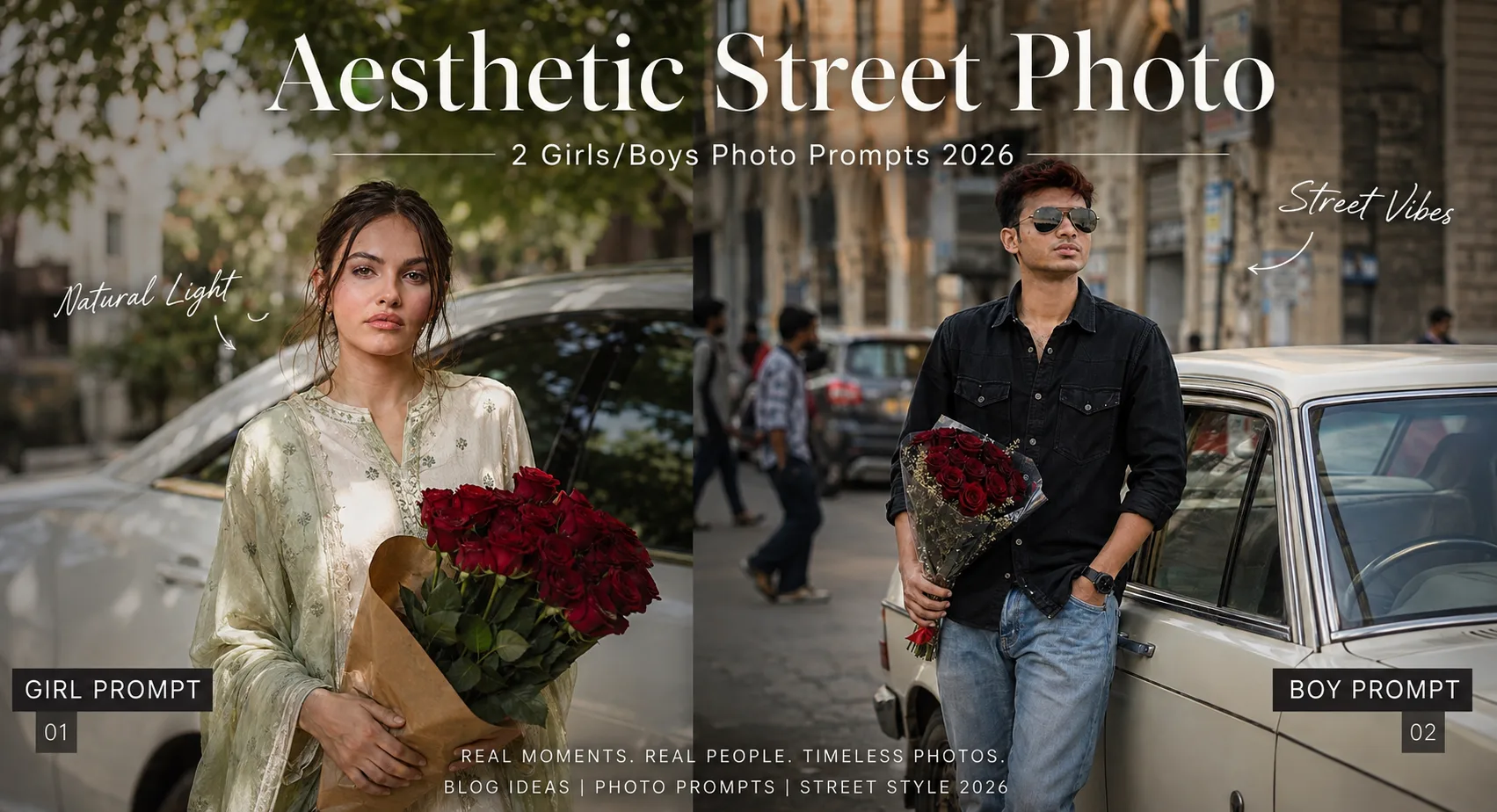
A street portrait looks more convincing when it has a little imperfection. In these aesthetic street photo prompt girls/boys tests, the strongest results came from keeping the background slightly soft instead of making every building and parked car razor sharp. That small loss of detail makes the subject feel like part of a real photograph. These looks suit anyone who wants a casual Instagram portrait without the stiff pose of a studio shoot. You get one bright daytime concept built around red roses and another with a more relaxed men's fashion feel. Both work best when your reference photo clearly shows the face and gives the generator enough information about your proportions.
Before you start
Your starting photo matters more than adding extra adjectives to the prompt. Use a clear image with visible eyes, natural skin texture, and enough of the body to understand the person's proportions. A three-quarter or full-body photo is particularly useful when the generated scene includes a car and a standing pose.
Photo: Clear portrait or full-body image with an unobstructed face
Tool: An AI image generator that supports reference-photo editing
Aspect ratio: 9:16 vertical
Sunlit Rose Portrait for Girls
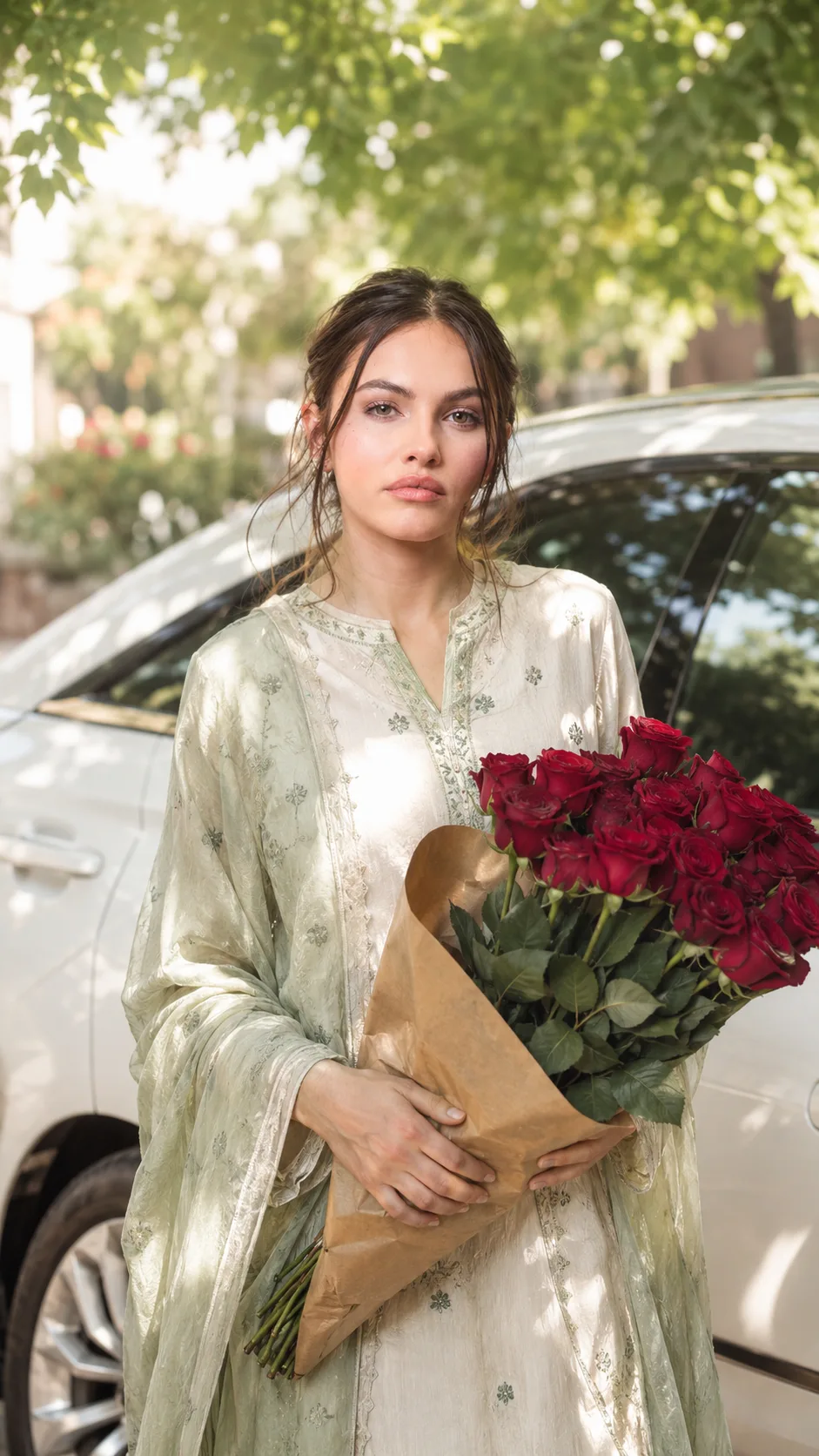
This look gives you a relaxed daytime portrait beside a parked white car, with a bouquet of deep-red roses as the main prop. It suits casual fashion, modest outfits, and feminine street styling. The useful detail is the combination of dappled tree shade, slight overexposure, and soft focus. Keep those imperfections rather than sharpening the result afterward.
The Prompt
Using the uploaded photo, create a photorealistic relaxed daytime portrait of the same person standing naturally beside a parked white car while holding a bouquet of deep-red roses. KEEP - Preserve the uploaded person's exact facial identity and visible structure: forehead shape, eyebrow shape and placement, eye shape and natural eye colour, nose structure and proportions, lips, cheeks, cheekbones, jawline, chin, ears, facial proportions, natural asymmetry, and original expression. Keep the original skin tone, visible pores, fine skin texture, natural facial marks, hairline, hair density, hairstyle, facial hair if present, and original body proportions. Do not replace the person with a generic fashion model. CHANGE - Adapt only the styling and setting. Dress the person in a modest feminine casual outfit using [chosen fabric] in [chosen colour], with realistic fabric folds and no unnecessary accessories. Place a natural bouquet of deep-red roses in their hands beside a clean parked white car. Use a relaxed standing pose with natural shoulders, arms, hands, and posture. SCENE - Set the portrait outdoors during bright daytime, beneath leafy trees that create irregular dappled shade across the person and nearby car. Keep the white car parked close behind or beside the subject. Let the background fall into a gentle soft-focus blur while retaining enough detail to identify the outdoor setting. LIGHT - Use soft natural daylight filtered through tree leaves, with uneven patches of brighter light and shade across the scene. Keep the face naturally illuminated from the open daylight direction, with mild highlights and soft shadows rather than studio lighting. Allow slight natural overexposure in brighter areas. CAMERA - Shoot at 85mm, f/2.2, from approximately chest height, with realistic portrait compression and shallow depth of field. Keep the face sharply recognizable while allowing the roses, car edges, and distant foliage to soften naturally. GRADE - Use a warm, lightly faded daytime colour treatment with gentle contrast, subtle highlight bloom, and restrained saturation. Preserve the reference look's slight overexposure and soft-focus imperfection instead of sharpening everything. OUTPUT - Create a vertical 9:16 portrait at 2160 x 3840 resolution with realistic skin detail and natural photographic texture. DO NOT - no face slimming, no skin whitening, no changed eye colour, no plastic smoothing, no invented jewellery or tattoos, no artificial studio lighting, no excessive sharpening, and no replacement of the uploaded person.
✦ Curated by MFDA
Black Shirt Rose Portrait for Boys
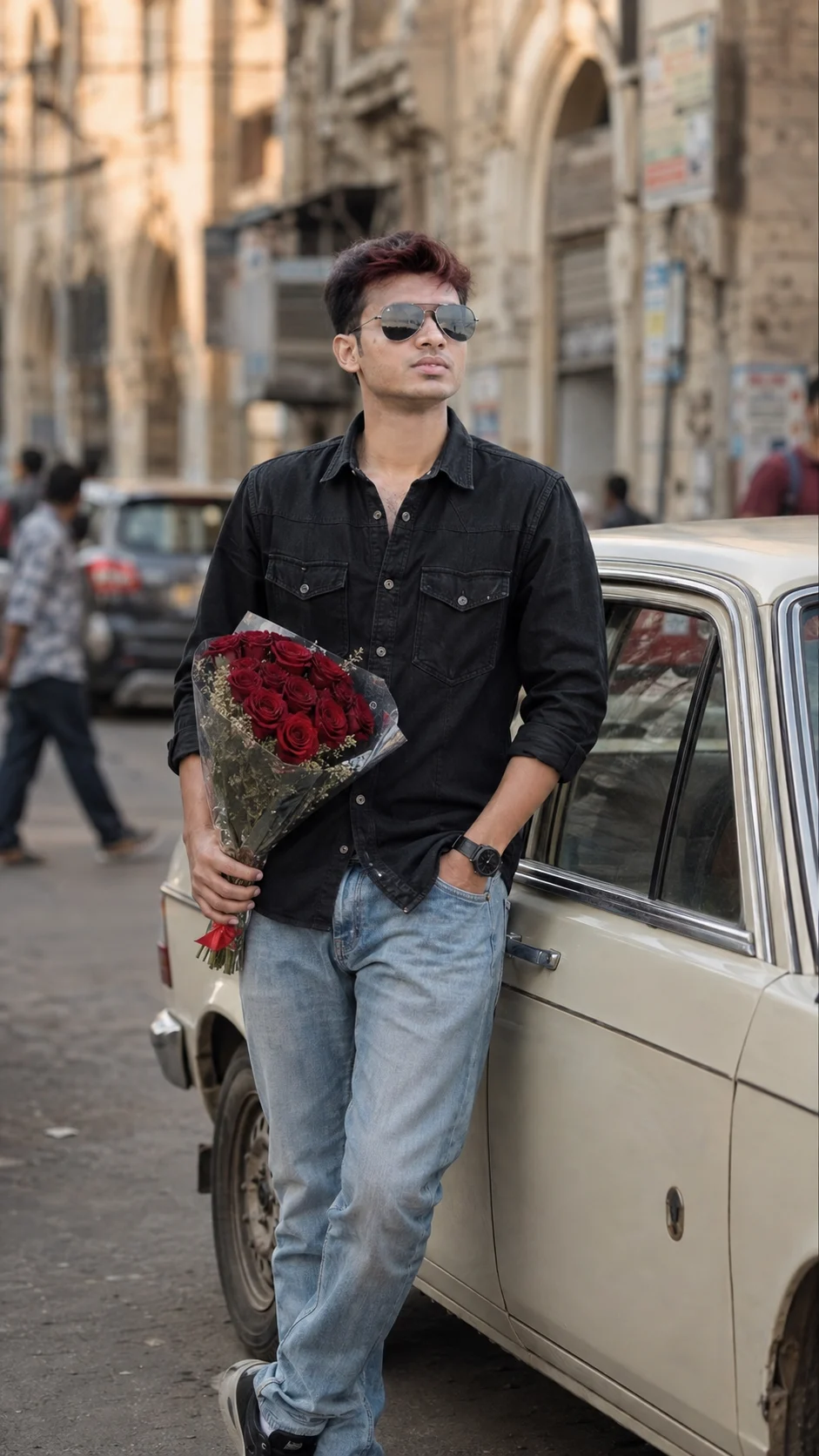
For a men's version, the street setting becomes a little more fashion-led without turning into a formal editorial. Black clothing, light denim, sunglasses, and red roses create strong separation from the pale car and older architecture. The look benefits from warm side lighting and background movement. If the source photo already includes glasses, identity preservation can still be less reliable.
The Prompt
Using the uploaded photo, create a photorealistic fashion-led daytime street portrait of the same man standing beside a pale parked car, holding a bouquet of deep-red roses, with older architecture and subtle background movement behind him. KEEP - Preserve the uploaded man's exact facial identity and visible facial structure: forehead shape, eyebrow shape and placement, eye shape and natural eye colour, nose structure and proportions, lips, cheeks, cheekbones, jawline, chin, ears, facial proportions, and natural asymmetry. Keep his original skin tone, visible pores, fine skin texture, facial marks, hairline, hair density, hairstyle, facial hair if present, and original body proportions. If sunglasses are present in the source, preserve their basic placement and relationship to the face without allowing them to replace visible identity cues. CHANGE - Dress the man in a fashion-led casual outfit combining a black [cotton or denim shirt/jacket] with light-blue denim [jeans or trousers]. Add dark sunglasses only if [desired], keeping them understated rather than luxury-editorial. Place a bouquet of deep-red roses in one hand. Use relaxed masculine street posture with natural shoulders and realistic hands. Keep the styling casual rather than formal or business-like. SCENE - Place him outdoors beside a pale cream or light-grey parked car, with older architectural surfaces and a lived-in street environment behind him. Make the distant buildings, vehicles, and pedestrians softly blurred but still readable as background movement. Keep the car close enough to create pale negative space around the darker clothing. LIGHT - Use warm natural side lighting from approximately 45 degrees to the man's face, producing gentle directional highlights along one cheek and soft shadow on the opposite side. Keep the daylight slightly warm, around 4800K-5200K, with realistic reflected light from the pale car. CAMERA - Shoot with an 85mm lens at f/2.0 from chest height, using moderate portrait compression and shallow depth of field. Keep the face and roses detailed while allowing architecture and background movement to dissolve naturally. GRADE - Apply a warm cinematic street colour grade with controlled contrast, slightly muted highlights, natural skin tones, deep blacks, and restrained red saturation so the roses remain a clear accent. OUTPUT - Create a vertical 9:16 portrait at 2160 x 3840 resolution with realistic skin texture and photographic depth. DO NOT - no face slimming, no skin whitening, no changed eye colour, no plastic smoothing, no invented jewellery or tattoos, no formal editorial styling, no exaggerated luxury accessories, and no generic model replacement.
✦ Curated by MFDA
How to use these with your AI image generator
Upload your reference photo first. Choose a sharp image where the face isn't hidden by hair, hands, or extreme shadows.
Select the image-editing or reference-image mode rather than a text-only generation mode.
Set the output canvas to 9:16 for the tall street composition.
Add the appropriate prompt card while keeping your reference image attached.
Generate the image and inspect the face, hands, clothing, and body shape before making style changes.
If the first result is wrong, keep the scene but correct the failed detail in the next generation instead of rewriting everything.
Getting better results
Use a photo taken in open shade: Midday shade gives the reference image cleaner facial detail than harsh direct sunlight, which helps identity hold together.
Choose a full-body source when changing clothes: The generator has more information about your height, shoulders, arms, and overall proportions.
Keep the red roses as the main prop: Adding several competing objects can cause the bouquet, hands, and clothing to merge into each other.
Don't over-sharpen the final image: Slight lens softness is part of the street-camera look; excessive sharpening makes the background feel synthetic.
Keep sunlight coming from one side: Consistent direction gives the face, car, pavement, and buildings matching shadows.
Use natural skin wording rather than “perfect skin”: Beauty-focused language often produces waxy texture and removes pores.
Regenerate after one targeted correction: Changing the face, outfit, lighting, and background together makes it difficult to tell which instruction caused the failure.
When the result comes out wrong
What went wrong | Why it happens | What to change |
|---|---|---|
The face no longer looks like you | A dramatic head angle or new styling can overpower the reference identity | Use a clearer reference and reinforce the original facial structure, skin tone, hairline, and natural asymmetry |
Skin looks plastic | The generator interprets polished portrait language as heavy retouching | Ask for visible pores, fine lines, natural texture, and no beauty smoothing |
Fingers or bouquet look strange | Hands holding a large prop create overlapping shapes that are difficult to render | Use a source photo with visible hands and regenerate the hand area before changing the scene |
Sunlight looks pasted onto the person | The subject and background have conflicting light directions | Specify one light direction and require matching highlights and shadows |
The image looks too much like a fashion campaign | Perfect posing and excessive sharpness remove the casual quality | Request relaxed body language, slight lens softness, background movement, and imperfect framing |
Sunglasses change or disappear | Accessories are often treated as secondary details during identity editing | Mention the glasses clearly and use a reference where their shape is easy to see |
FAQ
Will these work with any photo?
Not equally well. A clear portrait with visible facial features gives you the best starting point. A heavily filtered selfie, very dark image, or photo where the face occupies only a tiny part of the frame can produce more identity drift. For a standing street scene, a three-quarter or full-body reference is usually more useful.
Why does the AI change my face?
The generator is balancing your reference identity against a new pose, outfit, lighting setup, and environment. Large changes in head angle can make this harder. A sharp source photo helps, but identity preservation isn't perfect, especially when the original face is partly hidden or the requested pose is very different.
Can I use the generated images commercially?
That depends on the image generator's current licence, your subscription, and the rights attached to the source material. Before using an image for advertising, product listings, or paid client work, check the service's commercial-use terms. You also need permission to use photographs of people you don't have rights to use.
Is the image generator free?
Some services provide free generations, while others limit image editing, reference images, resolution, or daily usage to paid plans. These policies change frequently. Check the current pricing and usage rules for the particular generator you choose rather than assuming a feature is permanently free.
How can I get another variation without changing my face?
Keep the same reference image and alter only one visual variable, such as the jacket, bouquet, street, or time of day. For example, moving from bright midday light to late-afternoon sunlight is a smaller change than replacing the entire environment and pose at once.
Can I replace the roses with another prop?
Yes. A coffee cup, paperback book, shopping bag, umbrella, or small bunch of flowers can work. Props that require complicated hand positions are more likely to create distorted fingers, so start with something the person can hold naturally.
Closing
Try the girl version first if you want a softer candid image with strong color contrast from the roses. For a more fashion-focused result, use the black-shirt variation. Keep your source photo clean, stay with the 9:16 frame, and fix one generation problem at a time. That approach usually gives you more control than continually adding new style words.
Tags
About the Author
Naziya
Creative AI writer at MFDA, sharing trendy photo-editing prompts and fresh ideas for beautiful, stylish AI images.